Freedom251 › Bandwidth Monitoring Software
vnStat
What vnStat is
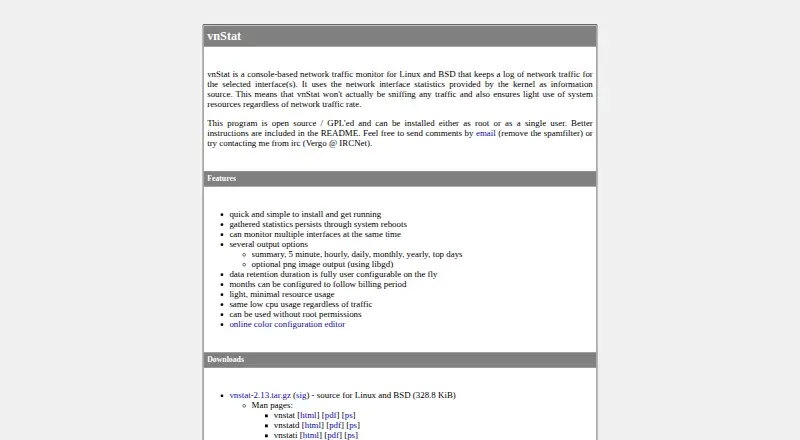
vnStat is a console-based network traffic monitor for Linux and self-hosted environments. It records traffic for selected network interfaces using statistics supplied by the kernel, rather than sniffing network traffic. It can watch multiple interfaces at the same time and present summaries across five-minute, hourly, daily, monthly and yearly periods, along with top-days statistics. Data retention can be configured. The documented defaults keep five-minute records for 48 hours, hourly records for four days, daily records for two full months and yearly records indefinitely. Output options include text, JSON and XML database output, alerts, and images when the GD Graphics Library is installed. The maker says the program uses system resources lightly regardless of traffic rate. vnStat is free and open source under GPL, with a listed price of $0. Source is offered for Linux and BSD, and the maker provides links to Docker and Snap distributions. The maker also describes optional GPG verification for the stable release archive and its signature.
Who it suits
vnStat suits Linux or self-hosted users who want interface-level traffic records and historical summaries without traffic sniffing. It can also suit users who need configurable retention, alerts or text and database output.
What it does well
- Monitors multiple network interfaces at once.
- Provides five-minute through yearly statistics and top-days reports.
- Retention duration can be configured.
- Supports text, JSON and XML database output, plus alerts.
- Free, open-source software under GPL.
What to know first
- It does not sniff network traffic.
- Image output requires the GD Graphics Library.
- Traffic estimates cannot predict peaks.
- No vnStat-specific database editor is available.
Limits
Traffic estimates work fairly well when interface traffic stays at a similar magnitude, but cannot predict peaks. The documented default retention periods vary by interval; yearly data is kept indefinitely.
Plans
| Plan | Billed and limits | Price |
|---|---|---|
| vnStat | Open source / GPL'ed · Linux and BSD | Free |
As humdi.net lists them, read 4 Oct 2026. The maker's own page has the final word.
Getting started
- Visit https://humdi.net/vnstat/.
- Choose a Linux or BSD source distribution, or follow a Docker or Snap link.
- Optionally verify the stable release archive and signature with GPG.
- Configure the interfaces and retention you want to monitor.
Verdict
Choose vnStat if you want free, kernel-statistics-based traffic monitoring with multiple reporting periods and configurable retention. Look elsewhere if you need traffic sniffing or estimates that anticipate peaks.
Questions
How much does vnStat cost?
The listed plan is free. It is open-source software under GPL.
Which platforms does vnStat support?
The listed platforms are Linux and self-hosted. The maker offers Linux and BSD source, plus links to Docker and Snap distributions.
Does vnStat sniff network traffic?
No. It reads network interface statistics provided by the kernel.
What statistics can it show?
It provides summaries, five-minute, hourly, daily, monthly and yearly statistics, as well as top-days reports.
Can I edit its database?
The FAQ says there is no vnStat-specific database editor and suggests sqlite3 to read or modify the database.
Facts from vnStat's own pages
- Data editing
- The FAQ says no vnStat-specific database editor is available and suggests using sqlite3 to read or modify the database. · humdi.net, 4 Oct 2026
- Data source
- It uses network interface statistics provided by the kernel and does not sniff traffic. · humdi.net, 4 Oct 2026
- Estimate limitation
- The FAQ says traffic estimates work fairly well when interface traffic stays at a similar magnitude and cannot predict peaks. · humdi.net, 4 Oct 2026
- History
- It provides summary, five-minute, hourly, daily, monthly, yearly, and top-days statistics. · humdi.net, 4 Oct 2026
- Installation
- The maker offers source for Linux and BSD, plus links to Docker and Snap distributions. · humdi.net, 4 Oct 2026
- Integrity check
- The repository's getting-started instructions describe optional GPG verification of the stable release archive and its signature. · github.com, 4 Oct 2026
- Interfaces
- It can monitor multiple network interfaces at the same time. · humdi.net, 4 Oct 2026
- Output
- It supports text output, JSON and XML database output, alerts, and optional image output when the GD Graphics Library is installed. · github.com, 4 Oct 2026
- Purpose
- vnStat is a console-based network traffic monitor that logs traffic for selected interfaces. · humdi.net, 4 Oct 2026
- Resource use
- The maker says vnStat uses system resources lightly regardless of network traffic rate. · humdi.net, 4 Oct 2026
- Retention
- Data retention duration is configurable; the repository README gives defaults of five-minute data for 48 hours, hourly data for four days, daily data for two full months, and yearly data forever. · github.com, 4 Oct 2026
- Security
- Because vnStat reads kernel-provided interface statistics, the maker says it does not sniff network traffic. · humdi.net, 4 Oct 2026
- Support
- The maker suggests GitHub for bug reports, improvement ideas, feature requests, and pull requests, and also lists email and IRC contact options. · github.com, 4 Oct 2026
Where vnStat stands on Freedom251
- Bandwidth Monitoring Software#21 of 33