Freedom251 › Phone Transfer Software
vivo EasyShare
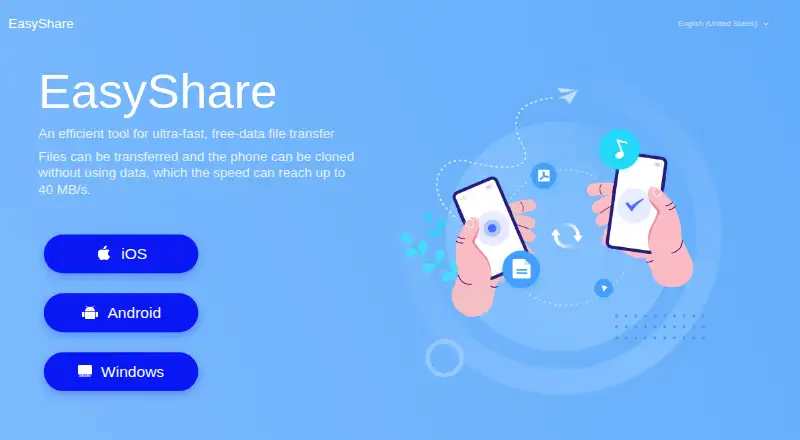
What vivo EasyShare is
vivo EasyShare is a free tool for transferring files and cloning phones without mobile data. The maker says transfer speeds can reach up to 40 MB/s. Phone Clone moves personal files and data from an old phone to a new one in one tap, connecting the phones through a QR code. File Transfer handles multiple file types and allows simultaneous interaction among multiple people. For PC backups, EasyShare can connect a phone by USB or Wi-Fi to back up or restore data. It is available for Android and iOS, with support for macOS and Windows. There are two limits to note: apps moved during cloning may need to be installed manually from Files > Apps, and encrypted data is not backed up to a PC. The privacy terms say content used for cloning and backup restore is processed on the device rather than collected, accessed, or uploaded to vivo’s servers. Optional usage and diagnostic data collection can be turned off in settings when the feature is available. Some features may vary by country or region and software version.
Who it suits
It suits people moving files between phones or transferring personal data to a new phone. It may also suit users who want to back up or restore phone data through a PC.
What it does well
- Transfers files without using mobile data.
- Phone Clone moves personal files and data in one tap.
- PC connection supports USB or Wi-Fi.
- Available for Android, iOS, macOS, and Windows.
What to know first
- Cloned apps may need manual installation.
- Encrypted data is not backed up to a PC.
- Some features depend on region and software version.
Plans
| Plan | Billed and limits | Price |
|---|---|---|
| Free | No ads · no internet required · no file-size limitation stated | Free |
As easyshare.vivo.com lists them, read 15 Oct 2026. The maker's own page has the final word.
Getting started
- Visit the vivo EasyShare website.
- Install EasyShare on an Android or iOS phone, or use the macOS or Windows version.
- For phone cloning, connect the phones by scanning a QR code.
- For PC backup or restore, connect the phone by USB cable or Wi-Fi.
- Check settings to disable optional usage and diagnostic data collection when available.
Overview
vivo EasyShare is a free tool for moving files between phones and backing up or restoring phone data on a computer. It suits people who want phone migration without mobile data or a paid plan. Its strongest case is the range of transfer routes at no cost; manual app installation and the exclusion of encrypted data from PC backups are practical limits.
The maker says transfers can reach up to 40 MB/s, though that is a maximum rather than a guaranteed speed. Feature availability can vary by country or region and software version.
For more options, see our Phone Transfer Software list.
Key features
Phone cloning
Phone Clone moves personal files and data from an old phone to a new one in one action, with the phones connected by scanning a QR code. That makes EasyShare a straightforward fit for a phone change. App transfer is supported, but transferred apps might not install automatically; you may need to install them manually from Files > Apps.
File transfer
File Transfer supports multiple file types and simultaneous interaction among multiple people, and EasyShare is designed to transfer without using mobile data. That combination suits direct sharing when mobile data use is a concern.
PC backup and restore
EasyShare for PC connects to a phone over USB or Wi-Fi for backup and restore. It can be useful for keeping a computer copy or restoring data, but encrypted data will not be backed up to a PC. Anyone who needs that content included should not rely on this backup route alone.
Privacy and security
For device clone and backup restore, content is processed on the device and is not collected, accessed, or uploaded to vivo servers. vivo says it uses measures including encryption and anonymization to protect personal data. Usage and diagnostic collection is optional where available and can be disabled in settings.
Pricing
EasyShare is free: the free plan includes file transfer and phone cloning, with no paid tier needed for those core uses. The plan supports phone-to-phone and phone-to-computer transfer, app transfer, and computer backup. It is a strong fit if those functions meet your needs; there is no paid plan described to extend them.
Platforms
EasyShare supports Android, iOS, macOS, and Windows. Its coverage across mobile and desktop supports phone transfers as well as PC backup and restore, though feature availability may depend on region and software version.
Who it's for
Choose EasyShare if you want a free way to move personal files between phones, transfer apps, or connect a phone to a computer for backup or restore. It is less suitable as your only backup method if you need encrypted data saved to a PC, or if you expect transferred apps to install without manual steps.
Pros and cons
- Pros: Phone cloning, file transfer, app transfer, and computer backup are included in a free plan, covering common migration and storage tasks without a subscription.
- Pros: Phone cloning uses QR-code pairing, while PC connection supports either USB or Wi-Fi.
- Pros: Clone and restore content is processed on-device rather than uploaded to vivo servers.
- Cons: Transferred apps may require manual installation from Files > Apps.
- Cons: Encrypted data is excluded from PC backups, limiting that route for a complete backup.
- Cons: Feature availability can vary by region and software version.
Alternatives
Huawei HiSuite is another free option for macOS and Windows; choose it if its Mac picture, video, file, and backup/restore functions better match your computer workflow.
Syncios Manager has a free version and a 1 Year Subscription at $34.95 a year billed Auto-Renew. Consider it if you want to compare a freemium desktop manager with a paid annual option.
Verizon Content Transfer is a free Android and iOS download with no wires, accounts, or cloud required. Choose it if avoiding those setup dependencies is the priority.
ApowerManager supports Android, iOS, macOS, and Windows and has paid personal plans; consider it if you want to compare a freemium option across those platforms.
FoneTool supports Android, iOS, and Windows, with a free plan and free trial. Its yearly plans specify device and PC limits, making it worth comparing if those terms suit your setup.
Wondershare MobileTrans is a paid product with a free plan and trial; its monthly plan includes phone backup and restore, app backup and restore, and deleted WhatsApp data restore. Choose it if those named functions matter more than EasyShare's free approach.
Dr.Fone Phone Transfer is a freemium alternative for macOS and Windows with a monthly plan covering several iOS and Android transfer pairings. Consider it if you need to compare those cross-platform combinations.
EaseUS MobiMover is a freemium macOS and Windows option with a free trial and paid Pro plans. Consider it if you want to compare a desktop-focused alternative.
Verdict
EasyShare is an easy recommendation for people who want free phone-to-phone migration, app transfer, and PC backup or restore across mobile and desktop platforms. Its on-device handling for clone and restore content is a useful privacy point. Look elsewhere or keep another backup method if you need encrypted data included in a PC backup, and allow for manual app installation after cloning.
Verdict
EasyShare combines phone-to-phone transfers, phone cloning, and PC backup or restore in a free tool. Consider the manual app-installation and encrypted-backup limits before relying on it for a transfer.
Questions
Does vivo EasyShare cost anything?
EasyShare has a free plan listed as free.
Which platforms support EasyShare?
It is available for Android, iOS, macOS, and Windows.
Can EasyShare transfer data between phones?
Yes. Phone Clone transfers personal files and data from an old phone to a new one, with the phones connected by QR code.
Can EasyShare back up a phone to a computer?
Yes. EasyShare for PC can connect by USB cable or Wi-Fi to back up or restore data. Encrypted data is not backed up to a PC.
Does phone cloning install transferred apps automatically?
Transferred apps might not install automatically and may need to be installed manually from Files > Apps.
Does vivo collect content used for cloning or restore?
vivo’s privacy terms say that content used for device clone and backup restore is processed on the device and is not collected, accessed, or uploaded to vivo’s servers.
Facts from vivo EasyShare's own pages
- Ads
- The Android listing states that EasyShare has no ads. · play.google.com, 15 Oct 2026
- Android downloads
- Google Play shows more than 1 billion downloads. · play.google.com, 15 Oct 2026
- Android update
- Google Play lists the app as updated September 28, 2026. · play.google.com, 15 Oct 2026
- Backup limit
- The maker’s guidance says encrypted data will not be backed up to a PC. · vivo.com, 2 Oct 2026
- Company founded and headquarters
- Vivo Mobile Communication Co., Ltd. is listed as founded May 22, 2009 and headquartered in Dongguan, Guangdong, China. · en.wikipedia.org, 15 Oct 2026
- Company legal name
- Google Play identifies the developer as 维沃移动通信有限公司, translated as vivo Mobile Communication Co., Ltd. · play.google.com, 15 Oct 2026
- Company ownership
- Wikipedia lists BBK Electronics as vivo's owner from 2009 to 2023 and Shen Wei as owner from 2023 onward. · en.wikipedia.org, 15 Oct 2026
- Company size
- LinkedIn lists vivo Communication Indonesia at 1,001–5,000 employees and says vivo was founded in 2009. · id.linkedin.com, 15 Oct 2026
- Computer transfer
- The manual documents USB file transfer between a phone and a Windows computer and use of Android File Transfer on Mac. · asia-exstatic-vivofs.vivo.com, 15 Oct 2026
- Connection requirement
- The privacy terms say basic features require connecting through a device hotspot and that Wi-Fi name and signal strength are collected for connection checks. · easyshare.vivo.com, 15 Oct 2026
- Content transfer privacy
- EasyShare privacy terms say transferred SMS, contacts, calendars, media, applications, settings, call records, notes and files are processed on-device and not uploaded to vivo servers. · easyshare.vivo.com, 15 Oct 2026
- Cross-platform support
- The Google Play description lists Android, iOS, Windows and Mac support. · play.google.com, 15 Oct 2026
- Data-free upgrades
- EasyShare can compare versions on two connected devices and upgrade the lower version without consuming data. · asia-exstatic-vivofs.vivo.com, 15 Oct 2026
- Data safety
- Google Play reports no data shared with third parties, no data collected and encryption in transit, based on the developer declaration. · play.google.com, 15 Oct 2026
- Feature availability
- The privacy terms warn that features can vary by country, region and software version. · easyshare.vivo.com, 15 Oct 2026
- File transfer
- File Transfer supports multiple file types and simultaneous interaction among multiple people. · easyshare.vivo.com, 15 Oct 2026
- Licence and extensibility
- The opened official pages provide consumer downloads and manuals but do not state an open-source licence, public EasyShare API, SDK, or self-hosting option. · easyshare.vivo.com, 15 Oct 2026
- Limit: Chinese-ROM notifications
- Android Central reports intermittent push-notification problems on Chinese-ROM vivo phones after installing Google apps. · androidcentral.com, 15 Oct 2026
- Limit: iPhone feature gaps
- Apple App Store reviewers complained that dual-device connectivity was unavailable and that QR-code transfer failed for some users. · apps.apple.com, 15 Oct 2026
- Limit: iPhone photo organization
- Users reported that transferring many photos from vivo to iPhone created one folder per photo and could make the iPhone slow. · mwm.ai, 15 Oct 2026
- Limit: regional compatibility
- A user report on MWM says some China-only vivo phones failed during transfer with locally purchased iPhones and non-Chinese Apple IDs. · mwm.ai, 15 Oct 2026
- On-device processing
- The privacy terms say content used for device clone and backup restore is processed on the device and is not collected, accessed, or uploaded to vivo’s servers. · easyshare.vivo.com, 2 Oct 2026
- Optional diagnostics
- Usage and diagnostic collection is optional and can be disabled in EasyShare settings. · easyshare.vivo.com, 15 Oct 2026
- Overwrite behavior
- The vivo manual warns that data for the same apps on the new phone is overwritten after transfer completes. · asia-exstatic-vivofs.vivo.com, 15 Oct 2026
Where vivo EasyShare stands on Freedom251
- Phone Transfer Software#13 of 44