Freedom251 › Screen Sharing Software
Vivi
What Vivi is
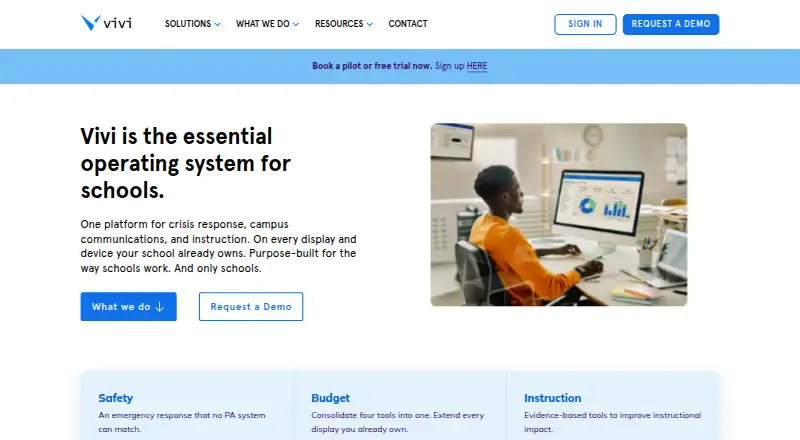
Vivi combines classroom instruction, school communications, and safety tools in a platform designed for schools. Teachers can wirelessly share content with classroom displays and stream instruction to student devices. Schools can send targeted text and video announcements to displays, including live video on their internal network, and manage digital signage centrally with scheduled, location-targeted content. For emergencies, alerts can appear on connected displays and staff devices; staff acknowledgment is mandatory, and Vivi keeps an auditable incident record. Its alert system can connect by API with existing emergency management and mass-notification systems to trigger screen notifications. A classroom can use a Vivi Display Box for each display or the software-only Vivi Display App on supported interactive panels. Per-classroom subscriptions include hardware, software, updates, support, training, and warranty. Vivi says data is encrypted in transit and at rest, cloud data is managed with AWS, and customer data is not retained on-premises. Screen-mirroring traffic stays on the local network, while internet access is needed for cloud features such as authentication, signage sync, and emergency functions. Pricing is available on request, and a 30-day trial is offered; there is no free plan.
Who it suits
Vivi is intended for schools that want classroom screen sharing, campus communications, digital signage, and emergency alerts in one platform. It may suit schools planning deployment across classrooms or an entire building, with display hardware or supported interactive panels.
What it does well
- Teachers can share to displays and stream to student devices.
- Emergency alerts require staff acknowledgment and retain an incident record.
- Signage supports scheduled and location-targeted content.
- Alert system can connect to existing systems by API.
- Per-classroom subscription includes hardware, support, and training.
What to know first
- There is no free plan.
- Pricing is available on request.
- Cloud features require internet access.
- Screen mirroring is limited to the local network.
Limits
There is no free plan, and pricing is available on request. Screen-mirroring traffic stays on the local network; cloud features including authentication, signage sync, and emergency functions need internet access.
Plans
| Plan | Billed and limits | Price |
|---|---|---|
| Vivi Site License | Unlimited Vivi for an entire building | On request |
| Vivi Subscriptions | Specific number of subscriptions · annual subscription per classroom/display | On request |
As vivi.io lists them, read 7 Oct 2026. The maker's own page has the final word.
Getting started
- Visit https://www.vivi.io/.
- Request pricing for a Vivi Site License or Vivi Subscriptions.
- Use the 30-day trial to evaluate the platform.
- Choose a Vivi Display Box for each display or the software-only Display App for supported interactive panels.
- Contact the school’s IT team for teacher or student support, or use Vivi’s Support Hub.
Verdict
Choose Vivi if a school needs classroom sharing alongside communications, digital signage, and safety alerts. Look elsewhere if you need a published price or screen mirroring that operates beyond the local network.
Questions
How much does Vivi cost?
Pricing is on request. Vivi lists an unlimited building-wide Site License and annual subscriptions for a specific number of classrooms or displays.
Does Vivi have a free plan or trial?
There is no free plan. Vivi offers a 30-day trial.
Which platforms does Vivi support?
Vivi lists Android, iOS, Linux, macOS, web, Windows, and an extension. Sharing modes include browser and desktop.
What hardware can a classroom use?
A classroom can use a Vivi Display Box for each display or the software-only Vivi Display App on supported interactive panels.
Can Vivi connect with existing emergency systems?
Its emergency alert system can integrate by API with existing emergency management and mass-notification systems to trigger screen notifications.
What does a per-classroom subscription include?
It includes hardware, software, updates, support, training, and warranty.
Facts from Vivi's own pages
- Announcements
- Schools can send targeted text and video announcements to classroom displays, including live video on their internal network. · vivi.io, 7 Oct 2026
- Free trial
- Vivi offers a free trial for schools to try the solution in their own environment before purchasing. · vivi.io, 7 Oct 2026
- Hardware options
- A classroom can use a Vivi Display Box per display or the software-only Vivi Display App on supported interactive panels. · vivi.io, 7 Oct 2026
- Integrations
- Vivi says its emergency alert system integrates by API with existing emergency management and mass-notification systems to trigger screen notifications. · vivi.io, 7 Oct 2026
- Network limit
- Screen-mirroring traffic stays on the local network, while internet access is needed for cloud features such as authentication, signage sync, and emergency functions. · vivi.io, 7 Oct 2026
- Platforms
- Downloads are listed for Windows, macOS, ChromeOS, iOS, Android, Linux, and browser extensions for Chrome and Edge; a web app is also available. · vivi.io, 7 Oct 2026
- Purpose
- Vivi combines classroom instruction, campus communications, and school safety in one platform designed for schools. · vivi.io, 7 Oct 2026
- School safety
- Emergency alerts can appear on connected displays and staff devices, with mandatory staff acknowledgment and an auditable incident record. · vivi.io, 7 Oct 2026
- Screen mirroring
- Teachers can wirelessly share content to classroom displays and stream instruction directly to student devices. · vivi.io, 7 Oct 2026
- Security
- Vivi says data is encrypted in transit and at rest, cloud data is managed with AWS, and customer data is not retained on-premises. · vivi.io, 7 Oct 2026
- Signage
- Vivi supports centrally managed digital signage with scheduled and location-targeted content. · vivi.io, 7 Oct 2026
- Subscription inclusions
- The per-classroom subscription includes hardware, software, updates, support, training, and warranty. · vivi.io, 7 Oct 2026
- Support
- Vivi directs teachers and students needing help to their school’s IT team and provides a Support Hub for support questions. · vivi.io, 7 Oct 2026
- Who it serves
- Vivi describes itself as purpose-built for schools and says it serves more than 3,000 schools. · vivi.io, 7 Oct 2026
Where Vivi stands on Freedom251
- Screen Sharing Software#22 of 30