Freedom251 › Screen Sharing Software
LonelyScreen
What LonelyScreen is
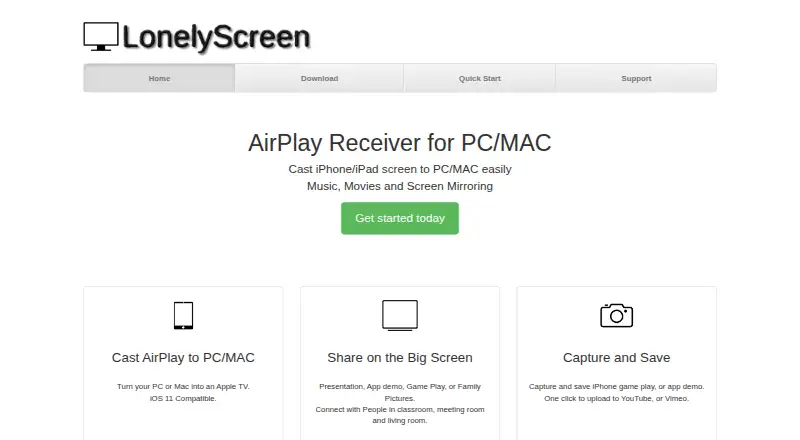
LonelyScreen is an AirPlay receiver for sending an iPhone or iPad display to a computer. It supports screen mirroring and casting movies or music, and runs on macOS and Windows. The maker says no app needs to be installed on the iPhone or iPad. The receiver is named LonelyScreen by default, with an option to change the name in the app window. Users can capture and save iPhone gameplay or app demonstrations, then upload them to YouTube or Vimeo with one click. The computer and iOS device need to share a LAN, and Windows Firewall must allow LonelyScreen. The setup guide lists support for iPhone 4S or newer, iPad 2 or newer, iPad mini or newer, and iPod Touch 5 or newer. A free trial is available, but there is no free plan. Home and Business Use Licenses each cost $19.95 a year for one PC. The license allows personal, non-commercial use on two computers; network or multi-user use requires at least a multi-user license.
Who it suits
LonelyScreen suits people who want to mirror an iPhone or iPad to a Mac or Windows computer, or capture gameplay and app demonstrations. Its license terms are relevant to anyone considering network or multi-user use.
What it does well
- Mirrors screens and casts movies or music.
- No iOS app installation is required.
- Captures gameplay and app demonstrations.
- One-click uploads to YouTube or Vimeo.
- Available for macOS and Windows.
What to know first
- No free plan; a free trial is available.
- Devices must share a LAN.
- Windows Firewall must allow the app.
- Network or multi-user use requires a multi-user license.
Plans
| Plan | Billed and limits | Price |
|---|---|---|
| Business Use License | USD$19.95/Year · 1 Business Use License per PC | $19.95 a year |
| Home Use License | USD$19.95/Year · 1 Home Use License per PC | $19.95 a year |
As lonelyscreen.com lists them, read 9 Oct 2026. The maker's own page has the final word.
Verdict
LonelyScreen covers basic AirPlay mirroring, media casting, and capture on computer screens. Check the LAN setup and license restrictions before choosing it, especially for shared use.
Facts from LonelyScreen's own pages
- Capture and sharing
- The home page says users can capture and save iPhone gameplay or app demos and upload them to YouTube or Vimeo with one click. · lonelyscreen.com, 9 Oct 2026
- License restriction
- The end user license permits personal, non-commercial use on two computers; network or multi-user use requires at least a multi-user license. · lonelyscreen.com, 9 Oct 2026
- Maker identity
- The end user license identifies LONELYSCREEN Inc. as the software developer. · lonelyscreen.com, 9 Oct 2026
- Mirroring and media
- It supports screen mirroring and casting movies and music from an iPhone or iPad. · lonelyscreen.com, 9 Oct 2026
- Network requirements
- The setup guide says the computer and iOS device should be on the same LAN and that LonelyScreen must be allowed through Windows Firewall. · lonelyscreen.com, 9 Oct 2026
- No iOS app required
- The maker says you do not need to install an app on the iPhone or iPad to use LonelyScreen. · lonelyscreen.com, 9 Oct 2026
- Purpose
- LonelyScreen is an AirPlay receiver that lets an iPhone or iPad cast to a computer screen. · lonelyscreen.com, 9 Oct 2026
- Receiver name
- The default receiver name is LonelyScreen and can be changed in the app window. · lonelyscreen.com, 9 Oct 2026
- Refund claim
- The home page advertises a 60 Days Money Back policy. · lonelyscreen.com, 9 Oct 2026
- Support
- The support page invites product feedback, questions, and business relationship inquiries by email. · lonelyscreen.com, 9 Oct 2026
- Supported iOS devices
- The setup guide lists AirPlay support for iPhone 4S or newer, iPad 2 or newer, iPad mini or newer, and iPod Touch 5 or newer. · lonelyscreen.com, 9 Oct 2026
- Windows download
- The download page labels the Windows installer a free trial and lists version 1.2.15 at 600 KB. · lonelyscreen.com, 9 Oct 2026
- Windows requirements
- The listed system requirements are Windows 10, 8/8.1, 7, Vista, Windows 2000, and Windows Server 2003. · lonelyscreen.com, 9 Oct 2026
Where LonelyScreen stands on Freedom251
- Screen Sharing Software#21 of 30