Freedom251 › Screen Sharing Software
Mirroring360
What Mirroring360 is
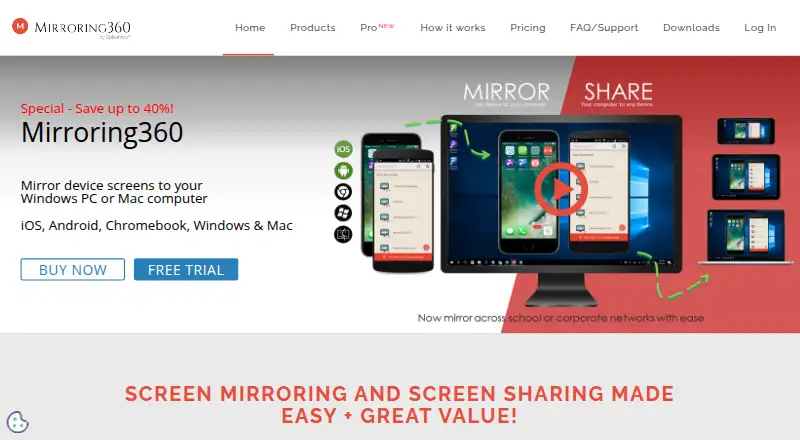
Mirroring360 sends screens wirelessly from supported devices to a Windows PC or Mac, without hardware or cables. Source devices include iPhone, iPad, Mac, Chromebook, Windows PC, Android phones, and Android tablets. Mirrored mobile screens can be recorded as standard MP4 files. Mirroring360 Pro adds browser-based sharing of a Windows computer screen with up to 40 participants, without requiring viewers to download an app. Mirroring Assist connects a device to a target computer across routable subnets or VLANs using a QR code or Meeting ID. The product uses AirPlay and WebRTC; iPhone and iPad mirroring through AirPlay does not require an app. Security options include disabling Bonjour discovery and requiring an on-screen passcode before mirroring begins. Up to four devices can be mirrored at once, and audio streaming is not supported. Standard License costs $11.99, paid once per receiving computer; Pro Subscription is $29.99 a year per receiving computer. A 7-day trial is available, with no free plan.
Who it suits
Mirroring360 Pro is described for professionals, businesses, and schools that need screen sharing. Large Deployment targets schools and corporations managing more than 10 computers.
What it does well
- Mirrors screens from phones, tablets, and computers.
- Records mirrored mobile screens as MP4 files.
- Pro shares a Windows screen with up to 40 viewers.
- Mirroring Assist connects across routable subnets or VLANs.
- Large Deployment supports MSI and Group Policy configuration.
What to know first
- Audio streaming is not supported.
- Up to four devices can be mirrored simultaneously.
- There is no free plan.
- The trial lasts 7 days.
Limits
Up to four devices can be mirrored at the same time, and audio streaming is unavailable. Standard License is a one-time purchase per receiving computer; Pro Subscription is billed yearly per receiving computer.
Plans
| Plan | Billed and limits | Price |
|---|---|---|
| Standard License | One time purchase per receiving computer · One receiver license per Windows PC or Mac · one-time license move | $11.99, paid once |
| Pro Subscription | Yearly subscription per receiving computer · Screen sharing for up to 40 viewers · unlimited license transfers · phone support | $29.99 a year |
| Large Deployment | Contact sales · For managing more than 10 computers · single license key · MSI deployment | On request |
As mirroring360.com lists them, read 4 Oct 2026. The maker's own page has the final word.
Getting started
- Open https://www.mirroring360.com/
- Choose Standard License, Pro Subscription, or contact sales for Large Deployment
- Install the receiver on a Windows PC or Mac
- Connect a supported device using AirPlay, WebRTC, QR code, or Meeting ID
- For Pro sharing, send participants the browser link
- For large installations, deploy through MSI, Group Policy, or Active Directory
Verdict
Mirroring360 covers wireless screen mirroring, mobile recording, and browser-based computer sharing through Pro. Check the four-device limit and lack of audio streaming against your needs; there is no free plan.
Questions
How much does Mirroring360 cost?
Standard License costs $11.99, paid once per receiving computer. Pro Subscription costs $29.99 a year per receiving computer; Large Deployment requires contacting sales.
Is there a free plan or trial?
There is no free plan. A 7-day trial is available.
Which devices can be mirrored?
Sources include iPhone, iPad, Mac, Chromebook, Windows PC, Android phone, and Android tablet. Screens are sent to Windows or Mac computers.
How many viewers can Pro support?
Mirroring360 Pro can share a Windows computer screen with up to 40 participants through a browser link, without a viewer download.
Does Mirroring360 support audio streaming?
No. The listed limit says audio streaming is not currently supported.
Facts from Mirroring360's own pages
- Company
- The Mirroring360 site identifies Splashtop Inc. in its copyright notice; Splashtop says it was founded in 2006. · splashtop.com, 4 Oct 2026
- Cross-network connection
- Mirroring Assist connects a device to a target computer across routable subnets or VLANs using a QR code or Meeting ID. · mirroring360.com, 4 Oct 2026
- Deployment
- Large Deployment supports MSI installation and configuration with Microsoft Group Policy and Active Directory. · mirroring360.com, 4 Oct 2026
- Founded
- 2006 · mirroring360.com, 28 Sept 2026
- Headquarters
- Cupertino, California, United States · mirroring360.com, 28 Sept 2026
- Integrations and protocols
- The FAQ says Mirroring360 uses AirPlay and WebRTC, and the downloads page describes iPhone and iPad mirroring through AirPlay without an app. · mirroring360.com, 4 Oct 2026
- Intended users
- Mirroring360 Pro is described for professionals, businesses, and schools, while Large Deployment targets schools and corporations. · mirroring360.com, 4 Oct 2026
- License management
- The Large Deployment portal shows available licenses and assigned computers and lets administrators release licenses from old computers. · mirroring360.com, 4 Oct 2026
- Notable limits
- The FAQ says up to four devices can be mirrored simultaneously and that audio streaming is not currently supported. · mirroring360.com, 4 Oct 2026
- Purpose
- Mirroring360 wirelessly mirrors and records device screens to a Windows PC or Mac without hardware or cables. · mirroring360.com, 4 Oct 2026
- Recording
- Mirrored mobile device screens can be recorded as standard MP4 files. · mirroring360.com, 4 Oct 2026
- Screen sharing
- Mirroring360 Pro lets users share a Windows computer screen with up to 40 participants through a browser link, with no viewer download required. · mirroring360.com, 4 Oct 2026
- Security controls
- The product can disable Bonjour discovery and offers an on-screen passcode that users enter before mirroring starts. · mirroring360.com, 4 Oct 2026
- Support
- Mirroring360 Pro includes premium phone and email support, and the Large Deployment page lists phone support on business days from 8am to 5pm Pacific and email support after hours. · mirroring360.com, 4 Oct 2026
- Supported devices
- The product supports screen mirroring from iPhone, iPad, Mac, Chromebook, Windows PC, Android phone, and Android tablet to Windows and Mac computers. · mirroring360.com, 4 Oct 2026
Where Mirroring360 stands on Freedom251
- Screen Sharing Software#20 of 30