Freedom251 › AI Video Summarizers

Video Highlight
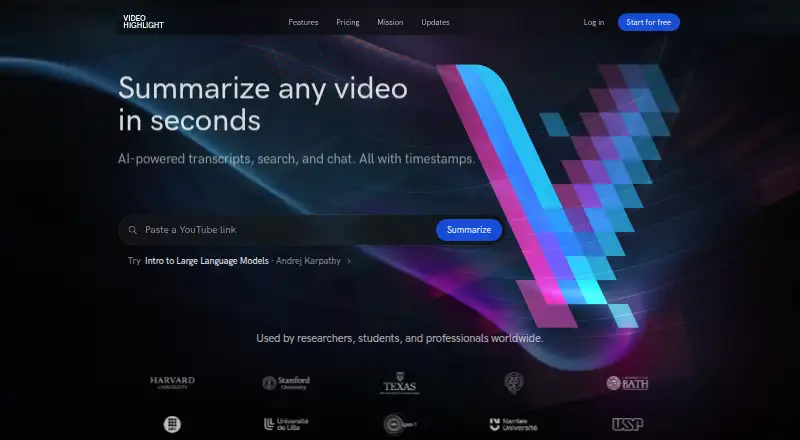
What Video Highlight is
Video Highlight summarizes and transcribes video, adds timestamped key points, and lets users chat with video content. Its stated inputs include YouTube, Vimeo and Dailymotion videos, uploaded video files, browser recordings and Google Drive imports. Transcription and summaries support 37 languages. Private video uploads support MP4, MOV, AVI, MKV and FLV files up to 1 GB; users can also submit audio files, WhatsApp voice messages and meeting recordings. Search covers exact transcript matches, summaries, semantic chat and content across a playlist or collection. Users can import and sync YouTube playlists and channels, send summaries and key points to Notion, sync highlights to Readwise, or copy and download content in formats such as Word, PDF, Markdown, CSV, TXT, SRT and VTT. The read-only MCP connector works with Claude, ChatGPT and other compatible clients, including on the free plan. Free includes about 7 hours 30 minutes of public video processing and one private upload. The browser extension is in early access for Chromium browsers.
Who it suits
Video Highlight suits researchers, professionals and creators working with YouTube videos or their own recordings. It may be useful for people who want searchable transcripts, summaries and exports across video collections.
What it does well
- Transcription and summaries support 37 languages
- Searches transcripts, summaries and video collections
- Free plan includes one private upload
- Read-only MCP connector is included on every plan
What to know first
- Free plan allows about 7 hours 30 minutes of public video processing
- Private uploads are limited to 1 GB
- Browser extension is in early access
- AI host retention policies apply to prompts and tool data
Limits
The Free plan includes about 7 hours 30 minutes of public video processing and one private upload. The listed paid tiers do not expose specific limits in their public pricing page text.
Plans
| Plan | Billed and limits | Price |
|---|---|---|
| Free | about 7 hr 30 min of public video processing (about 10 videos) · one private upload | Free |
| Plus | Paid tier; pricing page does not expose price or specific limits in its public page text | On request |
| Business | Paid tier; pricing page does not expose price or specific limits in its public page text | On request |
| Pro | Paid tier; pricing page does not expose price or specific limits in its public page text | On request |
As videohighlight.com lists them, read 3 Oct 2026. The maker's own page has the final word.
Getting started
- Visit https://videohighlight.com/.
- Use the web version or the extension for a Chromium browser; the extension is in early access.
- Start with the Free plan, which includes about 7 hours 30 minutes of public video processing and one private upload.
- Add a supported video source, upload an accepted private video, or provide an audio file or recording.
- Import and sync a YouTube playlist or channel, or add an individual Vimeo or Dailymotion video.
Verdict
Video Highlight combines transcription, summaries, search and export options for videos and recordings. Note the free-plan processing allowance and the stated retention conditions when using its AI connector.
Questions
Is there a free plan?
Yes. The Free plan includes about 7 hours 30 minutes of public video processing and one private upload.
Which platforms are available?
Video Highlight is available on the web and as a browser extension. The extension is in early access and targets Chromium browsers including Chrome, Edge, Brave, and Arc.
What video and audio sources can it process?
Inputs include YouTube, Vimeo, Dailymotion, browser recordings, Google Drive imports, private video uploads, audio files, WhatsApp voice messages, and meeting recordings. Private video uploads support MP4, MOV, AVI, MKV, and FLV files up to 1 GB.
Can it export transcripts or summaries?
Users can send summaries and key points to Notion, sync highlights to Readwise, or copy and download content in Word, PDF, Markdown, CSV, TXT, SRT, and VTT formats.
Does it connect to Claude or ChatGPT?
Its read-only MCP connector works with Claude, ChatGPT, and other compatible MCP clients. The connector is included on every plan, including Free.
What are the paid plan prices?
Plus, Business, and Pro are paid tiers, but their prices are not exposed in the pricing page's public text.
Facts from Video Highlight's own pages
- AI connectors
- The read-only MCP connector works with Claude, ChatGPT, and other compatible MCP clients, and is included on every plan, including Free. · videohighlight.com, 3 Oct 2026
- Audience
- The maker describes the product as serving researchers, professionals, and creators using YouTube videos and their own recordings. · videohighlight.com, 3 Oct 2026
- Audio and meetings
- Users can upload audio files, WhatsApp voice messages, and meeting recordings for transcripts, summaries, and AI chat. · videohighlight.com, 3 Oct 2026
- Connector privacy
- The maker says MCP logs record tool name, success or failure, and duration, but not the question, video, or returned content. · videohighlight.com, 3 Oct 2026
- Exports
- Summaries and key points can be sent to Notion, highlights sync to Readwise, and content can be copied or downloaded in formats including Word, PDF, Markdown, CSV, TXT, SRT, and VTT. · videohighlight.com, 3 Oct 2026
- Extension availability
- The browser extension is in early access and targets Chromium browsers including Chrome, Edge, Brave, and Arc. · videohighlight.com, 3 Oct 2026
- Languages
- The maker says transcription and summaries support 37 languages. · videohighlight.com, 3 Oct 2026
- Playlists
- Users can import and sync YouTube playlists and channels and can add individual Vimeo and Dailymotion videos. · videohighlight.com, 3 Oct 2026
- Privacy limitation
- The maker says Video Highlight is not currently an Anthropic Zero Data Retention partner and that AI host retention policies apply to prompts and tool data passed through those hosts. · videohighlight.com, 3 Oct 2026
- Product
- Video Highlight summarizes and transcribes videos, provides timestamped key points, and lets users chat with video content. · videohighlight.com, 3 Oct 2026
- Search
- Search includes exact transcript search, summary search, semantic chat, and cross-video search across a playlist or collection. · videohighlight.com, 3 Oct 2026
- Security
- The privacy policy says the service uses commercially reasonable security measures and hosts its primary servers in AWS us-east-1. · videohighlight.com, 3 Oct 2026
- Support
- The maker lists [email protected] for connector help and [email protected] for security reports. · videohighlight.com, 3 Oct 2026
- Video uploads
- Private video uploads support MP4, MOV, AVI, MKV, and FLV files up to 1 GB. · videohighlight.com, 3 Oct 2026
Where Video Highlight stands on Freedom251
- AI Video Summarizers#19 of 25