Freedom251 › AI Video Summarizers
TLDR YouTube
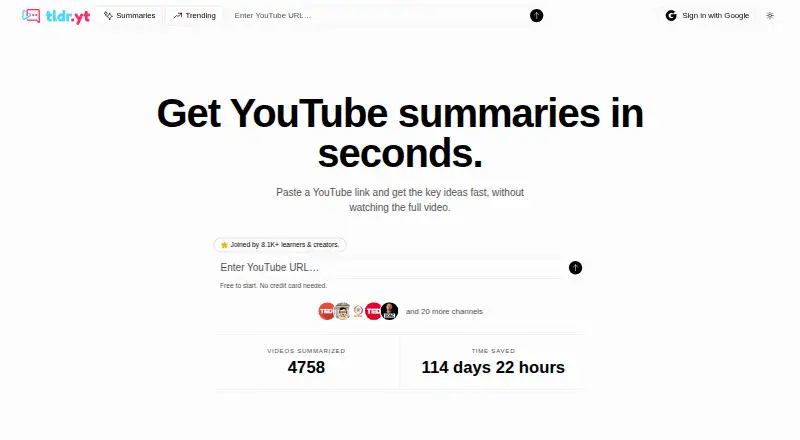
What TLDR YouTube is
TLDR YouTube turns YouTube links into AI-generated summaries, so readers can get a video’s main ideas without watching the entire recording. When a transcript is available, the service uses it to create a readable summary with key points and takeaways. New summaries join a shared library; reading summaries already there is free and unlimited. The Free plan costs nothing, billed forever, and includes five new summaries per week within a rolling seven-day window, API access, and custom summary styles. Returning to a summary already generated does not use another weekly summary slot. The service is available on the web and as a browser extension. Its free Chrome extension opens the matching tldr.yt summary page from a YouTube video and is described as compatible with Chrome, Brave, Edge, and other Chromium browsers. A URL shortcut is also available: replace youtube.com with tldr.yt in a video address. The maker presents Premium for people who summarize videos daily.
Who it suits
TLDR YouTube suits people who want to scan key ideas from YouTube videos rather than watch every full video. The Free plan may fit occasional use, while the maker positions the upcoming Premium plan for daily summarizing.
What it does well
- Reading summaries in the shared library is free and unlimited.
- Revisiting a generated summary does not use another weekly slot.
- The Free plan includes API access and custom summary styles.
- A free extension opens summaries from YouTube in Chromium browsers.
- The privacy policy says private YouTube account data is not accessed.
What to know first
- The Free plan allows five summaries per rolling seven-day window.
- Summaries rely on a transcript being available.
Limits
The Free plan allows five summaries in a rolling seven-day window; reading existing shared summaries is unlimited, and revisiting one already generated does not use another slot.
Plans
| Plan | Billed and limits | Price |
|---|---|---|
| Free | forever · 5 summaries per week · 7-day rolling window · API access · custom summary styles | Free |
| Premium | Coming Soon · 100 summaries per week · API access · MCP Server access · custom summary styles · priority processing · export to Notion, Obsidian | On request |
As tldr.yt lists them, read 8 Oct 2026. The maker's own page has the final word.
Getting started
- Open https://www.tldr.yt/ in a browser.
- Use a YouTube link as the input source.
- Alternatively, replace youtube.com with tldr.yt in a video URL.
- Install the free Chrome extension for a Chromium browser to open matching summary pages from YouTube.
Verdict
Choose TLDR YouTube if you want to read key points from YouTube videos, with a free shared library and browser extension.
Questions
What does TLDR YouTube do?
It creates AI summaries of YouTube videos from available transcripts, presenting key points and takeaways.
Is there a free plan?
Yes. Free costs nothing, billed forever, and permits five summaries per rolling seven-day window.
Which platforms does it support?
It is available on the web and as an extension. The free Chrome extension is described as compatible with Chrome, Brave, Edge, and other Chromium browsers.
What integrations are listed?
The Free plan lists API access. The upcoming Premium plan lists API access, MCP Server access, and exports to Notion and Obsidian.
How much does Premium cost?
No price is listed; the plan is billed Coming Soon.
What YouTube data does the service access?
Its privacy policy says it accesses public video metadata and available transcripts, does not permanently store or cache YouTube content, and does not access private YouTube account data.
Facts from TLDR YouTube's own pages
- Browser extension
- The free Chrome extension opens the matching tldr.yt summary page from a YouTube video and is described as compatible with Chrome, Brave, Edge, and other Chromium browsers. · tldr.yt, 8 Oct 2026
- Data providers
- The privacy policy names Supabase, Vercel, OpenAI, and PostHog as third-party providers used for authentication and database services, hosting, summaries, and analytics. · tldr.yt, 8 Oct 2026
- Extension privacy
- The maker says the extension only runs on YouTube and does not track users or collect personal data. · tldr.yt, 8 Oct 2026
- How it works
- The service reads a video transcript when available and produces a clean summary with key points and takeaways. · tldr.yt, 8 Oct 2026
- Integrations
- The pricing page lists API access on the Free plan and MCP Server access plus export to Notion and Obsidian on the upcoming Premium plan. · tldr.yt, 8 Oct 2026
- Intended users
- The maker presents Premium as intended for power users who summarize videos daily. · tldr.yt, 8 Oct 2026
- Purpose
- TLDR YouTube creates AI summaries of YouTube videos so users can read key ideas without watching the full video. · tldr.yt, 8 Oct 2026
- Security and privacy
- The privacy policy says the service uses encryption, access controls, and regular security assessments, and describes GDPR data rights and analytics opt-out options. · tldr.yt, 8 Oct 2026
- Shared library
- New summaries are added to a shared library, and reading existing summaries is free and unlimited. · tldr.yt, 8 Oct 2026
- Summary limit
- The free plan allows five summaries per week in a rolling seven-day window, and revisiting a summary already generated does not count again. · tldr.yt, 8 Oct 2026
- Support
- The maker lists [email protected] for questions about privacy practices and terms. · tldr.yt, 8 Oct 2026
- URL shortcut
- Users can replace youtube.com with tldr.yt in a video URL to open its summary. · tldr.yt, 8 Oct 2026
- YouTube data
- The privacy policy says the service accesses public video metadata and available transcripts, does not permanently store or cache YouTube content, and does not access users' private YouTube account data. · tldr.yt, 8 Oct 2026
Where TLDR YouTube stands on Freedom251
- AI Video Summarizers#15 of 25
- Video Summarizers Software#10 of 12