Freedom251 › AI Video Summarizers
Smooth Clip
What Smooth Clip is
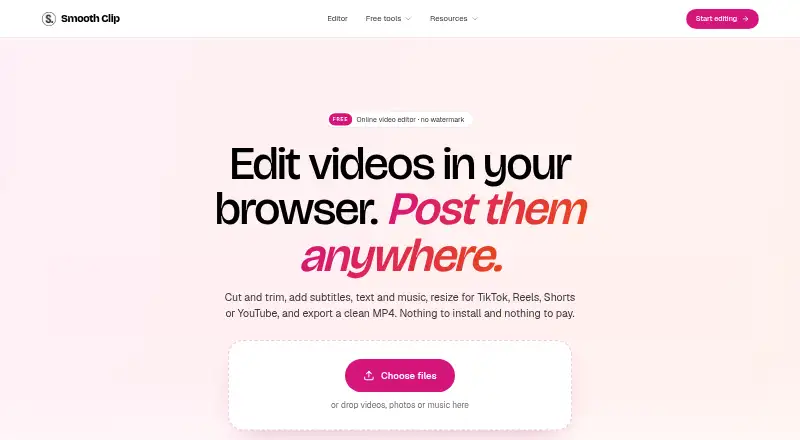
Smooth Clip is a browser-based video editor alongside 30 free tools for working with video, audio, and images. In the timeline editor, users can trim, split, and join clips, adjust playback speed from 0.25× to 4×, and add transitions. Speech can be turned into subtitles, which users can correct, style, and download as SRT files. The editor also supports titles, images, logos, and music from its library or users’ own files, with audio volume controls and fades. It accepts MP4, MOV, and WebM uploads and exports MP4, with 720p, 1080p, and 4K options listed on the About page. Framing options include 9:16, 4:5, 1:1, and 16:9, with Fit or Fill controls. The free tools accept files up to 2 GB and 60 minutes; results are deleted after 24 hours. The free plan costs nothing and includes no signup and no watermark.
Who it suits
It suits creators, podcasters, small businesses, teachers, and teams making video content. The web editor and single-purpose tools cover editing, conversion, subtitles, and social-format framing.
What it does well
- 30 free tools for video, audio, and images
- No-signup free plan with no watermark
- Subtitle generation with correction and SRT download
- Supports four aspect ratios and Fit or Fill
- Privacy policy describes encryption and access controls
What to know first
- Free tools limit files to 2 GB and 60 minutes
- Results from free tools are deleted after 24 hours
Limits
Free tools accept files up to 2 GB and 60 minutes. Their results are deleted after 24 hours.
Plans
| Plan | Billed and limits | Price |
|---|---|---|
| Free | 30 free tools · no signup · no watermark · tools accept files up to 2 GB and 60 minutes | Free |
As smoothclip.com lists them, read 7 Oct 2026. The maker's own page has the final word.
Getting started
- Open the Smooth Clip website
- Use the browser editor or choose one of the 30 free tools
- Upload an MP4, MOV, or WebM file, up to 2 GB and 60 minutes
- Edit clips, captions, overlays, audio, and framing
- Export an MP4 at the available resolution
Verdict
Smooth Clip combines a timeline editor with a broad set of free media tools, and its listed formats and framing options suit common social video workflows. Note the free tools’ upload limits and 24-hour result retention, and do not assume that social-ready exports include direct publishing integrations.
Questions
What does Smooth Clip cost?
Its Free plan is listed as free. The pricing model is freemium, and no free trial is offered.
Do I need to sign up?
The Free plan states that no signup is required.
Which platforms does Smooth Clip support?
Smooth Clip is available on the web.
What video formats can I use?
The editor accepts MP4, MOV, and WebM uploads and exports MP4 files.
Can it create subtitles?
Yes. It generates subtitles from speech, which you can correct, style, and download as an SRT file.
What happens to uploaded content?
Users can delete projects at any time. Deleting an account removes content from active systems, with backups purged on a rolling cycle shortly after.
Facts from Smooth Clip's own pages
- Aspect ratios
- The editor supports 9:16, 4:5, 1:1, and 16:9 framing, with Fit or Fill controls. · smoothclip.com, 7 Oct 2026
- Audience
- The maker describes the product as intended for creators, podcasters, small businesses, teachers, teams, and others who post video. · smoothclip.com, 7 Oct 2026
- Company details
- The About page does not state the maker's legal or personal name, headquarters, or founding year. · smoothclip.com, 7 Oct 2026
- Company history
- Smooth Clip says it began as an AI clipping tool, then retired AI clip finding and rebuilt as a free editor and set of single-purpose tools. · smoothclip.com, 7 Oct 2026
- Data retention
- Users can delete projects at any time, and deleting an account removes content from active systems with backups purged on a rolling cycle shortly after. · smoothclip.com, 7 Oct 2026
- Editing
- The timeline editor can trim, split, and join clips, change speed from 0.25× to 4×, and add transitions. · smoothclip.com, 7 Oct 2026
- Formats and export
- The editor accepts MP4, MOV, and WebM uploads and exports MP4 files, with 720p, 1080p, or 4K export options stated on the About page. · smoothclip.com, 7 Oct 2026
- Free-tool limits
- Free tools accept files up to 2 GB and 60 minutes, and results are deleted after 24 hours. · smoothclip.com, 7 Oct 2026
- Integrations
- The site describes exports ready for TikTok, Instagram Reels, and YouTube Shorts; it does not state direct account integrations on the pages reviewed. · smoothclip.com, 7 Oct 2026
- Overlays and audio
- Users can add titles, images, logos, and music from the library or their own files, with volume controls and fades. · smoothclip.com, 7 Oct 2026
- Platforms
- The product runs in a browser on Mac, Windows, or Chromebook and requires no installation. · smoothclip.com, 7 Oct 2026
- Privacy
- The privacy policy says uploaded videos and transcripts are not used to train foundation models or shared with third parties for their own purposes. · smoothclip.com, 7 Oct 2026
- Product
- Smooth Clip is a browser-based video editor and set of 30 free tools for editing and converting video, audio, and images. · smoothclip.com, 7 Oct 2026
- Security
- The privacy policy says Smooth Clip uses encryption in transit and at rest, access controls, least-privilege permissions, and routine security review. · smoothclip.com, 7 Oct 2026
- Subtitles
- It generates subtitles from speech that users can correct, style, and download as an SRT file. · smoothclip.com, 7 Oct 2026
Where Smooth Clip stands on Freedom251
- AI Video Summarizers#13 of 25
- AI Audiogram Makers#20 of 28
- Podcast Clip Makers#22 of 30
- Video Summarizers Software#9 of 12