Freedom251 › LLM Application Development Frameworks
Vellum
What Vellum is
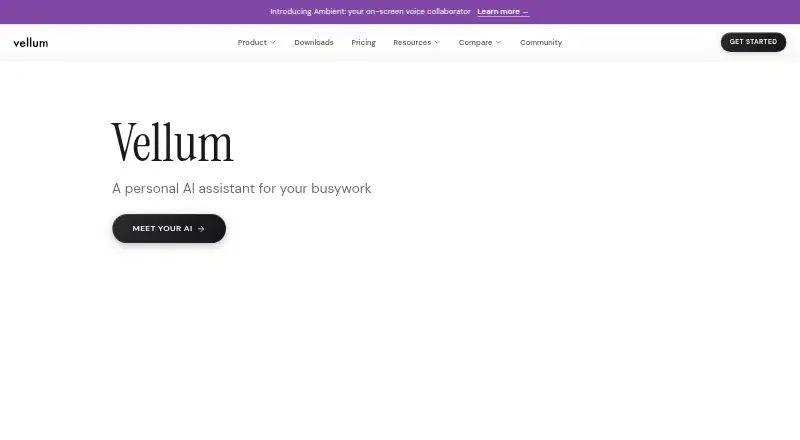
Vellum is a personal AI assistant that can read files, manage calendars, send email, run code and control a computer. It keeps preferences and context in its workspace for use across conversations, and users can create, install and manage skills to extend its capabilities. Listed integrations include Discord, GitHub, Google services, HubSpot, Linear, Twitter (X), Asana, Notion, Microsoft Outlook and Todoist. Sensitive actions prompt for approval, with configurable trust rules for standing permissions. Vellum says OAuth credentials are kept in a vault and not exposed to the language model. By default, conversation context is sent to Anthropic to generate responses; listed alternatives include OpenAI, Google, OpenRouter, Fireworks and local Ollama. Vellum Cloud runs assistants in isolated environments with private storage and 24/7 availability. Internet access is required. The free plan includes initial tasks and pay-as-you-go credits; paid plans start at $30/month. There is no shipped Linux desktop client, though Linux users can use the web app, Chrome extension or self-host the runtime.
Who it suits
Vellum suits individuals seeking an assistant for personal tasks such as managing calendars, email and files. It is characterized as a personal assistant rather than a shared company tool.
What it does well
- Saves preferences and context across conversations.
- Users can create and manage custom skills.
- Sensitive actions can require approval.
- Cloud assistants run in isolated environments with private storage.
- Optional analytics and crash diagnostics are off by default.
What to know first
- Requires an internet connection to reach an AI provider.
- No shipped Linux desktop client.
- Conversation context goes to Anthropic by default.
- Paid plans start at $30/month.
Limits
The Free plan includes first tasks and then pay-as-you-go credits. Mighty costs $30.00 per month and includes a small computer with 1 vCPU, 2 GiB, and 10 GB storage; higher tiers provide more resources and added features.
Plans
| Plan | Billed and limits | Price |
|---|---|---|
| Free | Start free; first tasks included; pay-as-you-go credits | Free |
| Base | Free, forever · 1 vCPU · 2 GiB RAM · 6 GiB persistent storage · pay-as-you-go credits · managed LLM credentials | Free |
| Super | $100/mo · Medium machine · 30 GiB storage · Super Usage · platform fee included · custom subdomain · static IP · priority support | $100 a month |
| Ultra | $200/mo · Large machine · 60 GiB storage · Ultra Usage · platform fee included · custom subdomain · static IP · priority support | $200 a month |
| Mighty | $30/mo · Small machine · 10 GiB storage · Mighty Usage · platform fee not included · no custom subdomain, static IP, or priority support | $30 a month |
| Custom | Minimum $50/mo; credits pay-as-you-go · Choose machine, storage, and optional usage bundle · platform fee $10/mo · machines from Medium to XL · storage 10 to 120 GiB | $50 a month |
As vellum.ai lists them, read 30 Sept 2026. The maker's own page has the final word.
Getting started
- Open the Vellum website or use an available platform: web, Android, iOS, macOS, Windows, or extension.
- Choose the Free plan to start, or select a paid plan starting at $30.00 per month.
- Use the included first tasks and pay-as-you-go credits on Free, or select a computer size and usage tier on a paid plan.
- Connect listed OAuth services as needed and set approval or trust rules for sensitive actions.
- For Linux, use the web app, Chrome extension, or self-host the runtime.
Overview
Vellum is a personal AI assistant for people who want help acting across files, calendars, email, code, and a computer. It suits individuals willing to configure skills and permissions; its breadth is appealing, but it requires an internet connection and sends conversation context to Anthropic by default.
Key features
Vellum saves preferences and context in its workspace for use in later conversations, which can spare users from repeatedly explaining personal details. Custom skills let users extend the assistant by creating, installing, and managing capabilities, a useful degree of flexibility for people prepared to tailor their assistant rather than rely on a fixed set of functions.
OAuth integrations cover Discord, GitHub, Google services, HubSpot, Linear, Twitter (X), Asana, Notion, Microsoft Outlook, and Todoist. Vellum says tokens remain in a credential vault and are not exposed to the language model. Sensitive actions prompt for approval, while configurable trust rules allow standing permissions. Those controls help put boundaries around an assistant that can take action, though users still need to choose which permissions they are comfortable granting.
Vellum Cloud runs assistants in isolated environments with private storage and 24/7 availability. Conversation context goes to Anthropic by default; other listed model options are OpenAI, Google, OpenRouter, Fireworks, and local Ollama. Vellum says it does not use user data for model training, encrypts data end-to-end, and conducts continuous security audits. Optional usage analytics and crash diagnostics are off by default. These commitments may reassure privacy-conscious users, but the default routing is worth weighing before sharing sensitive context. Vellum also says the assistant cannot respond without internet access, even though local Ollama is an option.
Pricing
Vellum has a free plan and paid plans from $30 per month. Free starts with first tasks included and then uses pay-as-you-go credits, so it offers a way to begin without a monthly subscription but does not promise an ongoing included task allowance.
| Plan | Price | What it includes |
|---|---|---|
| Free | free | First tasks included; pay-as-you-go credits |
| Mighty | $30 a month | Small computer with 1 vCPU and 2 GiB, 10 GB storage, and Mighty Usage included |
| Super | $100 a month | Medium computer with 2.5 vCPU and 5 GiB, 30 GB storage, Super Usage included, assistant email and subdomain |
| Ultra | $200 a month | Large computer with 4 vCPU and 8 GiB, 60 GB storage, Ultra Usage included, assistant email and subdomain |
Mighty is the entry paid tier for an individual who wants a small cloud computer and included usage. Super and Ultra raise computing resources and storage; both add an assistant email and subdomain, making them more suited to users who need those resources or features. The free option avoids a recurring charge, but its pay-as-you-go credits differ from the included usage of paid tiers.
Platforms
Vellum supports Android, iOS, macOS, Windows, web, and a browser extension, as well as self-hosting. There is no shipped Linux desktop client; Linux users can instead use the web app, Chrome extension, or self-host the runtime. That range gives Linux users routes to access the assistant, but not a native desktop app. The internet requirement also rules it out for users who need an assistant that works offline.
Who it's for
Vellum is aimed at individuals seeking an assistant that can retain context and work across connected services, with approval prompts and trust rules for sensitive actions. It is less suitable for teams looking for a shared company tool, users who require offline operation, or anyone unwilling to route conversation context to a model provider.
Pros and cons
- Pro: Saved context and custom skills give individuals a way to build an assistant around recurring needs.
- Pro: A credential vault, approval prompts, and configurable trust rules provide controls for connected accounts and sensitive actions.
- Pro: Cloud plans include a hosted computer, storage, and usage; Vellum Cloud assistants run in isolated environments with private storage and 24/7 availability.
- Con: The assistant requires internet access, so it is not an option for offline use.
- Con: Anthropic receives conversation context by default, which may not suit users who want a different default data route.
- Con: Linux users must choose web, extension, or self-hosting rather than a shipped Linux desktop client.
- Con: Vellum is positioned as a personal assistant, not a shared team or company tool.
Alternatives
For work centered on prompt management, evaluation, or workflow tooling rather than a personal assistant, consider AI Prompt Management Software, AI LLM Evaluation Tools, AI Workflow Automation Software, Prompt Management Software, AI Prompt Generators, or AI Agent Platforms.
Promptfoo is a freemium option with a free Community plan that includes 10k red-team probes per month, evaluation features, and local or self-hosted use, making it a better fit for LLM evaluation and red-teaming than a personal assistant. PromptHelm has a free tier capped at 10,000 gateway calls per month, 10 prompts, and one seat; it is a more focused option for prompt and gateway management. Agenta offers a free Hobby plan with two team members, 5,000 agent runs per month, and 20 evaluations per month, so it better fits a small team working on agent evaluation. Braintrust offers a free Starter plan with 1 GB processed data, 10,000 scores, and 14-day retention, a fit for users focused on scoring and evaluation. Langfuse has a free Hobby plan with 50k units per month, 30 days of data access, and two users, suiting users who need usage and trace access for a small group. Maxim AI offers a free Developer plan for up to three seats, one workspace, and 10k logs per month, for teams that want a limited evaluation and logging start. MLflow GenAI Evaluation is a free open-source option with an evaluation API and UI for users who want that narrower evaluation tool. Prompt Manage has a free plan capped at 25 prompts and 10 runs per month, with a $20 per month Team plan for unlimited prompts; it suits prompt organization and runs rather than a general personal assistant.
Verdict
Choose Vellum if you want an individual AI assistant that remembers context, extends through custom skills, and can act across connected services with approval controls. Its strongest case is the combination of persistent context and practical permissions; look elsewhere if offline access, a native Linux desktop client, a shared team product, or a different default route for conversation context is essential.
Verdict
Vellum offers a personal assistant with saved context, skills, integrations and approval controls. Consider its internet requirement and default AI data routing, and note the available Linux access options if you use Linux.
Questions
Is Vellum free?
Yes. The Free plan is $0.00 per free and includes initial tasks with pay-as-you-go credits.
How much do paid plans cost?
Mighty is $30.00 per month, Super is $100.00 per month, and Ultra is $200.00 per month.
Which platforms does Vellum support?
Its listed platforms are Android, extension, iOS, macOS, self-hosted, web, and Windows. Linux users can use the web app, Chrome extension, or self-host the runtime.
Can Vellum work offline?
No. Vellum says it needs an internet connection to reach an AI model provider and respond.
Which AI providers can Vellum use?
Conversation context goes to Anthropic by default. Listed alternatives are OpenAI, Google, OpenRouter, Fireworks, and local Ollama.
Does Vellum offer API access?
Yes, API access is listed.
Facts from Vellum's own pages
- AI data routing
- By default, conversation context is sent to Anthropic to generate responses; the docs also list OpenAI, Google, OpenRouter, Fireworks, and local Ollama as alternatives. · vellum.ai, 30 Sept 2026
- API maturity
- The API documentation marks endpoints as Beta or generally available and says the surface is still expanding as APIs stabilize. · docs.vellum.ai, 15 Oct 2026
- Approval controls
- Sensitive actions prompt the user for approval, and users can configure trust rules for standing permissions. · vellum.ai, 30 Sept 2026
- Audience
- Vellum characterizes the product as a personal assistant rather than a team or shared company tool. · vellum.ai, 30 Sept 2026
- Built-in capabilities
- Documented capabilities include Gmail, Google Calendar, Slack, web browsing, coding, app building, image generation, transcription, scheduling, screen watching, and media processing. · vellum.ai, 15 Oct 2026
- Cloud hosting
- The default deployment provisions an always-on assistant in an encrypted, account-isolated Vellum Cloud workspace with no server administration required. · vellum.ai, 15 Oct 2026
- Communication channels
- The assistant is reachable through the web, desktop and mobile apps, Telegram, Slack, voice input, and phone calls through Twilio. · vellum.ai, 15 Oct 2026
- Company funding record
- Crunchbase lists Vellum as funded by 11 investors across three rounds, with Leaders Fund and Y Combinator among the latest investors. · crunchbase.com, 15 Oct 2026
- Company legal name
- Vellum's privacy notice identifies Vocify, Inc. as the provider of the service. · vellum.ai, 15 Oct 2026
- Company profile
- LinkedIn lists Vellum as privately held, founded in 2023, headquartered in New York, and employing 11–50 people. · linkedin.com, 15 Oct 2026
- Company security commitments
- On its About page, Vellum says it encrypts data end-to-end, conducts continuous security audits, and does not train on personal information. · vellum.ai, 30 Sept 2026
- Computer control
- Desktop apps can click, type, and navigate supported Mac or Windows applications, with sensitive actions gated by approval. · vellum.ai, 15 Oct 2026
- Credential protection
- Credentials are kept in an isolated credential service and are not exposed to the assistant or model; self-hosted credentials use the macOS Keychain or encrypted storage. · vellum.ai, 15 Oct 2026
- Custom skills
- Users can create, install, and manage skills to extend the assistant's capabilities. · vellum.ai, 30 Sept 2026
- Documentation depth
- Developer documentation covers architecture, security, integrations, skills, browser automation, attachments, event streaming, deployment, SDKs, and API references. · vellum.ai, 15 Oct 2026
- Extensibility
- Users can create custom skills and connect MCP servers when an existing built-in tool does not cover a task. · vellum.ai, 15 Oct 2026
- Funding
- TechCrunch reported a $5 million seed round announced July 11, 2023, with participation from Y Combinator, Rebel Fund, Pioneer Fund, Eastlink Capital, and angels. · techcrunch.com, 15 Oct 2026
- Gartner review status
- Gartner Peer Insights lists Vellum but reports no reviews yet. · gartner.com, 15 Oct 2026
- Google Play data disclosure
- Google Play says the Android app may share location, personal information, and app activity, may collect personal information and additional data types, encrypts data in transit, and supports deletion requests. · play.google.com, 15 Oct 2026
- Headquarters
- United States · vellum.ai, 19 Oct 2026
- Integrations
- OAuth integrations include GitHub, Notion, Linear, Airtable, Spotify, Gmail, Google Calendar, Slack, and other services, while MCP servers provide additional tools. · vellum.ai, 15 Oct 2026
- Integration security
- Vellum says OAuth tokens are stored in a credential vault and are not exposed to the language model. · vellum.ai, 30 Sept 2026
- Licence
- The Vellum Assistant repository is open source under the MIT licence; the managed Vellum Platform is a separate commercial offering. · github.com, 15 Oct 2026
- Limit: Apple sign-up and language
- Apple reviews report an earlier sign-up failure and complain that the interface initially lacked Chinese-language support. · apps.apple.com, 15 Oct 2026
Where Vellum stands on Freedom251
- LLM Application Development Frameworks#2 of 49
- AI Agent Platforms#4 of 73
- AI Workflow Automation Software#2 of 30
- Ai Automation#3 of 28
- AI Prompt Generators#3 of 28
- Prompt Management Software#3 of 26
- AI Prompt Management Software#4 of 25
- Prompt Engineering Tools#6 of 25
- AI LLM Evaluation Tools#8 of 30
- Tool Calling#6 of 21