Unreal Editor for Fortnite
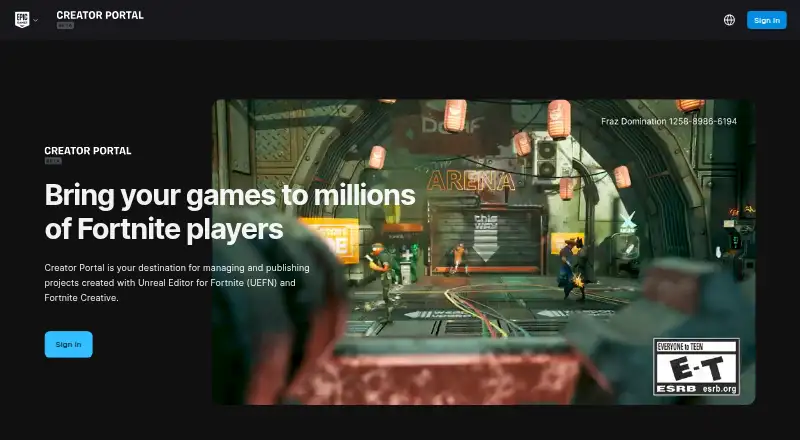
What Unreal Editor for Fortnite is
Unreal Editor for Fortnite (UEFN) is a free suite of Unreal Engine-powered tools for creating and editing props and devices. Creators can build terrain, add props and gameplay mechanics, adjust lighting, and sculpt landscapes. Verse tools let them customize devices, make custom devices, and define game rules and NPC behavior. Live Edit allows changes made in UEFN and Fortnite Creative to be pushed to the Fortnite client. Unreal Revision Control provides project snapshots, history, conflict resolution, and auto checkout. A Fab integration supports browsing and importing third-party assets marked with a UEFN tag. The Creator Portal handles project publishing, team management, private playtests, analytics, and monetization tools. UEFN runs on Windows PCs and requires an Epic Games account, Epic Games Launcher, and Fortnite. Minimum listed requirements include Windows 10 64-bit version 1909 revision .1350 or higher, a quad-core 2.5 GHz CPU, 16 GB RAM, and a GTX 960, R9 280, or equivalent DX11 GPU. Epic warns projects and some third-party assets can run code or access computer data, and unknown-source warnings may not catch every project.
Who it suits
UEFN suits creators building Fortnite projects who need tools for environments, devices, game rules, and testing. Its collaboration, publishing, and team tools may also suit groups developing and managing projects together.
What it does well
- Includes Verse tools for devices and game rules.
- Live Edit pushes changes to the Fortnite client.
- Revision Control includes conflict resolution.
- Fab integration supports importing tagged assets.
- Creator Portal includes private playtests and analytics.
What to know first
- Runs on Windows PCs only.
- Requires Fortnite, Epic Games Launcher, and an Epic Games account.
- Minimum listed memory is 16 GB RAM.
- Unknown-source warnings may not catch every project.
Limits
The free plan requires an Epic Games account, Epic Games Launcher, Fortnite, and a Windows PC. The minimum listed system requirements include Windows 10 64-bit version 1909 revision .1350 or later, a quad-core 2.5 GHz CPU, 16 GB RAM, and a GTX 960, R9 280, or equivalent DX11 GPU.
Plans
| Plan | Billed and limits | Price |
|---|---|---|
| Unreal Editor for Fortnite (UEFN) | Requires an Epic Games account, Epic Games Launcher, Fortnite, and a Windows PC | Free |
| Free | Requires Fortnite · Windows PC · Epic ID · publishing subject to moderation | Free |
As create.fortnite.com lists them, read 7 Oct 2026. The maker's own page has the final word.
Getting started
- Open the UEFN website.
- Use a Windows PC that meets the minimum requirements.
- Get an Epic Games account, Epic Games Launcher, and Fortnite.
- Use UEFN to create or edit a project.
- Use the Creator Portal to manage and publish projects.
Unreal Editor for Fortnite (UEFN) is an Unreal Engine-powered toolkit for building Fortnite experiences. It suits creators who want to author environments and gameplay, then test and publish within Fortnite. It is a focused choice for that ecosystem, not a general-purpose editor for projects aimed elsewhere.
Overview
UEFN combines environment work with gameplay authoring: creators can sculpt landscapes, place props, control lighting, and add game mechanics. Verse tools extend that work to customizing or creating devices and defining game rules and NPC behavior. That breadth is useful when a project needs more than a designed setting, but its purpose remains specifically tied to Fortnite.
The workflow continues into testing and release. Live Edit lets creators make changes in UEFN while working in Fortnite Creative and push those changes to the Fortnite client. The Creator Portal manages and publishes projects, with team management, private playtests, analytics, and monetization tools. This is a coherent path for creators building for Fortnite; it is less relevant to teams targeting another game or distribution destination.
Key features
Authoring and iteration
Terrain sculpting, props, lighting, and mechanics give creators control over both the appearance and play of an experience. Verse adds customization for devices, custom-device creation, and rules for NPC behavior. Live Edit shortens the loop between editing and seeing changes in the Fortnite client, which makes it practical to refine a project in context rather than treat testing as a separate final step.
Collaboration and assets
Unreal Revision Control provides project snapshots, snapshot history, conflict resolution, and automatic checkout. Those tools help teams track changes and handle concurrent work, though they do not remove the need to coordinate project edits. Fab integration supports browsing and importing third-party assets, with compatible items marked by a UEFN tag. Epic cautions that some Fab 3D models need substantial memory and may perform poorly on some platforms, so asset choice can affect how a project runs.
Publishing and security
The Creator Portal brings publishing together with team management, private playtests, analytics, and monetization tools. UEFN also links to documentation, a learning library, a developer community, forums, Verse snippets, and issue reporting from the editor, giving creators several routes to learn and get help.
Security needs attention: projects and some third-party assets can run code or access computer data. UEFN warns about projects it detects as coming from unknown sources, but Epic says the warning may not identify every such project. Creators should open projects and assets only from trusted sources; the warning is not a guarantee of safety.
Pricing
UEFN costs nothing. The free plan requires an Epic Games account, Epic Games Launcher, Fortnite, and a Windows PC. There are no paid plan trade-offs to weigh, but the Windows requirement and Fortnite-centered workflow are meaningful limits for creators who need a different platform or project destination.
Platforms
UEFN runs on Windows PCs only. Its minimum requirements include Windows 10 64-bit version 1909 revision .1350 or higher, a quad-core 2.5 GHz CPU, 16 GB RAM, and a GTX 960, R9 280, or equivalent DirectX 11 GPU. The hardware threshold rules out lower-spec machines, and the PC-only editor is a constraint even though projects can target multiple platforms.
Who it's for
UEFN is best suited to creators and teams making Fortnite experiences who want environment editing, custom gameplay, live iteration, source control, and publishing tools in one workflow. Its collaboration and portal features also suit projects involving multiple contributors. It is not the right fit for someone seeking a general-purpose editor, a non-Windows authoring setup, or a project intended for a destination outside Fortnite.
Pros and cons
- Pro: Terrain, props, lighting, mechanics, and Verse cover both world-building and custom gameplay.
- Pro: Live Edit connects changes in UEFN with the Fortnite client, supporting in-context iteration.
- Pro: Revision Control includes snapshots, history, conflict resolution, and auto checkout for collaborative work.
- Pro: The Creator Portal combines publishing with team management, playtests, analytics, and monetization tools.
- Con: The editor runs only on Windows PCs, with 16 GB RAM and a specified DirectX 11 GPU among minimum requirements.
- Con: Projects and imported assets can run code or access computer data, and unknown-source warnings may not catch every risky project.
- Con: Some Fab models are memory-intensive and may not perform well on some platforms.
Alternatives
For readers comparing game-making tools, see Game Development Software; for storefront and distribution choices, see Game Distribution Platforms. If the goal is instead a game client or marketplace, Steam is free and spans Windows, macOS, Linux, Android, and iOS, while game and content prices vary. Battle.net is another free desktop and mobile app, with games and some in-game purchases. itch app is a free app for Windows, macOS, and Linux, and its project is open source on GitHub. GOG Galaxy is free for Windows and macOS and requires a free GOG account. Consider GamersGate as another option. DMM Games is a freemium option with a free trial and a ¥980 a month plan billed for 30日間. Game Jolt is a free option across Android, iOS, Linux, web, and Windows. IndieGala is a freemium option for Linux, macOS, web, and Windows.
Verdict
Choose UEFN if you want to build, refine, collaborate on, and publish Fortnite experiences with integrated authoring and release tools. Its central advantage is that connected workflow, from Verse and Live Edit to the Creator Portal; its main reason to look elsewhere is the combination of Fortnite-specific scope, Windows-only editing, and the need to treat projects and assets cautiously.
Verdict
UEFN brings creation, collaboration, testing, and publishing tools into a Windows PC workflow for Fortnite projects. Review the system requirements and security warnings before opening projects or third-party assets.
Questions
How much does UEFN cost?
The listed plan is free.
What do I need to use it?
An Epic Games account, Epic Games Launcher, Fortnite, and a Windows PC are required.
What are the minimum PC requirements?
The listed minimums include Windows 10 64-bit version 1909 revision .1350 or later, a quad-core 2.5 GHz CPU, 16 GB RAM, and a GTX 960, R9 280, or equivalent DX11 GPU.
Can teams collaborate in UEFN?
Yes. Unreal Revision Control includes snapshots, snapshot history, conflict resolution, and auto checkout. The Creator Portal also provides team management.
How can creators learn or get support?
UEFN provides links to documentation, a learning library, a developer community, forums, Verse snippets, and issue reporting from the editor.
What security cautions apply to projects and assets?
Projects and some third-party assets can run code or access computer data. UEFN warns about detected projects from unknown sources, but those warnings may not detect every one.
Facts from Unreal Editor for Fortnite's own pages
- AI extensibility
- UEFN embeds an MCP server that compatible agents can use to write and compile Verse, configure devices, create Scene Graph entities, build UMG interfaces and run play sessions. · fortnite.com, 15 Oct 2026
- Asset performance limit
- Epic notes that some Fab 3D models require substantial memory and may not perform well on some platforms. · dev.epicgames.com, 7 Oct 2026
- Collaboration
- Teams can edit shared projects with UEFN version control and live-edit sessions connected to the Fortnite Creative client. · dev.epicgames.com, 15 Oct 2026
- Company founding
- Epic Games was founded in 1991 by CEO Tim Sweeney. · epicgames.com, 15 Oct 2026
- Company headquarters
- Epic Games is headquartered in Cary, North Carolina. · linkedin.com, 15 Oct 2026
- Company size
- LinkedIn lists Epic Games at 1,001–5,000 employees and more than 40 offices worldwide. · linkedin.com, 15 Oct 2026
- Creation tools
- It provides Unreal workflows for lighting, visual effects, animation, cinematics and worldbuilding alongside Fortnite gameplay, multiplayer and backend systems. · fortnite.com, 15 Oct 2026
- Distribution
- Creators can publish experiences into Fortnite for cross-platform discovery on PC, mobile and consoles. · store.epicgames.com, 15 Oct 2026
- Documentation depth
- Epic documentation covers tutorials, templates, Verse programming, debugging, input, collaboration, publishing, memory, UI and version control. · dev.epicgames.com, 15 Oct 2026
- Engagement payouts
- Epic says more than $1 billion has been paid to third-party Fortnite developers since UEFN launched. · store.epicgames.com, 15 Oct 2026
- Fab integration
- UEFN includes a Fab integration for browsing and importing third-party assets, with compatible assets identified by a UEFN tag. · dev.epicgames.com, 7 Oct 2026
- Founded
- 1991 · create.fortnite.com, 28 Sept 2026
- Funding
- Crunchbase reported Sony's $250 million investment as a 1.4% Epic stake and cited Tencent, KKR and Vulcan Capital among backers. · news.crunchbase.com, 15 Oct 2026
- Headquarters
- Cary, North Carolina, USA · create.fortnite.com, 28 Sept 2026
- License
- UEFN is governed by Epic's supplemental terms; Epic receives a limited license to host and display developer content while ownership remains with the creator. · legal.epicgames.com, 15 Oct 2026
- Limit: reliability and support
- Trustpilot's review summary repeatedly cites technical bugs, connection failures, slow downloads, login problems and unhelpful support. · trustpilot.com, 15 Oct 2026
- Maker
- Epic Games was founded in 1991 and is headquartered in Cary, North Carolina. · epicgames.com, 7 Oct 2026
- Memory limit
- An island area exceeding 100,000 memory units cannot be published. · dev.epicgames.com, 15 Oct 2026
- Notable news: Halo recreation
- Windows Central described a fan-built UEFN Halo project featuring cinematics, co-op, custom HUD elements and voice acting. · windowscentral.com, 15 Oct 2026
- Notable news: Star Wars tools
- TechRadar reported that a 2026 UEFN update added Star Wars assets and tools for creator-built islands. · techradar.com, 15 Oct 2026
- Playtesting
- Live Edit can launch Fortnite Creative locally or on another device and push editor changes into the connected session. · dev.epicgames.com, 15 Oct 2026
- Praise: free offerings
- Trustpilot's review summary says some reviewers value Epic's regular free games and consider the service decent. · trustpilot.com, 15 Oct 2026
- Publishing and portal
- The Creator Portal manages and publishes UEFN and Fortnite Creative projects and provides team management, private playtests, analytics, and monetization tools. · create.fortnite.com, 7 Oct 2026
- Publishing restriction
- Projects using experimental features cannot be published. · dev.epicgames.com, 15 Oct 2026
Where Unreal Editor for Fortnite stands on Freedom251
- Free iPad Games#4 of 90
- Game Distribution Platforms#10 of 14
- Game Development Software#35 of 43