
Uninstalr
by Uninstalr
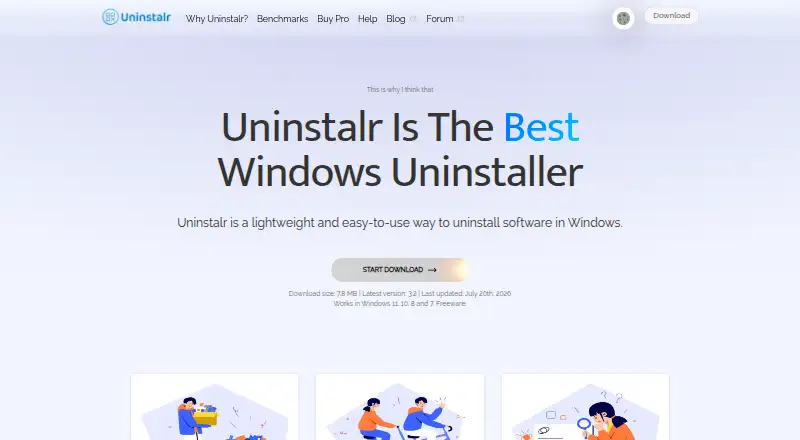
What Uninstalr is
Uninstalr is a Windows app for removing software, with leftover scanning, forced uninstall, and batch uninstall. Once an uninstall starts, its custom engine can continue without further user interaction. Before removal, the app displays the paths it plans to remove and lets users exclude paths; its maker advises reviewing this information and making a backup first. It detects 16 listed types, including Microsoft Store apps, package-manager apps, and games from several platforms. Installed apps appear in one list with search, sorting, and filtering, and Uninstalr calculates disk use in real time. It also shows installed apps' countries of origin, a feature the maker says runs locally without sending data elsewhere. Portable and setup versions have the same functionality, and the download page lists Windows 11, 10, 8, and 7 support. A free plan is available for personal and commercial use, including work on client computers. Uninstalr Pro is listed at $39 a month (billed One-time payment; 1 computer); the Pro and WinFindr Pro bundle is $56 a month (billed One-time payment; 1 computer).
Who it suits
Uninstalr suits Windows users, technicians, and businesses that want to review removal paths before uninstalling apps. Its free plan includes personal, commercial, and client-computer use.
What it does well
- Scans for leftovers and supports forced uninstall
- Supports batch uninstall
- Shows planned removal paths and allows exclusions
- Available in portable and setup versions
- Free plan covers personal, business, and client use
What to know first
- Install monitoring is not available
- No free trial is listed
- Windows-only platform
Plans
| Plan | Billed and limits | Price |
|---|---|---|
| Uninstalr Free | Freeware · personal, commercial, and client-computer use | Free |
| Uninstalr Pro | One-time payment · Licensed for 1 computer · free updates and new features for life · lifetime premium technical support | $39, paid once |
| Uninstalr Pro + WinFindr Pro Bundle | One-time payment · Licensed for 1 computer · free updates and new features for life · lifetime premium technical support | $56, paid once |
As uninstalr.com lists them, read 7 Oct 2026. The maker's own page has the final word.
Getting started
- Visit the Uninstalr website.
- Choose the portable or setup version; both have the same functionality.
- Use it on a supported Windows version: 11, 10, 8, or 7.
- Review the paths Uninstalr plans to remove and exclude any paths you want to keep.
- Choose the free plan or a paid plan for one computer.
Verdict
Uninstalr combines uninstall controls with a review of the paths slated for removal. The maker advises a backup before uninstalling, and paid plans are listed alongside a free option.
Questions
Is Uninstalr free?
Yes. Uninstalr Free is freeware for personal, commercial, and client-computer use.
How much does Uninstalr Pro cost?
Uninstalr Pro is $39 a month (billed One-time payment; 1 computer). The Pro and WinFindr Pro bundle is $56 a month (billed One-time payment; 1 computer).
Which Windows versions does it support?
The download page lists Windows 11, 10, 8, and 7 support.
Does Uninstalr have a portable version?
Yes. It is available in portable and setup versions with the same functionality.
What support is available?
Free users are directed to the discussion forum. Uninstalr Pro license owners receive technical support.
Facts from Uninstalr's own pages
- App details
- It shows installed apps in one list, supports searching, sorting, and filtering, and calculates app disk use in real time. · uninstalr.com, 7 Oct 2026
- App origin
- It shows the country of origin of installed apps and says this feature operates locally without sending data elsewhere. · uninstalr.com, 7 Oct 2026
- Batch uninstall
- It can uninstall many apps at the same time, including apps that do not support silent uninstallation. · uninstalr.com, 7 Oct 2026
- Data location
- The maker says its servers are in the EU and data users send to it is stored inside the EU. · uninstalr.com, 7 Oct 2026
- Distribution and compatibility
- It is available as portable and setup versions with the same functionality, and the download page lists Windows 11, 10, 8, and 7 support. · uninstalr.com, 7 Oct 2026
- Forced uninstall
- Yes · uninstalr.com, 23 Sept 2026
- Free plan
- Yes · uninstalr.com, 23 Sept 2026
- Free use
- The maker says the freeware can be used by individuals, computer technicians working on client computers, and businesses. · uninstalr.com, 7 Oct 2026
- Headquarters
- Tallinn, Estonia · uninstalr.com, 19 Oct 2026
- Install monitoring
- No · uninstalr.com, 23 Sept 2026
- Leftover scan
- Yes · uninstalr.com, 23 Sept 2026
- Portable version
- Yes · uninstalr.com, 23 Sept 2026
- Privacy
- The maker says the app collects no personal information; optional bug-report and developer-data submissions may include file paths that could contain a username. · uninstalr.com, 7 Oct 2026
- Purpose
- Uninstalr is a lightweight Windows app for uninstalling software. · uninstalr.com, 7 Oct 2026
- Refund
- The pricing page states that purchases are backed by an unconditional 30-day money-back guarantee. · uninstalr.com, 7 Oct 2026
- Removal review
- Before uninstallation starts, it displays the paths that would be removed and lets users exclude paths. · uninstalr.com, 7 Oct 2026
- Safety guidance
- The maker advises users to review the removal data and create a backup before uninstalling. · uninstalr.com, 7 Oct 2026
- Support
- Free users are directed to the discussion forum; Uninstalr Pro license owners receive technical support. · uninstalr.com, 7 Oct 2026
- Supported apps
- It detects and uninstalls 16 listed types, including Microsoft Store apps, package-manager apps, and games from several platforms. · uninstalr.com, 7 Oct 2026
- Unattended uninstall
- Its custom engine can remove apps without further user interaction after the process starts. · uninstalr.com, 7 Oct 2026
Where Uninstalr stands on Freedom251
- Uninstaller apps#13 of 36
- Uninstallers#15 of 35
- Software Uninstaller Tools#22 of 35