Freedom251 › Typing Tutor Software
TypeDojo
What TypeDojo is
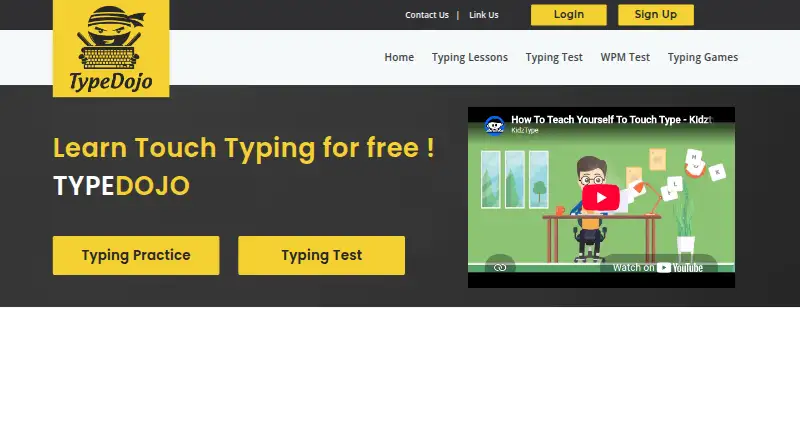
TypeDojo is a free, web-based platform for typing lessons, tests, and games for children, students, adults, and teachers. Lessons progress from basic key practice to more advanced drills for beginner, intermediate, and advanced typists. Typing challenges provide feedback on speed, accuracy, beats per minute, and other performance measures. English typing tests are available in 1-, 3-, and 5-minute lengths, and the site says users can get a free certificate after completing a speed test.
Users can begin lessons without registering. An optional profile saves progress, test scores, and charts, and lets users set goals and customize an avatar. Teachers can track and report on student progress and grade activities in real time. Lessons for young learners use guided finger placement, color-coded feedback, and short activities; the site says they are designed for children as young as four. TypeDojo was founded in 2016. Its privacy policy says registered users' account details, lesson progress, and scores are collected. Anonymous use relies on a session cookie erased when the user leaves the site, while Google advertising services use browser cookies to retrieve data for ads. The policy also restricts registration by children under 13 unless permitted by a teacher, parent, or guardian.
Who it suits
TypeDojo suits people who want free typing practice at different skill levels, including children, students, and adults. Teachers may also find its student progress tracking and real-time activity grading useful.
What it does well
- Free lessons, tests, games, and certificates.
- Lessons cover beginner, intermediate, and advanced typing skills.
- English tests come in 1-, 3-, and 5-minute formats.
- Lessons can be started without registering.
- Teachers can track student progress and grade activities in real time.
What to know first
- The platform is web-based.
- Saving progress, scores, and charts requires an optional profile.
- Registration by children under 13 is restricted unless an adult or teacher permits it.
Limits
The Free plan provides typing lessons, tests, games, and certificates, with an optional account for saving progress. Lessons can be started without registering, but progress and scores are saved through a profile.
Plans
| Plan | Billed and limits | Price |
|---|---|---|
| Free | Free · Free typing lessons, tests, games and certificates · optional account for saving progress | Free |
As typedojo.com lists them, read 11 Oct 2026. The maker's own page has the final word.
Getting started
- Visit the TypeDojo website in a web browser.
- Start lessons without registering, or create an optional profile to save progress.
- Choose lessons, tests, or games for the learner's skill level.
- Complete a speed test to receive the site's free certificate.
Verdict
Choose TypeDojo for free, browser-based typing practice with guided lessons, tests, games, and optional progress tracking. It also has teacher features and activities designed for young learners. Look elsewhere if you need a non-web platform or do not want to use a service whose privacy policy describes account data collection and advertising cookies.
Questions
How much does TypeDojo cost?
The Free plan costs nothing, billed Free.
Do I need an account to use it?
No. Users can start lessons without registering; an optional profile saves progress, scores, and charts.
Which platforms does TypeDojo support?
It is available on the web.
What typing tests are available?
English tests are available in 1-, 3-, and 5-minute lengths. The site says a free certificate is available after a speed test.
Can teachers use TypeDojo with students?
Yes. Teachers can track and report on student progress and grade activities in real time.
What does the privacy policy say about younger users?
It restricts registration by children under 13 unless permitted by a teacher, parent, or guardian. The site describes some lessons as designed for children as young as four.
Facts from TypeDojo's own pages
- Account requirement
- Users can start lessons without registering; the site offers an optional profile for saving progress. · typedojo.com, 11 Oct 2026
- Advertising
- The privacy policy says Google advertising services use browser cookies to retrieve data for providing ads. · typedojo.com, 11 Oct 2026
- Audience
- The site describes lessons for children, students, adults and teachers across skill levels. · typedojo.com, 11 Oct 2026
- Founded
- 2016 · typedojo.com, 28 Sept 2026
- Learning paths
- Its lessons progress from basic key practice to more advanced drills and are intended for beginner, intermediate and advanced typists. · typedojo.com, 11 Oct 2026
- Practice feedback
- Typing challenges report speed, accuracy, beats per minute and other performance measures. · typedojo.com, 11 Oct 2026
- Privacy and data
- The privacy policy says account details, lesson progress and scores are collected, while anonymous use relies on a session cookie that is erased when the user leaves the site. · typedojo.com, 11 Oct 2026
- Product
- TypeDojo is an online typing practice platform with lessons, tests and games. · typedojo.com, 11 Oct 2026
- Progress tracking
- An optional profile can save progress, test scores and charts, and lets users set goals and customize an avatar. · typedojo.com, 11 Oct 2026
- Safety listing
- The site says TypeDojo.com is listed by the kidSAFE Seal Program. · typedojo.com, 11 Oct 2026
- Security and child safety
- The privacy policy says TypeDojo cannot guarantee completely safe internet data storage or transfer and restricts registration by children under 13 unless permitted by a teacher, parent or guardian. · typedojo.com, 11 Oct 2026
- Support
- Users can contact TypeDojo through a form requesting their name, email and message. · typedojo.com, 11 Oct 2026
- Teacher features
- The site says teachers can track and report on student progress and grade activities in real time. · typedojo.com, 11 Oct 2026
- Tests and certificates
- English typing tests are available in 1-, 3- and 5-minute lengths, and the page says a free certificate is available after completing a speed test. · typedojo.com, 11 Oct 2026
- Young learners
- The kids’ lessons use guided finger placement, color-coded feedback and short activities, and the page says they are designed for children as young as four. · typedojo.com, 11 Oct 2026
Where TypeDojo stands on Freedom251
- Typing Tutor Software#16 of 36