Freedom251 › Typing Tutor Software
TypeQuicker
What TypeQuicker is
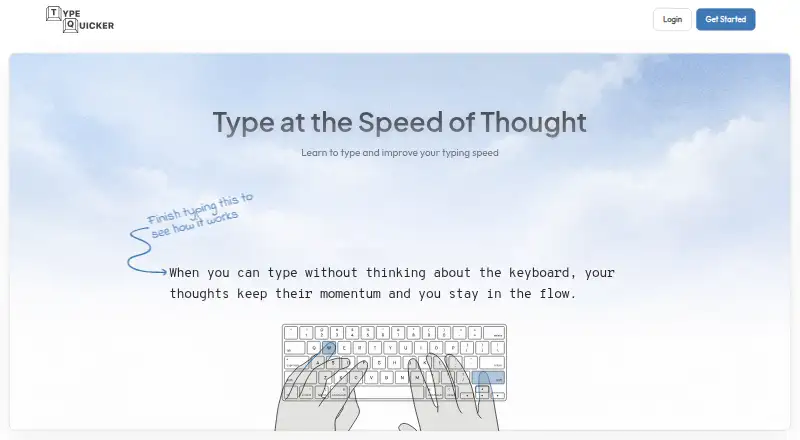
TypeQuicker is an AI-powered typing platform for improving speed and accuracy through practice, diagnostics and progress tracking. SmartPractice analyzes typing performance to find weak keys and character combinations, then creates targeted exercises. TargetPractice generates natural-text drills around selected sequences, words or fingers. Practice modes include paragraphs, sentence drills, quotes, hand-focused exercises, keyboard layouts and code typing; users can work with supported programming languages, upload code files or paste snippets. Progress analytics track speed, accuracy, problem keys, hand and finger performance, and typing activity over time. Public typing tests and educational resources are available without a subscription, while advanced practice and analytics are paid. A school offer includes class management, lesson assignments, completion tracking and structured lessons, starting at $6 a year with a 50-seat minimum and school quote. The desktop Chrome and Firefox extension tracks WPM and accuracy in web text fields without an account. It processes typing locally and does not collect or transmit typing content. TypeQuicker is available on the web and as an extension.
Who it suits
TypeQuicker suits people seeking targeted typing drills and progress tracking, including those practicing code. Its school offer is aimed at schools needing class management, lesson assignments and completion tracking.
What it does well
- SmartPractice targets weak keys and character combinations.
- Code practice supports uploads and custom snippets.
- Extension tracks WPM and accuracy without an account.
- Extension processes typing locally without transmitting its content.
What to know first
- Advanced practice and analytics are paid features.
- School pricing requires at least 50 seats and a quote.
- Public profiles are public by default.
Limits
Public tests and educational resources are free, but advanced practice and analytics are paid. The School plan starts at $6 per student per year and requires a minimum of 50 seats.
Plans
| Plan | Billed and limits | Price |
|---|---|---|
| School | Starting at $6/student/year · minimum 50 seats · school quote | $6 a year |
As typequicker.com lists them, read 5 Oct 2026. The maker's own page has the final word.
Getting started
- Open TypeQuicker on the web
- Use public typing tests or educational resources without a subscription
- Create an account for typing practice and progress tracking
- Choose SmartPractice, TargetPractice, or another practice mode
- Upload a code file or paste a custom snippet for code practice
- Install the Chrome or Firefox extension for web-field tracking
Verdict
TypeQuicker pairs focused typing exercises with detailed performance tracking, and its extension provides local tracking in desktop Chrome and Firefox. Public tests are available without a subscription, but advanced practice and analytics are paid.
Questions
Does TypeQuicker have a free plan?
Yes. Public typing tests and educational resources can be used without a subscription; advanced practice and analytics are paid.
What platforms does it support?
TypeQuicker is available on the web and as an extension for desktop Chrome and Firefox.
How much does the School plan cost?
The listed price starts at $6 per student per year, with a 50-seat minimum and a school quote.
Can I practice programming code?
Yes. You can use code from supported programming languages, upload code files, or paste snippets.
Does the browser extension collect typed content?
No. The extension processes typing locally and does not collect or transmit typing content.
Are subscription payments refundable?
Initial subscription purchases have a 14-day money-back guarantee. Recurring charges and renewals are non-refundable.
Facts from TypeQuicker's own pages
- Accessibility
- TypeQuicker states that it conforms to WCAG 2.2 Level AA and aligns with ADA Title II. · typequicker.com, 5 Oct 2026
- Browser extension
- The extension adds real-time WPM and accuracy tracking in web text fields, and works on desktop Chrome and Firefox without an account. · typequicker.com, 5 Oct 2026
- Code practice
- Users can practice code from supported programming languages and upload code files or paste custom snippets. · typequicker.com, 5 Oct 2026
- Extension privacy
- The browser extension processes typing locally and does not collect or transmit typing content. · typequicker.com, 5 Oct 2026
- Free access
- Public typing tests and educational resources may be used without a subscription, while advanced practice and analytics are paid features. · typequicker.com, 5 Oct 2026
- Personalized practice
- SmartPractice analyzes typing data to find weak keys, bigrams, and trigrams, then generates targeted exercises. · typequicker.com, 5 Oct 2026
- Privacy and data
- The privacy policy says basic website use does not require personally identifiable information, but typing performance and usage data are collected. · typequicker.com, 5 Oct 2026
- Progress analytics
- The platform tracks speed, accuracy, problem keys, hand and finger performance, and typing activity over time. · typequicker.com, 5 Oct 2026
- Public profiles
- Account usernames, avatars, typing statistics, achievements, and leaderboard rankings are public by default, with some visibility settings adjustable. · typequicker.com, 5 Oct 2026
- Purpose
- TypeQuicker is an AI-powered typing platform for improving typing speed and accuracy. · typequicker.com, 5 Oct 2026
- Refunds
- The terms offer a 14-day money-back guarantee for initial subscription purchases; recurring charges and renewals are non-refundable. · typequicker.com, 5 Oct 2026
- School features
- The school offer includes class management, lesson assignment and completion tracking, and structured lessons. · typequicker.com, 5 Oct 2026
- Security
- The privacy policy lists HTTPS encryption, regular security updates and monitoring, limited access to personal data, and data minimization. · typequicker.com, 5 Oct 2026
- Targeted drills
- TargetPractice creates natural text focused on selected character sequences, words, or fingers. · typequicker.com, 5 Oct 2026
- Typing modes
- Practice includes paragraphs, sentence drills, quotes, hand-focused exercises, keyboard layouts, and code typing. · typequicker.com, 5 Oct 2026
Where TypeQuicker stands on Freedom251
- Typing Tutor Software#15 of 36