TypeLift
What TypeLift is
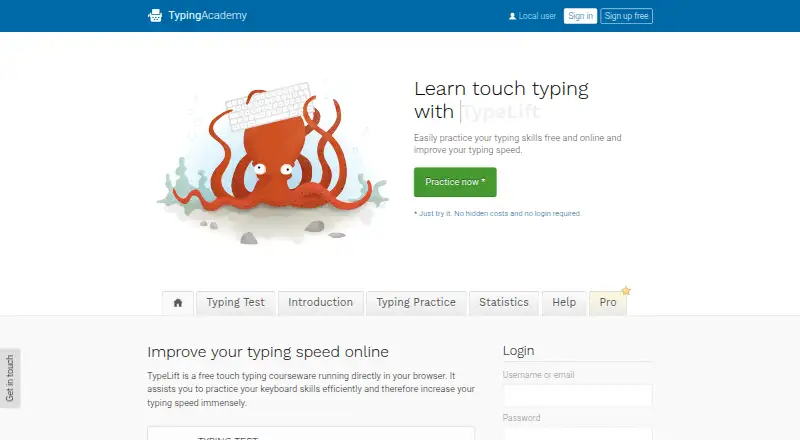
TypeLift is browser-based touch typing courseware for practicing keyboard skills and building typing speed. It offers free lessons, a typing test, and statistics for following results over time. Lessons are assembled dynamically for practice sessions, while error analysis brings recurring mistakes back for more practice. A visual keyboard uses colored keys and markers to guide users toward keys and finger combinations. Registered users can create up to 10 custom lessons. TypeLift Pro adds training objectives, weekly exercise plans, recommended lessons, detailed exercise results, and expanded statistics, and is described as free of advertising and distraction. Practice can begin without registration, but Pro purchases must be assigned to a user account. The Pro trial ends after 7 days or 60 minutes of typing practice, whichever comes first. The monthly Pro subscription is $1.99 a month, billed annually; the page says prices are for annual payment and exclude VAT. Other listed options are 11.90 USD for each 3 months, $23.90 a year, or 49.90 USD one time for unlimited use.
Who it suits
TypeLift suits people who want browser-based typing lessons, a typing test, and progress statistics. Its free lessons can be started without registration, while Pro adds plans and expanded results for more structured practice.
What it does well
- Free lessons and typing test are available.
- Practice can start without registration.
- Registered users can create up to 10 custom lessons.
- Pro adds weekly plans and expanded statistics.
What to know first
- Pro trial ends after seven days or 60 minutes.
- Pro purchases must be assigned to an account.
- Monthly subscription is billed annually and excludes VAT.
Limits
The free Pro trial ends after 7 days or 60 minutes of typing practice, whichever comes first. Registered users can create up to 10 custom lessons.
Plans
| Plan | Billed and limits | Price |
|---|---|---|
| TypeLift Pro — 3-month billing | 11.90 USD for each 3 months; incl. VAT · Pro features · limited-duration license | $11.90 a month |
| TypeLift Pro — monthly subscription | from 1.99 / month; page says prices are for annual payment, excl. VAT · Pro features · subscription access tied to user account | $1.99 a month |
| TypeLift Pro — annual billing | 23.90 USD for annual billing; incl. VAT · Pro features · limited-duration license | $23.90 a year |
| TypeLift Pro — unlimited use | 49,90 USD one time payment for unlimited use; page says incl. VAT · Pro features · lifetime license · lifetime license can be transferred once | $49.90, paid once |
As typing.academy lists them, read 1 Oct 2026. The maker's own page has the final word.
Getting started
- Open https://www.typing.academy/ in a web browser.
- Start practicing without registering, or register to create custom lessons.
- Use the lessons, typing test, and statistics to follow practice.
- Try TypeLift Pro for up to 7 days or 60 minutes of typing practice.
- Assign a Pro purchase to a user account.
Verdict
TypeLift offers a free way to practice typing, with dynamic lessons and progress statistics. Consider the trial cutoff and account requirement if you want to use Pro features.
Questions
Is TypeLift free?
TypeLift has a free plan with typing lessons, a typing test, and statistics. TypeLift Pro is paid, with listed options including $1.99 a month billed annually.
Does TypeLift offer a free trial?
Yes. The Pro trial ends after 7 days or 60 minutes of typing practice, whichever comes first.
Can I practice without registering?
Yes. Practice can be started without registration, but a Pro purchase must be assigned to a user account.
What platforms does TypeLift support?
TypeLift runs on the web and supports four keyboard layouts.
What does TypeLift Pro add?
Pro includes training objectives, weekly exercise plans, recommended lessons, detailed exercise results, and expanded statistics.
What are the listed Pro prices?
The listed options are $1.99 a month billed annually, 11.90 USD for each 3 months, $23.90 a year, and 49.90 USD one time for unlimited use.
Facts from TypeLift's own pages
- Account requirement
- The site says practice can be started without registration, while TypeLift Pro purchases must be assigned to a user account. · typing.academy, 1 Oct 2026
- Advertising
- The maker says TypeLift Pro is free of advertising and distraction. · typing.academy, 1 Oct 2026
- Custom lessons
- Registered users can create up to 10 custom typing lessons. · typing.academy, 1 Oct 2026
- Data handling
- The privacy policy says account registration collects an email address, chosen username, and encrypted password, and that registration data is not passed to third parties. · typing.academy, 1 Oct 2026
- Dynamic lessons
- Lessons are assembled dynamically for each practice session, and error analysis repeats frequent mistakes. · typing.academy, 1 Oct 2026
- Headquarters
- Lüneburg, Germany · typing.academy, 28 Sept 2026
- Local use
- For users who are not logged in, exercise results and page settings are stored locally in the browser; the maker says this local data contains no personal data. · typing.academy, 1 Oct 2026
- Privacy and hosting
- The privacy policy says the technical infrastructure is located in Germany and is provided by German companies, subject to its stated third-party-provider exception. · typing.academy, 1 Oct 2026
- Pro features
- TypeLift Pro includes training objectives, weekly exercise plans, recommended lessons, detailed exercise results, and expanded statistics. · typing.academy, 1 Oct 2026
- Pro limits
- The free Pro trial ends after 7 days or 60 minutes of typing practice, whichever comes first. · typing.academy, 1 Oct 2026
- Purpose
- TypeLift is a free touch typing courseware that runs in a browser and helps users practice keyboard skills and improve typing speed. · typing.academy, 1 Oct 2026
- Support
- The site invites users with questions, help needs, or corrections to contact the maker through its contact form. · typing.academy, 1 Oct 2026
- Typing practice
- The site offers free typing lessons, a typing test, and statistics for tracking results and long-term improvement. · typing.academy, 1 Oct 2026
- Virtual keyboard
- A visual keyboard uses colored keys to show finger-key combinations and visual markers to guide users to keys. · typing.academy, 1 Oct 2026
Where TypeLift stands on Freedom251
- Typing Software#8 of 19
- Typing Tutor Software#17 of 36