Freedom251 › Typing Tutor Software
Tux Typing
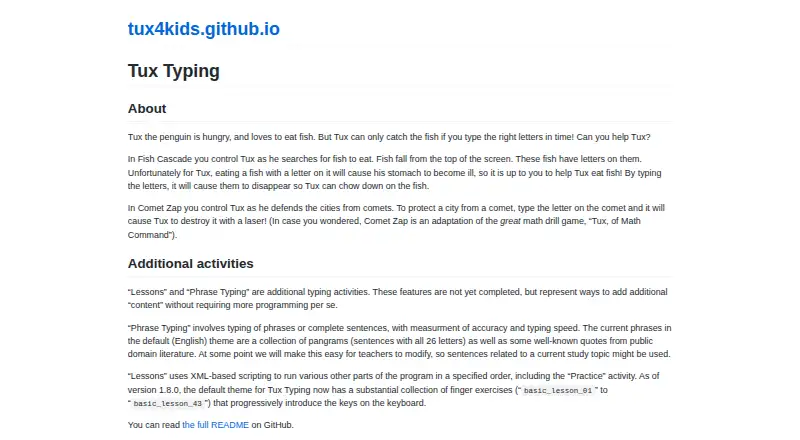
What Tux Typing is
Tux Typing is a free typing tutor game starring Tux, the Linux penguin, and is available for Linux, macOS, and Windows. In Fish Cascade, players type letters shown on falling fish to help Tux catch them; in Comet Zap, they type letters on comets so Tux can destroy them with a laser. The default theme includes finger exercises that introduce keyboard keys progressively. Phrase Typing is intended for practice with phrases or complete sentences and measures accuracy and typing speed, but the maker says Phrase Typing and Lessons are not yet completed features. Users can add and modify custom word lists, though the README describes the editor as beta. Tux4Kids describes the software as intended for children, parents, and teachers, for use at home or on school computers. The program is free software distributed under the GNU General Public License. Tux4Kids says its open-source programs can be extended or customized and that its programs have been translated into dozens of languages. The group invites translation contributions and describes its programs as supported by active communities of volunteer developers. The listed Free plan costs nothing.
Who it suits
It suits children practicing typing, as well as parents and teachers choosing software for home or school computers. The maker also describes its programs as customizable open-source software.
What it does well
- Free software under the GNU General Public License
- Available for Linux, macOS, and Windows
- Includes progressive finger exercises
- Supports custom word lists
- Two games provide letter-typing practice
What to know first
- Phrase Typing is not yet complete
- Lessons are not yet complete
- Word-list editor is described as beta
Limits
The maker says Lessons and Phrase Typing are not yet completed features. The word-list editor is described as beta.
Plans
| Plan | Billed and limits | Price |
|---|---|---|
| Free | Free software; downloadable for use at home or on school computers | Free |
As tux4kids.com lists them, read 4 Oct 2026. The maker's own page has the final word.
Getting started
- Visit the Tux Typing page on the Tux4Kids website.
- Download the program for Linux, macOS, or Windows.
- Use it at home or on a school computer.
Tux Typing is a desktop typing tutor game for children and other beginners. It is a better fit for playful letter practice than for learners who need a finished, structured typing course.
Overview
Two arcade-style games put letters to work: in Fish Cascade, players type letters on falling fish to help Tux catch them; in Comet Zap, they type letters on comets so Tux can destroy them. The default theme also offers finger exercises that introduce keyboard keys progressively. That combination gives younger learners variety, but the incomplete teaching activities limit its usefulness as a complete tutor.
Tux Typing is free software under the GNU General Public License. Tux4Kids says its open-source programs can be extended or customized, have been translated into dozens of languages, and are supported by volunteer developer communities. These qualities may suit families or schools that value adaptable software and community support, although they do not make the unfinished activities more complete.
Key features
Game-based practice
Fish Cascade and Comet Zap make letter entry the route to an immediate in-game goal. That can give children a livelier way to practise than isolated drills, though the games focus on typing letters rather than providing a finished progression through lessons.
Lessons and phrases
The default theme's finger exercises progressively introduce keys, which offers a starting point for learners building familiarity with the keyboard. Phrase Typing is designed to cover phrases and full sentences while measuring accuracy and speed, but the maker says it is not yet completed. Lessons are also incomplete, so learners who need a finished guided curriculum should choose another tutor.
Custom word lists
Users can add and modify word lists, a useful option for tailoring practice to a classroom or learner. The editor is described as beta, so this customization should not be the deciding reason for choosing the program.
Pricing
Tux Typing is free. Its Free plan costs nothing and provides free software downloadable for use at home or on school computers. The GNU General Public License and Tux4Kids' emphasis on extensibility make it a sensible no-cost option for households and schools, but the price does not offset the unfinished lessons and phrase practice.
Platforms
Tux Typing is available for Linux, macOS, and Windows. Tux4Kids describes its software as suitable for home or school computers and aimed at parents, teachers, and children. The maker also says its programs have been translated into dozens of languages and invites translation contributions for Tux Typing, which may appeal to communities interested in localization.
Who it's for
Choose Tux Typing for children beginning to practise letters, particularly when playful games and progressive finger exercises matter more than a complete course. It is also worth considering for schools or families that want free, customizable software across the three desktop platforms. It is a weaker fit for learners who need completed lessons, sentence practice, or a more fully developed instructional path.
Pros and cons
- Pros: Free software for home or school use keeps the cost low for families and classrooms.
- Pros: Two letter-typing games give young learners distinct goals while practising keyboard input.
- Pros: Progressive finger exercises and the ability to add or modify word lists provide some room to shape practice.
- Cons: Lessons and Phrase Typing are incomplete, leaving learners without a finished guided course or completed phrase-and-sentence practice.
- Cons: The word-list editor is beta, making it a less dependable foundation for a customized teaching plan.
Alternatives
Typing Tutor Software is a useful place to compare more options. Choose TIPP10 if you want a free typing tutor available on Linux, macOS, Windows, and the web; its free plan accepts donations. Klavaro is another free option across Linux, macOS, and Windows, with downloadable source code and packages listed for Windows, Linux, and MacPorts.
Touch Typer has a free plan and trial across desktop platforms. TypeTastic may suit K–12 learners who want a curriculum on Android, iOS, or the web, with a free plan that includes three K–5 Digital Citizenship lessons, no advertisements, and no login or reporting. KeyBlaze offers a free version on macOS and Windows, while additional lessons, professional exercises, and custom features require an upgrade.
Ratatype is a web-based alternative whose free plan includes speed tests without a stated limit and up to 10 typing exercises per day, with ads. Typing.com offers a web-based free edition with grade-based lessons, tests, and games, alongside ads, 70-day data retention, email-only support, and classroom-level settings. For coding-focused practice, typing.io has a free web plan with lessons in 16 languages, a realistic key processing engine, and typo cost analysis.
Verdict
Tux Typing is a sound no-cost starting point for children who will benefit from turning letter practice into a game, especially in homes or schools using Linux, macOS, or Windows. Its main reason to choose it is the combination of two typing games and progressive finger exercises without a purchase. Look elsewhere if the learner needs a finished course: Lessons and Phrase Typing remain incomplete, and the word-list editor is still beta.
Verdict
Tux Typing offers game-based letter practice and progressive finger exercises across three desktop platforms. Readers should note that Lessons and Phrase Typing are incomplete, and the word-list editor is beta.
Questions
Is Tux Typing free?
Yes. The Free plan costs nothing, and the software is distributed under the GNU General Public License.
Which platforms does it support?
Tux Typing is available for Linux, macOS, and Windows.
What activities does it include?
Fish Cascade and Comet Zap are typing games, and the default theme includes finger exercises. Phrase Typing is intended for practising phrases or complete sentences and measuring typing speed and accuracy, but the maker says it is not yet complete.
Can users create or change word lists?
Users can add and modify custom word lists. The README describes the editor as beta.
Who makes Tux Typing?
Tux4Kids describes itself as an international group of volunteers developing software for children.
Facts from Tux Typing's own pages
- Audience
- Tux4Kids describes its software as intended for parents, teachers, and kids, and says it can be used at home or on school computers. · tux4kids.com, 4 Oct 2026
- Comet Zap
- In Comet Zap, players type letters on comets so Tux can destroy them with a laser. · tux4kids.com, 4 Oct 2026
- Customization
- Tux4Kids says its open-source programs can be freely extended or customized. · tux4kids.com, 4 Oct 2026
- Fish Cascade
- In Fish Cascade, players type letters on falling fish to help Tux catch them. · tux4kids.com, 4 Oct 2026
- Incomplete activities
- The maker says Lessons and Phrase Typing are not yet completed features. · tux4kids.com, 4 Oct 2026
- Lessons
- The default theme includes finger exercises that progressively introduce keyboard keys. · tux4kids.com, 4 Oct 2026
- License
- The README says Tux Typing is free software distributed under the GNU General Public License. · github.com, 4 Oct 2026
- Maker
- Tux4Kids describes itself as an international group of volunteers developing software for children. · tux4kids.com, 4 Oct 2026
- Platforms
- Tux4Kids says it supports Windows, Macintosh, and Linux/Unix; the Tux Typing download page links Windows and macOS downloads and source code releases. · tux4kids.com, 4 Oct 2026
- Support
- Tux4Kids says its programs are supported by active communities of volunteer developers. · tux4kids.com, 4 Oct 2026
- Translations
- Tux4Kids says its programs have been translated into dozens of languages, and its Tux Typing README invites translation contributions. · tux4kids.com, 4 Oct 2026
- Typing game
- Tux Typing is an educational typing tutor game starring Tux the Linux penguin. · github.com, 4 Oct 2026
- Typing practice
- Phrase Typing covers phrases or complete sentences and measures accuracy and typing speed. · tux4kids.com, 4 Oct 2026
- Word lists
- The program can add and modify custom word lists, and its README describes the editor as beta. · github.com, 4 Oct 2026
Where Tux Typing stands on Freedom251
- Typing Tutor Software#12 of 36