Freedom251 › Typing Tutor Software
Touch Typer
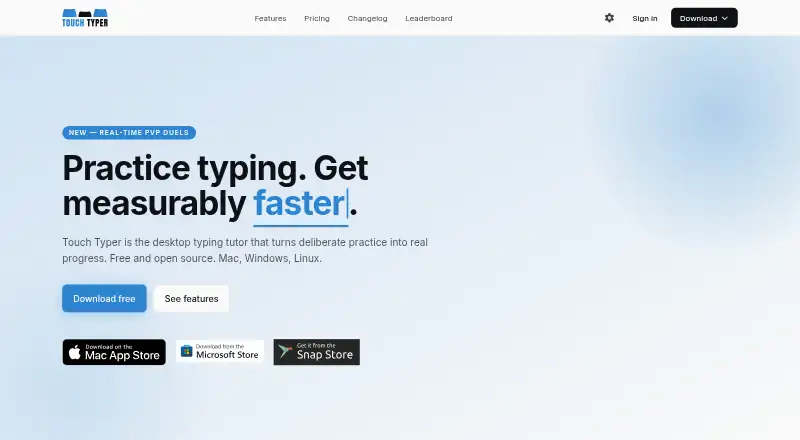
What Touch Typer is
Touch Typer is a desktop typing tutor for Linux, macOS, and Windows, with practice tests, progress tracking, and live typing duels. Duels run for 60 seconds and show words per minute, accuracy, and errors; friends can join through a shareable link without an account. The free plan includes core tests, statistics, streaks, multiple layouts, and real-time PvP, and practice can begin without an account. Analytics track WPM and accuracy over time, per-key heatmaps, goals, and milestones, with data synced across devices. Users can practice with QWERTY, Dvorak, or Colemak, and drills adapt to the chosen layout. Code Mode covers TypeScript, Python, Rust, Go, and more than 40 other languages, with syntax highlighting and indentation. Premium adds an AI Coach that uses the last 30 days of practice to make targeted drills for weak keys and explain stalled progress. Premium costs $2.99 a month, or $2.39/mo billed yearly; a seven-day trial is available.
Who it suits
Touch Typer suits desktop users who want structured typing practice, progress analytics, or coding-language drills. Its free plan supports casual practice, while Premium adds AI-generated drills and insights.
What it does well
- Free plan includes core tests, stats, and streaks.
- Friends can join duels without accounts.
- Supports QWERTY, Dvorak, and Colemak layouts.
- Code Mode covers 40+ additional languages.
- Premium includes an AI Coach and custom drills.
What to know first
- Premium is needed for the AI Coach.
- The seven-day trial is limited in duration.
- The stated platforms are desktop operating systems.
Limits
The free plan provides core typing tests, stats, streaks, multiple layouts, and real-time PvP. AI Coach, custom drills, AI insights, and weekly streak freezes are included with Premium; its trial lasts seven days.
Plans
| Plan | Billed and limits | Price |
|---|---|---|
| Free | Core typing tests · Stats & streaks · Multi-layout · Real-time PvP | Free |
| Premium annual | yearly · Everything in Free · AI Coach + custom drills · AI insights · Weekly streak freezes | $2.39 a month |
| Premium | monthly · Everything in Free · AI Coach + custom drills · AI insights · Weekly streak freezes | $2.99 a month |
As touch-typer.kochie.io lists them, read 15 Oct 2026. The maker's own page has the final word.
Getting started
- Visit the Touch Typer website.
- Start practicing without an account, or create an account for account-based features.
- Choose QWERTY, Dvorak, or Colemak for layout-adapted drills.
- Use the free plan or start the seven-day trial of Premium.
- Select a typing test, code exercise, or live duel.
Touch Typer is a desktop typing tutor for people who want deliberate practice with measurable feedback, alternate layouts, or code. It is especially well suited to learners who find short live contests motivating and developers who want to practice typing source code.
The free plan makes core practice and PvP available; Premium’s AI coaching is the step up for targeted drills and explanations of stalled progress.
Overview
Touch Typer combines practice with WPM and accuracy trends, per-key heatmaps, streaks, goals, and milestones that sync across devices. That gives learners several ways to identify weak keys and sustain a routine, rather than relying on speed alone. The trade-off is that practice data is stored by the service: its privacy policy says it collects account details, typing performance and keystroke data, streak and goal data, subscriptions, PvP match data, push tokens, and diagnostics.
The policy describes HTTPS/TLS, database row-level security, and restricted production access, and names Supabase, Sentry, Fathom Analytics, Stripe, and Apple services as providers. Users can request a data export by email or delete an account; account and typing data are deleted within 30 days of account deletion, subject to legal retention requirements. Those controls may help, but users who do not want typing data stored by a service should look elsewhere.
Key features
Practice across layouts and code
Drills adapt to QWERTY, Dvorak, or Colemak, making Touch Typer a sensible option for people learning or maintaining a non-QWERTY layout. Code Mode supports TypeScript, Python, Rust, Go, and more than 40 other languages, with syntax highlighting and indentation. Developers can practice the punctuation and structure found in code, though the app remains a typing tutor rather than a broader programming tool.
Feedback, duels, and coaching
Live duels run for 60 seconds and report WPM, accuracy, and errors. Friends can join through a shareable link without an account, reducing the friction of a quick head-to-head session. A leaderboard can be filtered by layout, language, and time window, while goals, challenges, and streaks add other ways to keep practice regular. These competitive features suit learners who respond to a score or a rival; they are less central for someone who wants a quiet, self-paced course.
Premium’s AI Coach uses the last 30 days of practice to generate drills for weak keys and explain stalled progress. That can turn the app’s tracking into a more directed practice loop, but it is not part of the free plan.
Pricing
| Plan | Price | What it includes |
|---|---|---|
| Free | free | Core typing tests, stats and streaks, multiple layouts, and real-time PvP. |
| Premium | $2.99 a month (billed) or $2.39/mo billed yearly | Everything in Free, plus AI Coach, custom drills, AI insights, and weekly streak freezes. |
The free plan is a useful starting point: users can begin without an account, and it includes the core tests, stats, streaks, layouts, and live duels. Choose Premium if targeted coaching, AI insights, or weekly streak freezes matter to your routine. The free plan gives up those additions, and the annual Premium rate is the lower stated monthly price. A 7-day trial is available; the plan terms also describe a free trial, but no renewal terms are stated.
Platforms
Touch Typer is available for Linux, macOS, and Windows. Its desktop focus suits people who practice at a computer, and analytics sync across devices.
Who it's for
Touch Typer is strongest for self-directed learners who want progress metrics and layout flexibility, programmers who want code-specific typing practice, and friends who enjoy brief competitive drills. It is a weaker fit for people seeking a web-based tutor or who prefer not to store keystroke and performance data with a service.
Pros and cons
Pros
- Free includes core tests, multiple layouts, stats and streaks, and real-time PvP, so learners can try a substantial practice set without paying.
- Code Mode supports TypeScript, Python, Rust, Go, and 40+ other languages, making practice relevant to programming as well as prose.
- Heatmaps, goals, and syncing analytics give learners concrete ways to spot weaknesses and keep a routine.
- Friends can join a 60-second duel from a shareable link without an account.
Cons
- AI coaching, custom drills, AI insights, and weekly streak freezes require Premium.
- Typing performance and keystroke data are among the data the service stores, a meaningful drawback for privacy-conscious users.
- The desktop platform coverage does not include a web option, unlike browser-based typing tutors.
Alternatives
For a broader comparison, browse Typing Tutor Software.
- TIPP10 is a free, donation-supported option for learners who want a free typing tutor across Linux, macOS, Windows, and web without a trial-based paid tier.
- Klavaro suits readers who prefer free software with downloadable source code and packages for Windows, Linux, and MacPorts.
- Tux Typing is a free alternative from a volunteer group that develops software for children.
- KeyBlaze offers a free version for macOS and Windows; additional lessons, professional exercises, and custom features require an upgrade.
- Ratatype is a web-based freemium choice: its free plan allows up to 10 typing exercises per day, with speed tests and ads.
- Typing.com is a web alternative with a free edition that includes grade-based lessons, tests, and games, supported by ads and 70-day data retention.
- typing.io is a web-based option for coding practice, with free lessons in 16 languages, a realistic key-processing engine, and typo-cost analysis.
- TypingClub is a web and iOS alternative with a free individual edition; its school edition costs $120 a year and requires a 20-seat minimum.
Verdict
Choose Touch Typer if you want a desktop tutor that combines measurable progress, adaptable layouts, code drills, and quick live duels in a free plan. Premium is most compelling for learners who will use its targeted AI coaching. Look elsewhere if a web tutor is essential or if storing typing and keystroke data is a deal-breaker.
Verdict
Touch Typer pairs typing analytics and adaptable layouts with short live duels and coding practice. The free plan covers core features; AI coaching is part of Premium.
Questions
Is Touch Typer free?
Yes. Its free plan costs 0.00 USD and includes core typing tests, stats, streaks, multiple layouts, and real-time PvP.
How much does Premium cost?
Premium is $2.99 per month, or $2.39/mo billed yearly. A seven-day trial is available.
Which platforms does Touch Typer support?
It supports Linux, macOS, and Windows.
Can friends play without accounts?
Yes. Friends can join a live 60-second duel through a shareable link without an account.
Who makes Touch Typer?
The maker is individual developer Robert Koch.
What does Premium add?
Premium adds an AI Coach with custom drills and insights, plus weekly streak freezes.
Facts from Touch Typer's own pages
- AI Coach
- Premium AI Coach analyzes the last 30 days of practice to generate targeted drills and explain stalled progress. · touch-typer.kochie.io, 15 Oct 2026
- Analytics
- Analytics include WPM and accuracy histories, per-key heatmaps, streaks, goals and milestones synchronized across devices. · touch-typer.kochie.io, 15 Oct 2026
- API and SDKs
- The published README and terms describe the desktop app and backend services but do not document a public API or SDK. · github.com, 15 Oct 2026
- Backend technology
- The privacy policy says Supabase provides authentication and hosted PostgreSQL database storage. · touch-typer.kochie.io, 15 Oct 2026
- Code Mode
- Code Mode supports TypeScript, Python, Rust, Go and more than 40 languages with syntax highlighting and indentation. · touch-typer.kochie.io, 15 Oct 2026
- Code practice
- Code Mode supports TypeScript, Python, Rust, Go, and 40+ other languages with syntax highlighting and indentation. · touch-typer.kochie.io, 3 Oct 2026
- Compliance statement
- The privacy policy says Fathom Analytics is GDPR compliant and Supabase is SOC 2 Type 2 certified. · touch-typer.kochie.io, 15 Oct 2026
- Custom snippets
- The Mac listing says users can bring their own code snippets or use supplied snippets. · apps.apple.com, 15 Oct 2026
- Data collected
- The service stores account details, typing performance, per-keystroke timing and correctness, streaks, goals, PvP results and diagnostics. · touch-typer.kochie.io, 15 Oct 2026
- Data deletion
- The policy says account data is permanently deleted within 30 days after account deletion, while Sentry diagnostics are retained for 90 days. · touch-typer.kochie.io, 15 Oct 2026
- Desktop features
- The desktop app provides a system tray, push reminders, touchtyper:// deep links for invitations and system light/dark mode support. · github.com, 15 Oct 2026
- Developer setup
- The repository says contributors can run the renderer locally, build unsigned bundles and work with the Supabase backend. · github.com, 15 Oct 2026
- Free use
- The site says users can start practicing without an account and offers a free plan with core tests, stats, streaks, multiple layouts, and real-time PvP. · touch-typer.kochie.io, 3 Oct 2026
- Goals and challenges
- Users can set measurable goals and structured challenges that adapt to progress. · touch-typer.kochie.io, 15 Oct 2026
- Integrations
- The terms name Supabase, Sentry, Fathom Analytics, Stripe and Apple as third-party services. · touch-typer.kochie.io, 15 Oct 2026
- Keyboard layouts
- Practice supports QWERTY, Dvorak and Colemak layouts, with drills adapting when the layout changes. · touch-typer.kochie.io, 15 Oct 2026
- Languages
- The Mac listing says the app includes authentic word lists in eight languages and supports 52 interface languages. · apps.apple.com, 15 Oct 2026
- Layouts
- Users can switch among QWERTY, Dvorak, and Colemak, and drills adapt to the selected layout. · touch-typer.kochie.io, 3 Oct 2026
- Leaderboard
- Leaderboards can be filtered by keyboard layout, language and time window and support global or friend competition. · touch-typer.kochie.io, 15 Oct 2026
- License listed by Snap
- Snap Store metadata lists the Touch Typer package under GPL-3.0-or-later. · snapcraft.io, 15 Oct 2026
- License stated by maker
- The product home page identifies the open-source license as MIT. · touch-typer.kochie.io, 15 Oct 2026
- Limit: repetitive exercises
- An Apple reviewer complained that exercises used many meaningless letter combinations and that the app repeatedly blanked during typing. · apps.apple.com, 15 Oct 2026
- Limit: update blank screens
- An Apple reviewer reported blank screens, inability to type into sign-in fields and unusability after a September 2024 update; the developer replied that a later update fixed it. · apps.apple.com, 15 Oct 2026
- Linux distribution
- The Snap Store lists version 3.0.18, installable with sudo snap install touch-typer, and shows a 26 May 2026 update date. · snapcraft.io, 15 Oct 2026
Where Touch Typer stands on Freedom251
- Typing Tutor Software#2 of 36