Freedom251 › Remote desktop software
TSplus Remote Access
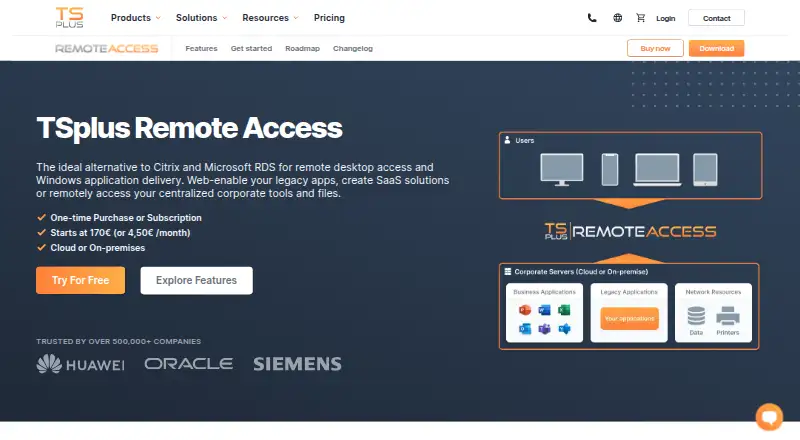
What TSplus Remote Access is
TSplus Remote Access provides remote desktop access and Windows application delivery, including web-enabling legacy applications. It supports cloud or on-premises deployment and connections through HTML5 browsers, RDP-compatible clients, or the RemoteApp client. Supported environments include Windows, macOS, Linux, iOS, Android, and web browsers, with file transfer and mobile apps included. A server supports 3 to 50+ concurrent sessions, and farm deployments can scale to thousands of users. Administrators can assign applications through Active Directory, local accounts, Azure, or AWS. Universal Printer converts documents to PDF for the user device, while Virtual Printer supports advanced configurations. Security features include TLS, wildcard certificates, Let's Encrypt integration, login lockout, and optional two-factor authentication. Enterprise farm tools add a Gateway portal, load balancing with failover, and a reverse proxy. A fully featured 15-day trial supports five users without requiring a card.
Who it suits
TSplus Remote Access suits IT professionals, managed service providers, and businesses needing remote Windows applications across desktop, mobile, and browser clients. It also fits deployments requiring cloud or on-premises operation and multi-session scaling.
What it does well
- Supports desktop, mobile, and browsers
- Cloud or on-premises deployment
- File transfer and mobile apps
- TLS and optional two-factor authentication
- 15-day fully featured trial
What to know first
- No free plan
- Trial limited to five users
- Perpetual licenses include one year of support
- Plan pricing uses different billing terms
Plans
| Plan | Billed and limits | Price |
|---|---|---|
| Desktop Edition | per server · perpetual license · starts at 3 users | $200, paid once |
| Web Mobile Edition | per server · perpetual license · starts at 3 users · includes Web Portal and HTML5 client | $275, paid once |
| Enterprise Edition | per server · perpetual license · starts at 3 users · includes Farm Manager and Gateway | $315, paid once |
| Enterprise Edition | yearly · per user / month · fully featured · billed yearly | $4.50 a year |
| Enterprise Edition | monthly · per user · fully featured · access while subscription is active | $5 a month |
As tsplus.net lists them, read 11 Oct 2026. The maker's own page has the final word.
Verdict
TSplus Remote Access combines broad client support, application delivery, printing, security controls, and farm management. Evaluate session capacity, deployment model, and the listed license terms against your environment.
Facts from TSplus Remote Access's own pages
- Access methods
- Users can connect through HTML5 in a browser or use RDP-compatible clients and the RemoteApp client. · tsplus.net, 11 Oct 2026
- Additional security
- The product offers lockout for repeated failed logins and optional two-factor authentication; Advanced Security is separately offered or included with Enterprise Plus. · tsplus.net, 11 Oct 2026
- Deployment
- The product is offered for cloud or on-premises use. · tsplus.net, 11 Oct 2026
- Directory integrations
- Administrators can assign applications using Active Directory, local accounts, Azure, or AWS. · tsplus.net, 11 Oct 2026
- Farm management
- Enterprise farm features include a Gateway portal, load balancing with failover, and a reverse proxy that keeps application servers on the local LAN. · tsplus.net, 11 Oct 2026
- File transfer
- Yes · tsplus.net, 20 Sept 2026
- Free plan
- No · tsplus.net, 20 Sept 2026
- Headquarters
- France · tsplus.net, 28 Sept 2026
- Intended users
- The maker describes its software suite as serving IT professionals, managed service providers, and businesses of all sizes. · tsplus.net, 11 Oct 2026
- License terms
- Perpetual licenses do not expire and include one year of updates and support; subscriptions include updates and support while active. · tsplus.net, 11 Oct 2026
- Mobile apps
- Yes · tsplus.net, 20 Sept 2026
- Printing
- Universal Printer converts documents to PDF and sends them to the user device, while Virtual Printer supports advanced printer configurations. · tsplus.net, 11 Oct 2026
- Purpose
- TSplus Remote Access delivers remote desktop access and Windows application delivery, including web-enabling legacy applications. · tsplus.net, 11 Oct 2026
- Security
- Remote Access uses TLS encryption, supports wildcard certificates, and integrates the Let's Encrypt certificate service. · tsplus.net, 11 Oct 2026
- Session capacity
- The product supports 3 to 50+ concurrent sessions per server and can scale across a farm to thousands of users. · tsplus.net, 11 Oct 2026
- Support
- The maker directs customers to its knowledge base, user guides, deployment support emails, and support team for help deploying the product. · tsplus.net, 11 Oct 2026
- Supported platforms
- Windows,macOS,Linux,iOS,Android,web browsers · tsplus.net, 20 Sept 2026
- Trial
- The free trial is fully featured for 15 days and is limited to five users; the download page says no credit card is required. · tsplus.net, 11 Oct 2026
Where TSplus Remote Access stands on Freedom251
- Remote desktop software#103 of 135