Freedom251 › Remote desktop software
Faronics Remote Control
What Faronics Remote Control is
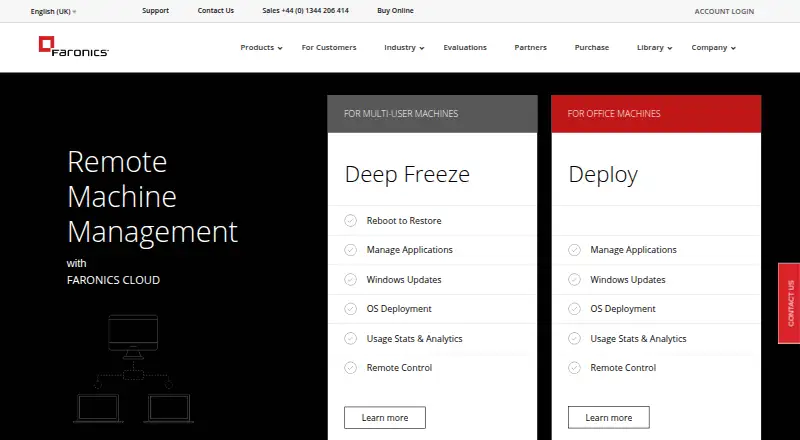
Faronics Remote Control provides browser-based access to managed computers through Remote Pro, RDP, and VNC. Remote Pro starts sessions in a browser, can shadow active user sessions, and supports interaction with UAC prompts. Deploy adds cloud-based RDP access with domain or local credentials and file transfer. VNC provides client-based desktop access to Windows and macOS through encrypted persistent sessions. Roles and permissions determine who can start sessions and which actions are allowed, while policies can require consent or permit unattended access. Remote Pro runs in modern browsers on Windows, macOS, Linux, iOS, and Android. Remote access requires the Deploy Agent and internet connectivity; Deploy uses ports 443 and 8080, and web RDP does not require port 3389 to be open. Sessions time out after 30 minutes. Faronics states that transit data uses HTTPS/TLS encryption and stored data uses AES. Remote Control is included with Faronics Deploy at $1 a month per operating system. Pricing is also available on request, with no free plan and a free trial.
Who it suits
It suits educational, healthcare, library, government, and corporate organizations managing remote computers. It also fits teams needing browser access across desktop and mobile operating systems.
What it does well
- Browser sessions support Windows, macOS, Linux, iOS, and Android
- Remote Pro can shadow active user sessions
- RDP includes domain or local credentials and file transfer
- Policies support consent or unattended access
- Transit and stored data use stated encryption
What to know first
- Sessions time out after 30 minutes
- Remote Pro endpoints currently support Windows systems
- Requires Deploy Agent and internet connectivity
- No free plan; pricing is on request
Plans
| Plan | Billed and limits | Price |
|---|---|---|
| Faronics Deploy | Remote Control is included with Deploy; licensed per operating system | $1 a month |
As faronics.com lists them, read 12 Oct 2026. The maker's own page has the final word.
Verdict
Faronics Remote Control combines three remote-access methods with role controls, consent settings, and file transfer. Its 30-minute session limit, deployment requirement, and paid model should be considered before choosing it.
Facts from Faronics Remote Control's own pages
- Access controls
- Deploy roles and permissions control who can initiate sessions and what actions are allowed, and policies can require consent or allow unattended access. · faronics.com, 12 Oct 2026
- Access mode
- both · faronics.com, 20 Sept 2026
- Browser platforms
- Remote Pro works from modern browsers on Windows, macOS, Linux, iOS, or Android. · faronics.com, 12 Oct 2026
- Endpoint support
- Remote Pro currently supports Windows-based systems, while macOS computers can be accessed through VNC. · faronics.com, 12 Oct 2026
- File transfer
- Remote Pro, RDP, and VNC sessions support file transfer. · faronics.com, 12 Oct 2026
- Founded
- 1996 · faronics.com, 28 Sept 2026
- Free plan
- No · faronics.com, 20 Sept 2026
- Headquarters
- Vancouver, British Columbia, Canada · faronics.com, 28 Sept 2026
- Intended users
- Faronics says its technology serves educational institutions, healthcare facilities, libraries, government organizations, and corporations. · faronics.com, 12 Oct 2026
- Network requirements
- Remote access requires the Deploy Agent and internet connectivity; Deploy uses ports 443 and 8080, and RDP over the web does not require port 3389 to be open. · docs.faronics.com, 12 Oct 2026
- RDP
- Deploy provides cloud-based RDP access with domain or local credential authentication and file transfer. · faronics.com, 12 Oct 2026
- Remote Pro
- Remote Pro launches sessions from a browser, supports shadowing active user sessions, and allows interaction with UAC prompts. · faronics.com, 12 Oct 2026
- Security
- Faronics says data in transit is encrypted using HTTPS/TLS and data at rest is protected using AES. · faronics.com, 12 Oct 2026
- Session limit
- Remote access sessions time out after 30 minutes, whether idle or active. · docs.faronics.com, 12 Oct 2026
- Support
- Faronics lists technical support by phone at 1-800-943-6422 Ext. 1 or 1-604-637-3333 Ext. 1, and by email at [email protected]. · faronics.com, 12 Oct 2026
- Supported platforms
- Windows,macOS,Linux,iOS,Android · faronics.com, 20 Sept 2026
- VNC
- VNC provides client-based desktop access to Windows and macOS with encrypted persistent sessions. · faronics.com, 12 Oct 2026
- What it does
- Faronics Remote Control provides browser-based remote access to managed computers through Remote Pro, RDP, or VNC. · faronics.com, 12 Oct 2026
Where Faronics Remote Control stands on Freedom251
- Remote desktop software#100 of 135