Freedom251 › Remote desktop software
Screens
by Screens
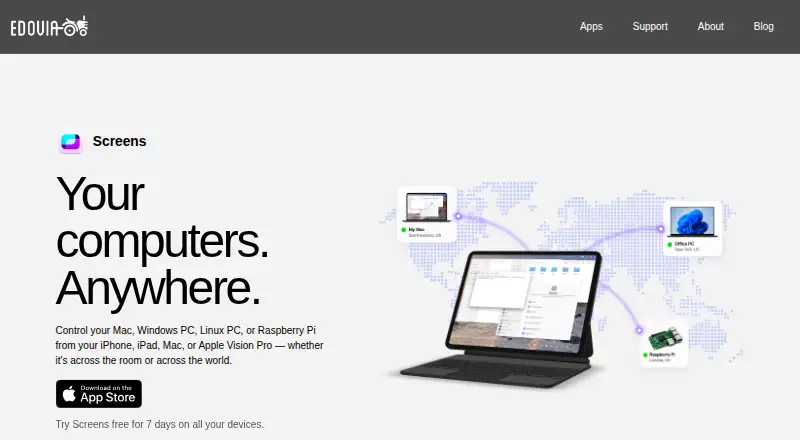
What Screens is
Screens is paid remote-control software for accessing Mac, Windows, Linux, and Raspberry Pi computers from an iPhone, iPad, Mac, or Apple Vision Pro. Connections work over local networks or the Internet, with Screens Connect available to simplify setup. Remote Windows, Linux, and Raspberry Pi machines require a VNC server. Input includes touch, trackpad, gestures, mouse, and hardware keyboard modes. Clipboard sharing handles rich content with remote Macs and plain text with Windows, Linux, and Raspberry Pi. Files transfer in both directions between a remote Mac and a Screens device. Encrypted SSH tunnels, custom SSH keys, Tailscale, and Meshnet provide networking options. Screens Assist lets a Mac owner approve connection requests through a link without sharing credentials. Plans include a 7-day trial: $3.99 a month, $29.99 a year, or 179.99 USD as a one-time Lifetime purchase.
Who it suits
Screens suits Apple-device users who need remote access to Mac, Windows, Linux, or Raspberry Pi computers. It fits workflows involving file transfer, clipboard sharing, or remote assistance.
What it does well
- Connects over local networks or the Internet
- Supports Windows, Linux, and Raspberry Pi targets
- Offers encrypted SSH tunnels
- Includes two-way Mac file transfers
- Screens Assist avoids sharing login credentials
What to know first
- No free plan is available
- Remote Windows, Linux, and Raspberry Pi need VNC
- Computer audio is not received
- PC-to-Apple connections are unsupported
Plans
| Plan | Billed and limits | Price |
|---|---|---|
| Monthly Subscription | $3.99/month · iPhone · iPad · Mac · Vision Pro | $3.99 a month |
| Annual Subscription | $29.99/year · iPhone · iPad · Mac · Vision Pro | $29.99 a year |
| Lifetime | $199.99 one-time purchase · iPhone · iPad · Mac · Vision Pro | $199.99, paid once |
As edovia.com lists them, read 11 Oct 2026. The maker's own page has the final word.
Verdict
Screens provides broad remote control from Apple devices with file transfer, security options, and assistance links. Check its Apple operating-system requirements and audio and connection-direction limits before subscribing.
Facts from Screens's own pages
- Access mode
- both · help.edovia.com, 20 Sept 2026
- Apple integrations
- Screens integrates with Siri, Shortcuts, Spotlight, widgets, iCloud, Face ID, and Touch ID. · edovia.com, 11 Oct 2026
- Clipboard
- Clipboard sharing supports text, rich text, images, and URLs with a remote Mac, and plain text with Windows, Linux, and Raspberry Pi. · edovia.com, 11 Oct 2026
- Connection options
- It connects over local networks or the Internet, and Screens Connect can simplify remote access setup. · edovia.com, 11 Oct 2026
- File transfer
- Yes · help.edovia.com, 20 Sept 2026
- File transfers
- Files can be transferred in either direction between a remote Mac and a device running Screens. · edovia.com, 11 Oct 2026
- Founded
- 2003 · edovia.com, 28 Sept 2026
- Free plan
- No · help.edovia.com, 20 Sept 2026
- Headquarters
- Montreal, Canada · edovia.com, 28 Sept 2026
- Input
- Touch Mode, Trackpad Mode, gestures, mouse, trackpad, and hardware keyboard input are supported. · edovia.com, 11 Oct 2026
- Limitations
- Screens does not receive computer audio and does not support connecting from a PC to Apple devices. · edovia.com, 11 Oct 2026
- Mobile apps
- Yes · help.edovia.com, 20 Sept 2026
- Private networking
- Screens supports Tailscale and Meshnet as private-network options for reaching computers. · edovia.com, 11 Oct 2026
- Purpose
- Screens remotely controls Mac, Windows PC, Linux PC, and Raspberry Pi computers from iPhone, iPad, Mac, or Apple Vision Pro. · edovia.com, 11 Oct 2026
- Remote assistance
- Screens Assist generates a shareable link, and the Mac owner approves or denies connection requests without sharing login credentials. · edovia.com, 11 Oct 2026
- Remote protocol
- A VNC server is required on remote Windows PCs, Linux PCs, and Raspberry Pi computers. · edovia.com, 11 Oct 2026
- Requirements
- Screens requires iOS and iPadOS 17.6, macOS 14.6, or visionOS 26.0 or later. · edovia.com, 11 Oct 2026
- Security
- Screens supports encrypted SSH tunnels for connections to remote computers and allows custom SSH keys. · help.edovia.com, 11 Oct 2026
- Support
- Edovia directs app users to its support section and provides Screens support by email at [email protected]. · edovia.com, 11 Oct 2026
- Supported platforms
- iOS,iPadOS,macOS,visionOS; connects to Windows,Linux,and Raspberry Pi · help.edovia.com, 20 Sept 2026
Where Screens stands on Freedom251
- Remote desktop software#98 of 135