Freedom251 › Remote desktop software
ICE RemoteWare
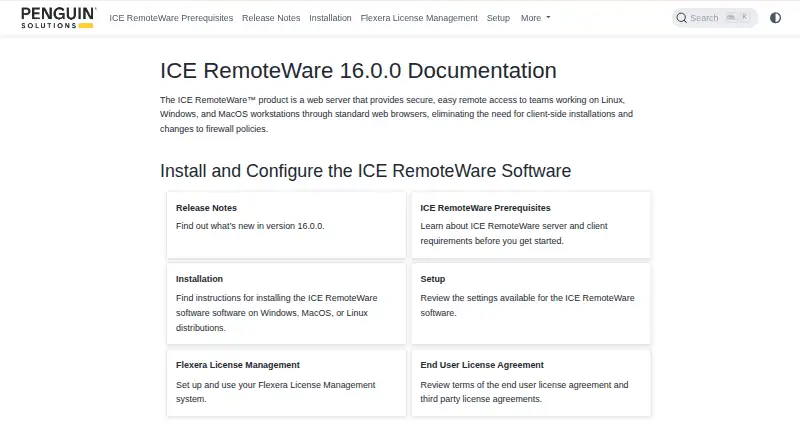
What ICE RemoteWare is
ICE RemoteWare is a web server for accessing Linux, Windows, and macOS workstations through standard browsers. Browser sessions avoid client-side installation and firewall-policy changes. Remote desktop features include audio, video playback up to 4K, multiple displays, text copy and paste, quality-of-service adaptation, file upload and download, and collaboration. Authentication can use Active Directory, LDAP, PAM, SCAuth, or RHV OAuth2. Browser access requires WebSockets; TLS 1.2 and WebGL support are used for security and performance, although WebGL may be absent with reduced performance. An optional native client supports higher frame rates at higher resolutions, lossless or visually lossless video, and browser-reserved keyboard shortcuts. Windows and Linux Portal deployments can connect multiple desktops through one portal, with deployments described for up to hundreds of desktops. USB forwarding uses VirtualHere, while licensing uses ICE FlexLM. Paid pricing is available on request, and a limited-time evaluation license is listed as free.
Who it suits
It suits organizations needing browser-based remote access across Linux, Windows, and macOS systems. It is also relevant for multi-desktop portals and deployments requiring several authentication options.
What it does well
- No browser client installation required
- 4K video and multi-display support
- Multiple authentication methods
- Portal for hundreds of desktops
- Limited-time evaluation license
What to know first
- No mobile apps
- Pricing is available only on request
- WebSockets are required
- macOS Sonoma USB integration unsupported
Plans
| Plan | Billed and limits | Price |
|---|---|---|
| Trial license | Limited-time evaluation; trial license file required | Free |
| Floating or node-locked license | License requested from Penguin Solutions; uses ICE FlexLM | On request |
As docs.ice.penguinsolutions.com lists them, read 12 Oct 2026. The maker's own page has the final word.
Verdict
ICE RemoteWare provides browser-based remote desktops with file transfer, collaboration, authentication choices, and portal deployments. Buyers should account for browser requirements, platform limitations, and request-based licensing.
Facts from ICE RemoteWare's own pages
- Authentication
- Supported authentication options include Active Directory, LDAP, PAM, SCAuth, and RHV OAuth2. · docs.ice.penguinsolutions.com, 12 Oct 2026
- Browser requirements
- Browser access requires WebSockets; the docs state that TLS 1.2 and WebGL support are used for security and optimal performance, while WebGL can be absent at reduced performance. · docs.ice.penguinsolutions.com, 12 Oct 2026
- File transfer
- Yes · docs.ice.penguinsolutions.com, 20 Sept 2026
- Free plan
- No · docs.ice.penguinsolutions.com, 20 Sept 2026
- Integrations
- The docs describe USB forwarding through VirtualHere and license management through Flexera ICE FlexLM. · docs.ice.penguinsolutions.com, 12 Oct 2026
- Known platform issue
- The v16.0.0 release notes state that USB integration on macOS Sonoma servers is unsupported and installation on macOS Ventura servers requires manual steps. · docs.ice.penguinsolutions.com, 12 Oct 2026
- License and support
- The maker says licenses can be requested from Penguin Solutions at [email protected] and directs users to that address for additional license-checkout support. · docs.ice.penguinsolutions.com, 12 Oct 2026
- Maker background
- Penguin Solutions says it was founded in 1988 as a specialty memory company; its corporate headquarters are in Milpitas, California. · penguinsolutions.com, 12 Oct 2026
- Mobile apps
- No · docs.ice.penguinsolutions.com, 20 Sept 2026
- Native client
- A separately installed native client supports faster frame rates at higher resolutions, lossless or visually lossless video, and browser-reserved keyboard shortcuts. · docs.ice.penguinsolutions.com, 12 Oct 2026
- No client install required
- The product description says browser access eliminates the need for client-side installations and firewall-policy changes. · docs.ice.penguinsolutions.com, 12 Oct 2026
- Portal deployments
- The Portal feature on Windows and Linux connects multiple remote desktops through one portal and is described as supporting deployments with up to hundreds of desktops. · docs.ice.penguinsolutions.com, 12 Oct 2026
- Purpose
- ICE RemoteWare is a web server for secure remote access to Linux, Windows, and MacOS workstations through standard web browsers. · docs.ice.penguinsolutions.com, 12 Oct 2026
- Remote desktop features
- Documented features include video playback up to 4K, audio, multi-display support, text copy and paste, quality-of-service adaptation, file upload and download, and collaboration. · docs.ice.penguinsolutions.com, 12 Oct 2026
- Security configuration
- The setup guide recommends HTTPS with a trusted SSL certificate and TLS 1.2, and warns that the default private key, certificate, username, and password should be changed. · docs.ice.penguinsolutions.com, 12 Oct 2026
- Security limitation
- The setup guide warns that configuration and private-key files contain sensitive information and recommends restricting their access to root or system administrators. · docs.ice.penguinsolutions.com, 12 Oct 2026
- Server platforms
- The documented server operating systems are Rocky Linux 8 and 9, Windows 10 and 11, Windows Server 2019 and 2022, macOS Monterey 12 through Sonoma 14, and Ubuntu 20, 22, and 24. · docs.ice.penguinsolutions.com, 12 Oct 2026
- Supported platforms
- Rocky Linux 8/9,Ubuntu 20/22/24,Windows 10/11,Windows Server 2019/2022,macOS Monterey 12–Sonoma 14 · docs.ice.penguinsolutions.com, 20 Sept 2026
Where ICE RemoteWare stands on Freedom251
- Remote desktop software#104 of 135