Freedom251 › Internship Management Software
TPO Bridge
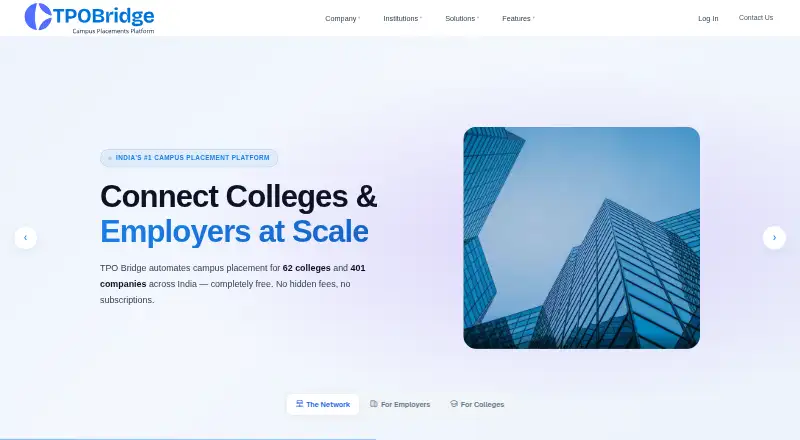
What TPO Bridge is
TPO Bridge is a placement management platform for colleges and companies across India. Its Campus Drive Links support student registration, eligibility filtering, round-wise shortlists, notifications, and offer letters. Employers can post unlimited jobs and connect with verified college Training and Placement Officers without subscription or per-post charges. A filterable student database contains academic records, certifications, projects, and resume versions. The Owners Dashboard gives placement visibility by batch, company, and department, while the platform generates reports formatted for NAAC, NBA, and NIRF submissions. Drive milestones can trigger WhatsApp, email, and in-app alerts. The Offer Letter Hub supports digital issuance, tracking, confirmation, audit trails, e-signatures, and follow-up. Students can use the mobile app to register, apply, track shortlists, and receive offer letters. TPO Bridge describes its users as placement officers, enterprise recruitment teams, and college management, and lists institutions including engineering, management, polytechnic, arts and science, law, pharmacy, and nursing colleges. The free plan includes unlimited job posts and campus drives without subscription or per-post charges.
Who it suits
TPO Bridge suits college placement officers, college management, and enterprise recruitment teams coordinating campus hiring. It is intended for colleges across several institution types, including engineering, management, and arts and science.
What it does well
- Coordinates registration, eligibility, shortlists, and offers.
- Employers can post unlimited jobs without per-post charges.
- Stores student records in a filterable database.
- Produces reports formatted for NAAC, NBA, and NIRF.
- Students can manage applications from a mobile app.
What to know first
- Its stated scope is campus placements across India.
- The listed functionality centers on college placement workflows.
Plans
| Plan | Billed and limits | Price |
|---|---|---|
| Free | Unlimited job posts · campus drives · no subscription or per-post charges | Free |
As tpobridge.com lists them, read 2 Oct 2026. The maker's own page has the final word.
Getting started
- Visit the TPO Bridge website.
- Choose the web platform or the Android or iOS app.
- Use Campus Drive Links for student registration and drive workflows.
- Employers can post jobs and connect with verified college TPOs on the free plan.
- Students can use the mobile app to register, apply, track shortlists, and receive offer letters.
Overview
TPO Bridge brings campus-drive administration, student records, placement reporting and offer letters together for colleges and employers recruiting through campus placements. It is best suited to placement offices that need to coordinate drives and track outcomes across departments, with employers able to post jobs without subscription or per-post charges. Its strongest case is the breadth of that workflow at no charge; its focus on campus recruitment makes it a poor fit for hiring beyond that setting.
Key features
Drive coordination and hiring
Campus Drive Links cover student registration, eligibility filtering, round-wise shortlists, notifications and offer letters. That gives placement teams a route from announcing a drive to managing its selection stages, rather than treating each stage as a separate task. Employers can post unlimited jobs and connect with verified college TPOs without subscription or per-post charges, a clear advantage for companies building campus pipelines. The workflow is centered on college drives, not a general-purpose recruiting process.
Student records and reporting
The filterable student database brings together academic records, certifications, projects and resume versions. For TPOs matching students to openings, those fields offer more useful screening context than a list of names alone. TPO Bridge also says its placement reports are formatted for NAAC, NBA and NIRF submissions, while the Owners Dashboard provides real-time placement visibility by batch, company and department. Those reporting and oversight tools make the platform relevant to college management as well as placement staff.
Alerts and offer letters
Automated WhatsApp, email and in-app alerts cover drive milestones, and drive links can be shared on LinkedIn, WhatsApp and careers pages. The Offer Letter Hub supports digital issuance, tracking, confirmation, audit trails, e-signatures and automated follow-up. Together, these capabilities address communication and paperwork around an offer, though the product’s described scope remains campus placement rather than hiring more broadly.
Student mobile app
Students can use the mobile app to register, apply, track shortlists and receive offer letters by phone. That gives students a direct way to follow a drive alongside the tools for staff and employers, and makes TPO Bridge a stronger fit for institutions that want the student workflow in the same platform.
Pricing
TPO Bridge has a Free plan at no cost. It includes unlimited job posts and campus drives, with no subscription or per-post charges. That is a particularly useful starting point for employers posting multiple roles and colleges coordinating repeated drives without a listed posting fee. No paid plan or quota is described, so there is no stated higher tier to compare against; institutions should judge the fit by whether the campus-focused features meet their needs.
Platforms
TPO Bridge is available on web, Android and iOS. The mobile app is described for students, while the platform also serves TPOs, enterprise recruitment teams and college management.
Who it's for
TPO Bridge is aimed at Training and Placement Officers, enterprise recruitment teams and college management. Its stated institutional reach includes engineering, management, polytechnic, arts and science, law, pharmacy and nursing colleges. It is a sensible choice where the priority is coordinating campus drives, student information and placement reporting across an institution. Employers looking for a no-fee way to post campus jobs may also find its unlimited posting allowance appealing. Teams that need a broader hiring workflow should look elsewhere.
Pros and cons
- Pros: Unlimited job posts and campus drives on a free plan remove subscription and per-post charges for the core campus workflow.
- Pros: Student records, eligibility filtering, shortlists, reporting and offer-letter management cover several connected placement tasks in one platform.
- Pros: Web, Android and iOS access, plus WhatsApp, email and in-app alerts, supports communication with students across drive milestones.
- Cons: The product is specifically framed around campus placement, so it is not the natural choice for recruitment outside colleges.
- Cons: The plan information describes a free tier but no paid options, leaving no stated upgrade path for institutions whose needs exceed the described scope.
Alternatives
For a different focus, browse Internship Management Software or Campus Recruiting Software.
BeChallenge is a web-based freemium option with a free AI Experience Designer account for teachers to design a full learning experience; choose it when that learning-design use case matters more than campus-drive coordination.
Riipen offers a free platform for students and employers, with no recruitment fees to employers hiring students after a project; it is the closer alternative when project-based student-employer work is the priority.
Flarebox and Hiree365 are freemium web alternatives. InPlace and GradLeaders are paid alternatives, with Android, iOS and web support for InPlace and Android, iOS, web and API platforms for GradLeaders. Symplicity CSM Experiential Learning is a paid institutional module, while CareerHive WIL uses institutional pricing discussed with its team.
Verdict
Choose TPO Bridge if your college needs a no-charge platform for campus drives, student placement records, reporting and offer letters, or if you hire through campus and want unlimited job posts without posting fees. Its combination of placement-office tools and a student mobile app is the main reason to choose it. Look elsewhere if you need recruitment beyond campus placements or a wider product and plan range.
Verdict
TPO Bridge covers campus-drive coordination, student records, placement reporting, and offer letters in one platform. Its stated use is focused on colleges and hiring through campus placements in India.
Questions
How much does TPO Bridge cost?
The Free plan is listed as free and includes unlimited job posts and campus drives, with no subscription or per-post charges.
Which platforms does it support?
TPO Bridge is listed for Android, iOS, and the web.
Who is TPO Bridge for?
It is described for Training and Placement Officers, enterprise recruitment teams, and college management.
What can students do with the mobile app?
Students can register, apply, track shortlists, and receive offer letters by phone.
What placement reports does it generate?
TPO Bridge says it generates reports formatted for NAAC, NBA, and NIRF submissions.
Can employers post jobs for free?
Yes. Employers can post unlimited jobs and connect with verified college TPOs without subscription or per-post charges.
Facts from TPO Bridge's own pages
- Analytics
- The Owners Dashboard provides real-time placement visibility with batch-wise, company-wise, and department-wise information. · tpobridge.com, 2 Oct 2026
- Availability
- The homepage states that all systems are operational. · tpobridge.com, 2 Oct 2026
- Drive coordination
- Campus Drive Links support student registration, eligibility filtering, round-wise shortlists, notifications, and offer letters. · tpobridge.com, 2 Oct 2026
- Employer hiring
- Employers can post unlimited jobs and connect with verified college TPOs without subscription or per-post charges. · tpobridge.com, 2 Oct 2026
- Integrations
- The site says drive links can be shared on LinkedIn, WhatsApp, and careers pages, and it describes WhatsApp and email notifications. · tpobridge.com, 2 Oct 2026
- Intended users
- The platform is described for Training and Placement Officers, enterprise recruitment teams, and college management. · tpobridge.com, 2 Oct 2026
- Mobile app
- The homepage describes a student mobile app for registering, applying, tracking shortlists, and receiving offer letters by phone. · tpobridge.com, 2 Oct 2026
- Notifications
- The site describes automated WhatsApp, email, and in-app alerts for drive milestones. · tpobridge.com, 2 Oct 2026
- Offer letters
- The Offer Letter Hub supports digital issuance, tracking, confirmation, audit trails, e-signatures, and automated follow-up. · tpobridge.com, 2 Oct 2026
- Purpose
- TPO Bridge says it automates campus placements for colleges and companies across India. · tpobridge.com, 2 Oct 2026
- Reporting
- TPO Bridge says it generates placement reports formatted for NAAC, NBA, and NIRF submissions. · tpobridge.com, 2 Oct 2026
- Student records
- The platform describes a filterable student database containing academic records, certifications, projects, and resume versions. · tpobridge.com, 2 Oct 2026
- Supported institutions
- The site lists engineering, management, polytechnic, arts and science, law, pharmacy, and nursing colleges among the institutions it serves. · tpobridge.com, 2 Oct 2026
Where TPO Bridge stands on Freedom251
- Internship Management Software#8 of 27
- Campus Recruiting Software#9 of 22