Freedom251 › Threat Modeling Software
ThreatForge
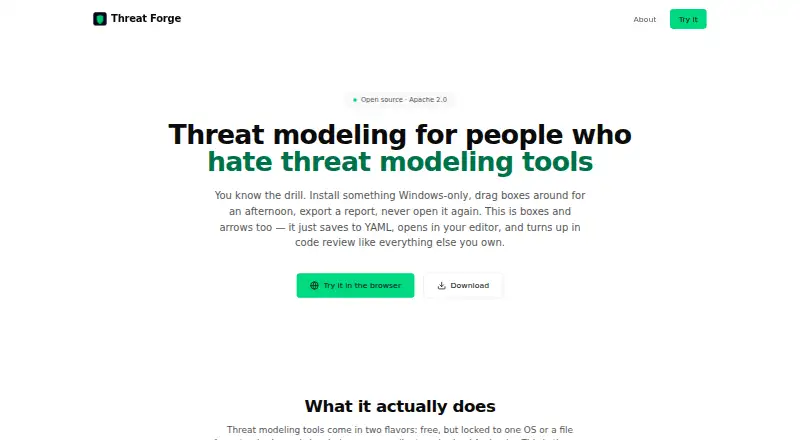
What ThreatForge is
ThreatForge is a free, open-source app for building threat models with diagrams, automated STRIDE analysis and AI assistance. Its drag-and-drop canvas includes 44 typed components in 10 categories, with trust boundaries, annotations and automatically routed connections. A built-in rules engine derives threats from component types and data-flow patterns and works offline. Users can also chat with Claude or GPT about a model to get threat suggestions, mitigation proposals or answers to security questions; this feature uses their own API key. Models are saved as human-readable YAML files that can be reviewed in pull requests, compared through Git diffs and versioned over time. Six templates cover cloud microservices, e-commerce, mobile banking, SaaS, IoT smart buildings and healthcare systems. The maker says there is no telemetry and models stay on the user's machine. No account is required to start. The full application is available under the Apache 2.0 license, without freemium upsells or enterprise-only features. It supports Linux, macOS, Windows and the web, and the maker describes its download as approximately 10 MB.
Who it suits
ThreatForge suits developers and teams seeking threat modeling without an enterprise procurement cycle. Its offline rules engine and YAML files may also suit teams that want local models they can version and review.
What it does well
- Offline STRIDE rules engine generates threats.
- No account is required to get started.
- Threat models use readable, Git-diffable YAML.
- Six templates cover different system types.
- Full app is free under Apache 2.0.
What to know first
- AI assistance requires users' own API key.
- The maker describes the download as approximately 10 MB.
Plans
| Plan | Billed and limits | Price |
|---|---|---|
| Threat Forge | Free and open source under Apache 2.0 · no account required · full application available to everyone | Free |
As threatforge.dev lists them, read 7 Oct 2026. The maker's own page has the final word.
Getting started
- Visit https://www.threatforge.dev/.
- Choose the Linux, macOS, Windows, or web platform.
- Start without creating an account.
- Begin a model from a template or use the diagram canvas.
- For AI assistance, connect using your own API key.
Overview
ThreatForge is an open-source threat-modeling app built around diagrams and automated STRIDE analysis. It suits developers and teams looking for a free tool without an enterprise procurement cycle. Its strongest case is a workflow that keeps models local and versionable; AI assistance is optional but requires your own API key.
Key features
The drag-and-drop canvas provides 44 typed components in 10 categories, alongside trust boundaries, annotations and automatically routed connections. Six templates span cloud microservices, e-commerce, mobile banking, SaaS, IoT smart buildings and healthcare systems. They offer useful starting points for those architectures, though teams with a different system design will need to build from the available components.
ThreatForge’s rule engine derives STRIDE threats from component types and data-flow patterns, and works offline. That makes the core analysis available without an AI service, but rule-generated findings are not a replacement for security judgment about a particular system. Optional Claude or GPT chat can suggest threats and mitigations or answer security questions. Bring your own API key, so this is an added capability rather than included AI access.
Models use human-readable YAML that teams can version and review in pull requests. This makes changes easier to track alongside code than a diagram-only workflow. The maker says models stay on the user’s machine and that the app has no telemetry. No account is required to start, and the download is described as approximately 10 MB.
Pricing
Threat Forge: free. The complete application is available under the Apache 2.0 license, with no freemium upsells or enterprise-only features. There is no free trial because the product is free. This is a strong fit for individuals and teams that want the full modeling tool without a paid tier; AI chat still depends on a user-provided key.
Platforms
ThreatForge supports Linux, macOS, Windows and the web. Its local-model approach is useful for teams that want to keep threat models on their own machine, while web support broadens platform choice.
Who it's for
Choose ThreatForge if you want diagram-based STRIDE modeling, offline rule analysis and YAML models that can be reviewed in a software development workflow. Its templates and no-account start lower the barrier to beginning a model. Look elsewhere if you need a different modeling method, or want AI assistance without supplying your own API key.
Pros and cons
- Pros: The full app is free and open source under Apache 2.0, with no account or enterprise-only feature gate.
- Pros: Offline STRIDE analysis and local model storage give teams a way to work without relying on AI services for core analysis.
- Pros: YAML models can be versioned and reviewed in pull requests, supporting a code-oriented team workflow.
- Cons: Claude and GPT assistance uses BYOK, so users must provide their own API key.
- Cons: STRIDE is the stated modeling method; teams looking for other methods may need a different tool.
Alternatives
For more options, browse Threat Modeling Software.
- CAIRIS is another free, open-source choice if its Linux, macOS, web, Windows or self-hosted availability better fits your deployment needs.
- OWASP Threat Dragon is a free open-source alternative with no paid plans or usage limits stated, and supports Linux, macOS, web, Windows and self-hosting.
- IriusRisk may suit a single user testing a freemium workflow: its Community Edition includes three active threat models and limited collaboration for one user.
- ThreatModeler Nexus offers a free Community Edition for practitioners, students, developers, architects and security teams who want to experience threat modeling before scaling.
- ThreatOpus is worth considering if a paid monthly plan fits: Starter costs £129.99 a month and includes 15 users, 10 team workspaces and 50 threat-modeling generations per month.
- ThreatTree has a free tier capped at three forests, three DFDs per forest and five Attack Trees per DFD; its Pro plan is $29 a month, billed per user monthly.
- AWS Threat Composer is another free option, with support for web, desktop and self-hosted platforms.
- itemis SECURE is a paid alternative for teams that prefer named-user or floating licenses and use web or Windows.
Verdict
ThreatForge is a strong choice for developers and teams who want free, open-source STRIDE modeling with offline analysis and models they can version alongside code. The combination of local storage, YAML and no account requirement makes it particularly suitable for a lightweight development workflow. Choose another tool if you need a different modeling method or AI help without bringing your own key.
Verdict
ThreatForge brings diagramming, offline STRIDE analysis and optional AI assistance into a free, open-source app. Its YAML format and templates support teams that want to review and version threat models.
Questions
How much does ThreatForge cost?
The Threat Forge plan is free. The full application is available under Apache 2.0.
Is there a free plan or trial?
The application is free. There is no free trial because no trial is offered.
Which platforms does it support?
Linux, macOS, web, and Windows are listed.
Is ThreatForge open source?
Yes. It is released under the Apache 2.0 license, with no freemium upsells or enterprise-only features.
Does it require an account?
No account is required to get started.
Can its threat analysis work offline?
The built-in rule engine works fully offline. AI chat with Claude or GPT uses your own API key.
Facts from ThreatForge's own pages
- Account
- No account is required to get started. · exitzerolabs.com, 7 Oct 2026
- AI analysis
- The app supports chatting with Claude or GPT about a threat model and can suggest threats, propose mitigations, and answer security questions; it uses BYOK. · exitzerolabs.com, 7 Oct 2026
- Diagrams
- Its drag-and-drop canvas has 44 typed components across 10 categories, with trust boundaries, text annotations, and automatically routed connections. · exitzerolabs.com, 7 Oct 2026
- Download size
- The maker describes the download as approximately 10 MB. · exitzerolabs.com, 7 Oct 2026
- File format
- Threat models use human-readable, git-diffable YAML files that can be reviewed in pull requests and versioned over time. · exitzerolabs.com, 7 Oct 2026
- Intended users
- The maker positions Threat Forge as a developer-friendly alternative for teams seeking threat modeling without an enterprise procurement cycle. · exitzerolabs.com, 7 Oct 2026
- License
- The application is released under the Apache 2.0 license, with no freemium upsells or enterprise-only features. · exitzerolabs.com, 7 Oct 2026
- Platforms
- The desktop app runs on macOS, Windows, and Linux. · exitzerolabs.com, 7 Oct 2026
- Privacy
- The maker says there is no telemetry and threat models stay on the user's machine. · exitzerolabs.com, 7 Oct 2026
- Product
- Threat Forge is an open-source desktop app for threat modeling with visual diagrams, automated STRIDE analysis, and AI-assisted threat discovery. · exitzerolabs.com, 7 Oct 2026
- STRIDE
- The built-in rule engine generates threats from element types and data-flow patterns and works fully offline. · exitzerolabs.com, 7 Oct 2026
- Templates
- Six templates cover Cloud Microservices, E-Commerce, Mobile Banking, SaaS Platform, IoT Smart Building, and Healthcare System. · exitzerolabs.com, 7 Oct 2026
Where ThreatForge stands on Freedom251
- Threat Modeling Software#8 of 23