Freedom251 › Threat Modeling Software
pytm
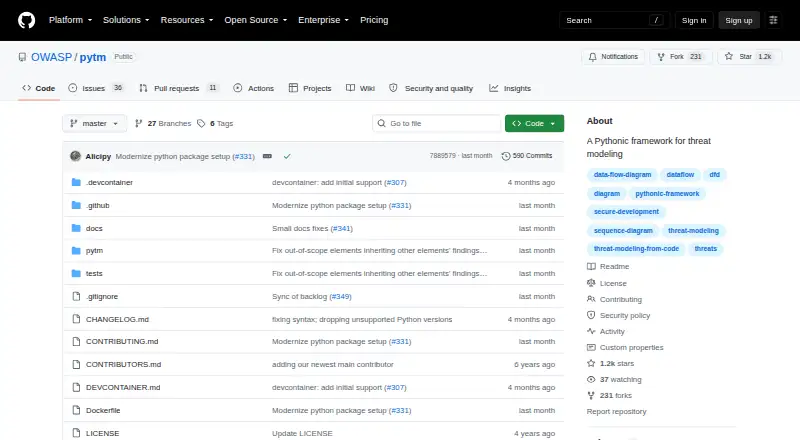
What pytm is
pytm is a free, open-source Python framework for building threat models from an architectural description. Users define models in Python with components such as servers, data stores, actors, processes, data flows, and trust boundaries. From a model, pytm can generate data flow diagrams, sequence diagrams, and relevant threats. Templates can turn diagrams and findings into reports, and a RevealMD template can create slides for browser presentation.
The diagrams use Graphviz DOT for data flows and PlantUML for sequences. Models can also be loaded from JSON through pytm's Python load function. Users can supply a custom threats file and override finding attributes such as severity, CVSS score, and response text. The project describes its aim as moving threat modeling earlier and making the work more automated and developer-centric.
The listed requirements include Python 3.11 or later, Graphviz, Java OpenJDK 10 or 11, and plantuml.jar, with Linux or macOS listed as platforms. Windows use is documented through a Devbox setup in WSL. Container and Devbox workflows are also documented for dependency management, and the example report-generation command uses Pandoc. The README cautions that strings in threats.json are evaluated with eval(), so the file's permissions should prevent unauthorized changes. OWASP, which describes itself as a nonprofit foundation, is the maker.
Who it suits
pytm suits developers who want to define threat models in Python and generate diagrams, threat findings, reports, or browser-presentable slides. It is also relevant to teams seeking to bring threat modeling earlier into their work through an automated, developer-centric approach.
What it does well
- Builds models from Python-defined architecture elements.
- Generates data flow diagrams, sequence diagrams, and threats.
- Templates can produce reports and browser-presentable slides.
- Supports JSON model import and custom threat definitions.
- Finding attributes such as severity and CVSS score can be overridden.
What to know first
- Diagram generation requires Graphviz and Java/PlantUML.
- Windows setup is documented through WSL.
- Strings in threats.json are evaluated with eval().
Limits
The free Open-source pytm plan requires Python 3.11 or later. Diagram generation requires Graphviz and Java/PlantUML.
Plans
| Plan | Billed and limits | Price |
|---|---|---|
| Open-source pytm | Python 3.11+ · Requires Graphviz and Java/PlantUML for diagram generation | Free |
As github.com lists them, read 8 Oct 2026. The maker's own page has the final word.
Getting started
- Visit https://github.com/OWASP/pytm.
- Use Linux or macOS with Python 3.11 or later; the documented Windows route uses WSL with Devbox.
- Install Graphviz and Java OpenJDK 10 or 11, including plantuml.jar, for diagram generation.
- Define an architectural model in Python or import one from JSON using pytm's Python load function.
- Use a template to generate reports or browser-presentable slides.
Overview
pytm is an open-source Python framework for defining threat models as code and generating diagrams, findings, reports, and slides. It suits developers and security practitioners who want threat modeling in a Python-based workflow, with room to customize threats and report output. Its code-first approach is flexible, but diagram generation depends on external tools and the project warns that a changeable threats file can create a code-execution risk.
Key features
Models are built from Python elements such as actors, servers, processes, data stores, data flows, and trust boundaries. From that architecture, pytm can produce data-flow diagrams, sequence diagrams, and relevant threat findings. This makes it a natural fit for teams that want the model alongside development work; readers who prefer a graphical modeling interface may find the code-based method less suitable.
Diagram generation uses Graphviz DOT for data-flow diagrams and PlantUML for sequence diagrams. Templates can combine diagrams and findings in reports, while a RevealMD template produces slides that can be presented in a browser. Models can also be loaded from JSON through pytm's Python function, and custom threat files can change finding attributes such as severity, CVSS score, and response text. That flexibility helps teams adapt findings to their own process, but puts more responsibility on them to maintain the model and templates.
The project documents container and Devbox workflows for dependencies. Its example report command uses Pandoc, adding another tool to account for when generating reports. The README cautions that strings in threats.json are evaluated with eval(); protect the file's permissions so an attacker cannot alter those strings and execute code.
Pricing
Open-source pytm: free. The free plan is the open-source framework, with no paid tier described. It suits developers who can run and maintain the tooling themselves. Python 3.11 or later is required, and diagram generation requires Graphviz and Java/PlantUML.
Platforms
pytm is listed for Linux, macOS, and Windows. Its documented Windows setup uses Devbox through WSL. The stated platform requirements specify Linux or macOS, so Windows users should expect to follow that WSL workflow rather than a native setup. The requirements include Python 3.11 or later, Graphviz, Java OpenJDK 10 or 11, and plantuml.jar.
Who it's for
pytm is best for developers and security practitioners who want threat models represented in Python and generated artifacts integrated into a developer-centric process. Custom threats and templates suit teams prepared to shape their own findings and reports. It is a weaker fit for people seeking a graphical-first modeling experience or teams that do not want to manage Python and diagram-generation dependencies.
Pros and cons
- Pros: Python-defined architecture can generate diagrams and relevant threat findings from one model, which suits code-oriented workflows.
- Pros: Custom threats, adjustable finding attributes, report templates, and browser-presentable slides give teams control over how they prioritize and communicate results.
- Cons: Diagram generation requires Graphviz and Java/PlantUML, and reports may also involve Pandoc; setup takes more than installing a standalone application.
- Cons: Windows usage is documented through WSL, while the stated requirements name Linux or macOS.
- Cons: The eval() behavior for strings in threats.json makes file permissions a security concern.
Alternatives
CAIRIS is another free option, available across Linux, macOS, Windows, web, API, and self-hosted platforms.
OWASP Threat Dragon is a free open-source alternative for Linux, macOS, Windows, web, and self-hosted use.
ThreatForge is free and open source under Apache 2.0, with no account required and a web option alongside desktop platforms.
IriusRisk offers a free Community Edition for up to three active threat models and one user with limited collaboration, including templates and libraries and XML diagram export.
Threagile is a free, MIT-licensed open-source toolkit, with Linux, API, web, and self-hosted platform options.
ThreatModeler Nexus has a free Community Edition aimed at practitioners, students, developers, architects, and security teams.
ThreatOpus may suit teams looking for a paid collaborative service: its Starter plan costs £129.99 a month and includes 15 users, 10 team workspaces, 50 threat modeling generations per month, 10 repositories, and SCM and CI provider integrations.
ThreatTree offers a free plan capped at three forests, three DFDs per forest, and five attack trees per DFD; its Pro plan is $29 a month, billed per user monthly.
For more options, see Threat Modeling Software.
Verdict
Choose pytm if you want threat modeling in Python, with generated diagrams and findings plus customizable reports and slides. Its strongest appeal is the ability to treat an architecture as code and tailor the resulting output. Look elsewhere if you want a graphical modeling workflow or need to avoid external diagram tools and careful protection of the threats file.
Verdict
Choose pytm if you want to describe an architecture in Python and generate threat findings, diagrams, reports, or slides from it. Account for its Python and diagram-tool requirements, and protect threats.json because its strings are evaluated with eval().
Questions
Is pytm free?
Yes. The Open-source pytm plan costs nothing.
Which platforms are listed for pytm?
Linux and macOS are listed. Windows usage is documented through a Devbox setup for WSL.
What does pytm generate?
From an architectural model, pytm can generate data flow diagrams, sequence diagrams, and relevant threats. Templates can also produce reports and browser-presentable slides.
What does pytm require for diagram generation?
The plan lists Graphviz and Java/PlantUML as requirements. The project's listed requirements include Java OpenJDK 10 or 11 and plantuml.jar.
Can I customize threats and findings?
Users can provide a custom threats file and override finding attributes such as CVSS score, response text, and severity.
Who makes pytm?
OWASP is the maker. It describes itself as a nonprofit foundation dedicated to improving software security through open-source collaboration, education, and innovation.
Facts from pytm's own pages
- Diagram integrations
- Diagram output uses Graphviz DOT for data flow diagrams and PlantUML for sequence diagrams. · github.com, 8 Oct 2026
- Generated outputs
- From an architectural model, pytm can generate data flow diagrams, sequence diagrams, and relevant threats. · github.com, 8 Oct 2026
- Intended users
- The project describes its goal as shifting threat modeling earlier and making it more automated and developer-centric. · github.com, 8 Oct 2026
- Maker
- OWASP describes itself as a nonprofit foundation dedicated to improving software security through open-source collaboration, education, and innovation. · owasp.org, 8 Oct 2026
- Model import
- A threat model can be imported from JSON using pytm's Python load function. · github.com, 8 Oct 2026
- Modeling approach
- Threat models are defined in Python using elements such as servers, data stores, actors, processes, data flows, and trust boundaries. · github.com, 8 Oct 2026
- Other tooling
- The project documents container and Devbox workflows for managing dependencies, and uses Pandoc in its example report-generation command. · github.com, 8 Oct 2026
- Platform requirements
- The listed requirements are Linux or macOS, Python 3.11 or later, Graphviz, Java OpenJDK 10 or 11, and plantuml.jar. · github.com, 8 Oct 2026
- Purpose
- pytm is a Pythonic framework for threat modeling intended to make threat modeling more automated and developer-centric. · github.com, 8 Oct 2026
- Reports and slides
- Templates can produce reports containing diagrams and findings, and a RevealMD template can create browser-presentable slides. · github.com, 8 Oct 2026
- Security caution
- The README warns that strings in threats.json are evaluated with eval() and says to protect the file's permissions to prevent code execution by an attacker who can change those strings. · github.com, 8 Oct 2026
- Threat customization
- Users can provide a custom threats file and override finding attributes such as CVSS score, response text, and severity. · github.com, 8 Oct 2026
- Windows usage
- The project documents a Devbox setup for Windows through WSL. · github.com, 8 Oct 2026
Where pytm stands on Freedom251
- Threat Modeling Software#7 of 23