Freedom251 › Threat Modeling Software
OWASP Threat Dragon
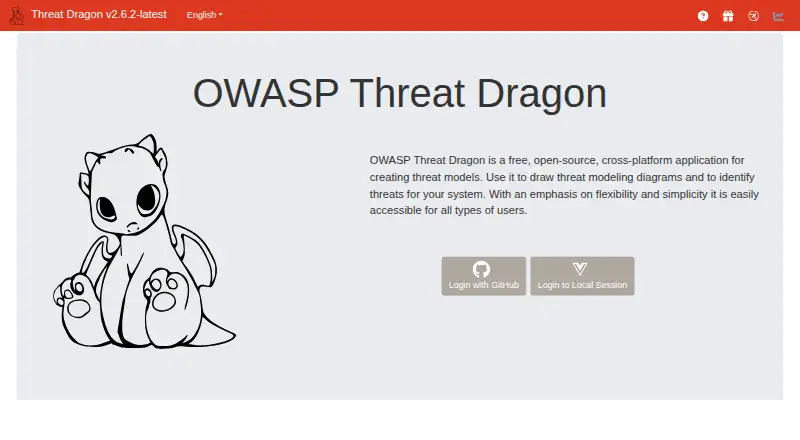
What OWASP Threat Dragon is
OWASP Threat Dragon is a threat-modeling tool for developers and defenders. It creates diagrams and lists threats associated with diagram elements as part of a secure development lifecycle. Diagrams can represent processes, data stores, actors, data flows and trust boundaries. Supported threat categories include STRIDE, LINDDUN, CIA, CIA-DIE, DIE and PLOT4ai. A rule engine can suggest threats and mitigations based on diagram element properties. Threat Dragon can run as a containerized, self-hosted web application or a desktop app, with installers for Windows, macOS and Linux. The web app supports local file storage and configurable access to GitHub, GitHub Enterprise, Google Drive, Bitbucket, Bitbucket Enterprise and GitLab; the desktop app stores models locally. It is free and open source under Apache License 2.0. Analytics are disabled by default and require server configuration. The project is maintained by volunteers, who note that immediate investigation or response to incidents is not always possible.
Who it suits
Threat Dragon suits developers and defenders who want to map threats during secure development. The project describes it as usable by both experienced threat modelers and beginners.
What it does well
- Supports six threat category frameworks
- Suggests threats and mitigations based on diagram properties
- Available as desktop or self-hosted web app
- Free and open source under Apache License 2.0
- Analytics are disabled by default
What to know first
- Volunteer maintainers may not respond immediately to incidents
- Web app integrations require configurable access
Limits
The project states no paid plans or usage limits. The desktop app stores models locally; the web app's access to external storage services is configurable.
Plans
| Plan | Billed and limits | Price |
|---|---|---|
| Free | Free, open source · No paid plans or usage limits stated | Free |
As threatdragon.com lists them, read 3 Oct 2026. The maker's own page has the final word.
Getting started
- Visit https://www.threatdragon.com/.
- Choose the desktop application or containerized, self-hosted web application.
- For desktop use, install the version for Windows, macOS, or Linux.
- For web use, choose local file storage or configure access to a supported service.
- Create a model diagram and use the rule engine to review suggested threats and mitigations.
OWASP Threat Dragon is a free threat-modeling tool for developers and defenders, from first-time modelers to experienced practitioners. It suits teams that want structured threat analysis with a choice of desktop or self-hosted deployment; its key trade-off is volunteer-led maintenance without assured immediate incident response.
Overview
Threat Dragon connects system diagrams to lists of threats associated with their elements, making it a practical way to include threat modeling in a secure development lifecycle. It covers familiar diagram components—processes, data stores, actors, data flows and trust boundaries—and supports several threat-category frameworks. That breadth makes it adaptable across modeling approaches, though the rule engine’s suggestions are a starting point for analysis rather than a substitute for the team’s judgment.
Deployment choice is a notable strength: teams can use the desktop application or run a containerized, self-hosted web application. The project also describes security practices including signed commits, security scans on every commit, and signed and notarized desktop releases where possible. Analytics are disabled by default, require server configuration, and Plausible does not collect threat-model content or usernames.
Key features
A rule engine suggests threats and mitigations, with context-specific suggestions informed by diagram element properties. This can help teams turn a system map into a more focused review. Threat categories include STRIDE, LINDDUN, CIA, CIA-DIE, DIE and PLOT4ai; risk prioritization, templates and multiple modeling methods add structure for teams with different analysis practices.
The web app supports local file storage and configurable access to GitHub, GitHub Enterprise, Google Drive, Bitbucket, Bitbucket Enterprise and GitLab. The desktop app saves models locally. This gives teams several storage paths, but the web integrations depend on configuration rather than being presented as a single uniform storage setup.
Pricing
Threat Dragon is free: the Free plan costs nothing, is billed Free, and is open source. No paid plans or usage limits are stated, so it is an unusually accessible option for teams that want threat modeling without a software charge. Its Apache License 2.0 and lack of a stated usage cap make it suitable for both individual use and broader adoption, while teams should weigh the volunteer-maintenance model against any need for assured rapid incident response.
Platforms
Threat Dragon is available on Linux, macOS and Windows, as well as the web, and can be self-hosted. Desktop installers are provided for Windows, macOS and Linux. The choice between local desktop storage and a self-hosted web deployment suits teams that want to select where models reside.
Who it's for
Developers and defenders can use Threat Dragon at either beginner or experienced-modeler level. It is a strong fit for teams that want diagrams, framework options and rule-based suggestions in a free tool, especially when local storage or self-hosting matters. It is less suitable for organizations that require immediate incident investigation or response as part of their support expectations.
Pros and cons
- Pros: Free and open source, with no usage limits stated, lowers the barrier to adopting structured threat modeling.
- Pros: Multiple frameworks and context-aware threat and mitigation suggestions help teams organize reviews around their diagrams.
- Pros: Desktop, web and self-hosted deployment options provide flexibility over how teams work with models.
- Cons: Volunteer maintenance means immediate investigation or incident response may not be possible, a concern for teams that depend on rapid support.
- Cons: Web access to third-party storage services is configurable, so teams must account for setup rather than assume integrations are ready without configuration.
Alternatives
For a broader comparison, see Threat Modeling Software. CAIRIS is another free, Apache-licensed option, available on Linux, macOS, Windows and the web, with self-hosting and API support. IriusRisk may suit a reader who wants a limited free Community Edition: it caps use at three active threat models and one user with limited collaboration, while including templates and libraries and XML diagram export.
ThreatModeler Nexus offers a free Community Edition aimed at practitioners, students, developers, architects and security teams who want to experience threat modeling before scaling. ThreatOpus is a freemium alternative with a free trial and a Starter plan at £129.99 a month, which includes 15 users, 10 team workspaces, 50 threat modelling generations per month, 10 repositories, and all SCM and CI providers. ThreatTree has a free tier capped at three forests, three DFDs per forest and five Attack Trees per DFD; its Pro plan costs $29 a month per user for unlimited forests.
AWS Threat Composer and ThreatForge are also free alternatives. itemis SECURE is a paid option with named-user or floating licenses, the latter shared up to a concurrent-user limit.
Verdict
Choose OWASP Threat Dragon if you want a capable, free threat-modeling tool with multiple frameworks, diagram-linked suggestions and flexible local or self-hosted deployment. Its central limitation is support responsiveness: teams that need immediate incident investigation or response should look for an option that better matches that expectation.
Verdict
Threat Dragon offers threat diagrams, framework support and rule-based suggestions at no charge. Its volunteer-maintained project notes that incident investigation or response may not be immediate.
Questions
Is OWASP Threat Dragon free?
Yes. The Free plan is listed as free, and the project states there are no paid plans or usage limits.
Which operating systems can run Threat Dragon?
Desktop installers are provided for Windows, macOS, and Linux. It is also available as a self-hosted web application.
What threat frameworks does it support?
It supports STRIDE, LINDDUN, CIA, CIA-DIE, DIE, and PLOT4ai threat categories.
Where can models be stored?
The desktop app saves models locally. The web app supports local files and configurable access to GitHub, GitHub Enterprise, Google Drive, Bitbucket, Bitbucket Enterprise, and GitLab.
Is Threat Dragon open source?
Yes. The OWASP project page lists Apache License 2.0.
Who maintains Threat Dragon?
The project is maintained by volunteers and notes that immediate incident investigation or response is not always possible.
Facts from OWASP Threat Dragon's own pages
- Deployment
- Threat Dragon can run as a containerized, self-hosted web application or as a desktop application. · threatdragon.com, 3 Oct 2026
- Desktop platforms
- Desktop installers are provided for Windows, macOS and Linux. · threatdragon.com, 3 Oct 2026
- Diagrams
- Diagrams can include processes, data stores, actors, data flows and trust boundaries. · threatdragon.com, 3 Oct 2026
- Intended users
- OWASP describes Threat Dragon as intended for developers and defenders, and says both experienced threat modelers and beginners can use it. · owasp.org, 3 Oct 2026
- License
- The OWASP project page lists the license as Apache License 2.0. · owasp.org, 3 Oct 2026
- Maintenance limitation
- The project is maintained by volunteers and says immediate investigation or response to incidents is not always possible. · threatdragon.com, 3 Oct 2026
- Privacy
- Analytics are disabled by default, require server configuration, and do not collect threat model content or usernames for Plausible. · threatdragon.com, 3 Oct 2026
- Purpose
- Threat Dragon creates threat model diagrams and lists threats for diagram elements as part of a secure development lifecycle. · owasp.org, 3 Oct 2026
- Security practices
- The project says its repository enforces signed commits, supply-chain actions use full-length SHAs, and desktop releases are signed and notarized where possible. · threatdragon.com, 3 Oct 2026
- Security testing
- The project says automated dependency, SAST, DAST and container security scans run on every commit. · threatdragon.com, 3 Oct 2026
- Storage and integrations
- The web app supports local file storage and configurable access to GitHub, GitHub Enterprise, Google Drive, Bitbucket, Bitbucket Enterprise and GitLab; the desktop app saves models locally. · threatdragon.com, 3 Oct 2026
- Support
- The project directs users to its mailing list, OWASP Slack channel, GitHub issues and public discussions for questions, bugs and feature requests. · owasp.org, 3 Oct 2026
- Threat frameworks
- It supports STRIDE, LINDDUN, CIA, CIA-DIE, DIE and PLOT4ai threat categories. · threatdragon.com, 3 Oct 2026
- Threat suggestions
- A rule engine can suggest threats and mitigations, including context-specific suggestions based on diagram element properties. · threatdragon.com, 3 Oct 2026
Where OWASP Threat Dragon stands on Freedom251
- Threat Modeling Software#5 of 23