Freedom251 › Writing Style Checkers
textlint
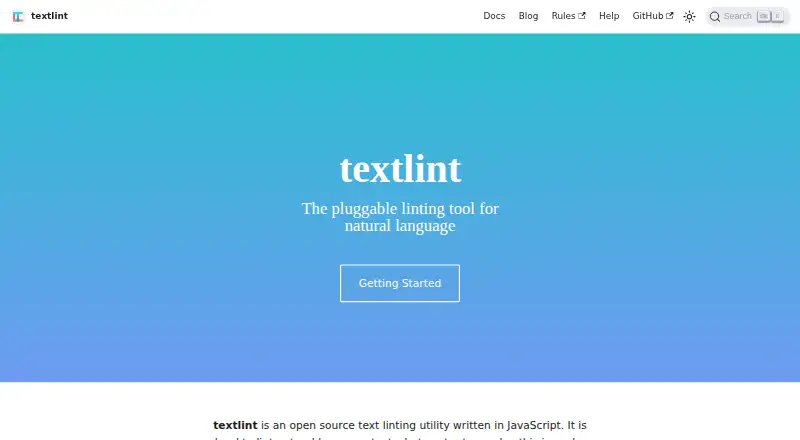
What textlint is
textlint is a free, open-source tool for checking natural-language text against rules users install and configure. It parses text into an abstract syntax tree, evaluates it with rules, and reports errors or warnings. Markdown and plain text work by default; plugins can add HTML and other formats. There are no bundled default rules, so users choose and configure the checks they need. The command-line interface can automatically fix problems and produce output in multiple formats. The project lists integrations for Visual Studio Code, Vim, Emacs, Atom, Sublime Text, micro, and NetBeans. It can run in GitHub Actions to check text in commits and pull requests. The CLI can also act as an MCP server, allowing AI assistants to lint and fix text with a project's textlint configuration. For browser use, @textlint/editor is described as an offline extension for text linting. Developers can use high-level APIs to integrate the package into applications. It requires Node.js 20 or later and is MIT-licensed.
Who it suits
textlint suits writers and developers who want configurable checks for natural-language text in editors, CI workflows, or applications. It may also suit users who want AI assistants to apply a project's linting configuration.
What it does well
- Supports Markdown and plain text by default.
- CLI can automatically fix problems.
- Integrates with listed editors and GitHub Actions.
- Can run as an MCP server.
- Free and MIT-licensed.
What to know first
- No rules are bundled by default.
- Requires Node.js 20 or later.
- HTML support requires a plugin.
Limits
The free textlint plan requires Node.js 20 or later, and rules must be installed separately. Markdown and plain text work by default; HTML and other formats require plugins.
Plans
| Plan | Billed and limits | Price |
|---|---|---|
| textlint | MIT-licensed software · requires Node.js 20+ · rules must be installed separately | Free |
| Open-source textlint | JavaScript natural-language linter · rules installed separately · Markdown/plain text defaults | Free |
As textlint.org lists them, read 4 Oct 2026. The maker's own page has the final word.
Getting started
- Visit the textlint website and read the documentation.
- Install Node.js 20 or later.
- Install textlint and add the rules you want; the tool has no bundled default rules.
- Configure the rules for your text and file formats.
- Connect textlint through a listed editor integration, GitHub Actions workflow, browser extension, MCP server, or application API, as needed.
textlint is a rule-driven natural-language checker for people who want editorial standards embedded in writing and development workflows. It is a strong fit for technical writers and engineering teams willing to assemble their own rule set; readers seeking an immediately configured grammar assistant should look elsewhere.
Overview
textlint converts text into an abstract syntax tree, runs selected rules against that structure, and reports warnings or errors. This architecture makes project-specific standards possible instead of forcing one universal style. The trade-off is deliberate setup: the software ships without bundled rules, so every useful check starts with installing and configuring the rules you choose.
The project is free, open source, and MIT-licensed, with permission to use, modify, distribute, and sublicense it under the license conditions. Node.js 20 or later is required. Documentation and community discussions provide support channels, while bugs and feature requests are directed to the project issue tracker.
Key features
Markdown and plain text are handled out of the box, covering common documentation and prose repositories. Plugins can add HTML and other formats, giving teams a path to lint content in publishing systems that need more than the defaults. Since rules are separate packages, the quality and scope of checking depend on the standards your team selects and maintains.
The command-line interface can fix problems automatically and emit results through multiple formatters. That is useful for repeatable local cleanup and for feeding lint results into scripts or review tooling, although automatic changes should be limited to rules whose corrections you trust.
Editor integrations are documented for Visual Studio Code, Vim, Emacs, Atom, Sublime Text, micro, and NetBeans. These options put the same configurable checks near the writing surface rather than leaving authors to run a separate command. In continuous integration, textlint runs in GitHub Actions and can check text changed in commits and pull requests, making style enforcement part of a team’s development process.
The CLI can also operate as an MCP server. AI assistants can then lint and fix text against the project’s textlint configuration, so generated edits follow the same rules as human-authored content. The textlint package exposes high-level APIs for applications that need programmatic linting instead of shelling out to the CLI.
For browser-based work, the integrations documentation describes @textlint/editor as a privacy-first extension that lints text offline. That is a practical option when text should stay on the device, provided the browser workflow matches the rules and formats your project uses.
Pricing
The textlint plan costs free. It is MIT-licensed software with no subscription charge, but Node.js 20 or later is required and rules must be installed separately. There are no paid tiers, seat allowances, usage quotas, or renewal terms to weigh; the cost is shifted from licensing to configuration and maintenance. It suits individuals, open-source projects, and teams that can manage dependencies themselves. Readers who want a vendor-supplied rule library or a turnkey service will need a different product.
Platforms
textlint is available through an API, editor extension integrations, Linux, macOS, the web, and Windows. The platform range supports both local development and browser editing, while the Node.js requirement remains relevant wherever the core tooling is installed.
Who it's for
Choose textlint when your organization needs enforceable, version-controlled writing rules across editors, pull requests, CI, AI-assisted editing, or an application API. It is particularly well suited to documentation teams and developers who already use Node.js and are comfortable evaluating third-party rules. It is a poor match for casual users who expect instant grammar or style suggestions without package selection, configuration, or maintenance.
Pros and cons
Pros
- Highly configurable: a pluggable rule model lets each project define its own checks.
- Workflow coverage: CLI, editor integrations, GitHub Actions, MCP, browser extension, and high-level APIs support different stages of content production.
- Automation: automatic fixes and multiple output formatters make results easier to integrate into scripts and review pipelines.
- Broad format path: Markdown and plain text work by default, with plugins available for HTML and other formats.
- No license fee: the MIT-licensed software can be used and redistributed under its stated conditions.
Cons
- No starter rules: a new installation has nothing meaningful to check until users install and configure rule packages.
- Node.js dependency: the Node.js 20+ requirement excludes environments that cannot adopt that runtime.
- Configuration responsibility: teams must choose, tune, and maintain rules rather than relying on a vendor-managed style system.
Alternatives
Writing Style Checkers is the broader category to browse when you want to compare purpose-built style tools.
DeepL Write is the better choice for a consumer-facing writing assistant with Android and iOS apps, desktop platforms, and an optional Write Pro add-on at €6.99 a month when billed annually.
Trinka suits users wanting a freemium, web-based writing product with API, extension, macOS, Windows, and self-hosted options rather than assembling rules themselves.
Vale is a close alternative for teams seeking a free, MIT-licensed, open-source style linter across Linux, macOS, Windows, web, and self-hosted deployments.
Content Checker is worth considering when an offline free app for Android, iOS, macOS, or the web is the priority.
Sapling is aimed at users who prefer a freemium service with extensions, API, web, Windows, and self-hosted support plus a free tier with stated AI-detector and snippet limits.
ProWritingAid is an extension-based freemium option with a capped free plan for writers starting out.
Revise is a freemium API, web, and self-hosted alternative.
StyleMCP is a freemium API-oriented option with a free monthly request allowance and paid plans.
Verdict
textlint is the right pick for technical writers and development teams that want open-source, programmable language checks aligned to their own rules across editors and CI. Its main reason to choose it is workflow control without licensing cost. Its main reason to look elsewhere is the setup burden: users must supply the rules and meet the Node.js 20+ requirement before the tool becomes useful.
Verdict
textlint offers configurable natural-language linting across command-line, editor, CI, and programmatic workflows. Users need to install their own rules and meet the Node.js 20+ requirement.
Questions
How much does textlint cost?
The listed plan is free. It is open-source software.
Does textlint include writing rules by default?
No. Users install and configure the rules they need.
Which formats does it support?
Markdown and plain text are supported by default. Plugins can add HTML and other formats.
Which editors are listed as integrations?
Visual Studio Code, Vim, Emacs, Atom, Sublime Text, micro, and NetBeans.
What does textlint require?
The project README lists Node.js 20 or later as a requirement.
Who makes textlint, and where can users get support?
The website identifies the textlint organization as the maker. It directs users to documentation and community discussions, and asks them to open issues for bugs and feature requests.
Facts from textlint's own pages
- AI assistants
- The CLI can run as an MCP server that lets AI assistants lint and fix text using the project's textlint configuration. · textlint.org, 4 Oct 2026
- Automatic fixes
- The CLI supports --fix and a dry-run mode, and can emit fixed text through a formatter. · textlint.org, 15 Oct 2026
- Browser
- The integrations page describes @textlint/editor as a privacy-first browser extension for offline text linting. · textlint.org, 4 Oct 2026
- Browser extension limitation
- The same report found that some form fields did not work correctly and that checking could make interaction somewhat heavier. · gigazine.net, 15 Oct 2026
- Browser privacy
- A GIGAZINE hands-on report describes textlint editor browser extensions as privacy-oriented and offline, avoiding transmission of entered text to a server. · gigazine.net, 15 Oct 2026
- Caching
- Caching can check only changed files using metadata or content-hash strategies. · textlint.org, 15 Oct 2026
- CI
- textlint can run in GitHub Actions workflows to check text in commits and pull requests. · textlint.org, 4 Oct 2026
- CI integration
- GitHub Actions can run textlint on pushes or pull requests and use GitHub annotations for inline findings. · textlint.org, 15 Oct 2026
- Configuration
- Configuration can be stored in .textlintrc JSON, YAML, or JavaScript files, or in a package.json textlint field. · textlint.org, 15 Oct 2026
- Default formats
- Markdown and plain text work without extra processors; HTML and other formats require plugins. · textlint.org, 15 Oct 2026
- Documentation depth
- Official docs include user configuration, CLI, integrations, MCP setup, rule and plugin authoring, formatter development, APIs, and FAQs. · textlint.org, 15 Oct 2026
- Editor integrations
- Official integration documentation lists Atom, Sublime Text, Vim, Visual Studio Code, micro, NetBeans, and Emacs integrations. · textlint.org, 15 Oct 2026
- Extensibility
- Developers can publish custom rules, filter rules, presets, processor plugins, and formatters as npm modules. · textlint.org, 15 Oct 2026
- File formats
- Markdown and plain text are supported by default; HTML and other formats can be added with plugins. · github.com, 4 Oct 2026
- Fixes and formatters
- The CLI supports automatically fixing problems and offers multiple output formatters. · github.com, 4 Oct 2026
- Formatters
- Built-in output formatters include stylish, compact, checkstyle, GitHub, JSON, JUnit, TAP, table, and Unix styles. · textlint.org, 15 Oct 2026
- How it works
- It parses text into an abstract syntax tree, evaluates it with rules, and reports errors or warnings. · textlint.org, 4 Oct 2026
- Implementation
- The project is written in JavaScript and uses a plugin-based design. · textlint.org, 15 Oct 2026
- Integrations
- The documentation lists integrations for editors including Visual Studio Code, Vim, Emacs, Atom, Sublime Text, micro, and NetBeans. · textlint.org, 4 Oct 2026
- Latest release
- The GitHub releases page lists v15.8.0 as the latest release, dated August 1, 2026, with MCP SDK and formatter changes. · github.com, 15 Oct 2026
- License
- The core project is released under the MIT license with copyright attributed to azu. · github.com, 15 Oct 2026
- Limit: interface
- Slope Reviews describes textlint as having no graphical interface and says rule discovery can be overwhelming. · slopereviews.com, 15 Oct 2026
- Limit: language coverage
- Slope Reviews reports that Japanese support is stronger than English support and that multilingual coverage is limited. · slopereviews.com, 15 Oct 2026
- Limit: prescriptiveness
- Murmur Brook cautions that the technical-writing preset can push explanatory guides toward an overly uniform structure. · murmurbrook.com, 15 Oct 2026
Where textlint stands on Freedom251
- Writing Style Checkers#2 of 29