Freedom251 › VoIP Monitoring Software

Telchemy SQmediator
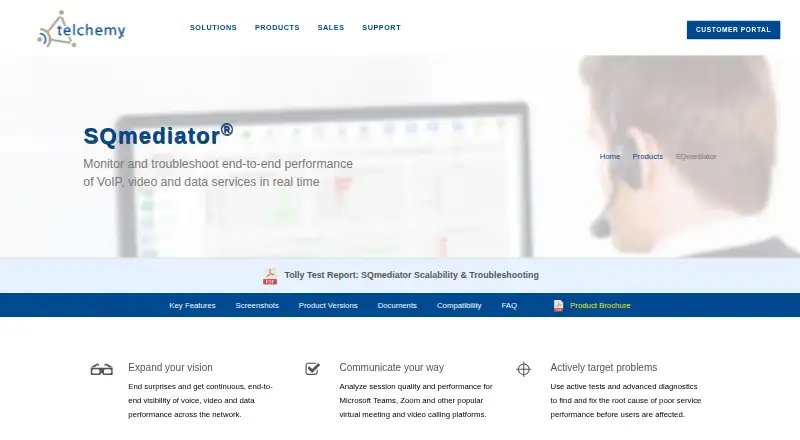
What Telchemy SQmediator is
Telchemy SQmediator monitors and troubleshoots real-time performance for VoIP, video, and data services. It combines passive quality monitoring with active testing, reporting quality-of-experience scores such as MOS, quality-of-service metrics, and diagnostics for voice, audio, and video sessions. Listed meeting platforms include Microsoft Teams, Zoom, Google Meet, GoToMeeting, and Webex. SQmediator can analyze encrypted audio and video streams without decrypting them. Software test agents for Linux, Windows, and Android can simulate VoIP or videoconferencing calls and test web, email, DNS, DHCP, and SIP services. Dashboards, email alerts, and SNMP traps can report service metrics that exceed configured thresholds. The system runs on Linux server hardware or virtual machines and can be deployed on premises, in the cloud, or in data centers. Its multitenant design can manage thousands of customers and sites and millions of end users. SQmediator requires an Oracle or PostgreSQL database that customers set up using Telchemy’s scripts and instructions. Pricing is available on request; customers pay for selected modules, and combining passive monitoring with active testing costs extra.
Who it suits
SQmediator suits enterprise, government, and service-provider teams responsible for VoIP, video, or data service performance. It is relevant to organizations that need both passive monitoring and simulated service tests across multiple customer sites.
What it does well
- Combines passive monitoring with active service tests.
- Reports MOS scores, QoS metrics, and session diagnostics.
- Analyzes encrypted audio and video without decrypting streams.
- Test agents are available for Linux, Windows, and Android.
- Multitenant architecture can manage thousands of customers and sites.
What to know first
- Pricing is available on request.
- Customers must set up an Oracle or PostgreSQL database.
- Combining passive monitoring with active testing costs extra.
- The Web Services API is optional in listed single-server editions.
Limits
There is no free plan. Passive monitoring and active testing together cost extra, and user-defined services require a license key. The Web Services API is optional in listed single-server editions.
Plans
| Plan | Billed and limits | Price |
|---|---|---|
| Small Service Provider Edition | Single-server version; Web Services API optional; passive + active at additional cost | On request |
| Business Edition | Single-server version; Web Services API optional; passive + active at additional cost | On request |
| Service Provider Edition | Passive monitoring or active testing; passive + active at additional cost | On request |
| Enterprise Edition | Passive monitoring or active testing; passive + active at additional cost | On request |
| Small Business Edition | Single-server version; Web Services API optional; passive + active at additional cost | On request |
As telchemy.com lists them, read 5 Oct 2026. The maker's own page has the final word.
Getting started
- Contact Telchemy through its direct or indirect sales channels, or ask about OEM licensing.
- Select an edition and the modules needed; pricing is available on request.
- Choose an on-premises, cloud, or data-center deployment on Linux server hardware or a virtual machine.
- Download and set up an Oracle or PostgreSQL database using Telchemy’s scripts and instructions.
- Install Linux, Windows, or Android software test agents as needed.
Verdict
Choose SQmediator if you need real-time monitoring and active tests for communications and data services, especially across a multitenant deployment. Review module licensing and database setup requirements when assessing it; pricing is provided on request.
Questions
How much does SQmediator cost?
Pricing is available on request. Customers pay for the modules they use, and combining passive monitoring with active testing costs extra.
Is there a free plan?
No. SQmediator is a paid product.
Which operating systems are supported?
The listed platforms include Android, Linux, web, and Windows. Linux, Windows, and Android software test agents are available.
Which meeting platforms does it support?
The product lists Microsoft Teams, Zoom, Google Meet, GoToMeeting, and Webex. It can analyze encrypted audio and video streams without decrypting them.
What database does deployment require?
SQmediator requires an Oracle or PostgreSQL database. Customers download and set it up themselves using Telchemy’s scripts and instructions.
Does it provide an API?
A SOAP/XML web services API can configure the system, retrieve data, and control active tests. It is standard in multi-server editions and optional in listed single-server editions.
Facts from Telchemy SQmediator's own pages
- Active test agents
- Compact software test agents are available for Linux, Windows, and Android and can run simulated voice and video calls and network service tests. · telchemy.com, 5 Oct 2026
- Active testing
- Test agents can place simulated VoIP or videoconferencing calls and test web, email, DNS, DHCP, and SIP services. · telchemy.com, 4 Oct 2026
- Agent platforms
- The product page lists Linux, Windows, and Android software test agents. · telchemy.com, 4 Oct 2026
- Alerts
- Users can configure metric thresholds that trigger dashboard alerts, email alerts, and SNMP traps. · telchemy.com, 5 Oct 2026
- Availability and buyers
- Telchemy sells through direct sales, indirect sales, and OEM licensing, and identifies enterprise, government, and service-provider uses for SQmediator. · telchemy.com, 5 Oct 2026
- Company
- Telchemy says it was founded in 1999 and is based in Alpharetta, Georgia. · telchemy.com, 4 Oct 2026
- Database requirement
- SQmediator requires an Oracle or PostgreSQL database, which customers must download and set up themselves. · telchemy.com, 5 Oct 2026
- Deployment
- SQmediator runs on Linux server hardware or virtual machines and can be deployed on-premises, in the cloud, or in data centers. · telchemy.com, 5 Oct 2026
- Encrypted media
- SQmediator analyzes encrypted video and audio streams without decrypting them. · telchemy.com, 4 Oct 2026
- Founded
- 1999 · telchemy.com, 23 Sept 2026
- Headquarters
- Alpharetta, Georgia, USA · telchemy.com, 23 Sept 2026
- Integrations
- It sends SNMP traps and provides a SOAP/XML web services interface for client applications to configure the system, retrieve data, and control active tests. · telchemy.com, 5 Oct 2026
- Licensing
- Telchemy says customers pay for the modules they use; passive monitoring plus active testing costs extra, and user-defined services require a license key. · telchemy.com, 5 Oct 2026
- Meeting platforms
- It supports Microsoft Teams, Zoom, Google Meet, GoToMeeting, Webex, and other meeting platforms, and analyzes encrypted media streams without decryption. · telchemy.com, 5 Oct 2026
- Monitoring modes
- It combines passive quality monitoring with active testing for network services and applications. · telchemy.com, 5 Oct 2026
- Pricing model
- The maker says customers pay only for the modules they use and that combining passive monitoring with active testing is available at an additional cost; it does not state prices on the product page. · telchemy.com, 4 Oct 2026
- Purpose
- SQmediator monitors and troubleshoots VoIP, video, and data service performance in real time. · telchemy.com, 5 Oct 2026
- Quality metrics
- It reports QoE/QoS metrics, including MOS scores, and analyzes SIP registration, call setup, and failure codes. · telchemy.com, 5 Oct 2026
- Scale
- Its multitenant architecture can manage thousands of customers and sites and millions of end users from one application and database. · telchemy.com, 4 Oct 2026
- Scale and tenancy
- The product supports multitenant deployments managing thousands of customers and sites and millions of end users, with capacity expanded through additional system components. · telchemy.com, 5 Oct 2026
- Security
- Telchemy says the application is hardened against attacks including SQL/XSS injection and brute-force password attacks, and has role-based access controls and password rules. · telchemy.com, 5 Oct 2026
- Support
- Telchemy offers customer-portal support tickets, support by contact form or phone, and optional web-based or on-site training. · telchemy.com, 5 Oct 2026
- Video platforms
- The product page lists Microsoft Teams, Zoom, Google Meet, GoToMeeting, and Webex as supported meeting platforms. · telchemy.com, 4 Oct 2026
Where Telchemy SQmediator stands on Freedom251
- VoIP Monitoring Software#17 of 21