Freedom251 › VoIP Monitoring Software

Pico Corvil Analytics
What Pico Corvil Analytics is
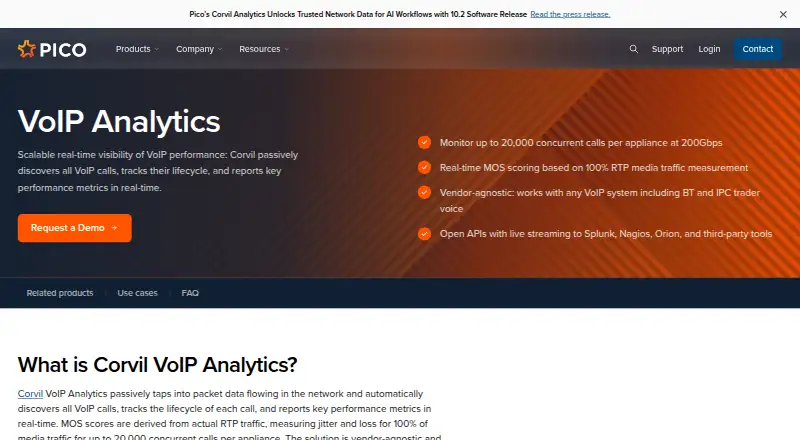
Pico Corvil Analytics VoIP Analytics monitors voice traffic by finding calls in network packet data and following their lifecycle. It reports performance metrics in real time, including RTP MOS, jitter, and packet loss measured across all media packets rather than sampled traffic. Users can inspect signaling and media packets, call setup times, signaling errors, TCP performance correlation, and QoS analysis for troubleshooting. The product works with VoIP systems including Cisco, Avaya, Microsoft Teams, BT, and IPC. In trader voice environments, it can detect failed registrations, monitor private wire conversations, and retain capture history as a backup to voice recording systems. It deploys as a passive network overlay without agents or changes to existing VoIP infrastructure. A Corvil 12000 appliance can monitor 200Gbps networks and analyze up to 20,000 concurrent calls; adding appliances scales capacity. Corvil Center supports centralized search, and an appliance-based instance can remotely manage up to 600 appliances. Pricing is on request, and Pico offers a demo request.
Who it suits
It suits global investment banks, contact centers, and enterprises that need to monitor VoIP performance. Trader voice users may also value its registration monitoring and private wire conversation visibility.
What it does well
- Measures RTP MOS, jitter, and packet loss across media packets.
- Passive deployment requires no agents.
- Provides access to signaling and media packets.
- Supports a range of VoIP systems.
- Centralized search can manage up to 600 appliances.
What to know first
- Pricing is available on request.
- No synthetic call testing is listed.
Limits
A Corvil 12000 appliance supports up to 20,000 concurrent calls and 200Gbps; capacity scales by adding appliances. The plan price is available on request.
Plans
| Plan | Billed and limits | Price |
|---|---|---|
| Pico Corvil VoIP Analytics | Up to 20,000 concurrent calls per appliance · 200Gbps per Corvil 12000 appliance | On request |
As pico.net lists them, read 4 Oct 2026. The maker's own page has the final word.
Getting started
- Visit the VoIP Analytics product page.
- Request a demo or contact a Pico specialist.
- Deploy the product as a passive network overlay that taps packet data.
- Add appliances as monitoring capacity needs grow.
- Use Corvil Center for centralized search and remote appliance management.
Verdict
Corvil Analytics focuses on passive VoIP monitoring and detailed troubleshooting from packet data. Capacity and pricing depend on the deployment, with pricing available on request.
Questions
How much does Pico Corvil Analytics cost?
Pricing is available on request. Pico offers a demo request and specialist contact.
Which VoIP systems does it support?
Pico says it works with any VoIP system, including Cisco, Avaya, Microsoft Teams, BT, and IPC.
Does it measure voice quality?
Yes. It calculates RTP MOS, jitter, and packet loss from measurements of all media packets.
What integrations are available?
Open APIs support live streaming to Splunk, Nagios, Orion, and third-party tools. Corvil Connectors include Splunk, Elastic, and Kafka.
How is it deployed?
It runs as a passive network overlay that taps packet data without agents or configuration changes to existing VoIP infrastructure.
Who makes Pico Corvil Analytics?
Pico describes itself as a technology services provider for financial markets clients and says its network uses Corvil Analytics.
Facts from Pico Corvil Analytics's own pages
- Call capacity
- A Corvil 12000 appliance can monitor 200Gbps networks and analyze up to 20,000 concurrent calls; capacity scales by adding appliances. · pico.net, 4 Oct 2026
- Central management
- Corvil Center provides centralized search across monitoring appliances, and each appliance-based Center instance can remotely manage up to 600 appliances. · pico.net, 4 Oct 2026
- Company
- Pico describes itself as a technology services provider for financial markets clients and says its network is instrumented with Corvil Analytics. · pico.net, 4 Oct 2026
- Deployment
- It deploys as a passive network overlay that taps packet data without agents or configuration changes to existing VoIP infrastructure. · pico.net, 4 Oct 2026
- Integrations
- Open APIs support live streaming to Splunk, Nagios, Orion, and third-party tools; Corvil Connectors offer integrations including Splunk, Elastic, and Kafka. · pico.net, 4 Oct 2026
- Pricing and trial
- Pico’s page offers a demo request and specialist contact but does not state a price or trial terms. · pico.net, 4 Oct 2026
- Purpose
- Passively discovers VoIP calls from network packet data, tracks each call’s lifecycle, and reports performance metrics in real time. · pico.net, 4 Oct 2026
- Security and privacy
- Pico’s privacy policy says it uses physical, electronic, and managerial procedures to safeguard information collected online. · pico.net, 4 Oct 2026
- Support
- Pico says a solution architect responds to inquiries within one business day across its 24/7 global support footprint. · pico.net, 4 Oct 2026
- Target users
- The page identifies global investment banks, contact centers, and enterprise organizations as users of VoIP Analytics. · pico.net, 4 Oct 2026
- Trader voice
- The product is compatible with BT and IPC trader voice systems and can detect failed registrations, monitor private wire conversations, and provide capture history as a backup to voice recording systems. · pico.net, 4 Oct 2026
- Troubleshooting
- Users can access underlying signaling and media packets for troubleshooting and view call setup times, signaling errors, TCP performance correlation, and QoS analysis. · pico.net, 4 Oct 2026
- Vendor compatibility
- The page says the product works with any VoIP system, including Cisco, Avaya, Microsoft Teams, BT, and IPC. · pico.net, 4 Oct 2026
- Voice quality
- Calculates RTP MOS, jitter, and packet loss from measurements of 100% of media packets rather than sampling. · pico.net, 4 Oct 2026
Where Pico Corvil Analytics stands on Freedom251
- VoIP Monitoring Software#16 of 21