Freedom251 › Call Recording Software
Teams Voice Recording
What Teams Voice Recording is
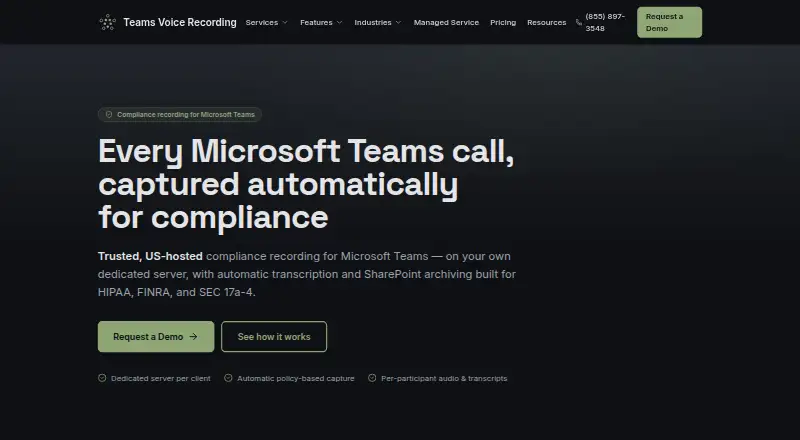
Teams Voice Recording is a paid web service that automatically records Microsoft Teams calls for compliance and archives recordings and transcripts in a customer’s SharePoint document library. Its bot can join calls through a compliance policy, manual or API action, Exchange calendar auto-join, or direct one-to-one calling. Audio is available as a combined recording and as separate participant tracks. Azure AI Speech-to-Text with speaker diarization creates searchable transcripts tied to speakers. The provider provisions, hosts, monitors, patches, and supports a dedicated single-tenant server for each client, keeping processing and stored material separate from other customers. Every plan includes unlimited recording for in-scope users without a per-call meter. The recording server is hosted in the United States and managed by a US-based team. The company says transfers are encrypted in transit and access follows Microsoft 365 and SharePoint permissions. Plans are quoted monthly according to users and retention or storage needs. Customers remain responsible for Teams policies, Microsoft 365 settings, consent practices, and their overall compliance program.
Who it suits
The service is intended for regulated organizations, including healthcare, financial services, legal teams, and contact centers. It suits customers needing Teams recording, searchable transcripts, and SharePoint archiving on dedicated infrastructure.
What it does well
- Supports multiple automatic and manual recording triggers
- Provides combined and per-participant audio
- Creates searchable, speaker-attributed transcripts
- Archives recordings in the customer’s SharePoint tenant
- Unlimited recording for in-scope users
What to know first
- No free plan or free trial
- Pricing is available only by quote
- Recording server is hosted in the United States
- SOC 2 or ISO 27001 certification is not yet achieved
Limits
Plans are quote-based and scaled to in-scope users plus retention and storage requirements. The service records users covered by the configured scope, while customers remain responsible for Microsoft 365 configuration, access policies and consent.
Plans
| Plan | Billed and limits | Price |
|---|---|---|
| Team | Monthly; quote required, scaled to in-scope users and retention/storage needs · Smaller in-scope groups · standard retention · transcription and SharePoint archiving | On request |
| Business | Monthly; quote required, scaled to in-scope users and retention/storage needs · Multiple teams · higher recording volume · extended retention and storage | On request |
| Enterprise | Custom monthly quote · Organization-wide coverage · high user counts and recording volume · long-horizon retention · priority US-based support | On request |
As teamsvoicerecording.com lists them, read 4 Oct 2026. The maker's own page has the final word.
Getting started
- Request a quote for a Team, Business or Enterprise plan
- Configure the customer’s Microsoft 365 and SharePoint permissions
- Assign Teams compliance policies and consent practices
- Choose compliance-policy, manual/API, calendar or direct-call recording triggers
- Set the required in-scope users and retention or storage needs
- Use the SharePoint document library for archived recordings and transcripts
Verdict
Teams Voice Recording combines automated Teams capture, transcription, and SharePoint archiving for compliance-focused organizations. Dedicated servers and unlimited in-scope recording are central features, while customers retain responsibility for their Microsoft 365 compliance setup.
Questions
How is Teams Voice Recording priced?
Pricing is available on request. Team, Business and Enterprise plans are billed monthly, with Enterprise using a custom monthly quote.
Is there a free plan or trial?
No. The listing shows no free plan and no free trial.
Where are recordings and transcripts stored?
They are uploaded to a SharePoint document library in the customer’s Microsoft 365 tenant. Processing runs on a dedicated server hosted in the United States.
How can the service join calls?
The bot can join through a compliance policy, manual or API action, Exchange calendar auto-join or direct one-to-one calls.
Does it transcribe calls?
Yes. Azure AI Speech-to-Text with speaker diarization creates searchable transcripts attributed to speakers.
Who manages compliance settings?
Customers assign Teams compliance policies and own Microsoft 365 configuration, access policies, consent practices and the overall compliance program.
Facts from Teams Voice Recording's own pages
- Archiving
- Recordings and transcripts upload to a SharePoint document library in the customer's Microsoft 365 tenant. · teamsvoicerecording.com, 4 Oct 2026
- Audio capture
- The service records combined and per-participant audio. · teamsvoicerecording.com, 4 Oct 2026
- Certification status
- The security page says SOC 2 or ISO 27001 certifications on its roadmap are described as planned or in progress, not as achieved. · teamsvoicerecording.com, 4 Oct 2026
- Customer responsibility
- Customers assign Teams compliance policies and own their Microsoft 365 configuration, access policies, consent practices, and overall compliance program. · teamsvoicerecording.com, 4 Oct 2026
- Data residency
- The dedicated recording server is hosted in the United States and managed by a US-based team. · teamsvoicerecording.com, 4 Oct 2026
- Included usage
- Every plan includes unlimited recording for in-scope users, with no per-call meter. · teamsvoicerecording.com, 4 Oct 2026
- Intended users
- The company describes the service for regulated organizations and names healthcare, financial services, legal, and contact centers as target industries. · teamsvoicerecording.com, 4 Oct 2026
- Managed service
- The provider provisions, hosts, monitors, patches, and supports a dedicated server for each client. · teamsvoicerecording.com, 4 Oct 2026
- Purpose
- The service automatically records Microsoft Teams calls for compliance and archives recordings and transcripts. · teamsvoicerecording.com, 4 Oct 2026
- Recording triggers
- The bot can join through a compliance policy, manual/API join, Exchange calendar auto-join, or direct 1:1 calls. · teamsvoicerecording.com, 4 Oct 2026
- Security controls
- The company states that data moving between the service and the customer’s tenant is encrypted in transit, and access is governed through Microsoft 365 and SharePoint permissions. · teamsvoicerecording.com, 4 Oct 2026
- Security isolation
- Each client’s processing, recordings, and transcripts run on a dedicated single-tenant server without co-mingling client data. · teamsvoicerecording.com, 4 Oct 2026
- Transcription
- Azure AI Speech-to-Text with speaker diarization produces searchable, speaker-attributed transcripts. · teamsvoicerecording.com, 4 Oct 2026
Where Teams Voice Recording stands on Freedom251
- Call Recording Software#16 of 25