Freedom251 › Process Monitoring Software

TaskExplorer
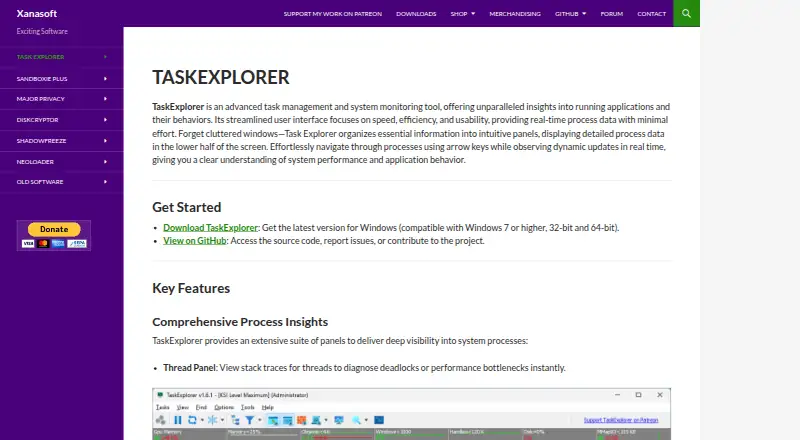
What TaskExplorer is
TaskExplorer is a free, open-source process and system monitoring tool for Windows and Linux. Its real-time process panels expose details such as thread stack traces, memory, open handles, network connections, loaded modules, tokens, environment variables, windows, GDI objects, and .NET processes. Performance graphs cover CPU, memory, network, disk, and GPU activity; other panels show files, sockets, services, and drivers. It can monitor several remote Windows and Linux machines, including across platforms, but remote monitoring requires a Task Explorer supporter certificate. Remote access includes secure authentication and encrypted credential storage. Version 2.0.0 adds native Linux support for x64 and ARM64, and Wine integration for Windows-specific information about Wine processes. Optional Windows Window Agents can enumerate and control windows from other user sessions. The maker recommends administrator privileges for full functionality and process control. Windows downloads support Windows 7 SP1, Windows 10, or Windows 11 on x64 or ARM64, with ARM64 limited to Windows 11; a portable ZIP is also available.
Who it suits
TaskExplorer suits developers, IT professionals, and power users diagnosing performance issues, troubleshooting applications, or monitoring network activity. Its process controls and remote monitoring may also suit administrators, with remote monitoring requiring a supporter certificate.
What it does well
- Free and open source for Windows and Linux.
- Process panels expose detailed runtime information.
- Graphs track CPU, memory, network, disk, and GPU.
- Can monitor multiple remote Windows and Linux systems.
- Portable ZIP package is available.
What to know first
- Remote monitoring requires a supporter certificate.
- Full process control requires administrator privileges.
- Windows ARM64 support requires Windows 11.
Limits
Remote monitoring is unavailable without a Task Explorer supporter certificate. The Personal and Business plans cost €60 a year; each includes one year of software updates, while Business also covers commercial use of supporter-only features.
Plans
| Plan | Billed and limits | Price |
|---|---|---|
| Task Explorer Pro Business | €60,00; includes one year of software updates and commercial use of supporter-only features · Commercial use · one license per deployment using supporter-only functionality | €60 a year |
| Task Explorer Pro Personal | €60,00; includes one year of software updates · Private use · supporter certificate unlocks remote monitoring | €60 a year |
As xanasoft.com lists them, read 10 Oct 2026. The maker's own page has the final word.
Getting started
- Open the TaskExplorer website
- Choose a Windows or Linux download
- On Windows, select the installer or portable ZIP package
- Run the installer as Administrator when using that route
- Use administrator rights for full process viewing and control
- Purchase a Personal or Business supporter plan for remote monitoring
Verdict
TaskExplorer provides detailed local process inspection and system monitoring, with remote monitoring available through a supporter certificate. Check the operating-system requirements and administrator privilege needs before using it for process control.
Questions
Is TaskExplorer free?
Yes. It is presented as open-source software with a free plan.
Which systems does it support?
It supports Windows and Linux. Native Linux builds cover x64 and ARM64; Windows downloads support Windows 7 SP1, Windows 10, and Windows 11, with ARM64 limited to Windows 11.
Does it monitor remote computers?
Yes. It can monitor multiple remote Windows and Linux systems, including cross-platform connections, but remote monitoring requires a Task Explorer supporter certificate.
What do the Personal and Business plans cost?
Both plans cost €60 a year. Personal includes one year of updates and a certificate for remote monitoring; Business also includes commercial use of supporter-only features.
Can it run without installation?
A portable ZIP package is available.
What support channels are offered?
The maker directs issue reports to GitHub Issues or the Xanasoft troubleshooting forum.
Facts from TaskExplorer's own pages
- Administrative privileges
- The maker recommends administrator rights for full functionality and says they are needed to view or control system processes. · xanasoft.com, 10 Oct 2026
- Audience
- The maker presents TaskExplorer for diagnosing system performance issues, troubleshooting applications, and monitoring network activity, with tools for developers, IT professionals, and power users. · xanasoft.com, 4 Oct 2026
- Code signing
- The maker says the kernel driver is Microsoft-signed and that executable, library, and installer files are signed with its EV code signing certificate. · xanasoft.com, 10 Oct 2026
- Development
- Xanasoft describes TaskExplorer as a passion project maintained by a single developer and invites users to support development through Patreon or direct donation. · xanasoft.com, 4 Oct 2026
- Installation and privileges
- The installer should be run as Administrator, and administrative privileges are recommended for full functionality and process control; a portable ZIP package is also available. · xanasoft.com, 4 Oct 2026
- Intended users
- The maker describes the tool as intended for developers, IT professionals, and power users; its Business certificate is aimed at commercial organizations, IT administrators, and enterprise deployments. · xanasoft.com, 10 Oct 2026
- Linux support
- TaskExplorer 2.0 is available natively on Linux for x64 and ARM64, with Wine integration for inspecting Windows processes running under Wine. · xanasoft.com, 10 Oct 2026
- Process details
- Its panels show thread stack traces, process memory, open handles, network connections, loaded modules, tokens, environment variables, windows, GDI objects, and .NET processes. · xanasoft.com, 4 Oct 2026
- Process inspection
- Its panels expose process threads and stack traces, memory, handles, sockets, modules, tokens, environment variables, windows, GDI objects, and .NET processes. · xanasoft.com, 10 Oct 2026
- Purpose
- TaskExplorer is a process and system monitoring tool that provides real-time information about running applications and their behavior. · xanasoft.com, 10 Oct 2026
- Remote access security
- Remote access includes secure authentication and encrypted credential storage, and remote monitoring requires a Task Explorer supporter certificate. · xanasoft.com, 4 Oct 2026
- Remote monitoring
- With a supporter certificate, TaskExplorer can monitor multiple Windows and Linux systems, including cross-platform connections, through TaskServer and TaskRemote. · xanasoft.com, 10 Oct 2026
- Remote security
- Remote access includes secure authentication, encrypted credential storage, and automatic discovery of TaskServer instances on the local network. · xanasoft.com, 10 Oct 2026
- Support
- The maker directs users with issues to GitHub Issues or its troubleshooting forum. · xanasoft.com, 10 Oct 2026
- System monitoring
- It displays real-time CPU, memory, network, disk, and GPU metrics, along with information about open files, sockets, services, and drivers. · xanasoft.com, 10 Oct 2026
- System requirements
- The listed minimum memory is 2 GB and required disk space is approximately 100 MB. · xanasoft.com, 4 Oct 2026
- Windows agents
- On Windows, optional Window Agents allow windows belonging to other user sessions to be enumerated and controlled. · xanasoft.com, 10 Oct 2026
- Windows capabilities
- Version 2.0.0 adds optional Window Agents to enumerate and control windows belonging to other user sessions. · xanasoft.com, 4 Oct 2026
- Windows requirements
- The download page lists Windows 7 SP1, Windows 10, and Windows 11, 64-bit architecture, at least 2 GB of memory, and about 100 MB of disk space. · xanasoft.com, 10 Oct 2026
Where TaskExplorer stands on Freedom251
- Process Monitoring Software#22 of 26