Freedom251 › Process Monitoring Software
rproc
What rproc is
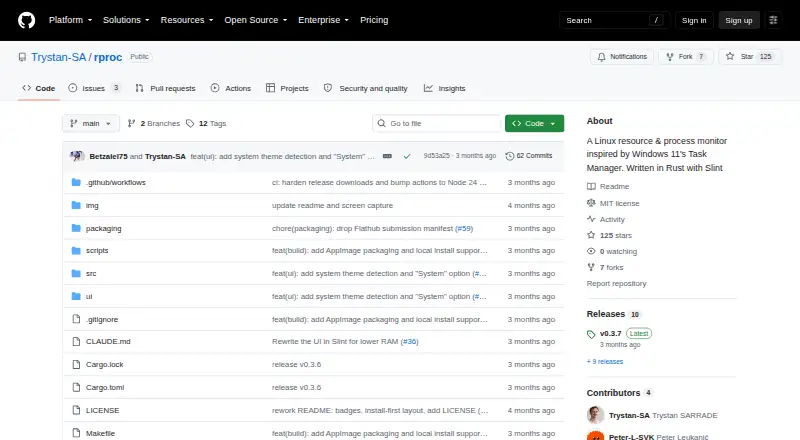
rproc is a free, MIT-licensed Linux resource and process monitor inspired by Windows 11 Task Manager. Its Processes view reports CPU, memory, disk input/output, threads, and status, with sorting, filtering, and process-killing controls. Live charts show CPU use globally and per core, memory, disks, network activity, and NVIDIA, AMD, or Intel GPU activity. An optional setting attributes CPU, RAM, disk, and GPU samples to the five highest processes; this is disabled by default. Optional background sampling keeps a 60-sample rolling history in ~/.cache/rproc/history.bin, about 2 KB, and is also off by default. The project reports about 25 MB RAM use without GPU monitoring and 45 MB with it enabled, plus roughly 28 MB for its optional daemon. rproc also displays XDG startup entries and systemd units and services. It requires Linux with X11 or Wayland; Startup and Services tabs need systemctl. Installation options include distribution packages, Flatpak, AppImage, Nix, or source.
Who it suits
rproc suits Linux users who want process controls, live resource charts, and service or startup visibility. It fits systems using X11 or Wayland, with systemctl available for service tabs.
What it does well
- Sort, filter, and kill processes
- Charts CPU, memory, disks, network, and GPUs
- Optional process resource attribution
- Displays systemd services and startup entries
- Multiple Linux installation methods
What to know first
- Linux only
- Startup and Services tabs require systemctl
- GPU monitoring adds reported memory use
- Background history is disabled by default
Limits
The Startup and Services tabs need systemctl. GPU monitoring and the optional background daemon increase reported resource use, and optional history and attribution features are disabled by default.
Getting started
- Open the rproc GitHub repository
- Use a Debian or Ubuntu package, Fedora, RHEL or openSUSE RPM, Arch AUR, Flatpak, AppImage, or Nix package
- Build from source if preferred
- Run it on Linux with X11 or Wayland
- Enable systemctl-based Startup and Services views when needed
Verdict
rproc provides broad Linux monitoring in a free, open-source package, including process controls and service views. Its systemctl dependency and Linux-only scope matter when choosing it.
Questions
Is rproc free?
Yes. rproc is free and open source under the MIT license.
Which systems does rproc support?
It supports Linux with X11 or Wayland.
Can rproc stop processes?
Yes. Its Processes view includes controls to kill processes.
Does it monitor GPUs?
Yes. Live charts support NVIDIA, AMD, and Intel GPUs. GPU monitoring can be disabled.
What installation options are available?
The project lists Debian or Ubuntu packages, Fedora, RHEL or openSUSE RPMs, Arch AUR, Flatpak, AppImage, Nix, and source installation.
Who makes rproc?
The GitHub profile identifies Trystan SARRADE, based in Bordeaux, France, as the maker.
Facts from rproc's own pages
- Background history
- Optional background sampling keeps a fixed-size 60-sample rolling history, about 2 KB, and is off by default. · github.com, 11 Oct 2026
- Downloads
- The README lists Debian/Ubuntu, Fedora/RHEL/openSUSE, Arch, Flatpak, AppImage and Nix installation options, plus building from source. · github.com, 11 Oct 2026
- GPU monitoring requirement
- The GPU monitoring setting can be disabled to avoid loading NVML/CUDA, which the project says costs approximately 20 MB. · github.com, 10 Oct 2026
- Headquarters
- Bordeaux, France · github.com, 28 Sept 2026
- Install options
- The README lists Debian/Ubuntu packages, Fedora/RHEL/openSUSE RPMs, Arch AUR, Flatpak, AppImage, Nix, and source installation. · github.com, 10 Oct 2026
- License
- The project is distributed under the MIT license. · github.com, 11 Oct 2026
- Linux display requirement
- The stated requirement is Linux with X11 or Wayland; the Services and Startup tabs require systemctl. · github.com, 10 Oct 2026
- Maker
- The GitHub profile identifies the maker as Trystan SARRADE and lists Bordeaux, France. · github.com, 11 Oct 2026
- Memory use
- The project reports approximate RAM use of 25 MB with GPU monitoring off and 45 MB with it on, plus about 28 MB for the optional background daemon. · github.com, 10 Oct 2026
- Performance charts
- Live charts cover CPU globally and per core, memory, disks, network and GPUs from NVIDIA, AMD and Intel. · github.com, 11 Oct 2026
- Process attribution
- An opt-in feature shows up to five processes behind a selected CPU, RAM, disk or GPU graph sample; it is off by default. · github.com, 11 Oct 2026
- Process monitoring
- Its process view shows CPU, memory, disk I/O, thread count and status, and lets users sort, filter and kill processes. · github.com, 11 Oct 2026
- Purpose
- rproc is a Linux resource and process monitor inspired by Windows 11 Task Manager. · github.com, 11 Oct 2026
- Resource use
- The README reports about 25 MB RAM with GPU monitoring off and about 45 MB with it on; the optional background daemon adds about 28 MB. · github.com, 11 Oct 2026
- Startup and services
- The app displays XDG autostart entries, enabled systemd units, and system and user systemd services. · github.com, 10 Oct 2026
- Support and integrations
- The README documents Linux system tools and package managers but does not list third-party service integrations or a support channel. · github.com, 10 Oct 2026
- Supported environment
- The requirements specify Linux with X11 or Wayland, and systemctl is needed for the Services and Startup tabs. · github.com, 11 Oct 2026
- System integration
- Startup entries include XDG autostart items and enabled systemd units, while the Services view uses systemctl for system and user units. · github.com, 11 Oct 2026
- System performance
- Live charts cover CPU globally and per core, memory, disks, network, and NVIDIA, AMD, or Intel GPUs. · github.com, 10 Oct 2026
Where rproc stands on Freedom251
- Process Monitoring Software#24 of 26