Freedom251 › Process Monitoring Software
winproc-tui
What winproc-tui is
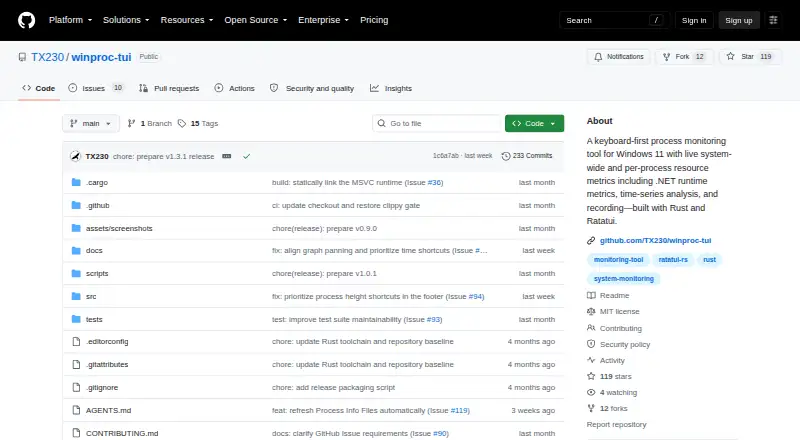
winproc-tui is a free, open-source terminal process monitor for Windows 11 x64. It tracks system and per-process activity, including CPU, memory, GPU memory, network, disk, I/O, handles, GUI resources, and .NET runtime metrics. The Processes view supports sortable flat lists or parent-child trees, filtering, and subtree collapse. Users can choose metrics for up to 16 graphs, compare sample points with A/B markers, and record sessions as JSON Lines at 1s, 2s, 5s, or 10s intervals. Recordings stop after at most 24 hours and require at least one process name in the Tracking List. Process Info shows image and runtime details, open files, DLLs, environment variables, network endpoints, CPU priority, and CPU affinity on single-processor-group systems. The app can inspect TCP and UDP endpoints and find processes using a file path or name. Named Investigation Profiles save tracked process names. Normal monitoring needs no administrator rights, though protected processes may restrict details. It is distributed under the MIT License through GitHub Releases, WinGet, and Scoop.
Who it suits
winproc-tui suits Windows 11 users following selected processes during development and testing. It is less suited to Linux, macOS, or remote monitoring, which are not supported.
What it does well
- Tracks detailed system and process metrics
- Offers sortable lists and process trees
- Supports up to 16 graph panels
- Records JSON Lines sessions
- No administrator rights for normal monitoring
What to know first
- Windows 11 x64 only
- Remote monitoring is not supported
- Protected processes may restrict details
- Recordings require a Tracking List name
Verdict
winproc-tui combines keyboard-first monitoring, process inspection, graphs, and recordings in one Windows utility. Its platform and remote-monitoring limits make it most appropriate for local Windows 11 investigations.
Facts from winproc-tui's own pages
- Access limitation
- Administrator privileges are not required for normal monitoring, but protected processes may block access to some Process Info data or open files. · github.com, 10 Oct 2026
- Distribution
- The maker identifies GitHub Releases as the source of official Windows binaries and says WinGet and Scoop install those same binaries. · github.com, 10 Oct 2026
- Graphs
- Users can keep up to 16 metrics in an ordered graph workspace and compare values at two selected sample times. · github.com, 10 Oct 2026
- Intended users
- The maker describes it as suited to following selected processes during development and testing, and recommends other tools for broad system inspection or remote monitoring. · github.com, 10 Oct 2026
- Investigation profiles
- Named Investigation Profiles save tracked process names and can be selected at startup. · github.com, 10 Oct 2026
- Investigation tools
- Process Info includes image and runtime details, open files, DLLs, environment variables, network endpoints, CPU priority, and CPU affinity on single-processor-group systems. · github.com, 9 Oct 2026
- License
- The project is distributed under the MIT License. · github.com, 9 Oct 2026
- License and support
- The repository states that the project uses the MIT License and directs bug reports and feature requests to GitHub Issues. · github.com, 10 Oct 2026
- Metrics
- It displays memory, GPU, network, disk, CPU, and detailed per-process metrics, including .NET runtime metrics. · github.com, 10 Oct 2026
- .NET support
- The app detects live .NET 8, 9, and 10 processes and provides selected heap metrics for .NET Framework 4.8. · github.com, 9 Oct 2026
- Network and file tools
- The app can inspect TCP/UDP endpoints and find processes using a file by name or path; endpoint results are refreshed on demand and are not recorded. · github.com, 9 Oct 2026
- Other tools
- The app can inspect TCP and UDP endpoints and find processes using a file by name or path. · github.com, 10 Oct 2026
- Platform limit
- The project supports Windows 11 x64 only and states that Linux and macOS are not supported. · github.com, 10 Oct 2026
- Platforms
- The project supports Windows 11 x64 only; Linux and macOS are not supported. · github.com, 9 Oct 2026
- Privileges
- Administrator privileges are not required for normal monitoring, though protected processes may restrict access to some details or open files. · github.com, 9 Oct 2026
- Process inspection
- Process Info includes metrics, image and runtime details, open files, DLLs, environment variables, and network endpoints. · github.com, 10 Oct 2026
- Process metrics
- It displays process memory, handles, GUI resources, GPU memory, I/O, .NET runtime metrics, and other metrics. · github.com, 9 Oct 2026
- Process views
- The Processes table can show a sortable flat list or a process tree with parent-child relationships, filtering, and subtree collapse. · github.com, 9 Oct 2026
- Purpose
- winproc-tui is a keyboard-first terminal process monitor for Windows 11 that shows system-wide and per-process resource metrics over time. · github.com, 10 Oct 2026
- Recording
- It records system metrics and matching processes as JSON Lines and can reopen logs for graphing and inspection; recordings last up to 24 hours. · github.com, 10 Oct 2026
- Recording limit
- Recording requires at least one process name in the Tracking List, and the tracked names are fixed when recording starts. · github.com, 9 Oct 2026
- Security reporting
- The repository directs suspected security vulnerability reports to its private reporting instructions rather than public Issues. · github.com, 9 Oct 2026
- Support
- The maker directs bug reports and feature requests to GitHub Issues, which may be written in English or Japanese. · github.com, 9 Oct 2026
Where winproc-tui stands on Freedom251
- Process Monitoring Software#25 of 26