Freedom251 › Process Monitoring Software
System Informer
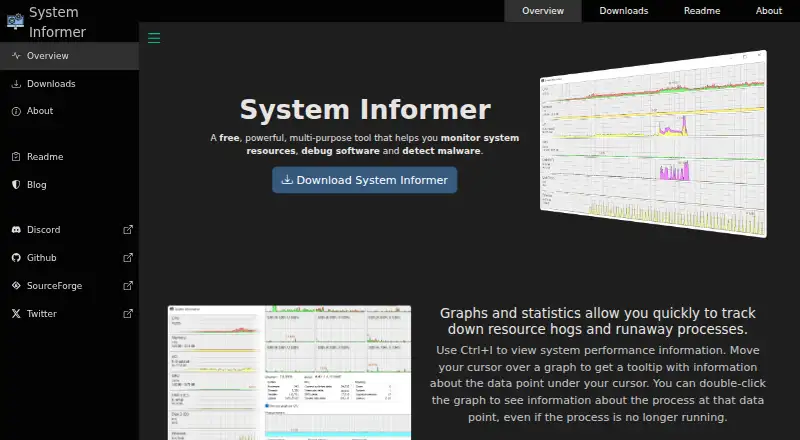
What System Informer is
System Informer is a free Windows utility for monitoring system resources, debugging software and detecting malware. Graphs and statistics help locate resource-heavy or runaway processes. It can show active network connections and real-time network use, disk activity and usage, and GPU use by process. For debugging, it displays detailed stack traces with kernel-mode, WOW64 and .NET support. Handle and DLL searches can show which processes are using a file, though closing a handle may cause data loss or corruption. Service controls allow users to create, edit and control services; driver entries appear alongside user-mode services by default. Light and dark themes and options for modern icons are available. The project describes the software as portable, with no installation required, and offers setup, portable, Microsoft Store and Winget distribution options. ExtendedTools disk and network details require administrative rights. The MIT-licensed software is intended for advanced end users and developers and supports Windows 10 or 11, 32-bit or 64-bit.
Who it suits
It suits advanced Windows users and developers who need process, service, network or disk visibility, or software debugging tools. ExtendedTools disk and network details require administrative rights.
What it does well
- Free software for Windows 10 or 11.
- Graphs and statistics track heavy or runaway processes.
- Displays detailed stack traces with kernel-mode, WOW64 and .NET support.
- Portable binaries are available; installation is not required.
What to know first
- Closing a searched handle may cause data loss or corruption.
- ExtendedTools disk and network details require administrative rights.
- Windows only; no remote monitoring.
Limits
The free plan is for Windows 10 or 11 in 32-bit or 64-bit versions. ExtendedTools disk and network information is available only when System Informer runs with administrative rights.
Plans
| Plan | Billed and limits | Price |
|---|---|---|
| System Informer | Free software · Windows 10 or 11 · 32-bit or 64-bit | Free |
As system-informer.com lists them, read 3 Oct 2026. The maker's own page has the final word.
Getting started
- Visit https://system-informer.com/.
- Choose the setup installer, portable binaries, Microsoft Store package, or Winget install command.
- Use Windows 10 or 11, in a 32-bit or 64-bit version.
- Run System Informer with administrative rights when you need ExtendedTools disk and network information.
- For questions, bug reports, or feature suggestions, use GitHub.
Verdict
System Informer combines system monitoring, process controls and debugging tools in a free Windows utility. Take care when closing handles, and run it with administrative rights for ExtendedTools disk and network information.
Questions
How much does System Informer cost?
The System Informer plan costs nothing.
Which Windows versions does the listed plan support?
It supports Windows 10 or 11, in 32-bit or 64-bit versions.
Does System Informer require installation?
It is described as portable, with no installation required. A setup installer is also offered.
What license does System Informer use?
The About page identifies the license as MIT.
Who makes System Informer?
It is brought to users by Winsider Seminars & Solutions, Inc.; the About page says Wen Jia Liu created it in 2008.
How can I get help or report a bug?
The project directs users to GitHub for questions, bug reports, and feature suggestions.
Facts from System Informer's own pages
- Audience and license
- The About page lists advanced end users and developers as the audience and identifies the license as MIT. · system-informer.com, 3 Oct 2026
- Debugging
- It displays detailed stack traces with kernel-mode, WOW64, and .NET support. · system-informer.com, 3 Oct 2026
- Disk and GPU
- It provides real-time disk access and usage information, plus GPU usage by process. · system-informer.com, 3 Oct 2026
- Distribution
- Downloads are offered as a setup installer, portable binaries, Microsoft Store package, and Winget install command. · system-informer.com, 3 Oct 2026
- Founded
- 2008 · system-informer.com, 28 Sept 2026
- Handle search
- It can find processes using a file by searching handles or DLLs; closing a handle may cause data loss or corruption. · system-informer.com, 3 Oct 2026
- Maker
- System Informer is brought to users by Winsider Seminars & Solutions, Inc.; the About page says it was created in 2008 by Wen Jia Liu. · system-informer.com, 3 Oct 2026
- Network visibility
- It shows programs with active network connections and provides real-time network usage information. · system-informer.com, 3 Oct 2026
- Permissions limit
- Disk and network information from the ExtendedTools plugin is available only when System Informer runs with administrative rights. · system-informer.com, 3 Oct 2026
- Platforms
- The downloads page lists Windows 10 and Windows 11, in 32-bit or 64-bit versions. · system-informer.com, 3 Oct 2026
- Portability
- The readme describes System Informer as small and portable, with no installation required. · system-informer.com, 3 Oct 2026
- Process monitoring
- Graphs and statistics help track resource-heavy and runaway processes. · system-informer.com, 3 Oct 2026
- Purpose
- System Informer monitors system resources, helps debug software, and detects malware. · system-informer.com, 3 Oct 2026
- Services
- It can create, edit, and control services, and shows driver entries alongside user-mode services by default. · system-informer.com, 3 Oct 2026
- Support
- The project directs users to GitHub to ask questions, report bugs, or suggest features. · system-informer.com, 3 Oct 2026
- Themes
- It supports light and dark themes and offers options for modern icons. · system-informer.com, 3 Oct 2026
Where System Informer stands on Freedom251
- Process Monitoring Software#23 of 26