Freedom251 › Financial Reporting Software

Syft Analytics
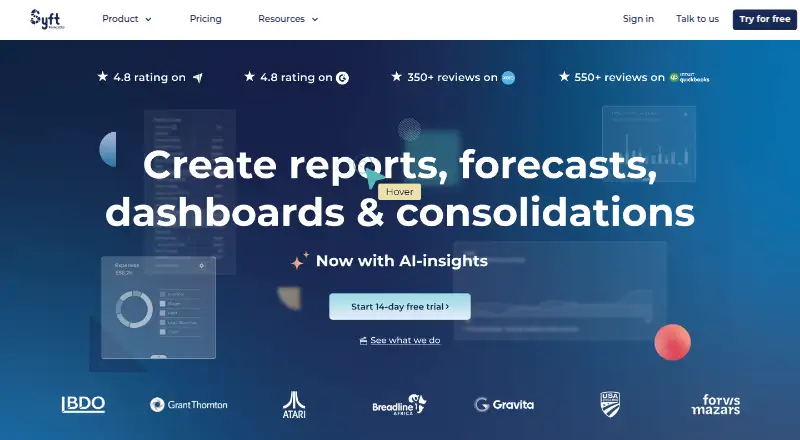
What Syft Analytics is
Syft Analytics turns accounting data into financial reports, visualizations, and insights. Reports can be sorted, filtered, compared, explored through drill-down, and exported to PDF, Word, or Excel; users can also share interactive Live View reports. Budgets can combine profit and loss, balance sheet, KPIs, and non-financial data. Scenario support in the newer budget and forecast experience is available on Advanced. Syft Assist AI can generate report and visualization insights, summaries, and action items, with availability varying by plan. Listed connections include Xero, QuickBooks Online, Sage, MYOB, FreeAgent, Sage Intacct, Shopify, and HubSpot. Spreadsheet Link works with Excel and Google Sheets on Standard, Plus, and Advanced plans. Plan allowances differ: Standard has one dashboard and P&L budgets only, Plus has up to three dashboards and three budgets, and Advanced has unlimited dashboards and budgets. The web-based service has a free plan and a 14-day trial. Syft states that data is encrypted in transit and at rest, and that it is SOC 2 certified.
Who it suits
Syft Analytics suits accountants, bookkeepers, business owners, and other listed users who need financial reporting or budgeting from connected data. It may also fit teams that use spreadsheets or want dashboards and forecasts.
What it does well
- Exports reports to PDF, Word, or Excel.
- Live View reports are interactive and collaborative.
- Connects with accounting, CRM, and e-commerce data.
- Free plan and 14-day trial are listed.
What to know first
- Standard allows one dashboard.
- Standard supports P&L budgets only.
- AI feature availability varies by plan.
- Xero data refreshes every 24 hours.
Limits
Standard allows one dashboard and P&L budgets only. Plus allows up to three dashboards and three budgets; Advanced allows unlimited dashboards and budgets and supports scenarios in the newer budget and forecast experience.
Getting started
- Visit https://www.syftanalytics.com/.
- Choose the free plan or use the 14-day trial.
- Use the web-based service.
- Connect accounting or other data sources from the integrations collection.
- Use Spreadsheet Link with Microsoft Excel or Google Sheets on Standard, Plus, or Advanced.
Overview
Syft Analytics is a web-based financial reporting and planning service for turning accounting and business data into reports, budgets and visual analysis. It is best suited to finance teams, accountants and business owners who need to examine performance and share it with others. Its breadth is a strength, but dashboard and budget limits—and access to some features—depend on the plan.
Key features
Reporting and visual analysis
Reports support sorting, filtering, comparisons and transaction-level drill-down, and can be exported to PDF, Word or Excel. Interactive Live View reports let teams share and explore results collaboratively instead of relying only on static files. Visualize adds customizable graphs and tables to reports and Live Views. Together, these tools suit both detailed financial review and presentation, though the number of dashboards depends on the subscription.
Budgets, forecasts and analysis
Budgets can combine profit and loss, balance sheet, KPIs and non-financial data brought in through Connections. Standard is limited to P&L budgets; Plus allows up to three budgets, while Advanced removes the budget cap. Advanced also supports scenarios in Syft’s newer budgeting and forecasting experience. Forecast-versus-actual reporting, variance analysis, KPI dashboards, financial consolidation and management-pack templates extend the product beyond basic reporting.
Connections and spreadsheet tools
The integrations include accounting services such as Xero, QuickBooks Online, Sage, MYOB, FreeAgent and Sage Intacct, as well as Stripe, Shopify and HubSpot. HubSpot data can feed graphs, forecasts and customizable reports; Shopify data supports customer and product metrics, sales analysis and benchmarking. Spreadsheet Link connects with Microsoft Excel and Google Sheets on Standard, Plus and Advanced, making those plans more suitable for teams that work across spreadsheets and a reporting system.
Xero data refreshes automatically every 24 hours. That cadence may be too slow for teams needing more current figures, and invalid authentication details can stop refreshes until the entity is re-authenticated.
AI, security and support
Syft Assist AI can generate insights, summaries and action items from reports and visualizations, but availability varies by plan. Syft says data is encrypted in transit and at rest, with access controls, MFA and security audits; it is SOC 2 certified, with its report available by request through an account executive or customer success manager.
Every paid plan includes live chat, Syft Campus and onboarding classes. Plus and Advanced practices also get a Partner Success Manager and instant video and phone support. Live support runs 19 hours a day on weekdays and selected hours on weekends, with an AI chatbot outside those hours.
Pricing
Syft uses a freemium model, with a free plan and a 14-day trial. Paid plan prices are custom pricing. The free option is a way to start without a paid commitment, while paid plans add human-powered support and progressively higher dashboard and budget capacity.
- Standard: One dashboard and P&L budgets only. It suits users who need core reporting and a narrow budgeting scope, but not teams that need multiple dashboards or integrated balance-sheet budgets.
- Plus: Up to three dashboards and three budgets, with Spreadsheet Link and enhanced support for practices, including a Partner Success Manager and instant video and phone support. It is the more practical fit for growing teams that have outgrown Standard’s caps.
- Advanced: Unlimited dashboards and budgets, plus scenario support in the newer budget and forecast experience. It is the best fit for organizations building more extensive plans, though it still carries custom pricing.
All paid plans include live chat, Syft Campus and onboarding classes. Charitable organizations can access the Standard plan free, including reporting, visualizations, transaction-level drill-down, and KPI and ratio analysis.
Platforms
Syft Analytics is available on the web.
Who it's for
Syft says accountants, bookkeepers, franchises, universities, business owners and financial institutions use the app. Its reporting depth and collaborative Live Views suit teams that need to explain results as well as prepare them. It is less compelling for organizations that require more frequent automatic Xero refreshes or cannot work within plan-dependent dashboard and budget limits.
Pros and cons
- Pros: Reporting combines drill-down, comparisons, exports and collaborative Live Views, giving finance teams several ways to inspect and share results.
- Pros: Connections span accounting, CRM and e-commerce data, while spreadsheet links support Excel and Google Sheets on all three named plans.
- Pros: Advanced offers unlimited dashboards and budgets, and scenario planning for teams with broader forecasting needs.
- Cons: Standard restricts users to one dashboard and P&L budgets, so broader planning requires a higher tier.
- Cons: Xero refreshes only every 24 hours automatically, and authentication problems can interrupt updates.
- Cons: AI availability varies by plan, and paid pricing is custom, making tier costs harder to compare upfront.
Alternatives
For an overview of other options, see Management Reporting Software and Financial Forecasting Software.
- Cube is a paid web and API option with full platform access, custom roles, unlimited dimensions and users, and unlimited dashboards in its Bronze plan; consider it if those stated capacities matter more than Syft’s free entry point.
- OneStream is a paid platform offered across web, mobile, Windows, API and self-hosted environments; consider it if those deployment options matter.
- Vena is a paid web and Windows option whose Professional plan includes a customer success manager, standard support, a customer portal and Vena Copilot; consider it if those named services are a priority.
- Workday Adaptive Planning is a paid option with a 30-day trial and apps across web, mobile, macOS, Windows and API; consider it if a longer trial or broader platform coverage suits your needs.
- Jedox is a paid web service with optional planners, viewers, connectors and performance or support upgrades on its Business plan; consider it if that modular approach fits better.
- Lucanet is a paid web option that combines consolidation and financial planning with extended planning and analysis, ESG reporting, disclosure management, lease accounting, and banking and cash management; consider it if those areas are central to your work.
- Solver is a paid web service with a Standard User plan that includes report building, data entry, security management, Solver Academy and Solver Copilot; consider it if those named capabilities are a closer match.
- Kepion is another paid web option.
Verdict
Syft Analytics is a strong choice for accountants and finance-minded teams that want reporting, planning, drill-down and collaborative sharing in one web service, with a free starting point and a clear path to higher capacity. Choose it for that connected workflow; look elsewhere if daily Xero updates, predictable published paid prices or unrestricted dashboards and budgets at the entry tier are essential.
Verdict
Syft Analytics combines reporting, budgeting, visualizations, and data connections in a web service. Dashboard and budget limits differ by plan, and some features—including AI insights—vary by plan.
Questions
Does Syft Analytics have a free plan?
Yes. Syft Analytics has a free plan and a 14-day trial.
Which platforms does Syft Analytics support?
Syft Analytics is web-based.
Which accounting services can it connect to?
The integrations directory lists Xero, QuickBooks Online, Sage, MYOB, FreeAgent, and Sage Intacct, among other connections.
Can Syft Analytics connect to spreadsheets?
Spreadsheet Link works with Microsoft Excel and Google Sheets on Standard, Plus, and Advanced.
How many dashboards and budgets do the plans allow?
Standard allows one dashboard and P&L budgets only. Plus allows up to three dashboards and three budgets; Advanced allows unlimited dashboards and budgets.
What security measures does Syft state it uses?
Syft states that it encrypts data in transit and at rest and uses access controls, MFA, and security audits. It says it is SOC 2 certified, with the report available by request through an account executive or customer success manager.
Facts from Syft Analytics's own pages
- Accounting integrations
- The integrations directory lists accounting connections including Xero, QuickBooks Online, Sage, MYOB, FreeAgent, and Sage Intacct. · help.syftanalytics.com, 30 Sept 2026
- AI
- Syft Assist AI generates report and visualization insights, summaries, and action items; availability varies by plan. · help.syftanalytics.com, 30 Sept 2026
- Budget limits
- Standard supports P&L budgets only, Plus supports up to three budgets, and Advanced allows unlimited budgets. · help.syftanalytics.com, 30 Sept 2026
- Charity plan
- Syft announced free Standard plan access for charitable organizations, including reporting, visualizations, transaction-level drill-down, and KPI and ratio analysis. · blog.syftanalytics.com, 30 Sept 2026
- Compliance
- Syft says it is SOC 2 certified and that its SOC 2 report is available by request through an account executive or customer success manager. · help.syftanalytics.com, 30 Sept 2026
- CRM integration
- HubSpot CRM data can be turned into graphs, forecasts, and insights for customizable reports. · help.syftanalytics.com, 30 Sept 2026
- E-commerce integration
- Shopify data supports customer and product metrics, sales and benchmarking analysis, and reports. · help.syftanalytics.com, 30 Sept 2026
- Forecasting
- Syft’s newer budget and forecast experience supports scenarios on the Advanced plan. · help.syftanalytics.com, 30 Sept 2026
- Integrations
- The integrations collection lists accounting and data connections including Xero, QuickBooks Online, Sage, Stripe, MYOB, Shopify, and HubSpot. · help.syftanalytics.com, 30 Sept 2026
- Intended users
- Syft says accountants, bookkeepers, franchises, universities, business owners, and financial institutions use the app. · blog.syftanalytics.com, 30 Sept 2026
- Plan limits
- The Standard plan allows one dashboard, Plus allows up to three, and Advanced allows unlimited dashboards. · blog.syftanalytics.com, 30 Sept 2026
- Planning
- Budgets can combine profit and loss, balance sheet, KPIs, and non-financial Connections data. · help.syftanalytics.com, 30 Sept 2026
- Product
- Syft Analytics turns accounting data into financial reports and insights. · help.syftanalytics.com, 30 Sept 2026
- Refresh limit
- Xero data automatically refreshes every 24 hours, and invalid authentication details can interrupt refreshes until the entity is re-authenticated. · help.syftanalytics.com, 30 Sept 2026
- Reporting
- Financial reports support sorting, filtering, drill-down, comparisons, and export to PDF, Word, or Excel. · help.syftanalytics.com, 30 Sept 2026
- Reports
- Users can create financial reports and share them as interactive, collaborative Live View reports. · blog.syftanalytics.com, 30 Sept 2026
- Security
- Syft states that data in transit and at rest is encrypted and that it uses access controls, MFA, and security audits. · help.syftanalytics.com, 30 Sept 2026
- Spreadsheet tools
- Spreadsheet Link works with Microsoft Excel and Google Sheets and is available on Standard, Plus, and Advanced. · help.syftanalytics.com, 30 Sept 2026
- Support
- Every paid plan includes human-powered live chat, Syft Campus, and onboarding classes; Plus and Advanced practices can also access a Partner Success Manager and instant video and phone support. · help.syftanalytics.com, 30 Sept 2026
- Support hours
- Live support is available 19 hours a day on weekdays and selected hours on weekends, with an AI chatbot during offline hours. · help.syftanalytics.com, 30 Sept 2026
- Visualizations
- Visualize turns financial data into customizable graphs and tables that can be added to reports or Live Views. · help.syftanalytics.com, 30 Sept 2026
Where Syft Analytics stands on Freedom251
- Financial Reporting Software#1 of 23
- Financial Forecasting Software#4 of 74
- Management Reporting Software#2 of 32