Freedom251 › Component Libraries Software

Supernova
What Supernova is
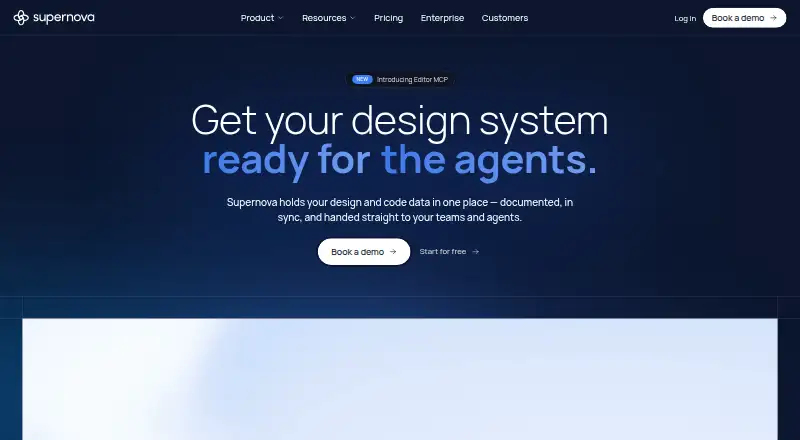
Supernova brings design-system information, code data, documentation, and AI context into a shared workspace for teams and agents. It tracks component health, manages design tokens, and supports multiple brands. The documentation editor provides real-time collaboration, page history, and publishing. Through MCP, teams can distribute filtered design-system context to AI tools including Cursor, Copilot, and Claude Code. Code automation can export tokens and open a pull request when design-system changes are made. Listed integrations include Figma, Storybook, Tokens Studio, GitHub, Azure, Bitbucket, GitLab, and VS Code; the integrations page says pre-built integrations are included in the Free plan. Free costs nothing, supports up to 5 seats, and has limits including 20 documentation pages, 3 Figma data sources, 1 Storybook data source, 7-day page history, and 30-day documentation analytics. Pro costs $35 a month per editor seat. Enterprise pricing is custom. The Portal is available as a web application, while the desktop app is available only for Mac.
Who it suits
Supernova suits design-system teams, engineers, designers, and product managers who need shared product knowledge. Its free plan offers a way to start, while teams needing more seats or capacity can consider Pro or Enterprise.
What it does well
- Tracks component health and manages design tokens.
- Supports multiple brands in one workspace.
- Documentation supports real-time collaboration and publishing.
- Pre-built integrations are included in Free.
- Code automation can open pull requests.
What to know first
- Free allows up to 5 seats.
- Free has a 20-page documentation limit.
- Free page history is limited to 7 days.
- Desktop app is available only for Mac.
Limits
The Free plan supports up to five seats, one design system, two AI contexts, one automation pipeline, and up to ten skills and 100 feedback captures. It is limited to 20 documentation pages, three Figma data sources, one Storybook data source, seven-day page history, and 30-day documentation analytics.
Plans
| Plan | Billed and limits | Price |
|---|---|---|
| Free | Up to 5 seats · 1,000 workspace credits/month · 1 design system · 2 AI contexts · 1 automation pipeline · up to 10 skills · up to 100 feedback captures | Free |
| Pro | per editor seat; page also shows Yearly (-22%) · Up to 15 seats · up to 25 MCP consumers · unlimited documentation viewers · 3,000 workspace credits/seat · 2 design systems · 10 AI contexts · 5 automation pipelines | $35 a month |
| Enterprise | Custom · Unlimited seats · custom MCP consumers · 5,000 workspace credits/seat · unlimited design systems, contexts, and pipelines · SAML SSO · priority support and onboarding | On request |
As supernova.io lists them, read 3 Oct 2026. The maker's own page has the final word.
Getting started
- Open https://www.supernova.io/ in a web browser.
- Choose the Free plan or review Pro and Enterprise options.
- Add design system data sources such as Figma or Storybook.
- Create documentation pages and invite collaborators within the plan's seat allowance.
- Connect listed tools or configure MCP contexts and code automation as needed.
Supernova is a shared workspace for design systems, documentation, code data, and AI context. It suits teams that need designers, engineers, and product managers to work from the same product knowledge. Its main strength is connecting those workflows; teams that need only token management or handoff may find its breadth unnecessary.
Overview
Supernova brings design-system management, collaborative documentation, integrations, and automation into one workspace. Component health tracking, design tokens, and multi-brand support give teams a way to manage shared systems, while documentation can be edited collaboratively, kept with page history, and published. This joined-up approach is most useful when system upkeep and team knowledge need to stay connected.
Key features
Design systems and documentation
Support for multiple brands and component health makes Supernova relevant to teams maintaining systems across products. Real-time editing, publishing, and page history help keep documentation active rather than static. Free's 20-page cap and seven-day history, however, may be restrictive for teams with extensive documentation or a need to revisit older decisions.
AI context and code automation
Filtered design-system context can be distributed to AI tools through MCP, including Cursor, Copilot, and Claude Code. That is a practical advantage for teams wanting AI tools to draw on relevant system context. Automation can export tokens and open a pull request when system changes are made, linking design updates with a code-review workflow.
Integrations and support
Pre-built integrations include Figma, Storybook, Tokens Studio, GitHub, Azure, Bitbucket, GitLab, and VS Code, and all are included in Free. All plans have in-product support chat; Enterprise adds priority support and onboarding. The breadth of integrations helps teams connect existing tools without reserving that access for a paid plan.
Pricing
Free costs nothing and allows up to five seats, one design system, two AI contexts, one automation pipeline, and up to 10 skills and 100 feedback captures. It includes 1,000 workspace credits per month, plus 20 documentation pages, three Figma data sources, one Storybook data source, seven-day page history, and 30-day documentation analytics. That is a useful starting point, but the page, history, and system limits make it better suited to a small team or a bounded evaluation than a large, established system.
Pro costs $35 a month, billed per editor seat; the page also shows Yearly (-22%). It raises the limits to 15 seats, 25 MCP consumers, 3,000 workspace credits per seat, two design systems, 10 AI contexts, and five automation pipelines, and includes unlimited documentation viewers. Pro suits teams that need more system capacity or AI consumers while allowing wider documentation access. The per-editor charge means costs rise with the number of editors, even though viewers are unlimited.
Enterprise has custom pricing and supports unlimited seats, custom MCP consumers, 5,000 workspace credits per seat, and unlimited design systems, contexts, and pipelines. It adds SAML SSO, priority support, and onboarding. This is the fit for organizations needing expanded capacity and enterprise security controls; GDPR, ISO, SOC 2, CCPA, and USDP are also listed alongside SCIM provisioning and granular permissions.
Platforms
Supernova is available as an API and web application. Supernova Portal also has a desktop app, currently available only for Mac. The Mac-only desktop option may not suit teams that need a desktop app across other operating systems.
Who it's for
Design-system teams, engineers, designers, and product managers working from shared product knowledge are the clearest fit. Supernova is especially relevant when documentation, integrations, token automation, and AI context belong in the same workflow. A team looking for a narrow, standalone tool should weigh that breadth against its per-editor Pro cost and Free limits.
Pros and cons
- Pro: Design-system management, documentation, integrations, and AI context share a workspace, which can keep team reference material close to system work.
- Pro: All pre-built integrations are included in Free, so teams can connect listed tools without upgrading for integration access.
- Pro: Token export and pull-request automation connect design-system changes to code review.
- Con: Free is capped at one design system and 20 documentation pages, with only seven days of page history.
- Con: Pro's $35 a month price is per editor seat, so adding editors increases the bill.
- Con: The desktop app is currently Mac-only.
Alternatives
For a lighter or more specialized option, Particles UI has a free plan, a free trial, and a maker-described MIT-licensed CLI with local token management and export that work without an account. Zaklad is another freemium option, with web, Android, and iOS platforms. Terrazzo is free to use forever and describes its tools as MIT-licensed and open source.
Bezel may suit teams comparing a credit-based free tier: its Free plan has 75 AI credits, one project, one theme, and 1,000 design tokens, though it is not yet open for signup. Carbon Design System is a free, open-source design system for anyone to use and contribute to, with no paid tiers stated. Design Tokens offers a free plan with Figma variable sync, CSS/SASS export, W3C JSON import/export, up to three themes per workspace, two workspaces, and two users. Fenly is a free option whose maker says paid Pro and Team plans may be introduced in the future.
For broader category comparisons, see Design System Software, Web Design Software, and Developer Handoff Software.
Verdict
Choose Supernova if your team needs design-system upkeep, documentation, integrations, and AI context tied together, and values automation that turns token changes into pull requests. Look elsewhere if you need only a focused tool, cannot use a Mac desktop app, or find Free's system and documentation caps too tight and Pro's per-editor pricing hard to justify.
Verdict
Supernova combines design-system management, documentation, integrations, and AI context. Free has defined seat and usage limits; Pro costs $35 a month per editor seat, and Enterprise pricing is custom.
Questions
Is Supernova free?
Yes. The Free plan costs nothing and includes up to five seats. Pro starts at $35 a month per editor seat; Enterprise pricing is custom.
What are the Free plan limits?
Free includes one design system, two AI contexts, and one automation pipeline. It also allows up to 20 documentation pages, three Figma data sources, one Storybook data source, seven-day page history, and 30-day documentation analytics.
Which platforms does Supernova support?
Supernova is available through a web application and API. Supernova Portal also has a desktop app, currently available only for Mac.
What tools does Supernova integrate with?
Listed integrations include Figma, Storybook, Tokens Studio, GitHub, Azure, Bitbucket, GitLab, and VS Code. All pre-built integrations are included in the Free plan.
Which AI tools can receive design system context?
Through MCP, Supernova can distribute filtered design system context to Cursor, Copilot, and Claude Code.
What security and support are listed for Enterprise?
Enterprise lists GDPR, ISO, SOC 2, CCPA, and USDP, plus SSO with SCIM provisioning and granular permissions. Enterprise also adds priority support and onboarding; all plans include in-product support chat.
Facts from Supernova's own pages
- AI and MCP
- Supernova distributes filtered design system contexts to AI tools through MCP, including Cursor, Copilot, and Claude Code. · supernova.io, 3 Oct 2026
- Code automation
- Code automation can export tokens and open a pull request when design system changes are made. · supernova.io, 3 Oct 2026
- Design system management
- The platform tracks component health, manages design tokens, and supports multiple brands in one workspace. · supernova.io, 3 Oct 2026
- Desktop app
- Supernova Portal is available in a web application and a desktop app that is currently available only for Mac. · learn.supernova.io, 3 Oct 2026
- Documentation
- Its documentation editor supports real-time collaboration, page history, and publishing. · supernova.io, 3 Oct 2026
- Enterprise security
- The Enterprise page lists GDPR, ISO, SOC 2, CCPA, and USDP, along with SSO including SCIM provisioning and granular permissions. · supernova.io, 3 Oct 2026
- Free-plan integration access
- The integrations page says all pre-built integrations are included in the Free plan. · supernova.io, 3 Oct 2026
- Free-plan limits
- The comparison lists 20 documentation pages, 3 Figma data sources, 1 Storybook data source, 7-day page history, and 30-day documentation analytics for Free. · supernova.io, 3 Oct 2026
- Headquarters
- Dover, Delaware, United States · supernova.io, 28 Sept 2026
- Integrations
- Listed integrations include Figma, Storybook, Tokens Studio, GitHub, Azure, Bitbucket, GitLab, and VS Code. · supernova.io, 3 Oct 2026
- Intended users
- Supernova describes its intended users as design system teams, engineers, designers, and product managers working from shared product knowledge. · supernova.io, 3 Oct 2026
- Product
- Supernova centralizes design and code data, documentation, and AI context so teams and agents can use a shared source of truth. · supernova.io, 3 Oct 2026
- Support
- All plans include in-product support chat, while Enterprise adds priority support and onboarding. · supernova.io, 3 Oct 2026
Where Supernova stands on Freedom251
- Component Libraries Software#4 of 15
- Design System Software#8 of 22
- Web Design Software#18 of 41
- Developer Handoff Software#13 of 25