Freedom251 › Component Libraries Software
Storybook Accessibility Tests
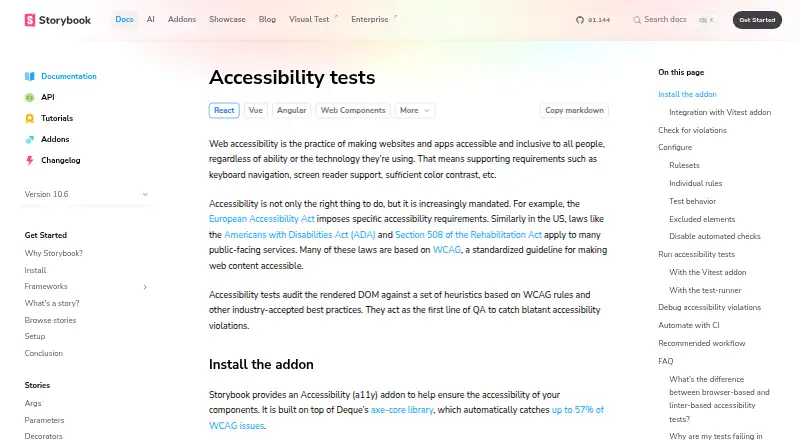
What Storybook Accessibility Tests is
Storybook Accessibility Tests is an addon for checking the accessibility of UI components in their Storybook stories. It audits a story’s rendered DOM against heuristics based on WCAG rules and other accepted accessibility practices, using Deque’s axe-core library. Storybook says axe-core automatically catches up to 57% of WCAG issues. The Accessibility panel groups results into violations, passes, and incomplete checks that need manual confirmation. By default, the rules are based on WCAG 2.0 and 2.1 Level A and AA guidelines, plus best practices. You can configure the DOM context, axe settings and options, and individual rules. A toolbar button simulates different vision impairments. The addon integrates with the Vitest addon so checks can run alongside component tests in Storybook and CI. Its `a11y.test` setting accepts `off`, `todo`, or `error`; CI errors require `error`. Automated checks are intended as a first QA step for blatant violations, and some checks still need human review. With asynchronous components, including those using Suspense or React Server Components, checks can run before final rendering and produce false negatives. Storybook lists Accessibility Storybook Addon A11y among its popular addons.
Who it suits
This addon suits developers who want to check UI component accessibility in Storybook stories. It can also suit teams that want to run those checks alongside component tests in Storybook and CI, while retaining manual review for incomplete results.
What it does well
- Checks rendered story DOM using axe-core.
- Separates violations, passes, and incomplete checks.
- Default rules draw on WCAG 2.0 and 2.1 Level A and AA.
- Can configure DOM context, axe options, and individual rules.
- Integrates with the Vitest addon for Storybook and CI checks.
- Includes a toolbar control for vision impairment simulations.
What to know first
- Incomplete checks require manual confirmation.
- Asynchronous rendering can lead to false negatives.
- CI errors require setting `a11y.test` to `error`.
Limits
The addon flags some checks as incomplete for manual confirmation. For asynchronous components such as those using Suspense or React Server Components, checks may run before final rendering and produce false negatives.
Plans
| Plan | Billed and limits | Price |
|---|---|---|
| Storybook Accessibility addon | Install with `npx storybook add @storybook/addon-a11y`; Storybook docs provide no separate price for the addon | Free |
| Chromatic Starter | 35,000 billed snapshots · Everything in Free · additional billed snapshots $0.008 · Safari, Firefox, and Edge testing | $179 a month |
| Chromatic Pro | 85,000 billed snapshots · Everything in Starter · custom domain | $399 a month |
| Chromatic Free | 5,000 billed snapshots · Chrome testing · unlimited projects, users, and collaborators · Git and CI integrations | On request |
| Chromatic Enterprise | Unlimited snapshots and TurboSnaps · unlimited accessibility usage · SSO and custom Git integrations · priority support and SLA | On request |
As storybook.js.org lists them, read 4 Oct 2026. The maker's own page has the final word.
Getting started
- Open the Storybook Accessibility Testing documentation.
- Install the addon with `npx storybook add @storybook/addon-a11y`.
- Run accessibility checks on UI components in Storybook stories.
- Configure the DOM context, axe settings and options, or individual rules if needed.
- Set `a11y.test` to `error` if CI should report accessibility errors.
Verdict
Choose Storybook Accessibility Tests if you want automated accessibility checks for UI components in their stories, with configurable rules and Vitest integration. Manual review remains part of the process for incomplete checks, and asynchronous rendering may cause false negatives.
Questions
Is Storybook Accessibility Tests free?
The addon is listed as free, and the documentation provides no separate addon price.
How do I install it?
Install it with `npx storybook add @storybook/addon-a11y`.
What accessibility rules does it use?
By default, checks use rules based on WCAG 2.0 and 2.1 Level A and AA guidelines plus best practices. The DOM context, axe settings and options, and individual rules can be configured.
Can checks run in CI?
Yes. The addon integrates with the Vitest addon so checks can run alongside component tests in Storybook and CI. CI errors require setting `a11y.test` to `error`.
Do all results get confirmed automatically?
No. Some results are incomplete and need manual confirmation; automated checks are described as a first QA step for blatant violations.
When can checks produce false negatives?
For asynchronous components such as those using Suspense or React Server Components, checks can run before final rendering and miss issues.
Facts from Storybook Accessibility Tests's own pages
- Addon availability
- Storybook lists Accessibility Storybook Addon A11y under popular addons and describes it as testing UI component compliance with WCAG web accessibility standards. · storybook.js.org, 4 Oct 2026
- Async rendering limitation
- For asynchronous components such as those using Suspense or React Server Components, checks can run before final rendering and produce false negatives. · storybook.js.org, 4 Oct 2026
- Configuration
- Users can configure the DOM context, axe settings and options, and individual rules for accessibility checks. · storybook.js.org, 4 Oct 2026
- Engine
- The addon is built on Deque’s axe-core library, which Storybook says automatically catches up to 57% of WCAG issues. · storybook.js.org, 4 Oct 2026
- Manual review limit
- Some checks are incomplete and require manual confirmation, and Storybook describes automated checks as a first line of QA for blatant violations. · storybook.js.org, 4 Oct 2026
- Purpose
- The Accessibility addon audits a story’s rendered DOM against heuristics based on WCAG rules and other accepted accessibility practices. · storybook.js.org, 4 Oct 2026
- Results
- The Accessibility panel separates results into violations, passes, and incomplete checks that need manual confirmation. · storybook.js.org, 4 Oct 2026
- Rulesets
- By default, checks use rules based on WCAG 2.0 and 2.1 Level A and AA guidelines plus best practices. · storybook.js.org, 4 Oct 2026
- Test behavior
- The `a11y.test` setting supports `off`, `todo`, and `error`; CI errors require the setting to be `error`. · storybook.js.org, 4 Oct 2026
- Vision simulation
- The addon adds a toolbar button to simulate different vision impairments. · storybook.js.org, 4 Oct 2026
- Vitest integration
- The Accessibility addon integrates with the Vitest addon so accessibility checks can run alongside component tests in Storybook and CI. · storybook.js.org, 4 Oct 2026
- Who it is for
- Storybook presents accessibility testing as a way to check the accessibility of UI components in stories. · storybook.js.org, 4 Oct 2026
Where Storybook Accessibility Tests stands on Freedom251
- Component Libraries Software#5 of 15
- Front End Tools#14 of 28
- Developer Handoff Software#15 of 25