Freedom251 › Document Collaboration Software

Superhuman Docs
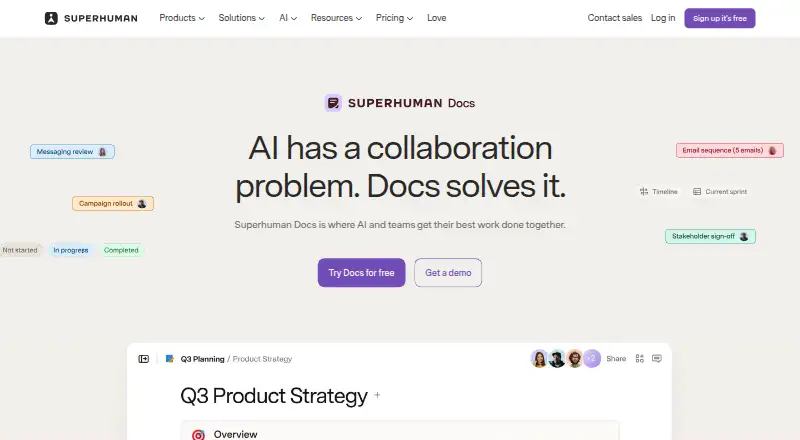
What Superhuman Docs is
Superhuman Docs is a collaborative workspace for teams working with documents, data, and projects. Docs AI can create trackers, dashboards, tables, custom interfaces, and automations from prompts, and can analyze and format data. Teams can keep project briefs, trackers, and content together, with collaboration features such as voting, reactions, and charts. The product lists more than 800 integrations with two-way sync, including Jira, Salesforce, and Asana. Docs MCP connects Docs to ChatGPT, Claude, and Cursor so they can read and write Docs content within existing permissions and seat access. Free users get read-only MCP access capped at 30 requests per week and 60 per month; paid plans include MCP. The Free plan limits shared docs to 50 objects and 1,000 table rows per doc, while personal docs have no page or object limits. Pro costs $12 a month per Doc Maker when billed annually, or $15 when billed monthly. Business costs $33 a month per Doc Maker when billed annually, or $40 when billed monthly. Editors and viewers are free on paid workspaces. The product is available on Android, iOS, macOS, and web.
Who it suits
It suits product, marketing, sales, and operations teams that want documents, project tracking, and data tools in one workspace. Teams connecting AI tools can use Docs MCP, with free access limited to read-only requests.
What it does well
- More than 800 integrations with two-way sync
- Docs AI creates trackers, dashboards, and automations
- Available on Android, iOS, macOS, and web
- Personal docs have no page or object limits
- Editors and viewers are free on paid workspaces
What to know first
- Free shared docs limited to 50 objects
- Free shared docs capped at 1,000 table rows
- Free MCP access is read-only
- Annual Pro plan costs $12 a month per Doc Maker
Limits
Free shared docs are limited to 50 objects and 1,000 table rows per doc, while personal docs have no page or object limits. Free MCP use is read-only, up to 30 requests per week and 60 per month. Pro is limited to 30-day version history; Business includes unlimited version history and unlimited automations.
Plans
| Plan | Billed and limits | Price |
|---|---|---|
| Free | Shared docs limited to 50 objects and 1,000 table rows per doc · personal docs have no size or object limits | Free |
| Pro | per Doc Maker, billed annually; $15 when billed monthly · Unlimited doc size · 30-day version history · MCP included | $12 a month |
| Business | per Doc Maker, billed annually; $40 when billed monthly · Unlimited automations · unlimited version history · private team folders · databases beta | $33 a month |
| Enterprise | Custom; contact sales · SAML SSO · SCIM · audit events · SOC 2 (Type 2) report · HIPAA compliance | On request |
As superhuman.com lists them, read 7 Oct 2026. The maker's own page has the final word.
Getting started
- Visit https://superhuman.com/docs.
- Choose the Free plan or a paid plan for the workspace.
- Use the Android, iOS, macOS, or web version.
- Create documents, trackers, dashboards, or other tools with Docs AI prompts.
- Connect services through the listed integrations, or connect ChatGPT, Claude, or Cursor through Docs MCP, subject to plan access and permissions.
Verdict
Superhuman Docs combines collaborative documents, project materials, AI creation tools, and connected services. Consider the shared-doc and free MCP limits, along with per-Doc-Maker billing on paid plans.
Questions
Is there a free plan?
Yes. The Free plan costs nothing. Shared docs are limited to 50 objects and 1,000 table rows per doc; personal docs have no page or object limits.
How much do the paid plans cost?
Pro costs $12 a month per Doc Maker when billed annually, or $15 when billed monthly. Business costs $33 a month per Doc Maker annually, or $40 monthly. Enterprise pricing is custom; contact sales.
Which platforms does Superhuman Docs support?
It is available on Android, iOS, macOS, and web.
Can Docs connect to AI tools?
Docs MCP connects with ChatGPT, Claude, and Cursor so they can read and write Docs content. Paid plans include MCP; Free access is read-only and capped at 30 requests per week and 60 per month.
What integrations does Docs offer?
The product lists more than 800 integrations with two-way sync, including Jira, Salesforce, and Asana.
Who pays on paid workspaces?
Paid workspaces charge for Doc Makers. Editors and viewers are free.
Facts from Superhuman Docs's own pages
- AI connections
- Docs MCP connects Docs with AI tools including ChatGPT, Claude, and Cursor so they can read and write Docs content. · superhuman.com, 7 Oct 2026
- AI connectors
- Docs MCP connects with ChatGPT, Claude, and Cursor so they can read from and write to Docs. · superhuman.com, 7 Oct 2026
- AI creation
- Docs AI can build trackers, dashboards, tables, custom interfaces, and automations from prompts. · superhuman.com, 7 Oct 2026
- AI features
- Docs AI can create documents, trackers, dashboards, tables, and custom tools from prompts, and analyze and format data. · superhuman.com, 7 Oct 2026
- Audience
- The Docs page presents templates and use cases for product, marketing, sales, and operations teams. · superhuman.com, 7 Oct 2026
- Billing
- Paid Docs workspaces charge for Doc Makers; editors and viewers are free. · help.superhuman.com, 7 Oct 2026
- Collaboration
- Docs includes teamwork components such as voting, reactions, and charts. · superhuman.com, 7 Oct 2026
- Company history
- The company About page says Coda, now Superhuman Docs, was founded in 2014 by Shishir Mehrotra and Alex DeNeui. · superhuman.com, 7 Oct 2026
- Compliance
- The Docs security page lists SOC 2 Type 2, GDPR, CCPA, ISO 27001, ISO 27017, ISO 27018, and HIPAA. · help.superhuman.com, 7 Oct 2026
- Enterprise support
- The Docs billing guide describes Enterprise as including hands-on support and additional admin controls. · help.superhuman.com, 7 Oct 2026
- Founded
- 2014 · superhuman.com, 28 Sept 2026
- Free plan limits
- Free shared docs are limited to 50 objects and 1,000 table rows per doc; personal docs have no page or object limits. · help.superhuman.com, 7 Oct 2026
- Integrations
- The product page states that Docs has 800+ integrations with two-way sync, naming Jira, Salesforce, and Asana as examples. · superhuman.com, 7 Oct 2026
- MCP access limits
- MCP is included on paid plans; Free users can try read-only access for up to 30 requests per week, with a maximum of 60 per month. · superhuman.com, 7 Oct 2026
- MCP permissions
- MCP access is limited by existing Docs permissions and seat, and administrators can decide who connects and how. · superhuman.com, 7 Oct 2026
- MCP plan access
- MCP is included on paid plans, while free users get read-only access for up to 30 requests per week and 60 per month. · superhuman.com, 7 Oct 2026
- Mobile apps
- Superhuman Docs is listed for iPhone and iPad in the App Store and for Android on Google Play. · apps.apple.com, 7 Oct 2026
- Product
- Superhuman Docs is a collaborative workspace where teams and AI work together on documents, data, and tools. · superhuman.com, 7 Oct 2026
- Project management
- Teams can keep project briefs, trackers, and content connected in one workspace. · superhuman.com, 7 Oct 2026
- Purpose
- Superhuman Docs is a collaborative workspace where teams use AI to work with documents, data, and projects. · superhuman.com, 7 Oct 2026
- Security
- Docs says customer data is encrypted in transit and at rest by default, and customers retain ownership of their data. · help.superhuman.com, 7 Oct 2026
- Security and reliability
- The Docs trust center states a 99.9% uptime commitment for Enterprise customers and describes daily and cross-regional backups. · coda.io, 7 Oct 2026
- Support
- The Help Center offers a contact-us option for users who cannot find an answer. · help.superhuman.com, 7 Oct 2026
Where Superhuman Docs stands on Freedom251
- Document Collaboration Software#21 of 32
- Collaborative Document Software#22 of 33