Freedom251 › Customer Success Software

SuccessGuardian
What SuccessGuardian is
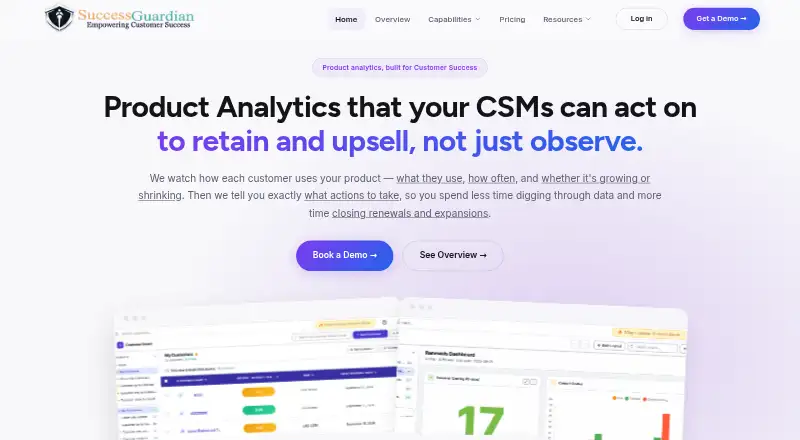
SuccessGuardian is a web-based customer success platform for B2B SaaS teams. It turns product usage data into account health scores, alerts, and playbooks, with feature adoption and session activity tracked by account and usage trends available to teams. Customer 360 brings account usage, notes, billing data, and support tickets together in a unified timeline. The platform also lists health scoring, onboarding workflows, renewal tracking, success playbooks, and a customer portal.
Teams can use playbooks to automate renewal reminders, onboarding sequences, NPS surveys, upsell nudges, check-ins, and escalation alerts. Its Integration Hub lists more than 400 integrations across CRM, billing, support, analytics, monitoring, data warehouses, and communication. Named integrations include Salesforce, HubSpot, Stripe, Zendesk, Mixpanel, Snowflake, Slack, and Microsoft Teams. The maker says connections authenticate through OAuth or API key and sync data in real time without engineering work. SuccessGuardian states that it is GDPR compliant, encrypts data in transit with TLS 1.2+ and at rest with AES-256, and does not use customer data to train AI or ML models. It also lists role-based access controls, multi-factor authentication, audit logs, and a 99.9% uptime SLA. Pricing is available on request, except Starter, listed at $75 a month and billed at $75 per user per month.
Who it suits
SuccessGuardian is aimed at Customer Success teams at B2B SaaS companies that want account health scoring, usage trends, onboarding, and renewal workflows in one platform. It is a fit for teams seeking automated playbooks and integrations across customer and business systems.
What it does well
- Tracks feature adoption and session activity by account.
- Combines usage, notes, billing, and support tickets in Customer 360.
- Automates reminders, onboarding sequences, surveys, and alerts.
- Integration Hub lists more than 400 integrations.
- Lists GDPR compliance and a 99.9% uptime SLA.
- Includes role-based access controls, MFA, and audit logs.
What to know first
- Starter is limited to five seats and 100 included customers.
- Starter does not include Digital Success Rooms or in-app tours.
- Starter does not include a dedicated customer success manager or priority support.
- Pro and Enterprise pricing requires contacting sales.
Limits
Starter includes a maximum of five seats and 100 customers. Digital Success Rooms, in-app tours, a dedicated customer success manager, and priority support are unavailable on Starter.
Plans
| Plan | Billed and limits | Price |
|---|---|---|
| Starter | per user/month · 5 max seats · 100 included customers · no Digital Success Room · no In-App Tours · no dedicated CSM · no priority support | $75 a month |
| Pro | 15 max seats · 1,000 included customers · Digital Success Room · In-App Tours · dedicated CSM · priority support | On request |
| Enterprise | Custom seats · custom included customers · Customer 360 · playbooks/automations · health scores · team metrics · VP Board | On request |
As successguardian.in lists them, read 19 Oct 2026. The maker's own page has the final word.
Getting started
- Visit the SuccessGuardian website.
- Review Starter or contact sales about Pro or Enterprise pricing.
- Use the web platform.
- Connect services through OAuth or API key authentication.
- Configure account tracking, Customer 360, and playbooks for your team.
SuccessGuardian is a web-based customer success system for B2B SaaS companies. It fits Customer Success teams that need product-usage signals connected to account records and repeatable follow-up, rather than analysts looking for a standalone analytics workspace. Its strongest case is coordinated health, onboarding, and renewal work; the trade-off is capped Starter capacity and custom pricing for larger deployments.
Overview
The platform converts feature adoption and session activity into account-level health scores, alerts, and playbooks. Customer 360 places usage, notes, billing information, and support tickets on one timeline, giving a success manager context for an intervention without assembling it from separate systems. Health scoring, onboarding workflows, renewal tracking, success playbooks, and a customer portal cover the core operating rhythm of a B2B SaaS success team.
SuccessGuardian is deliberately aimed at Customer Success teams, not data analysts. Choose it when the objective is to act on engagement and account history; a general-purpose product-analytics tool is a better fit for exploratory analysis outside that workflow.
Key features
Account health and customer context
Tracking adoption by feature and session activity by account makes engagement trends usable in renewal and onboarding conversations. The unified timeline adds commercial and service context—billing, support, and internal notes—so a low health score can be investigated alongside what happened to the customer, not viewed as an isolated metric.
Automated playbooks
Playbooks can send renewal reminders, onboarding sequences, NPS surveys, upsell nudges, check-ins, and escalation alerts. This breadth suits teams standardizing recurring touchpoints across a customer base. Automation reduces repetitive dispatch work, but teams still need sensible triggers and ownership so messages do not replace judgment on complex accounts.
Integrations and operations
The Integration Hub lists more than 400 connections spanning CRM, billing, support, analytics, monitoring, data warehouses, and communication. Examples include Salesforce, HubSpot, Stripe, Zendesk, Mixpanel, Snowflake, Slack, and Microsoft Teams. Authentication uses OAuth or an API key, and the maker says data synchronizes in real time without engineering work; that combination is useful for teams that need to connect an existing SaaS stack quickly.
Security and reliability
SuccessGuardian states that it is GDPR compliant, encrypts data with TLS 1.2 or newer in transit and AES-256 at rest, and does not use customer data to train AI or machine-learning models. Role-based access control, multi-factor authentication, and audit logs provide administrative safeguards. A stated 99.9% uptime SLA is relevant for teams relying on alerts and playbooks during daily operations.
Pricing
Starter
Starter costs $75 a month, billed at $ 75 /user/month. It allows up to five seats and includes 100 customers. Support is included, along with the core health, workflow, and playbook capabilities, but Digital Success Rooms, in-app tours, priority support, and a dedicated customer success manager are unavailable. It is the clearest entry point for a small success team whose managed-customer count stays within 100.
Pro
Pro uses custom pricing and permits up to 15 seats with 1,000 included customers. Digital Success Rooms, in-app tours, priority support, and a dedicated customer success manager are available, making this the more appropriate tier for growing teams that need richer digital engagement and higher-touch vendor assistance.
Enterprise
Enterprise also uses custom pricing, with custom seats and a custom included-customer allowance. It is intended for organizations that have outgrown fixed limits or need the Pro-level rooms, tours, priority support, and dedicated success management at larger scale.
Platforms
SuccessGuardian runs on the web. No other platform is identified, so teams requiring a native desktop or mobile application should verify fit before committing.
Who it's for
Customer Success departments at B2B SaaS companies are the natural audience, especially those managing onboarding, renewals, adoption, and escalation at account level. Starter suits a small team within five seats and 100 customers. Pro suits a larger operation up to 15 seats and 1,000 customers, while Enterprise is for organizations needing flexible capacity. It is less suitable for data analysts seeking broad, independent product analytics.
Pros and cons
- Pros: Account health combines adoption and session trends with billing, support, and notes in one timeline.
- Pros: Playbooks cover renewals, onboarding, surveys, expansion prompts, check-ins, and escalations.
- Pros: More than 400 integrations and real-time, OAuth/API-key connections can reduce data silos.
- Pros: Documented encryption, access controls, audit logs, GDPR compliance, and a 99.9% uptime SLA address operational risk.
- Cons: Starter is limited to five seats and 100 customers, restricting fast-growing teams.
- Cons: Starter excludes Digital Success Rooms, in-app tours, priority support, and a dedicated customer success manager.
- Cons: Pro and Enterprise require a sales conversation, making costs harder to budget in advance.
Alternatives
See the broader Customer Success Software category for more options.
- EverAfter is the better choice if you want a freemium web plan covering up to 20 customers, three kits, unlimited users, and basic CRM and calendar integrations; its subscription plan is $200 a month.
- Custify is a paid alternative with a free trial and API and web access.
- Customerscore.io suits teams wanting tailored pricing with proprietary ML-based health scoring, an AI agent and MCP, custom integrations, and expert-led setup.
- Freshsuccess is another paid option available through API and web.
- Klynk Orchestra uses custom pricing based on modules and the number of customers managed.
- Planhat offers paid API and web plans, including a CRM tier for sales and account-management work.
- UserIQ is a paid web alternative with a free trial, unlimited seats, and pricing tied to monthly active customers.
- ZapScale is a paid web-based alternative.
Verdict
Choose SuccessGuardian for a B2B SaaS Customer Success operation that wants usage-based health signals, a complete account timeline, and automated renewal and onboarding actions in one web platform. Its integration range and operational controls strengthen that case. Look elsewhere if you need generous low-tier capacity, transparent pricing beyond a small Starter deployment, or an analyst-first product-analytics tool.
Verdict
Choose SuccessGuardian if your B2B SaaS Customer Success team needs account health signals, customer context, and automated playbooks. Starter provides a listed price, while Pro and Enterprise require a sales conversation. Teams that need Digital Success Rooms, in-app tours, priority support, or a dedicated customer success manager should consider Pro or Enterprise.
Questions
How much does SuccessGuardian cost?
Starter is listed at $75 a month and billed at $75 per user per month. Pro and Enterprise pricing is available by contacting sales.
Is SuccessGuardian free?
The listed pricing model is paid. No free plan is described in the supplied plan details.
Which platform does it support?
SuccessGuardian is listed for web.
Which integrations does SuccessGuardian offer?
Its Integration Hub lists more than 400 integrations. Examples include Salesforce, HubSpot, Stripe, Zendesk, Mixpanel, Snowflake, Slack, and Microsoft Teams.
How are integrations connected?
The maker says integrations authenticate by OAuth or API key and sync data in real time without engineering work.
What security details does the maker provide?
The maker states that SuccessGuardian is GDPR compliant, uses TLS 1.2+ in transit and AES-256 at rest, and does not use customer data to train AI or ML models. It also lists role-based access control, multi-factor authentication, audit logs, and a 99.9% uptime SLA.
Facts from SuccessGuardian's own pages
- Access controls
- The maker lists role-based access control, multi-factor authentication, and audit logs as security controls. · successguardian.in, 8 Oct 2026
- AI data policy
- The company says customer data is not used to train AI or machine-learning models. · successguardian.in, 19 Oct 2026
- Alert escalation
- Managers can be notified when an account-risk alert remains unacknowledged for 48 hours. · successguardian.in, 19 Oct 2026
- Analytics
- It tracks feature adoption and session activity per account and shows usage trends. · successguardian.in, 8 Oct 2026
- Automated alerts
- The alert engine monitors usage, CRM, billing and support signals, routes alerts to account owners and includes recommended actions. · successguardian.in, 19 Oct 2026
- Automation
- Playbooks can automatically send renewal reminders, onboarding sequences, NPS surveys, upsell nudges, check-ins, and escalation alerts. · successguardian.in, 8 Oct 2026
- Availability
- The maker states a 99.9% uptime SLA. · successguardian.in, 8 Oct 2026
- Company LinkedIn founding
- LinkedIn lists the company as founded in 2023. · in.linkedin.com, 19 Oct 2026
- Company LinkedIn headquarters
- LinkedIn lists the headquarters as Udaipur, Rajasthan, India. · in.linkedin.com, 19 Oct 2026
- Company LinkedIn size
- LinkedIn lists SuccessGuardian as a privately held software-development company with 11–50 employees. · in.linkedin.com, 19 Oct 2026
- Customer 360
- The Customer 360 view combines CRM, product usage, billing and support information in one account dashboard and timeline. · successguardian.in, 19 Oct 2026
- Digital Success Rooms
- Digital Success Rooms provide a shared workspace where customers and teams set goals, review achievements and track progress. · successguardian.in, 19 Oct 2026
- Directors
- ZaubaCorp names Santosh Bai Jat and Rahul Choudhary as directors. · zaubacorp.com, 19 Oct 2026
- Funding
- The reviewed company and directory pages do not state a funding round or investor information. · zaubacorp.com, 19 Oct 2026
- Health scoring
- Health scores can use feature adoption, usage trends, sentiment and expansion signals, with customer-defined weighting rules. · successguardian.in, 19 Oct 2026
- HubSpot documentation
- The HubSpot setup guide instructs users to create a private app with CRM read/write scopes, paste its token and map incoming fields. · successguardian.in, 19 Oct 2026
- HubSpot sync interval
- The older HubSpot guide says mapped data automatically synchronizes every 24 hours. · successguardian.in, 19 Oct 2026
- Implementation time
- The maker markets a typical implementation and launch period of about 3–5 weeks. · successguardian.in, 19 Oct 2026
- Independent directory description
- The Customer Success Association describes SuccessGuardian as an automation, AI and single-source-of-truth tool for retention, satisfaction and growth, and calls it free. · customersuccessassociation.com, 19 Oct 2026
- Integration authentication
- Connectors can authenticate with OAuth or API keys and are marketed as requiring no engineering work. · successguardian.in, 19 Oct 2026
- Integration examples
- Named integrations include Salesforce, HubSpot, Stripe, Zendesk, Mixpanel, Snowflake, Slack, and Microsoft Teams. · successguardian.in, 8 Oct 2026
- Integrations
- The Integration Hub claims more than 400 connectors spanning CRM, billing, support, analytics, monitoring, warehouses and communication. · successguardian.in, 19 Oct 2026
- Integration setup
- The maker says integrations authenticate by OAuth or API key and sync data in real time without engineering work. · successguardian.in, 8 Oct 2026
- Intended users
- The maker describes the product as built for Customer Success teams at B2B SaaS companies, rather than data analysts. · successguardian.in, 8 Oct 2026
Where SuccessGuardian stands on Freedom251
- Customer Success Software#21 of 24