Freedom251 › Legal Deposition Software
Steno Connect
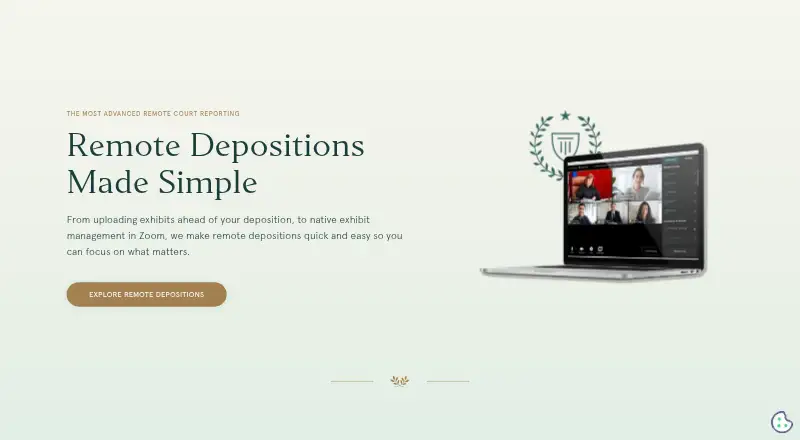
What Steno Connect is
Steno Connect is a videoconferencing and exhibit-handling platform for remote depositions and remote bench trials. It works with Zoom so legal teams can upload, preview, number, present, annotate, and download exhibits during meetings. Supported files include PDF, PNG, JPG/JPEG, TIF/TIFF, Word, and PowerPoint. Uploads can be up to 5 GB, while presentation mode supports files up to 60 MB. Zoom tools such as breakout rooms, chat, messaging, and different video views can be used alongside it. A Firm Dashboard integration lets teams prepare exhibits before a deposition. The Zoom desktop setup requires a Windows or Mac computer, Zoom desktop client, and Zoom account; Business or Enterprise users may need administrator approval. The web app is an option for participants unable to use Zoom, including those on unsupported devices, but it lacks Present and saving annotated exhibits. Participants can access the room one hour before the deposition, and the room and exhibit page close 24 hours after its scheduled start. Pricing is on request. Steno says it offers in-person technical support for every deposition and around-the-clock client support.
Who it suits
It suits legal teams managing remote litigation, especially attorneys handling deposition exhibits. Participants who cannot use the Zoom app can use the web app, with fewer exhibit tools.
What it does well
- Handles exhibits within Zoom meetings.
- Prepares exhibits through the Firm Dashboard.
- Supports files up to 5 GB for upload.
- In-person technical support is available for every deposition.
- Supports Windows, macOS, and web.
What to know first
- Web app lacks Present and saved annotations.
- Presentation mode supports files only up to 60 MB.
- Pricing is available on request.
- Zoom Business or Enterprise users may need admin approval.
Limits
The web app does not offer presentation mode or the ability to annotate and save annotated exhibits. Uploads can be up to 5 GB, but presentation mode supports files only up to 60 MB. Room and exhibit access begins one hour before the scheduled deposition and closes 24 hours after the job’s scheduled start time.
Plans
| Plan | Billed and limits | Price |
|---|---|---|
| Steno Connect | Pricing not stated on the opened pages · Schedule a demo | On request |
As steno.com lists them, read 8 Oct 2026. The maker's own page has the final word.
Getting started
- Visit the Steno Connect remote depositions website.
- For the desktop setup, use a Windows or Mac computer with the Zoom desktop client and a Zoom account.
- If using Zoom Business or Enterprise, ask the Zoom administrator to pre-approve the app if required.
- Use the Steno Connect web app if you cannot access the Zoom app.
- Prepare exhibits in Steno’s Firm Dashboard before the deposition.
Steno Connect is a Zoom-integrated workspace for remote depositions and remote bench trials. It is best suited to legal teams that need structured exhibit control and advance preparation, while participants on unsupported devices may need its more limited browser mode. The main decision is whether its Zoom workflow and scheduled access window match the way your proceedings run.
Overview
Steno Connect places deposition and trial exhibit handling inside Zoom. Users can upload, preview, number, present, annotate, and download PDF, PNG, JPG/JPEG, TIF/TIFF, Word, and PowerPoint files during a meeting. That keeps document presentation alongside the videoconference instead of requiring a separate exhibit tool.
It also works with Zoom breakout rooms, chat, messaging, and alternate video layouts. Steno’s Firm Dashboard supports preparation before a deposition, so teams can organize materials in advance rather than starting document work when participants enter the room. Session recording is supported. Steno says its applications, infrastructure, and network follow standard security practices and that the service has SOC 2 Type II and HIPAA compliance.
Key features
Exhibit workflow
Uploads support files up to 5 GB, accommodating substantial case materials. Presentation mode is limited to 60 MB, however, so a large uploaded source may still need a smaller, presentation-ready copy. The ability to annotate and save marked exhibits is useful for proceedings where the record must reflect document changes, but that capability depends on using the Zoom app rather than the browser version.
Zoom and preparation
Because exhibit controls operate within Zoom, teams already using Zoom can keep conferencing, private breakout discussions, messaging, and document presentation in one meeting environment. The Firm Dashboard is the stronger fit for organized litigation teams that want preparation before the scheduled session. Zoom Business and Enterprise customers may need administrator approval before the app can be used, adding an internal deployment step.
Access and support
Participants can enter the room and upload or mark exhibits beginning one hour before the scheduled deposition. The room and exhibit page close 24 hours after the job’s scheduled start time, so it is not a general-purpose repository for late follow-up. Steno says in-person technical support is provided for every deposition and advertises around-the-clock client support, a meaningful advantage when a proceeding cannot pause for troubleshooting.
Pricing
Steno Connect uses paid, custom pricing. The Steno Connect plan has no published price and directs prospective customers to schedule a demo. That approach is more suitable for firms that want a service discussion and deposition support than for individuals comparing fixed monthly rates.
There are no published seat, quota, trial-length, renewal, or free-plan terms to use for a precise budget comparison. Buyers should confirm those commercial conditions, along with how support is packaged, before committing.
Platforms
The service supports Windows, macOS, and a web browser. The Zoom app setup requires a Windows or Mac desktop or laptop, the Zoom desktop client, and a Zoom account. Steno recommends the web app for participants who cannot access Zoom’s app, including people joining from unsupported devices such as an iPad.
The browser route has important trade-offs: it does not include Present, nor can users annotate and save annotated exhibits. Teams needing full exhibit control should plan for the desktop client and verify that every attorney, witness, and support participant can use it.
Who it's for
Steno Connect is aimed at attorneys, litigation support staff, and other legal teams running remote depositions or remote bench trials. It makes the most sense when exhibit preparation, controlled presentation, and Zoom-based communication need to be coordinated in one workflow, and when live technical assistance is valuable.
It is less suitable for a participant mix that relies heavily on tablets or browsers, or for teams that need exhibit access to remain open well beyond the proceeding. The browser limitations and the 24-hour post-start closure make those requirements material rather than minor inconveniences.
Pros and cons
- Pros: Exhibit upload, numbering, presentation, annotation, and download are integrated with Zoom; the Firm Dashboard enables advance preparation; support includes in-person assistance for every deposition and advertised around-the-clock client coverage; broad document-format support includes office files and common image types.
- Cons: Browser users lose presentation and saved-annotation functions; desktop use requires Zoom, a Zoom account, and possibly administrator pre-approval; presentation files are capped at 60 MB; room and exhibit access ends 24 hours after the scheduled start; pricing is custom rather than published.
Alternatives
Choose DepoFlow if a freemium model and a free viewing plan for synced depositions are more important than Zoom-based exhibit presentation. eDepoze is worth considering when complimentary witness or attending-guest session services and iOS or web access fit your proceeding.
MyVeritext suits readers seeking a complimentary client portal across Android, iOS, and the web, while Filevine is the broader choice for custom matter management, documents, billing, and optional deposition packages. MyDepo is a free online deposition-management option tied to Network Deposition Services.
Pick Remote Counsel when streaming is the priority and a per-event connection model is acceptable. vTestify is another paid option with Android, iOS, web, and desktop coverage. Colibri Legal fits teams seeking a low monthly subscription with quote-based pricing and separately charged final transcripts.
For a wider category comparison, browse Legal Deposition Software.
Verdict
Look elsewhere if browser-only participation, unrestricted post-session access, or transparent self-serve pricing is central to your requirements.
Verdict
Steno Connect combines Zoom-based deposition exhibit handling with advance preparation through the Firm Dashboard. Check whether the web app’s reduced exhibit tools and the stated access window fit your participants’ needs.
Questions
How much does Steno Connect cost?
Pricing is available on request.
Which platforms does it support?
Steno Connect supports Windows, macOS, and a web browser.
Does it work with Zoom?
Yes. It integrates with Zoom and provides exhibit handling within Zoom meetings.
Can I use it in a browser?
Yes. Steno recommends the web app for participants unable to access the Zoom app. It does not include presentation mode or the ability to annotate and save annotated exhibits.
What files can I use?
PDF, PNG, JPG or JPEG, TIF or TIFF, Word, and PowerPoint files can be previewed and presented. Uploads can be up to 5 GB, while presentation mode supports files up to 60 MB.
What security and support does Steno describe?
Steno says it has SOC 2 Type II and HIPAA compliance. It says in-person technical support is available for every deposition and advertises around-the-clock client support.
Facts from Steno Connect's own pages
- Admin approval
- Zoom Business or Enterprise users may need their Zoom administrator to pre-approve the app. · help.steno.com, 8 Oct 2026
- Browser access
- Steno recommends its web app for participants who cannot access the Zoom app, including those joining from unsupported devices such as an iPad. · help.steno.com, 8 Oct 2026
- Browser version limit
- The Steno Connect Web App does not include the Present feature or the ability to annotate and save annotated exhibits. · help.steno.com, 8 Oct 2026
- Company background
- Steno says it was founded by a trial attorney, a software engineer, and an experienced entrepreneur to serve the legal community. · steno.com, 8 Oct 2026
- Dashboard integration
- Steno Connect integrates with Steno’s Firm Dashboard, where users can prepare exhibits ahead of a deposition. · steno.com, 8 Oct 2026
- Desktop requirements
- The Zoom app setup requires a Windows or Mac desktop or laptop, the Zoom desktop client, and a Zoom account. · help.steno.com, 8 Oct 2026
- Exhibit access window
- The room and exhibit page close 24 hours after the job’s scheduled start time. · help.steno.com, 8 Oct 2026
- Exhibit tools
- Users can upload, preview, number, present, annotate, and download exhibits in Zoom. · steno.com, 8 Oct 2026
- File support
- PDF, PNG, JPG/JPEG, TIF/TIFF, Word, and PowerPoint files can be previewed and presented in the app. · help.steno.com, 8 Oct 2026
- Firm Dashboard
- Steno Connect integrates with Steno’s Firm Dashboard so users can prepare exhibits before a deposition. · steno.com, 8 Oct 2026
- Intended users
- The product is designed for legal teams handling remote litigation, including attorneys who need to manage deposition exhibits. · steno.com, 8 Oct 2026
- Purpose
- Steno Connect is a videoconferencing and exhibit-handling platform built for remote depositions and remote bench trials. · steno.com, 8 Oct 2026
- Room access
- Participants can enter the Zoom room and upload or mark exhibits starting one hour before the scheduled deposition. · help.steno.com, 8 Oct 2026
- Security
- Steno says it has SOC 2 Type II and HIPAA compliance and follows standard security practices for its applications, infrastructure, and network. · help.steno.com, 8 Oct 2026
- Support
- Steno says in-person technical support is available for every deposition and advertises around-the-clock support for clients. · steno.com, 8 Oct 2026
- Upload limit
- Users can upload exhibits up to 5 GB, while presentation mode supports files up to 60 MB. · help.steno.com, 8 Oct 2026
- Zoom features
- The product works alongside Zoom features including breakout rooms, chat, messaging, and different video views. · steno.com, 8 Oct 2026
- Zoom integration
- The Steno Connect app integrates with Zoom and provides exhibit handling within Zoom meetings. · help.steno.com, 8 Oct 2026
Where Steno Connect stands on Freedom251
- Legal Deposition Software#20 of 29