Freedom251 › Legal Deposition Software
eDepoze
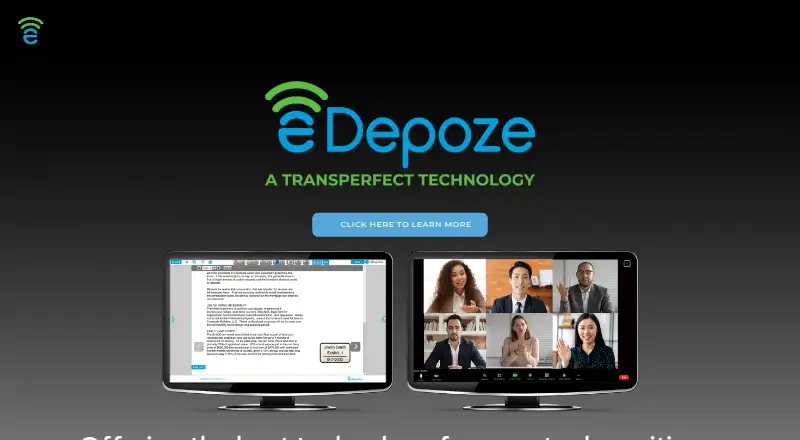
What eDepoze is
eDepoze is deposition exhibit software for preparing electronic exhibits and presenting them during depositions. Documents remain confidential until an attorney introduces them, then the platform shares them one at a time in real time. Participants can annotate their own copies while other attendees see a clean version. An exhibit log tracks activity at both session and case level, and users can export it with hyperlinks. Additional modules support witness preparation, arbitration, mediation, hearings, and trials. The video conferencing feature includes HD audio and video, screen sharing, breakout rooms, waiting rooms, and end-to-end encryption. Supported files include PDF, Office documents, text, images, audio, and video; files other than audio and video are converted to PDF. An announcement from the maker describes importing potential exhibits from Relativity. eDepoze runs on the web and iOS and supports remote depositions, in-person support, exhibit management, and transcript coordination. The company was founded in 2013 by Shawn Kennedy after he left law firm practice. The maker recommends at least 5 Mbps upload and download speeds for the best experience; performance can vary with connection speed and document size. Pricing includes complimentary services and one-time event fees, with subscription and enterprise options available by contacting eDepoze.
Who it suits
eDepoze is aimed at support staff, attorneys, and general counsel managing litigation events. It suits teams that need to prepare and introduce exhibits remotely or in person, and that want session and case logs alongside related event modules.
What it does well
- Keeps documents confidential until they are introduced as exhibits.
- Lets participants annotate personal copies while others see a clean exhibit.
- Exports session and case exhibit logs with hyperlinks.
- Supports witness preparation, arbitration, mediation, hearings, and trials.
- Offers video conferencing with end-to-end encryption.
What to know first
- Introducing-attorney deposition sessions cost $300, paid once.
- The annual subscription and enterprise plan prices require contacting eDepoze.
- The maker recommends at least 5 Mbps upload and download for the best experience.
Limits
Complimentary session/event services provide basic functionality. The $100, paid once non-taking deposition attendee plan excludes exhibit introduction and is limited to a 24-hour session and one user license; the $300, paid once introducing-attorney plan includes three user licenses and a 24-hour session.
Plans
| Plan | Billed and limits | Price |
|---|---|---|
| Complimentary Session/Event Services — Witness | No Charge · Basic functionality | Free |
| Complimentary Session/Event Services — Attending Guest | No Charge · Basic functionality | Free |
| Deposition Session — Member Attendee (Non-Taking) | Per Deposition Session · Full system access · No exhibit introduction · 24-hour session · Full database access · Instant stamped exhibit access · 1 user license | $100, paid once |
| Witness Prep Event — Member (Primary Attorney) | Per Event | $100, paid once |
| Mediation, Arbitration, Hearing, Trial Event — Member Attendee (Non-Taking) | Per Event · Attending Guest not available | $250, paid once |
| Deposition Session — Member (Introducing Attorney[s]) | Per Deposition Session · Full system access · Exhibit introduction · 24-hour session · Full database access · Instant stamped exhibit access · 3 user licenses | $300, paid once |
| Witness Prep Event — Member Attendee (Non-Taking) | Per Event | $50, paid once |
| Mediation, Arbitration, Hearing, Trial Event — Member (Introducing Attorney[s]) | Per Event · Attending Guest not available | $500, paid once |
The first 8 of 10 plans, as edepoze.com lists them, read 4 Oct 2026. The maker's own page has the final word. Every plan
Getting started
- Visit the eDepoze website.
- Use the web platform or iOS app.
- Choose complimentary session/event services or a paid event option.
- For annual subscription or enterprise details, contact eDepoze.
- Use the available support resources, demos, or training to get started.
eDepoze is litigation-event software centered on preparing and introducing deposition exhibits. It suits attorneys and litigation support teams managing exhibits in remote or in-person proceedings. Its role-based event pricing is useful for occasional matters, while broad, repeated use may call for a subscription.
Overview
Documents remain confidential until introduced, then are shared one at a time in real time. Participants can annotate personal copies while others see a clean exhibit, separating working notes from the version being presented. Exportable session- and case-level logs with hyperlinks provide a navigable record of introduced exhibits.
Deposition exhibits are the central workflow, with additional modules for witness preparation, arbitration, mediation, hearings, and trials. eDepoze supports exhibit management and transcript coordination as well as remote depositions and in-person proceedings. Founded in 2013 by Shawn Kennedy after he left law firm practice, the company presents the product to support staff, attorneys, and general counsel handling litigation events.
Key features
Exhibits and event tools
The distinction between personal annotations and the clean shared exhibit is valuable when participants need to mark up material without changing what others see. Hyperlinked logs at both session and case level also help teams carry the exhibit record beyond a single proceeding. Potential exhibits can be imported directly from Relativity, according to a maker-published product announcement.
The FAQ lists PDF, Office, text, image, audio, and video files; non-audio and video files are converted to PDF. That covers common document and media types, though conversion means most non-media files are handled as PDFs in the workflow.
Video, security, and support
The video conferencing feature includes HD audio and video, screen sharing, breakout rooms, waiting rooms, and end-to-end encryption. The maker says the platform runs on Amazon Web Services and uses eDiscovery-grade encryption, security, and privacy practices; security and SLA documentation is available upon request. These are useful assurances for litigation teams, but buyers evaluating security controls or service commitments will need to request the documentation.
Support resources include technical support, training videos, resource documents, and scheduled demos and training. The maker recommends at least 5 Mbps upload and download for the best experience and notes that performance can vary with connection speed and document size, so bandwidth remains a practical consideration for remote sessions with larger files.
Pricing
eDepoze combines no-charge basic access, per-event fees, and custom pricing for recurring use. A 30-day trial is offered, and a free plan is available. The no-charge Complimentary Session/Event Services options cover Witness and Attending Guest roles with basic functionality; they are useful for limited participation, not a substitute for full exhibit introduction.
For witness preparation, a Member Attendee (Non-Taking) costs $50 per event, while a Member (Primary Attorney) costs $100 per event. These separate role prices make occasional preparation events accessible without an annual commitment.
For depositions, a Member Attendee (Non-Taking) costs $100 per deposition session. It includes full system access, no exhibit introduction, a 24-hour session, full database access, instant stamped exhibit access, and one user license. An Introducing Attorney costs $300 per deposition session and gets exhibit introduction plus three user licenses, alongside the other listed session access. The lower price is appropriate for a non-taking attendee who does not need to introduce exhibits; teams that need multiple users or introduction rights should weigh the higher fee.
Mediation, arbitration, hearing, and trial events cost $250 per event for a Member Attendee (Non-Taking) or $500 per event for Introducing Attorney(s). Attending Guest is not available for these event types, which narrows the lower-cost participation options.
The Annual Subscription License costs custom pricing for 12 consecutive calendar months and includes all session and event types, unlimited usage, full database access, and a single user license; a signed Subscription License Agreement is required. It may suit a regular individual user, but the single-user scope and unpublished price make team budgeting less straightforward. The Enterprise Account has custom pricing, a minimum 12-month term, a minimum number of initial monthly users, all session and event types, unlimited usage, and full database access under a signed Enterprise License Agreement. That is aimed at broader organizational use, but buyers must contact eDepoze for plan details.
Platforms
eDepoze supports web and iOS. The combination covers browser-based work and Apple mobile access, but it does not list Android, macOS, or Windows as supported platforms.
Who it's for
eDepoze is a strong fit for legal teams that need controlled exhibit introduction, separate participant annotations, and exportable records across depositions and other litigation events. Its per-event roles also suit teams with occasional proceedings. Buyers seeking a known annual or enterprise price, or organizations that need more than one subscription user, should compare the recurring-use terms carefully before committing.
Pros and cons
Pros
- Confidential-until-introduction sharing and clean shared exhibits keep personal annotations apart from presented material.
- Exportable case- and session-level logs with hyperlinks support a navigable exhibit record.
- Per-event pricing distinguishes observing from introducing roles, with session access and user-license terms spelled out for deposition plans.
- Additional event modules, conferencing tools, and Relativity exhibit import extend the workflow beyond basic deposition exhibit handling.
Cons
- Deposition introduction requires the 300.00 USD per-session Introducing Attorney plan rather than the 100.00 USD non-taking option.
- The annual plan includes only one user license, while the enterprise plan imposes a minimum 12-month term and minimum initial monthly users.
- Annual and enterprise plans use custom pricing, limiting price certainty before contacting eDepoze.
- Remote performance can depend on bandwidth and document size; the maker recommends at least 5 Mbps upload and download.
Alternatives
Legal Deposition Software is a category directory for comparing deposition tools. DepoFlow is worth considering if the priority is free viewing and searching of synced depositions on Mac or Windows: its Litigators & Support Staff — Viewing plan is free, though that plan is for viewing and searching rather than eDepoze's exhibit-introduction workflow.
MyVeritext may suit clients who want a free client portal for court reporting and related services; those services may carry separate charges. Filevine is an option for buyers seeking custom-built matter and document management packages, with billing and payments plus optional intake, deposition, signature, and AI packages.
MyDepo offers complimentary online deposition management for Network Deposition Services court reporting, legal video, and interpreting. Remote Counsel is an alternative for remote streaming across Android, iOS, macOS, web, and Windows; its streaming plan has a minimum charge of one connection per event and no setup fees for transcript-only streams.
Steno Connect is another paid option, with pricing not stated on its opened pages and a demo available by schedule. vTestify is a paid alternative on Android, iOS, and web. Colibri Legal uses a low monthly subscription with quote-based pricing; final transcripts are charged by the page and court reporter appearance fees are optional.
Verdict
Choose eDepoze if your litigation work depends on controlled exhibit introduction, collaborative personal annotation, and an exportable exhibit record across depositions and related events. Its clearest advantage is the role-specific event workflow; its main drawback is that repeated or enterprise use moves to custom pricing, with seat or term constraints that can complicate budgeting. Teams that need those exhibit controls should shortlist it, while buyers focused on free deposition management, broader case management, or price certainty should compare alternatives.
Verdict
Choose eDepoze if your litigation work centers on controlled exhibit introduction, collaborative annotation, and exportable logs. Its event-based fees and subscription options fit different usage patterns, but buyers seeking a known annual or enterprise price will need to contact eDepoze.
Questions
Is eDepoze free?
Yes. Complimentary session/event services are listed as free, billed No Charge, with basic functionality.
What does a deposition session cost?
A non-taking member attendee is listed at $100, paid once. Introducing attorney(s) are listed at $300, paid once.
Which platforms does eDepoze support?
The listed platforms are web and iOS.
Can eDepoze be used for remote depositions?
Yes. Remote depositions are supported, and the video conferencing feature lists HD audio and video, screen sharing, breakout rooms, waiting rooms, and end-to-end encryption.
What files can it handle?
The FAQ lists PDF, Office documents, text, image, audio, and video files. Non-audio/video files are converted to PDF.
Does it have a Relativity integration?
A maker-published product announcement describes importing potential exhibits directly from Relativity.
Facts from eDepoze's own pages
- Additional events
- Additional modules support witness preparation, arbitration, mediation, hearings, and trials. · edepoze.com, 4 Oct 2026
- Annotations
- Participants can annotate personal copies while others view a clean version of the exhibit. · edepoze.com, 4 Oct 2026
- Audience
- The maker presents eDepoze for support staff, attorneys, and general counsel handling litigation events. · edepoze.com, 4 Oct 2026
- Company origin
- The maker's About page says Shawn Kennedy left law firm practice in 2013 to found eDepoze. · edepoze.com, 4 Oct 2026
- Connectivity limit
- The maker recommends at least 5 Mbps upload and download for the best experience and says performance can depend on connection speed and document size. · edepoze.com, 4 Oct 2026
- Exhibit log
- eDepoze maintains an exhibit log at session and case level that users can export with hyperlinks. · edepoze.com, 4 Oct 2026
- Exhibit workflow
- The platform keeps documents confidential until they are introduced as exhibits and shares them one by one in real time. · edepoze.com, 4 Oct 2026
- File types
- The FAQ lists PDF, Office documents, text, image, audio, and video file types; non-audio/video files are converted to PDF. · edepoze.com, 4 Oct 2026
- Founded
- 2013 · edepoze.com, 28 Sept 2026
- Integration
- A maker-published product announcement describes importing potential exhibits directly from Relativity. · edepoze.com, 4 Oct 2026
- Purpose
- eDepoze is deposition exhibit software for preparing exhibits electronically and introducing them securely during depositions. · edepoze.com, 4 Oct 2026
- Security
- The maker says the platform runs on Amazon Web Services and uses eDiscovery-grade encryption, security, and privacy practices; it offers security and SLA documentation upon request. · edepoze.com, 4 Oct 2026
- Support
- Support resources include technical support, training videos, resource documents, and scheduled demos and training. · edepoze.com, 4 Oct 2026
- Video conferencing
- The video conferencing feature lists HD audio and video, screen sharing, breakout rooms, waiting rooms, and end-to-end encryption. · edepoze.com, 4 Oct 2026
Where eDepoze stands on Freedom251
- Legal Deposition Software#4 of 29