Freedom251 › Headless Browser APIs
Steel
by Nen Labs, Inc.
What Steel is
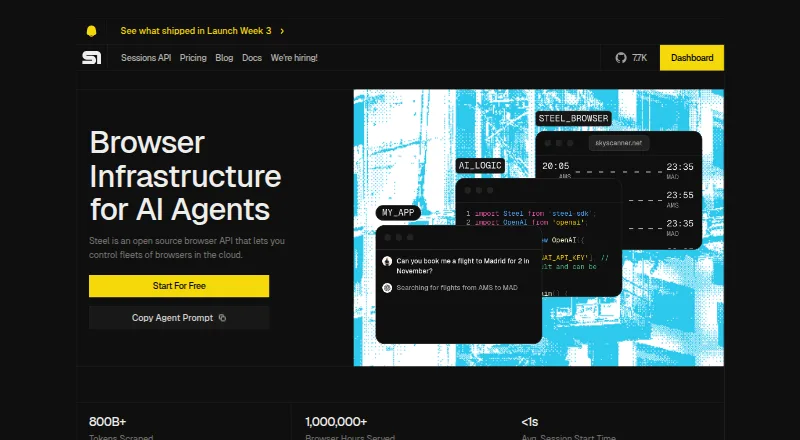
Steel is an open-source browser API for developers who need cloud browsers for AI agents and other automated workflows. Its Sessions API starts browser sessions on demand, while stateless tools provide one-call page scraping, screenshots, and PDF generation. Developers can connect cloud browser sessions to Puppeteer, Playwright, and Selenium, or use listed agent integrations such as Browser Use, OpenAI Agents, Claude Computer Use, Gemini Computer Use, Stagehand, and CrewAI. Sessions can retain browser context and offer live viewing and recorded-session debugging. Maximum session duration depends on plan: Launch is limited to 15 minutes, Scale to one hour, and Enterprise can reach 24 hours. Steel also offers managed residential proxies, proxy rotation, and CAPTCHA solving, subject to plan availability and pricing. The Credentials API encrypts stored credentials and injects them into sessions without exposing sensitive fields to agents or viewers. Cloud and self-hosted deployment are available. Launch is free with a one-time $30 credit; Scale costs $250 per month, plus usage.
Who it suits
Steel suits developers building AI agents, browser automation, scraping, RPA, QA, or other listed browser-based workflows. It offers both cloud and self-hosted deployment options.
What it does well
- Open-source browser API
- On-demand browser sessions through an API
- Works with Puppeteer, Playwright, and Selenium
- Sessions can preserve browser context
- Cloud and self-hosted deployment options
What to know first
- Launch sessions are limited to 15 minutes
- Scale sessions are limited to one hour
- Scale costs $250 per month, plus usage
- Enterprise pricing is custom
Limits
Launch sessions can run for up to 15 minutes and include a one-time $30 credit. Scale sessions can run for up to one hour; Enterprise sessions can run for up to 24 hours. Proxy and CAPTCHA features vary by plan.
Plans
| Plan | Billed and limits | Price |
|---|---|---|
| Launch | $0 per month + usage · $30 of credits (one time) · 10 concurrent sessions · 15-minute max sessions · up to 3 seats · 60 requests/minute · 7-day data retention | Free |
| Scale | $250 per month + usage · $100 of credits per month · 100 concurrent sessions · 1-hour max sessions · unlimited seats · 600 requests/minute · 14-day data retention · Dedicated IPs $5/IP/month | $250 a month |
| Enterprise | Custom + usage · Custom credits and limits · 1,000+ concurrent sessions · sessions up to 24 hours · Stealth Browser · reserved browser pools · support and uptime SLAs | On request |
As steel.dev lists them, read 30 Sept 2026. The maker's own page has the final word.
Getting started
- Visit https://steel.dev/.
- Choose the free Launch plan or a paid plan.
- Connect through the API or use a documented browser automation integration.
- Deploy in the cloud or self-host Steel.
Steel is an open-source browser API for developers building browser-driven workflows, from scraping to AI agents. It is best suited to teams that want managed browser sessions, established automation libraries, or a self-hosted deployment option. Its broad toolkit is compelling, but session limits and usage-based charges make it important to match the plan to the workload.
Overview
Steel pairs an API for starting browser sessions on demand with stateless endpoints for scraping pages, capturing screenshots, and generating PDFs. It connects to Puppeteer, Playwright, and Selenium, alongside agent integrations such as Browser Use, OpenAI Agents, Claude Computer Use, Gemini Computer Use, Stagehand, and CrewAI. That combination suits projects that need browser access across different automation stacks rather than a single framework.
Sessions can retain browser context, be viewed live, and recorded for debugging. Steel also says its Credentials API encrypts stored credentials and injects them into sessions without revealing sensitive fields to agents or viewers. Managed residential proxies, rotation, and CAPTCHA solving extend the toolkit for harder web tasks, though access and pricing depend on plan.
Key features
Sessions and automation
The Sessions API starts a browser session with an API call. Teams can automate those sessions through Puppeteer, Playwright, or Selenium, while saved context can preserve browser state between tasks. Live viewing and session recordings make it easier to inspect and debug browser-driven work. Session duration is a meaningful constraint: Launch is capped at 15 minutes, Scale at one hour, and Enterprise can run up to 24 hours.
One-call browser tools
Stateless endpoints handle page scraping, screenshots, and PDF generation without requiring a persistent session for every task. That is a practical fit for discrete browser jobs; workflows that need longer-lived state are better served by the Sessions API.
Deployment and security
Steel offers cloud and self-hosted deployment, plus API and web access. Its stated compliance features include SSO SAML and HIPAA; the pricing table associates Enterprise SSO and a HIPAA-ready BAA with Scale and Enterprise. These are relevant options for teams with access-control or healthcare requirements, but they do not remove the need to check that a particular plan meets the team's obligations.
Pricing
Steel uses a freemium model with a free Launch plan and paid plans from $250/mo. Plans are billed monthly plus usage, so the stated plan credits do not represent a complete fixed-cost ceiling.
| Plan | Price and credits | Best fit |
|---|---|---|
| Launch | free; $30 credits one time; 15-minute session limit | Evaluation and short browser tasks |
| Scale | $250 a month; $100 credits per month; one-hour session limit | Teams needing a recurring allowance and longer sessions |
| Enterprise | Custom pricing; 1,000+ concurrent browser sessions; sessions up to 24 hours | High-concurrency or long-running workloads |
Launch gives developers a way to start without a subscription, but its one-time credits and 15-minute sessions limit its usefulness for sustained workloads. Scale raises the session ceiling to an hour and adds monthly credits, but costs $250 a month before usage charges. Enterprise is the option for sessions up to 24 hours and 1,000+ concurrent browsers, though it uses custom pricing. Steel has no free trial, so Launch is the available no-cost route to try the service.
Platforms
Steel supports API, web, and self-hosted use, with cloud execution and multiple language support. That flexibility suits teams that want managed cloud browsers now or need a self-hosted deployment path.
Who it's for
Steel is aimed at developers and teams building AI agents, model training workflows, AI shopping assistants, scraping systems, RPA, sales automation, QA, and customer service agents. Its mix of persistent sessions, stateless tools, and library integrations is especially useful when a project needs both browser automation and agent-oriented controls. It is a weaker fit for occasional work that cannot justify a $250.00 monthly Scale plan or for processes that need longer sessions than Launch permits.
Pros and cons
- Pros: Support for Puppeteer, Playwright, and Selenium lets teams keep familiar automation libraries in their stack.
- Pros: Saved context, live viewing, and recorded-session debugging address state management and troubleshooting in browser workflows.
- Pros: Cloud and self-hosted deployment give teams a choice of operating model.
- Cons: Launch sessions stop at 15 minutes, making the free plan unsuitable for longer jobs.
- Cons: Scale starts at $250 a month plus usage, a substantial commitment for smaller or intermittent workloads.
- Cons: Proxy and CAPTCHA capabilities depend on plan, so they cannot be assumed at every price level.
Alternatives
For a broader set of browser automation options, see Browser Automation Tools. Consider Browserless if its free plan's 1,000 units per month, two concurrent browsers, two-minute session maximum, and one-day persisted sessions suit the workload. Kameleo is another freemium option, with a free tier offering two concurrent browsers, 300 minutes of browser usage, and 100 cloud profiles.
Nightwatch is a free, open-source option with no paywalls. TestCafe offers a free, MIT-licensed test runner and a separate Personal plan at 20.00. TestMu AI Web Automation has a free tier with 100 lifetime minutes and two parallel web and mobile automation sessions. testRigor offers a public open-source plan with public tests and results. WebdriverIO is a free, open-source framework requiring Node.js. Cypress has a free Starter plan with 10 users, 500 test results per month, and 100 prompt executions per month.
Verdict
Choose Steel if you are building browser-driven applications or agents and want a choice of automation libraries, stateful sessions, and cloud or self-hosted deployment. Its main advantage is the breadth around its browser API; its main drawback is that useful session duration and usage capacity quickly become plan and cost considerations. For short evaluations, Launch is enough to begin; for production workloads, budget for Scale or custom-priced Enterprise.
Verdict
Steel provides browser sessions and one-call tools alongside integrations for automation and agents. Session duration and the availability of proxies or CAPTCHA solving depend on the selected plan.
Questions
Is Steel open source?
Yes. Steel is listed as open source.
Is there a free plan?
Yes. Launch is free and includes a one-time $30 credit.
How much does Steel cost?
Scale costs $250 a month plus usage. Enterprise has custom pricing.
Which automation tools does Steel integrate with?
It documents integrations for Puppeteer, Playwright, Selenium, Browser Use, OpenAI Agents, Claude Computer Use, Gemini Computer Use, Stagehand, and CrewAI.
Can Steel be self-hosted?
Yes. Steel lists self-hosted deployment as an option.
How long can a session run?
Launch sessions are limited to 15 minutes, Scale sessions to one hour, and Enterprise sessions can run up to 24 hours.
Facts from Nen Labs, Inc.'s own pages
- Agent integrations
- Steel lists integrations including Browser Use, OpenAI Agents, Claude Computer Use, Gemini Computer Use, Stagehand, and CrewAI. · docs.steel.dev, 30 Sept 2026
- Automation libraries
- Steel documents cloud browser integrations for Playwright, Puppeteer, and Selenium. · docs.steel.dev, 30 Sept 2026
- Browser tools
- Stateless Browser Tools provide one-call endpoints to scrape pages, capture screenshots, and generate PDFs. · docs.steel.dev, 30 Sept 2026
- Company
- The homepage footer identifies the company as Nen Labs Inc. · steel.dev, 30 Sept 2026
- Compliance
- sso saml, HIPAA · steel.dev, 19 Sept 2026
- Credentials security
- Steel says its Credentials API encrypts stored credentials and injects them into sessions without exposing sensitive fields to agents or viewers. · docs.steel.dev, 30 Sept 2026
- Deployment
- Steel says its browser runtime is open source under Apache-2.0 and can be run locally or self-hosted with Docker. · docs.steel.dev, 30 Sept 2026
- Integrations
- Puppeteer, Playwright, Selenium, Python, Node.js, Browser Use, OpenAI Computer Use, Claude Computer Use · steel.dev, 19 Sept 2026
- Key features
- Managed cloud browser sessions · Browser automation through Puppeteer, Playwright, and Selenium · Web scraping, screenshots, and PDF generation · Persistent cookies and reusable browser context · Proxy and browser fingerprinting controls · Automatic CAPTCHA solving · Session viewer and replay-based debugging · Authentication and automatic sign-in support · steel.dev, 19 Sept 2026
- Limits
- Launch sessions are limited to 15 minutes and Scale sessions to 1 hour; Enterprise sessions can run up to 24 hours. · docs.steel.dev, 30 Sept 2026
- Product
- Steel is an open-source browser API that lets developers control fleets of browsers in the cloud for AI agents. · steel.dev, 30 Sept 2026
- Proxies and CAPTCHA
- Steel offers managed residential proxies, proxy rotation, and CAPTCHA solving; pricing and availability depend on plan. · docs.steel.dev, 30 Sept 2026
- Security features
- Scale and Enterprise include Enterprise SSO and a HIPAA-ready BAA, according to the pricing table. · docs.steel.dev, 30 Sept 2026
- Session features
- Sessions support saved browser context, live viewing and recorded-session debugging, and can run up to 24 hours depending on plan. · steel.dev, 30 Sept 2026
- Sessions API
- The Sessions API starts on-demand browser sessions with an API call. · steel.dev, 30 Sept 2026
- Support
- Launch and Scale include email and community support, Scale includes a dedicated Slack channel, and Enterprise includes a 911 email and support and uptime SLAs. · docs.steel.dev, 30 Sept 2026
- Support
- email, community, docs · steel.dev, 19 Sept 2026
- Use cases
- Steel lists AI agents, model training, AI shopping assistants, web scraping, RPA, sales automation, QA, and customer service agents as use cases. · steel.dev, 30 Sept 2026
Where Steel stands on Freedom251
- Headless Browser APIs#3 of 33
- Browser Automation Tools#6 of 63