Freedom251 › On-Call Scheduling Software
Squid Alerts
What Squid Alerts is
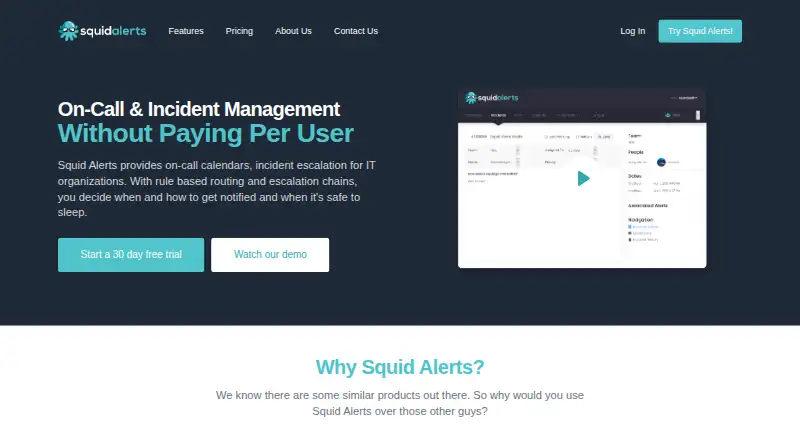
Squid Alerts gives IT organizations tools to schedule on-call coverage, escalate incidents, and route alerts according to rules. Teams can set primary and secondary responders, create recurring rotations, or generate schedules automatically. Escalation chains reach responders by email, SMS, or voice call and can continue until an incident is acknowledged or resolved. Routing rules can forward alerts to another team, turn them into incidents, or ignore them. Incoming alerts can arrive through team email addresses, API endpoints, phone calls, and SMS. Named integrations include ServiceNow, JIRA, SolarWinds, Microsoft Teams, Slack, Splunk, and Jenkins. Both plans include unlimited users and teams; charges depend on monthly notification volume. Startup costs $89/mo for 1,000 notifications per month, while Professional costs $249/mo for 5,000. A 30-day trial is available without a credit card, and there is no free plan. Long SMS messages and calls over one minute may use multiple notifications; each team phone number uses 100 monthly notifications. The company says all capabilities currently work in the US, Canada, and UK. Squid Alerts is available on the web and through an API.
Who it suits
It suits IT teams that need shared on-call schedules, incident escalation, and configurable alert routing. The company describes its customers as ranging from startups to enterprises.
What it does well
- Unlimited users and teams on both plans
- Recurring and automatically generated schedules
- Email, SMS, and voice escalation
- 30-day trial requires no credit card
What to know first
- No free plan
- Long SMS messages may use multiple notifications
- Each team phone number uses 100 monthly notifications
- Capabilities currently work in the US, Canada, and UK
Limits
Startup provides 1,000 notifications per month, while Professional provides 5,000. Long SMS messages and voice calls longer than one minute can use more than one notification, and each team phone number uses 100 monthly notifications.
Plans
| Plan | Billed and limits | Price |
|---|---|---|
| Professional | $249 /mo · 5,000 notifications / month · Unlimited Users & Teams · On-Call Calendars & Escalation Chains · Inbound Numbers & Live Call Routing · Email & Phone Support | $249 a month |
| Startup | $89 /mo · 1,000 notifications / month · Unlimited Users & Teams · On-Call Calendars & Escalation Chains · Inbound Numbers & Live Call Routing · Email Support | $89 a month |
As squidalerts.com lists them, read 9 Oct 2026. The maker's own page has the final word.
Getting started
- Open the Squid Alerts website
- Start the 30-day free trial without a credit card
- Choose the Startup or Professional plan
- Configure on-call calendars and escalation chains
- Connect inbound email, API, phone, or SMS alerts
- Add integrations such as Slack, JIRA, or ServiceNow
Verdict
Squid Alerts combines on-call scheduling, multichannel escalation, and rule-based routing, with notification-based pricing rather than per-user charges. Teams should account for the notification limits and the stated country coverage when considering it.
Questions
Does Squid Alerts have a free plan?
No. It offers a 30-day free trial, and no credit card is required.
How much do the plans cost?
Startup costs $89 a month with 1,000 notifications. Professional costs $249 a month with 5,000 notifications.
Which platforms are supported?
Squid Alerts is available through web and API access.
How is billing calculated?
Plans are based on monthly notifications rather than per-user charges, with unlimited users and teams.
Which notification channels are available?
Escalations can use email, SMS, or voice calls; inbound alerts can also arrive through team email, API endpoints, phone calls, and SMS.
Facts from Squid Alerts's own pages
- Alert routing
- Routing rules can forward alerts to another team, convert them to incidents, or ignore them. · squidalerts.com, 9 Oct 2026
- Billing model
- Pricing is based on monthly notifications rather than per-user charges, and plans include unlimited users and teams. · squidalerts.com, 9 Oct 2026
- Country coverage
- The pricing page says all capabilities currently work in the US, Canada, and UK. · squidalerts.com, 9 Oct 2026
- Escalations
- Escalation chains can notify people by email, SMS, or voice call and continue until an incident is acknowledged or resolved. · squidalerts.com, 9 Oct 2026
- Inbound alerts
- Teams can receive alerts through team email addresses, API endpoints, phone calls, and SMS messages. · squidalerts.com, 9 Oct 2026
- Integrations
- The maker names ServiceNow, JIRA, SolarWinds, Microsoft Teams, Slack, Splunk, and Jenkins as integration examples. · squidalerts.com, 9 Oct 2026
- Notification usage
- Long SMS messages and voice calls longer than one minute can use more than one notification; each team phone number uses 100 monthly notifications. · squidalerts.com, 9 Oct 2026
- On-call scheduling
- Teams can configure primary and secondary on-call resources, recurring schedules, and automatically generated schedules. · squidalerts.com, 9 Oct 2026
- Purpose
- Squid Alerts provides on-call calendars, incident escalation, and rule-based alert routing for IT organizations. · squidalerts.com, 9 Oct 2026
- Security
- The data security policy says data in transit is encrypted with SSL and HTTPS/TLS and data at rest with AES-256 or higher. · squidalerts.com, 9 Oct 2026
- Security controls
- The policy describes role-based production access, annual third-party penetration tests, and backups every six hours. · squidalerts.com, 9 Oct 2026
- Support
- The Startup plan includes email support, while Professional includes email and phone support. · squidalerts.com, 9 Oct 2026
- Trial
- The site offers a 30-day free trial and says no credit card is required. · squidalerts.com, 9 Oct 2026
- Who it is for
- The company describes its product as serving startups through enterprises and building enterprise integration tools to improve employee productivity. · squidalerts.com, 9 Oct 2026
Where Squid Alerts stands on Freedom251
- On-Call Scheduling Software#21 of 25