Freedom251 › 3D File Converter Software
Spin 3D
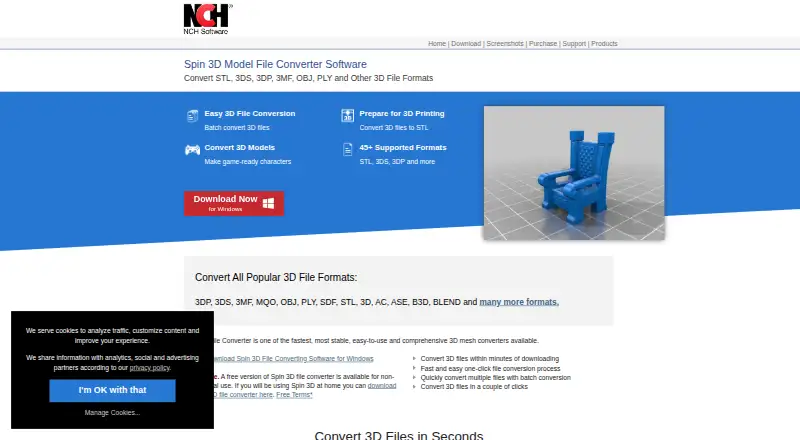
What Spin 3D is
Spin 3D converts 3D mesh files between formats for tasks such as 3D printing, game modding, design, and animation. Its product page lists more than 45 supported formats, including OBJ, STL, FBX, BLEND, and GLB as inputs, with OBJ, STL, PLY, 3DS, 3MF, and 3DP among the outputs. Users can preview source models and conversion results, adjust default translation, rotation, and scale values, recalculate normals, and remove duplicate triangles and vertices. Multithreaded batch processing can convert hundreds or thousands of files at once. Downloads are offered for Windows 7 to 11 and macOS 10.9 or above; the maker directs Mac, Linux, and Chrome OS users to its online converter. The free version is for non-commercial use only. Format support has qualifications: OBJ material files are not yet supported, and some formats are read-only or require an optional component. Converted models can be imported into DreamPlan Home Design Software. Help options include video tutorials, a manual, FAQs, a forum, and a technical support contact.
Who it suits
Spin 3D suits people converting mesh files for 3D printing, modding, design, or animation, particularly when batch processing or model previews are useful. Its free version is restricted to non-commercial use.
What it does well
- Supports more than 45 formats.
- Previews models and conversion results.
- Batch processing supports many files at once.
- Can recalculate normals and remove duplicate geometry.
- Online converter is offered to Mac, Linux, and Chrome OS users.
What to know first
- Free version is for non-commercial use only.
- OBJ material files are not yet supported.
- Some formats are read-only or need an optional component.
Limits
The free version is for non-commercial use only. OBJ material files are not supported yet, and some formats are read-only or require an optional component.
Plans
| Plan | Billed and limits | Price |
|---|---|---|
| Free version | Non-commercial use only | Free |
As nchsoftware.com lists them, read 4 Oct 2026. The maker's own page has the final word.
Getting started
- Visit https://www.nchsoftware.com/3dconverter/.
- Choose the Windows or macOS download, or use the online converter if you are on Mac, Linux, or Chrome OS.
- Install or open the converter for your platform.
- Load a supported mesh file and preview the source model.
- Choose an output format and adjust conversion settings if needed.
- Convert the file or batch, then import the result into DreamPlan Home Design Software if desired.
Spin 3D is a mesh-conversion utility for 3D printing, game modding, design, and animation workflows. It suits people who need broad format coverage, previews, and high-volume desktop conversion more than full modeling features. The free edition is practical for personal work, but commercial users need to account for its license restriction.
Overview
Spin 3D converts among more than 45 3D mesh formats, including STL, 3DS, 3DP, 3MF, OBJ, and PLY. It accepts formats such as OBJ, STL, FBX, BLEND, and GLB and can produce OBJ, STL, PLY, 3DS, 3MF, or 3DP. That makes it a useful bridge between common tools and asset pipelines, although support is not identical across every format.
You can preview the source model and the converted result before committing to output. Translation, rotation, and scale offsets provide practical control over positioning, while normal recalculation and removal of duplicate triangles and vertices address common cleanup problems. These are focused conversion aids, not a replacement for a full mesh-modeling or advanced repair application.
Converted files can be imported into DreamPlan Home Design Software. NCH provides video tutorials, a help manual, FAQs, a forum, and a technical-support contact. Its privacy statement says credit-card information is not stored and personal information is encrypted in transit with SSL.
Key features
Batch processing and previews
Multithreaded processing can convert hundreds or thousands of files in one batch. That is the strongest reason to choose Spin 3D for recurring asset pipelines rather than occasional one-file conversions. Previewing both input and output helps identify orientation or conversion changes before processing a large collection.
Mesh adjustments
Normal recalculation and duplicate triangle or vertex removal can resolve routine import and export inconsistencies. Offset controls for translation, rotation, and scale are useful when a destination application expects different defaults. Users needing topology editing, sculpting, or comprehensive repair should use a dedicated modeling tool alongside it.
Format qualifications
OBJ material files are not supported. Some formats are read-only or require an optional component, so a claimed format count should not be treated as a guarantee of full read-write conversion. Check the intended source, destination, and feature path before standardizing a production workflow.
Pricing
The Free version costs free and is for non-commercial use only. It is a sensible fit for hobbyists, students, and personal projects that need batch conversion without a software bill. Businesses, freelancers delivering paid work, and studios should not assume this edition covers their use; no commercial plan or price is provided.
There are no published seat limits, conversion quotas, trial period, renewal terms, or paid tiers to compare. The free-use restriction is therefore the decisive commercial consideration, along with format qualifications that may require an optional component.
Platforms
Spin 3D is offered for Windows and macOS, with Windows 7 through 11 supported and macOS 10.9 or later listed. A web converter is directed at Mac, Linux, and Chrome OS users, so those platforms can still access conversion without the desktop download. The product is listed across web, Windows, and macOS.
Who it's for
Choose Spin 3D for personal 3D-printing projects, game-asset batches, design handoffs, or animation pipelines where common mesh formats and throughput matter. It is especially well matched to users who want previews and modest corrective operations in the same conversion workflow. Commercial teams should first resolve licensing, format read/write status, and any optional-component requirement.
Pros and cons
- Pro: More than 45 listed mesh formats cover many common interchange needs.
- Pro: Multithreaded batches can process hundreds or thousands of files, reducing repetitive manual work.
- Pro: Preview, transform offsets, normal recalculation, and duplicate removal provide useful conversion-stage control.
- Con: The free edition is limited to non-commercial use, excluding many professional deployments.
- Con: OBJ material files are unsupported, while some formats are read-only or depend on an optional component.
- Con: Its correction tools are narrower than those of a dedicated modeling or mesh-repair package.
Alternatives
3D File Converter Software is a useful broader starting point when you want to compare multiple converters before selecting one.
Choose HOOPS Exchange when you need broad platform coverage, paid commercial software, and a full-access 60-day evaluation with technical expert support.
CAD Assistant fits users seeking free personal and commercial use, though commercial import components restrict model export and conversion.
Pick Open Asset Import Library (Assimp) when an embeddable, modified three-clause BSD-licensed library suits your workflow.
Convert3D is preferable for API-based conversion, with a free allowance of 10 conversions per month and paid annual capacity available.
ODA File Converter is a free option from a non-profit CAD and BIM interoperability consortium.
FBX-glTF-conv is a free MIT-licensed utility with no paid tiers or stated usage limits.
FBX2glTF suits users specifically targeting FBX-to-glTF conversion under a three-clause BSD license, tied to FBX SDK 2019.2.
meshio is a free MIT-licensed choice for users comfortable with NumPy and, for some formats, optional netCDF4 and h5py dependencies.
Verdict
Spin 3D is a strong personal-use converter when batch throughput, previews, and basic mesh cleanup matter across a wide range of formats. Its main reason to look elsewhere is equally clear: the free edition is non-commercial, and format qualifications can complicate professional pipelines.
Verdict
Spin 3D combines format conversion with previews, mesh corrections, and batch processing. Check the format qualifications and non-commercial restriction before relying on the free version.
Questions
Is Spin 3D free?
A free version is available for non-commercial use. The listed plan is free.
Which platforms can I use?
Downloads are offered for Windows 7 to 11 and macOS 10.9 or later. The product directs Mac, Linux, and Chrome OS users to its online converter.
What formats does it support?
It lists more than 45 formats, including STL, 3DS, 3DP, 3MF, OBJ, and PLY. Listed outputs include OBJ, STL, PLY, 3DS, 3MF, and 3DP.
Can it convert batches of files?
Yes. Multithreaded batch processing can handle hundreds or thousands of files at once, according to the product page.
Are there any format restrictions?
OBJ material files are not yet supported. Some formats are read-only or require an optional component.
What help is available?
NCH lists video tutorials, a help manual, FAQs, a forum, and a technical support contact for Spin 3D.
Facts from Spin 3D's own pages
- Batch conversion
- It supports multithreaded batch processing and says it can convert hundreds or thousands of files at once. · nchsoftware.com, 4 Oct 2026
- Format limitation
- The formats page says OBJ material files are not yet supported, and identifies some formats as read-only or requiring an optional component. · nchsoftware.com, 3 Oct 2026
- Formats
- The product page lists more than 45 supported formats, including STL, 3DS, 3DP, 3MF, OBJ, and PLY. · nchsoftware.com, 3 Oct 2026
- Format support
- The product page lists 45+ supported formats and says it can convert from formats including OBJ, STL, FBX, BLEND, and GLB to OBJ, STL, PLY, 3DS, 3MF, or 3DP. · nchsoftware.com, 4 Oct 2026
- Free use
- A free version is available for non-commercial use. · nchsoftware.com, 3 Oct 2026
- Free-use restriction
- The maker describes the free version as available for non-commercial use only. · nchsoftware.com, 4 Oct 2026
- Integrations
- The maker says converted models can be imported into DreamPlan Home Design Software and that Blender files can be converted to OBJ, STL, and other formats. · nchsoftware.com, 4 Oct 2026
- Maker background
- NCH Software says its software development team has released more than 80 applications since 1993. · nchsoftware.com, 4 Oct 2026
- Mesh correction
- The product page lists recalculating normals and removing duplicate triangles and vertices as mesh correction features. · nchsoftware.com, 4 Oct 2026
- Offsets
- Spin 3D can offset default translation, rotation, and scale values. · nchsoftware.com, 4 Oct 2026
- Online alternative
- The product page directs Mac, Linux, and Chrome OS users to its online converter. · nchsoftware.com, 4 Oct 2026
- Online converter
- The product page directs Mac, Linux, and Chrome OS users to its online converter, which offers 3D file conversion. · nchsoftware.com, 3 Oct 2026
- Output formats
- The formats page lists OBJ, STL, PLY, 3DS, 3MF, and 3DP as output formats. · nchsoftware.com, 3 Oct 2026
- Platforms
- The download page lists Windows and Mac OS X downloads; system requirements include Windows 7 to 11 and macOS 10.5 or above. · nchsoftware.com, 4 Oct 2026
- Platform support
- Spin 3D downloads are offered for Windows and Mac; the page lists Windows 7 to 11 and macOS 10.9 or above. · nchsoftware.com, 3 Oct 2026
- Preview
- Users can preview the original model and conversion output before converting. · nchsoftware.com, 4 Oct 2026
- Privacy and security
- NCH's privacy statement says it does not store credit card information and that its server uses SSL to encrypt personal information in transit. · nchsoftware.com, 3 Oct 2026
- Purpose
- Spin 3D converts 3D mesh files between formats for 3D printing, game modding, design, and animation workflows. · nchsoftware.com, 4 Oct 2026
- Security and privacy
- NCH says it does not store credit card information and that its server uses SSL to encrypt personal information in transit. · nchsoftware.com, 4 Oct 2026
- Support
- Spin 3D support includes conversion video tutorials, a help manual, a forum, and a technical support contact form. · nchsoftware.com, 4 Oct 2026
Where Spin 3D stands on Freedom251
- 3D File Converter Software#15 of 31