Spelling Notebook
What Spelling Notebook is
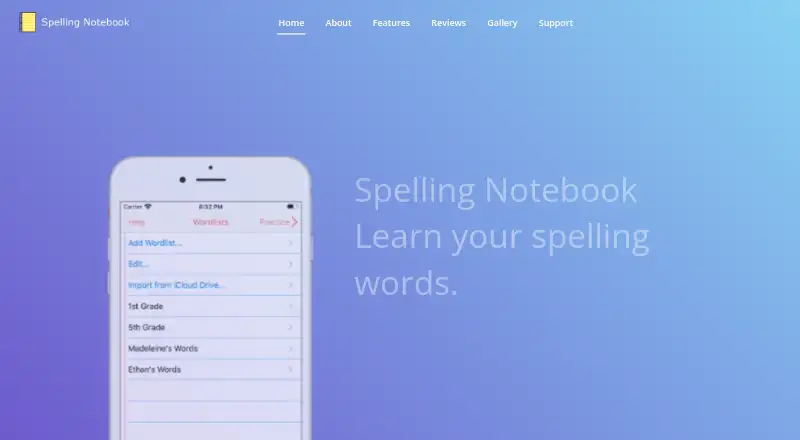
Spelling Notebook helps students build spelling skills with personalized word lists, spoken words, tests, and focused practice. Its searchable spelling dictionary contains more than 100,000 words, and users can add words. A built-in voice speaks dictionary entries and added English words; users can also record a word or phrase in their own voice. The dictionary supports US, UK, Australian, Canadian, and New Zealand English, selected by region. Students can create, edit, rename, delete, copy, and paste lists, or import words from one list into another. After a first test, practice focuses on words that need more work, and users can adjust practice settings. The app keeps test and practice history so students can review previous results and progress. Lists can be exported or imported with iCloud Drive, shared through AirDrop or email, and test results can be emailed. Spelling Notebook is available for iPhone, iPad, and iPod touch, with iOS and macOS listed as platforms. The maker recommends it for all ages, including kids, and says students can practice independently. The app has a free download; an optional 1.99 USD one-time in-app purchase removes the free version’s word-list limit, according to an App Store user review.
Who it suits
Spelling Notebook suits students who want to practice spelling independently, including children and learners of any age. It is especially relevant for families or students who want customizable lists, spoken words, and practice focused on missed words.
What it does well
- Includes a searchable dictionary with more than 100,000 words.
- Supports five regional forms of English spelling.
- Practice can focus on words missed in tests.
- Stores test and practice history for progress review.
- Word lists can be shared through AirDrop or email.
What to know first
- The free version has a 10-word list limit, according to a user review.
- The listed platforms are limited to iOS and macOS.
Limits
The free app’s reported limit is 10 words per list, based on an App Store user review. The 1.99 USD one-time Premium in-app purchase removes the free version’s word-list limit, according to that review.
Plans
| Plan | Billed and limits | Price |
|---|---|---|
| Free | Free app download; user review reports a 10-word list limit | Free |
| Upgrade to Premium | In-app purchase; removes the free version’s word-list limit, according to an App Store user review | $1.99, paid once |
As spellingnotebook.com lists them, read 8 Oct 2026. The maker's own page has the final word.
Getting started
- Visit the Spelling Notebook website.
- Download the free app for iPhone, iPad, or iPod touch.
- Create a word list or add words to the dictionary.
- Select the regional English spelling you want to use.
- Test the list and practice words that need more work.
Overview
Spelling Notebook is a spelling practice app for students who want to build their own word lists, hear pronunciations, and focus on words they have yet to master. Its regional dictionary, independent practice, and reviewable results make it a practical fit for individual learners and families using Apple devices; the reported 10-word limit on the free version may be restrictive for longer lists.
Key features
Lists, dictation, and practice
Students can create and manage multiple lists, add dictionary words, and move words between lists. The searchable dictionary contains more than 100,000 words, and supports US, UK, Australian, Canadian, and New Zealand English. That regional choice matters for learners who need to practise the spelling conventions they use at school.
A built-in voice reads dictionary entries and added English words; students can also record a word or phrase in their own voice. They can take spelling tests and practise by dictation, then focus subsequent practice on missed words. Adjustable practice settings give learners some control over review, while the focus on problem words helps make repeat sessions more purposeful than starting from scratch each time.
Progress and sharing
Spelling Notebook keeps a history of tests and practice, so students can revisit past results and follow their progress. Lists can be imported or exported with iCloud Drive and shared through AirDrop or email; test results can also be emailed. These options suit families who want to move lists between devices or pass results along, though they are tied to Apple’s sharing tools and email.
Pricing
The Free plan costs nothing and provides a free app download. An App Store user review reports a 10-word list limit, which may be enough for short practice sets but can force frequent list splitting for larger assignments.
Upgrade to Premium costs $1.99, paid once as an in-app purchase. It removes the free version’s word-list limit, according to an App Store user review, making it the more suitable option for students who need longer lists. The one-time price avoids a recurring subscription; the free option gives up unrestricted list length.
Platforms
Spelling Notebook is listed for iPhone, iPad, and iPod touch, and the platform listing includes iOS and macOS. Its iCloud Drive, AirDrop, and email sharing fit Apple-device workflows. In-app help and support by email at [email protected] provide routes for assistance.
The privacy policy says the app may collect contact details, cookies, and usage data, and that data from users outside New Zealand may be transferred to and processed in New Zealand. It says commercially acceptable measures are used to protect personal data but cannot guarantee absolute security. Payment card details are handled by third-party processors, including Apple Store In-App Payments.
Who it's for
The app is recommended for all ages, including kids, and students can practise independently. Its custom lists and corrective practice suit learners working through school spelling assignments or personal vocabulary goals. It is less compelling for anyone who needs a large free list or is looking for a classroom-focused platform with Android or web access.
Pros and cons
Pros
- Regional spelling support: Five English variants let learners practise spellings suited to their region.
- Focused review: Practice can concentrate on missed words, and a history of tests and practice preserves past results.
- Flexible word input: Students can use dictionary entries, add their own words, or record their own pronunciation.
- One-time premium option: The reported premium upgrade removes the free word-list limit without a recurring charge.
Cons
- Free lists may be short: The reported 10-word limit can interrupt practice on longer assignments.
- Apple-oriented sharing: List transfer relies on iCloud Drive, AirDrop, or email, so the sharing workflow is less suited to non-Apple households.
- Privacy trade-off: The policy permits collection of contact details, cookies, and usage data, with possible processing in New Zealand for users elsewhere.
Alternatives
Browse Spelling Apps for more options. Choose SpellMe instead if cross-platform access matters: it supports Android, iOS, Linux, macOS, web, and Windows, and its free Basic plan includes five lists of up to 10 words each plus 300+ curated phonics lists. Choose Spelling Shed if you want a free option with tests, games, challenges, and classroom-only rostering, though its free history is limited to seven days. Spelling.Live may suit learners who prefer a credit-based model: its free sign-up credits expire after 90 days without a practice session.
SpellingJoy, Spelvo, PenPoints, Spelling Boost, and Word Club are other spelling-app options to compare.
Verdict
Spelling Notebook is a strong fit for students who want to practise independently with their own lists, region-appropriate spelling, and a record of results. Its main advantage is the combination of customizable practice and missed-word review; its main drawback is the free version’s reported 10-word cap. Choose it if those Apple-oriented tools suit your routine, and consider the one-time premium upgrade for longer lists. Look elsewhere if you need a broader platform mix or a free option without that reported restriction.
Verdict
Choose Spelling Notebook for student-led spelling practice with customizable lists, regional dictionaries, and review of past results. The free version’s reported 10-word list limit may make the one-time premium upgrade necessary for larger lists.
Questions
Is Spelling Notebook free?
The app download is free. An optional Upgrade to Premium in-app purchase costs 1.99 USD once.
What is the free version’s limit?
An App Store user review reports a 10-word list limit. The one-time Premium purchase removes the free version’s word-list limit, according to that review.
Which devices support Spelling Notebook?
The maker lists iPhone, iPad, and iPod touch; the listed platforms are iOS and macOS.
Which English spelling regions does it support?
The dictionary supports US, UK, Australian, Canadian, and New Zealand English.
Can word lists be shared or moved?
Lists can be exported or imported with iCloud Drive and shared using AirDrop or email.
How can I contact support?
The maker lists in-app help and [email protected].
Facts from Spelling Notebook's own pages
- Audience
- The maker recommends the app for all ages, including kids, and says students can practice independently. · spellingnotebook.com, 8 Oct 2026
- Dictionary
- The app includes a searchable spelling dictionary with more than 100,000 words, and users can add words to it. · spellingnotebook.com, 8 Oct 2026
- English regions
- The built-in spelling dictionary supports UK, US, Canadian, Australian, and New Zealand English. · spellingnotebook.com, 8 Oct 2026
- Intended users
- The maker lists the recommended ages as “All, Kids” and says students can practice independently. · spellingnotebook.com, 8 Oct 2026
- Lists
- Users can create, edit, rename, delete, and import words between multiple word lists. · spellingnotebook.com, 8 Oct 2026
- Payment handling
- The policy says payment card details are handled directly by third-party processors and identifies Apple Store In-App Payments. · spellingnotebook.com, 8 Oct 2026
- Platform
- The maker lists the app for iPhone, iPad, and iPod touch. · spellingnotebook.com, 8 Oct 2026
- Practice
- After the first test, the app focuses practice on words that need work; users can change practice settings. · spellingnotebook.com, 8 Oct 2026
- Practice and progress
- Users can focus practice on words they missed and view past test and practice results. · spellingnotebook.com, 8 Oct 2026
- Privacy
- The privacy policy says it may collect contact details, cookies, and usage data, and that data from users outside New Zealand may be transferred to and processed in New Zealand. · spellingnotebook.com, 8 Oct 2026
- Privacy policy
- The policy says it may collect email address, name, cookies, and usage data, and that data may be transferred to and processed in New Zealand. · spellingnotebook.com, 8 Oct 2026
- Progress
- The app keeps a history of word-list tests and practice so users can review past results and progress. · spellingnotebook.com, 8 Oct 2026
- Pronunciation
- A built-in voice can speak dictionary words and added English words; users can also record a word or phrase in their own voice. · spellingnotebook.com, 8 Oct 2026
- Purpose
- Spelling Notebook lets students create personalized word lists, hear each word, take spelling tests, and practice words they have not yet mastered. · spellingnotebook.com, 8 Oct 2026
- Regional spelling
- The built-in dictionary supports US, UK, Australian, Canadian, and New Zealand English, selected by region. · spellingnotebook.com, 8 Oct 2026
- Results
- Users can email test results. · spellingnotebook.com, 8 Oct 2026
- Security
- The policy says it uses commercially acceptable means to protect personal data but cannot guarantee absolute security. · spellingnotebook.com, 8 Oct 2026
- Sharing
- The maker says word lists can be exported or imported with iCloud Drive and shared using AirDrop or email. · spellingnotebook.com, 8 Oct 2026
- Support
- The maker lists in-app help and gives [email protected] as its support contact. · spellingnotebook.com, 8 Oct 2026
- Word lists
- Users can create, edit, rename, delete, copy, and paste word lists, and import words from one list into another. · spellingnotebook.com, 8 Oct 2026
Where Spelling Notebook stands on Freedom251
- Spelling Apps#8 of 25