
PenPoints
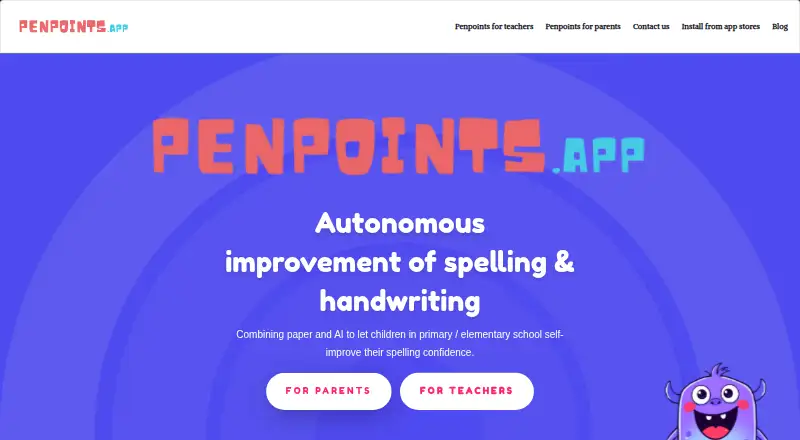
What PenPoints is
PenPoints is a free spelling and handwriting practice app for primary and elementary school children. A child writes a dictated word on paper, then submits a photo for OCR scoring and feedback. The maker describes it as suitable for ages 6–12, with parents and teachers able to assign exercises and review results. Wordlists can follow school year and curriculum, and parents and teachers can create custom lists; only teachers can access rule-specific lists. Results may include definitions, synonyms and antonyms. Teachers can run SpellStation challenges. Without a school plan, they can send one homework exercise per week, use 90 SpellStation credits, run up to five live class assessments and assign up to 30 individual exercises. The app is available on iOS and Android phones and tablets, and requires an internet connection. The maker says it complies with GDPR and COPPA, does not sell or share user data, and does not show in-app ads. The parents page says one account does not currently support multiple children.
Who it suits
It suits children aged 6–12 who are practicing spelling and handwriting, with a parent or teacher involved in assigning practice. Teachers can also use SpellStation challenges and the listed exercise and assessment tools.
What it does well
- OCR scores photographed handwritten words
- Wordlists can match school year and curriculum
- Results can include definitions, synonyms and antonyms
- Maker says the app shows no in-app ads
What to know first
- An internet connection is required
- One account does not support multiple children
- Free teacher accounts have weekly exercise limits
Limits
The app is free. Teachers without a school plan can send one homework exercise per week, use 90 SpellStation credits, run up to five live class assessments, and assign up to 30 individual exercises.
Plans
| Plan | Billed and limits | Price |
|---|---|---|
| Free | App is described as free; teachers without a school plan can send 1 homework exercise per week, use 90 SpellStation credits, run up to 5 live class assessments, and assign up to 30 individual exercises | Free |
As penpoints.app lists them, read 30 Sept 2026. The maker's own page has the final word.
Getting started
- Visit https://www.penpoints.app/.
- Install PenPoints on an iOS or Android phone or tablet.
- Create or select a wordlist suited to the child's school year or curriculum.
- Write dictated words on paper and submit a photo for feedback.
- Parents or teachers can review results and assign further practice.
PenPoints is a spelling and handwriting app for children aged 6–12, built around dictated words written on paper and scored from a photo. It is most useful to a parent or teacher guiding one child on a phone or tablet. Its paper-based practice and free access are compelling; households with multiple children and teachers needing larger quotas should look elsewhere.
Overview
PenPoints connects spelling practice with handwriting: an adult assigns words, the child writes them by hand, then submits a photo for OCR scoring and feedback. That makes it a stronger fit for pencil-and-paper practice than a tool focused only on screen-based answers. Parents and teachers can review results, and wordlists are adapted to school year and curriculum.
Adults can create custom lists, while teachers also have rule-specific lists. Results can include word definitions, synonyms and antonyms, which can extend an exercise beyond spelling. The single-account limit is a real constraint for families with more than one child: the parents page says one account does not currently support multiple children.
Key features
Dictation, handwriting and feedback
Children write dictated words on paper and submit a photo for OCR scoring and instant feedback. Phonics instruction and corrective practice are supported too. The paper-first approach suits children who need handwriting alongside spelling practice, but it requires a device to photograph the work and an internet connection; offline access is not supported.
Lists and teacher activities
School-year and curriculum-aligned wordlists provide a starting point, and custom lists let adults tailor exercises. Teachers can use rule-specific lists and SpellStation challenges. Automated homework and live class assessment are described as coming soon on the teacher page, so they are not current alternatives to the available teacher tools.
Teachers without a school plan can send one homework exercise per week, use 90 SpellStation credits, run up to five live assessments and assign up to 30 individual exercises. Those caps may be workable for limited use, but teachers managing regular assignments or larger groups may find them restrictive.
Pricing
PenPoints is free: its Free plan costs nothing. Teachers without a school plan receive the weekly homework, SpellStation credit, live-assessment and individual-exercise limits described above. The free access makes it easy for a family or teacher to try the paper-based approach without a subscription, but the teacher caps matter for sustained classroom use. No paid plan is described.
Platforms
PenPoints is available on iOS and Android phones and tablets. An internet connection is required, so it is not a fit for practice where reliable connectivity is unavailable.
Who it's for
PenPoints is aimed at children aged 6–12, with parents and teachers assigning work and reviewing results. It is best suited to one-child households and teachers who can work within the free teacher quotas. Families seeking one account for multiple children should choose another option.
The maker says PenPoints complies with GDPR and COPPA, does not sell or share user data, and shows no in-app ads. The privacy policy says child information collected is limited to first name; if users opt in to third-party analytics, those tools may collect device, usage, crash, IP, location and advertising-interaction data. Users can delete accounts in app settings, after which associated data is permanently removed from the database. Support is available at [email protected], and the team says it strives to respond within 24 hours.
Pros and cons
- Pros: Paper dictation with photo-based OCR feedback combines spelling and handwriting practice rather than relying only on screen answers.
- Pros: Curriculum-adapted and custom wordlists, plus definitions and related vocabulary in results, give adults ways to shape practice.
- Pros: Free access avoids a subscription cost, and teachers have SpellStation challenges and several assessment and exercise tools.
- Cons: One account does not support multiple children, limiting its usefulness for families with siblings.
- Cons: Free teacher quotas are finite, including one homework exercise per week and up to 30 individual exercises.
- Cons: Internet access is required, and automated homework and live class assessment are not yet current tools.
Alternatives
Spelling Apps is the broader category to browse if PenPoints’ paper-based format or one-child account limit does not suit you.
Choose SpellMe if you want a wider range of platforms, including web and desktop systems, or curated phonics lists with a free Basic plan. Spelling Notebook is an iOS and macOS option; its free app download has a user-reported 10-word list limit, and a 1.99 USD one-time Premium upgrade removes that limit. Spelling Shed is another free option on Android, iOS and web, with several activities retaining seven days of history on its Free plan.
Spelling.Live may suit readers who prefer a credit-based option: its free sign-up credits provide 200 credits, which expire after 90 days without a practice session. SpellingJoy is another freemium alternative with a free plan. Spelvo is worth considering if its free plan’s three lifetime snaps and one child profile fit your needs. Spelling Boost offers core audio dictation tests, custom lists, handwriting input and progress tracking on Android. SpellSmart is an iOS alternative with a free download.
Verdict
Choose PenPoints if a child needs spelling practice that includes handwriting and an adult can guide the exercises; its paper dictation and free access are the clearest reasons to pick it. Look elsewhere if you need one account for several children, offline practice or more generous teacher quotas.
Verdict
PenPoints pairs paper-based dictation with photo scoring and practice tools for home or classroom use. Consider the single-child account limit and the free teacher caps before choosing it.
Questions
Is PenPoints free?
Yes. The app is described as free, with a Free plan listed as free.
Which devices can run PenPoints?
It is available on iOS and Android phones and tablets. An internet connection is required.
Can parents create wordlists?
Yes. Parents and teachers can create custom lists. Rule-specific lists are available only to teachers.
Can one account cover multiple children?
No. The parents page says one account does not currently support multiple children.
What information does the app collect about children?
The privacy policy says child information collected is limited to a first name. If opted in, third-party analytics tools may collect device, usage, crash, IP, location, and advertising interaction data.
Who created PenPoints, and how can users contact the team?
PenPoints was created by Mickael Robin. The contact page lists [email protected] and says the team strives to respond within 24 hours.
Facts from PenPoints's own pages
- Account deletion
- Users can delete their accounts in app settings, and the policy says associated data will then be permanently removed from its database. · penpoints.app, 30 Sept 2026
- Data collection
- The privacy policy says child information collected is limited to first name, while opted-in third-party analytics tools may collect device, usage, crash, IP, location, and advertising interaction data. · penpoints.app, 30 Sept 2026
- Free teacher limits
- Teachers without a school plan can send one homework exercise per week, use 90 SpellStation credits, run up to five live assessments, and assign up to 30 individual exercises. · penpoints.app, 30 Sept 2026
- Intended users
- The maker describes the app as suited to children aged 6–12, with parents and teachers assigning exercises and reviewing results. · penpoints.app, 30 Sept 2026
- Maker and release
- PenPoints was created by Mickael Robin, and the maker says its first version was released in December 2024. · penpoints.app, 30 Sept 2026
- Notable limitation
- The parents page says one account does not currently support multiple children. · penpoints.app, 30 Sept 2026
- OCR feedback
- The app uses OCR to score photographed handwritten words and provide instant feedback. · penpoints.app, 30 Sept 2026
- Platforms and connection
- The app is available on iOS and Android for phones and tablets, and an internet connection is required. · penpoints.app, 30 Sept 2026
- Privacy claims
- The maker says it complies with GDPR and COPPA, does not sell or share user data, and does not show in-app ads. · penpoints.app, 30 Sept 2026
- Purpose
- PenPoints helps primary and elementary school children practice spelling and handwriting by writing dictated words on paper and submitting a photo for AI feedback. · penpoints.app, 30 Sept 2026
- Support
- The contact page lists [email protected] and says the team strives to respond within 24 hours. · penpoints.app, 30 Sept 2026
- Teacher activities
- Teachers can use SpellStation challenges, while automated homework and live class assessment are described as coming soon on the teacher page. · penpoints.app, 30 Sept 2026
- Vocabulary practice
- The app can provide word definitions and show synonyms and antonyms in results. · penpoints.app, 30 Sept 2026
- Wordlists
- Wordlists are adapted to school year and curriculum, and parents and teachers can create custom lists; rule-specific lists are available only to teachers. · penpoints.app, 30 Sept 2026
Where PenPoints stands on Freedom251
- Spelling Apps#3 of 25