Freedom251 › Legal Transcription Software
SoniClear Transcriber 10
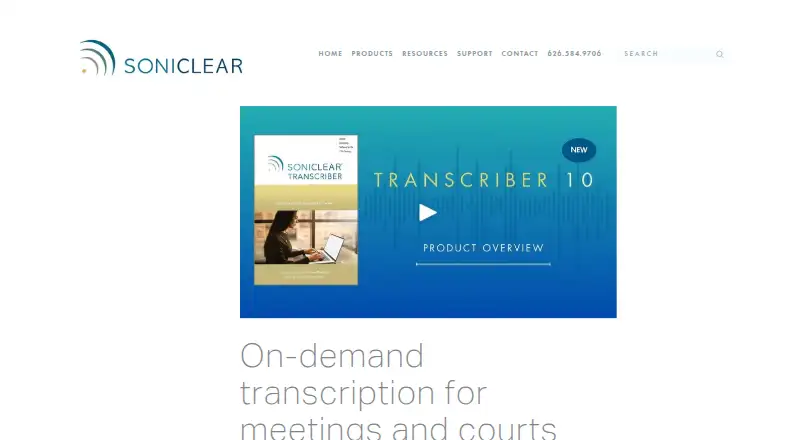
What SoniClear Transcriber 10 is
SoniClear Transcriber 10 uses cloud AI to turn recordings into meeting minutes and legal transcripts, including verbatim transcripts for court reporting. It runs on Windows 11 and imports MP3, WAV, MP4, M4A, and WMV files. Recordings can come from handheld recorders, other recording systems, Zoom, Teams, or the web. During review, users can click transcript text to play its matching audio locally, then export transcripts and notes to Microsoft Word. Speaker identification, timestamp controls, and legal formatting are supported. Cloud transcription requires an internet connection and sends recordings to SoniClear's server for processing. SoniClear says recordings and transcripts are not kept there after processing and employees cannot access them, but the service is not designed for HIPAA-covered medical work or high-security applications. The free Transcriber 10 Player plan offers manual playback and transcription without cloud time. Pro costs $360 a year and includes 40 hours of cloud transcription; additional time is available to buy. Unused time expires when a subscription or support service ends, but can roll over upon renewal.
Who it suits
It suits governments, legal organizations, school boards, and courts that need meeting minutes or verbatim transcripts. Users handling HIPAA-covered medical processing or high-security applications should note the stated service limitation.
What it does well
- Imports five listed audio and video formats.
- Click transcript text to play matching audio locally.
- Exports transcripts and notes to Microsoft Word.
- Supports speaker identification and legal formatting.
- Free Player plan includes manual playback and transcription.
What to know first
- Cloud transcription requires an internet connection.
- Free Player has no cloud transcription time.
- Not designed for HIPAA-covered or high-security processing.
- Unused time expires when service ends.
Limits
The free Transcriber 10 Player plan has no cloud transcription time. Pro costs $360 a year and includes 40 hours; additional time can be purchased. Unused transcription time is voided when a subscription or support service expires, but can roll over if the service is renewed.
Plans
| Plan | Billed and limits | Price |
|---|---|---|
| Transcriber 10 Player | Manual playback and transcription · No cloud transcription time | Free |
| 125 hours of transcription | 125 hours of transcription time | $1,000, paid once |
| Transcriber 10 Pro | 40 hours of cloud transcription · Imports MP3, WAV, MP4, M4A, and WMV · Additional transcription time available to buy | $360 a year |
| Transcriber 10 with Recording | 10 hours of cloud transcription · Integrated recording products · Contact SoniClear for a price quote | On request |
As soniclear.com lists them, read 30 Sept 2026. The maker's own page has the final word.
Getting started
- Visit the Transcriber 10 product page.
- Choose the free Player plan for manual playback and transcription, or Pro for cloud transcription time.
- Use a Windows 11 computer.
- Import a supported recording, including files from a handheld recorder, Zoom, Teams, or the web.
- Connect to the internet when using cloud transcription.
- Review transcript text, then export transcripts and notes to Microsoft Word.
SoniClear Transcriber 10 is automated transcription software for meeting minutes and legal transcripts. It is best suited to courts, legal organizations, governments, and school boards working on Windows 11. Its audio-linked review and Word export are useful, but cloud processing and expiring transcription time call for care.
Overview
The software turns recordings into meeting minutes or verbatim transcripts using cloud AI. It accepts MP3, WAV, MP4, M4A, and WMV files, including recordings from handheld recorders, Zoom, Teams, other recording systems, and the web. Speaker identification, timestamp controls, and legal formatting support review; clicking transcript text plays the matching audio locally, and transcripts and notes can be exported to Microsoft Word.
That review workflow is a strength for organizations that need to verify a passage and carry the result into a document. The trade-off is that transcription needs an internet connection and sends recordings to SoniClear’s cloud server. SoniClear says recordings and transcripts are not retained after processing and employees cannot access them, but the service is not designed for HIPAA-covered medical processing or high-security applications such as government security agencies. Those workflows should look elsewhere.
Key features
- Audio-linked review: Clicking transcript text plays the corresponding audio locally, helping reviewers check wording against the source.
- Meeting and legal tools: Speaker identification, timestamp controls, and legal formatting complement automated transcription for meeting minutes and court transcripts.
- Imports and export: The range of supported audio and video formats accommodates recordings from several sources; Word export gives staff a route to use transcripts and notes in document workflows.
- Recorder integration: Transcriber 10 integrates with SoniClear Court Recorder 10 and Gov Recorder 10, and can be used with Meeting Recorder 10. Telephone and email support are provided; annual software support includes access to real-time and on-demand transcription services.
Pricing
The free Transcriber 10 Player costs nothing and offers manual playback and transcription, but no cloud transcription time. It is suited to users who want to work manually rather than automate transcription.
Transcriber 10 Pro costs $360 a year and includes 40 hours of billed cloud transcription. It imports MP3, WAV, MP4, M4A, and WMV, with additional transcription time available to buy. This is the clearest fit for regular users who need automated processing; the annual allotment makes the amount of recording time an important budget consideration.
The separate 125 hours of transcription plan costs $1,000, paid once and provides 125 hours of transcription time. It may suit teams that need a larger block of time without choosing the Pro plan, though the purchase is a one-time time allotment rather than a stated annual subscription.
Transcriber 10 with Recording has custom pricing. It includes 10 hours of cloud transcription and integrated recording products, making it relevant to buyers considering a combined recording and transcription workflow; contact SoniClear for a quote.
Unused transcription time is voided when a subscription or support service expires, but can roll over when the service is renewed. Buyers should account for renewal timing rather than assume unused hours remain available indefinitely.
Platforms
Transcriber 10 is a web and Windows product, and its product page says it runs on Windows 11 computers. Cloud transcription requires internet access, so it is not a fit for offline processing.
Who it's for
Courts, legal organizations, governments, and school boards are the intended customers. It makes most sense for teams whose recordings can be processed in the cloud and who value audio-linked transcript checking, legal formatting, and Word export. Organizations handling HIPAA-covered medical work or high-security material should not use this service for that purpose.
Pros and cons
- Pros: Click-to-play audio review, speaker identification, timestamps, and legal formatting support transcript verification; Word export helps move transcripts and notes into document workflows.
- Pros: Imports cover common audio and video formats and recordings from meeting platforms and dedicated recorders.
- Cons: Cloud transcription requires internet access and uploads recordings, ruling it out for some sensitive or disconnected workflows.
- Cons: The free Player has no cloud transcription time, while Pro includes 40 hours per year; unused time is lost at expiry unless the service is renewed.
Alternatives
Legal Transcription Software and Meeting Recording Software are broader category guides for comparing options by workflow.
Choose MatterScribe if you want pay-as-you-go pricing: its listed plan charges $0.10/min, includes 30 free minutes, and requires a card on file, with three days of file retention.
HappyScribe Legal is another freemium alternative.
Rev may suit users looking for a free tier with 45 AI transcription and caption minutes per month, limited to English, five files at once, and one user.
WhisperAI Legal Transcription is an option for users whose needs fit its free plan of five minutes per month and basic speaker labels, or its $14.99 a month Premium plan with 120 minutes per month.
Filevine is an alternative for buyers seeking custom-built packages that include matter and document management, billing and payments, and optional legal workflow packages.
StillWren is another web-based alternative.
FTR Justice Cloud is an alternative for buyers comparing justice-focused software.
ArcaScribe is another alternative for Windows and macOS users.
Verdict
Choose SoniClear Transcriber 10 if your court, legal, government, or school-board team needs automated transcripts with audio-linked review and Word export, and can send recordings to a cloud service. The main reason to look elsewhere is the cloud limitation for sensitive or high-security work; budget-conscious buyers should also weigh the 40-hour annual Pro allowance and the expiry rule for unused time.
Verdict
Transcriber 10 combines recording transcription with review and export tools for meeting and court workflows. Consider its cloud-processing limitation and the separate plan terms for transcription time before choosing it.
Questions
What does Transcriber 10 cost?
The Player plan is free. Pro is $360 a year and includes 40 hours of cloud transcription. A separate 125-hour transcription plan costs $1,000, paid once.
Is there a free plan?
Yes. Transcriber 10 Player offers manual playback and transcription, with no cloud transcription time.
Which platforms does it run on?
The product page says Transcriber 10 runs on Windows 11 computers.
Which recording formats can it import?
It imports MP3, WAV, MP4, M4A, and WMV recordings.
Does cloud transcription require uploading recordings?
Yes. It requires an internet connection and uploads recordings to SoniClear's cloud server for processing. SoniClear says recordings and transcripts are not stored there afterward and employees cannot access them.
Who makes Transcriber 10?
SoniClear makes Transcriber 10. The company is listed as founded in 1978 and headquartered in La Canada, California, United States.
Facts from SoniClear Transcriber 10's own pages
- Cloud processing
- Transcription requires an internet connection and uploads recordings to SoniClear's cloud server for processing. · soniclear.com, 30 Sept 2026
- File formats
- It can import MP3, WAV, MP4, M4A, and WMV recordings. · soniclear.com, 30 Sept 2026
- Founded
- 1978 · soniclear.com, 28 Sept 2026
- Headquarters
- La Canada, California, United States · soniclear.com, 28 Sept 2026
- Integrations
- Transcriber 10 is integrated with SoniClear Court Recorder 10 and Gov Recorder 10, and can be used with Meeting Recorder 10. · soniclear.com, 30 Sept 2026
- Intended customers
- SoniClear describes Transcriber 10 for governments, legal organizations, school boards, and courts. · soniclear.com, 30 Sept 2026
- Meeting and court use
- SoniClear describes the product for meeting minutes and verbatim transcripts for court reporting. · soniclear.com, 30 Sept 2026
- Privacy
- SoniClear says recordings and transcripts are not stored on its server after processing and that employees cannot access them. · soniclear.com, 30 Sept 2026
- Purpose
- Transcriber 10 uses cloud AI to create meeting minutes and legal transcripts from recordings. · soniclear.com, 30 Sept 2026
- Recording sources
- It transcribes recordings from handheld recorders, other recording systems, Zoom, Teams, and the web. · soniclear.com, 30 Sept 2026
- Security limitation
- SoniClear says its cloud service is not designed for HIPAA-covered medical processing or high-security applications such as government security agencies. · soniclear.com, 30 Sept 2026
- Support
- SoniClear provides telephone and email support, and says annual software support includes access to real-time and on-demand transcription services. · soniclear.com, 30 Sept 2026
- Supported system
- The product page says Transcriber 10 runs on Windows 11 computers. · soniclear.com, 30 Sept 2026
- Transcript review
- Users can click transcript text to play the corresponding audio locally and export transcripts and notes to Microsoft Word. · soniclear.com, 30 Sept 2026
- Usage limits
- Unused transcription time is voided when a subscription or support service expires, but can roll over when the service is renewed. · soniclear.com, 30 Sept 2026
Where SoniClear Transcriber 10 stands on Freedom251
- Legal Transcription Software#7 of 24
- Meeting Recording Software#23 of 34