Solid Editor
What Solid Editor is
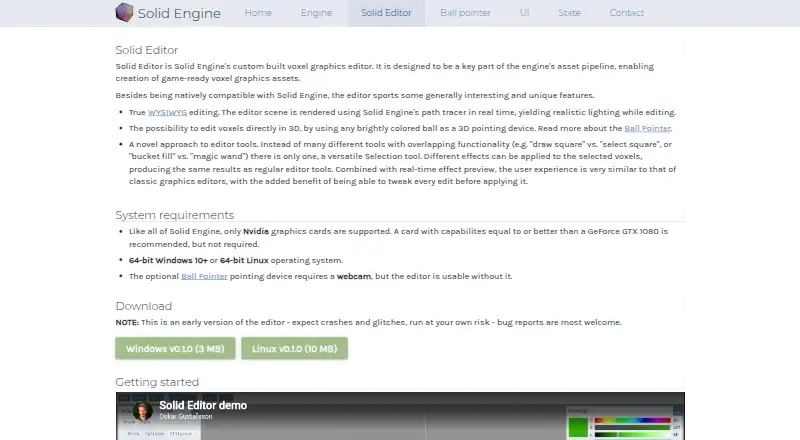
Solid Editor is a voxel graphics editor built for creating game-ready assets as part of the Solid Engine asset pipeline. It renders the editing scene in real time with Solid Engine’s path tracer, so lighting is visible while working. Voxels can be edited directly in 3D with a colored ball used as a pointing device. A single Selection tool applies effects to chosen voxels and previews those effects in real time. The editor is natively compatible with Solid Engine and runs on 64-bit Windows 10 or newer and 64-bit Linux systems, with Nvidia graphics cards only. The optional Ball Pointer requires a webcam, but the editor can also be used without it. Windows and Linux v0.1.0 downloads are available; the page warns that this early version may crash or glitch. MagicaVoxel .vox import and export, animation, scene layers, and polygon model import are listed as future features. The editor has a free plan, and a one-time Solid Editor Pro user plan costs $10, paid once.
Who it suits
Solid Editor suits game creators who want to make voxel assets for use with Solid Engine. It is aimed at users on Windows or Linux with an Nvidia graphics card.
What it does well
- Free plan is available.
- Real-time path-traced rendering while editing.
- Edits voxels directly in 3D.
- Effects preview in real time.
- Natively compatible with Solid Engine.
What to know first
- Requires an Nvidia graphics card.
- Early v0.1.0 may crash or glitch.
- MagicaVoxel import and export are planned, not available.
- Animation support is listed as upcoming.
Limits
The free Solid Editor plan provides the Windows and Linux v0.1.0 early release, which may crash or glitch. The one-time 10.00 USD Solid Editor Pro user plan adds prioritized support replies within 48 hours; it does not list additional editing features.
Plans
| Plan | Billed and limits | Price |
|---|---|---|
| Solid Editor | Windows v0.1.0 · Linux v0.1.0 · early version | Free |
| Solid Editor Pro user | one time · Prioritized replies to support questions, bug reports and feature requests · replies within 48 hours | $10, paid once |
As solidengine.org lists them, read 9 Oct 2026. The maker's own page has the final word.
Getting started
- Visit the Solid Editor page
- Download the Windows or Linux v0.1.0 release
- Use a 64-bit Windows 10+ or Linux system with an Nvidia graphics card
- Use the optional Ball Pointer with a webcam, or edit without it
- Use the GitHub issue tracker for questions, bug reports, or feature requests
Solid Editor is a voxel graphics editor built into the Solid Engine asset pipeline, aimed at producing game-ready 3D voxel assets. It suits indie developers who want to shape voxels directly inside a real-time renderer, provided they use an Nvidia-equipped Windows or Linux machine. Its free release is appealing for experimentation, while the early-version status and missing production features make it a cautious choice for finished pipelines.
Overview
Solid Editor puts voxel creation and scene presentation in the same workspace. Solid Engine’s path tracer renders the scene in real time, so lighting is evaluated while you edit rather than only after export. That is useful when the look of an asset depends on realistic illumination, but it also ties the editor to a specific graphics environment: only Nvidia cards are supported, with a GeForce GTX 1080 or better recommended.
The editor is natively compatible with Solid Engine, making it most relevant to teams already using that engine. It is part of a project developed by Oskar Gustafsson, whose broader Solid Engine audience is small teams of programmers and creatives.
Key features
Direct 3D voxel editing
Voxels can be edited directly in 3D with a brightly colored ball used as the pointing device. The optional Ball Pointer requires a webcam, but the editor remains usable without it. This gives creators a distinctive interaction option without making extra hardware mandatory.
Single-tool selection workflow
Solid Editor centers work around one versatile Selection tool. Effects are applied to the selected voxels and previewed in real time, which should make iterative shaping easier to judge before committing changes. The focused workflow may appeal to artists who prefer fewer tools, although users expecting a broad modeling toolkit may find the approach narrow.
Rendering and roadmap
Real-time path-traced rendering is the standout presentation feature. Animation tools are not included, and MagicaVoxel .vox import and export, animation support, scene layers and polygon-model import are planned rather than available now. A signed Windows executable is also planned to reduce security warnings. Those omissions matter if your pipeline depends on interchange, animated assets or layered scene organization.
Pricing
| Plan | Price | What you get |
|---|---|---|
| Solid Editor | free | Windows v0.1.0 and Linux v0.1.0 downloads; early version |
| Solid Editor Pro user | $10, paid once | Prioritized replies to support questions, bug reports and feature requests, with replies within 48 hours |
The free plan is the practical starting point because the editor itself costs nothing and there is no trial period to manage. It is best for evaluating the workflow or making small-team prototypes, with the explicit risk that this early release may crash or glitch. The one-time Pro user payment buys support priority and a 48-hour reply target, not additional editing features, so it suits users who need responsive contact with the project rather than those seeking expanded functionality.
Platforms
Solid Editor runs on 64-bit Windows 10 or newer and 64-bit Linux. Nvidia graphics are required; a GeForce GTX 1080 or better is recommended but not mandatory. The Ball Pointer additionally needs a webcam. Windows and Linux downloads are version 0.1.0, and questions, bug reports and feature requests go through the editor’s GitHub issue tracker.
Who it's for
Choose Solid Editor if you are an indie developer or technical artist working with Solid Engine and want to see path-traced lighting while sculpting voxels. It is also a low-cost way to explore a direct 3D, selection-centered workflow. Look elsewhere if you need animation today, broad import and export support, macOS or mobile compatibility, or a mature release suitable for dependable production without crash risk.
Pros and cons
Pros
- Real-time path tracing: lighting can be judged during editing, useful for assets whose appearance depends on realistic illumination.
- Direct 3D manipulation: voxel edits happen in the scene, with an optional webcam-driven Ball Pointer.
- Free entry plan: Windows and Linux users can download the editor without a subscription or trial deadline.
- Engine compatibility: native Solid Engine support keeps assets aligned with that engine’s pipeline.
Cons
- Nvidia-only hardware: users on AMD or Intel graphics cannot meet the stated requirement.
- Early release: version 0.1.0 may crash or glitch, which limits confidence for production work.
- No animation tools: animated voxel assets require another solution until roadmap work arrives.
- Planned, not present, interchange features: MagicaVoxel files, polygon imports and scene layers are not yet part of the current toolset.
Alternatives
Goxel is the stronger fit for broad device coverage, with free desktop software for Android, iOS, Linux, macOS and Windows; its desktop scene size is described as unlimited.
Vengi VoxEdit is a free, open-source option for users who want Linux, macOS, web and Windows support while accepting that it is under development.
Blockhammer suits users seeking a free voxel editor on macOS, Windows or Linux, with downloads identified as early access.
Facet is preferable for browser-based work or Windows users who want a $10 one-time full version with one-click OBJ export; its free demo saves and reloads JSON projects.
Mega Voxels targets Android and iOS users, offering a free app and optional premium content licensing.
Qubicle Voxel Editor is a Windows and macOS alternative with a free demo and a paid product.
Sproxel is a free, open-source project for Linux, macOS and Windows.
The Sandbox Game Maker is a free macOS and Windows tool for personal, educational and commercial projects, with LAND ownership required for publishing to virtual LAND.
Browse the Voxel Editors list for more choices.
Verdict
Solid Editor is best for Nvidia-equipped indie teams already invested in Solid Engine and interested in real-time, path-traced voxel editing at no software cost. Its focused selection workflow and direct 3D manipulation are compelling reasons to try it. Choose another editor if you need a stable production release, animation, wider hardware support or currently available interchange features.
Verdict
Solid Editor combines direct voxel editing with real-time rendering and a focused selection workflow. Check its Nvidia requirement and early-version warning before choosing it.
Questions
Is Solid Editor free?
Yes. The Solid Editor plan costs nothing and includes Windows v0.1.0 and Linux v0.1.0.
Is there a paid plan?
The Solid Editor Pro user plan costs $10, paid once. It provides prioritized replies to support questions, bug reports, and feature requests within 48 hours.
Which systems and graphics cards does it support?
It requires 64-bit Windows 10 or later or 64-bit Linux, and supports Nvidia graphics cards only. A GeForce GTX 1080 or better is recommended but not required.
Does Solid Editor require a webcam?
Only the optional Ball Pointer requires a webcam. The editor can be used without it.
Does it support animation or MagicaVoxel files?
Animation tools and MagicaVoxel .vox import and export are listed as planned features, not current features.
Who develops Solid Editor, and where can users get support?
The Solid Engine project is developed by Oskar Gustafsson. Questions, bug reports, and feature requests are handled through the editor’s GitHub issue tracker.
Facts from Solid Editor's own pages
- 3D editing
- Users can edit voxels directly in 3D using a brightly colored ball as a pointing device. · solidengine.org, 9 Oct 2026
- Compatibility
- The editor is natively compatible with Solid Engine. · solidengine.org, 9 Oct 2026
- Downloads and status
- The page offers Windows and Linux v0.1.0 downloads and warns that this early version may crash or glitch. · solidengine.org, 9 Oct 2026
- Founded
- 2015 · solidengine.org, 28 Sept 2026
- Intended audience
- Solid Engine describes itself as an indie game engine aimed at small teams of dedicated programmers and creatives. · solidengine.org, 9 Oct 2026
- Maker
- The Solid Engine project is developed by Oskar Gustafsson. · solidengine.org, 9 Oct 2026
- Optional device
- The Ball Pointer requires a webcam, but the editor can be used without it. · solidengine.org, 9 Oct 2026
- Other planned features
- Animation support, scene layers and polygon model import are listed on the roadmap as upcoming features. · solidengine.org, 9 Oct 2026
- Planned formats
- MagicaVoxel .vox import and export are listed as planned features. · solidengine.org, 9 Oct 2026
- Purpose
- Solid Editor is a voxel graphics editor designed as part of Solid Engine’s asset pipeline for creating game-ready voxel graphics assets. · solidengine.org, 9 Oct 2026
- Real-time rendering
- The editor scene is rendered with Solid Engine’s path tracer in real time for realistic lighting while editing. · solidengine.org, 9 Oct 2026
- Requirements
- It requires a 64-bit Windows 10+ or 64-bit Linux system and supports only Nvidia graphics cards; a GeForce GTX 1080 or better is recommended but not required. · solidengine.org, 9 Oct 2026
- Security-related note
- A signed Windows executable to avoid security warnings is listed as a planned feature. · solidengine.org, 9 Oct 2026
- Selection workflow
- The editor uses one versatile Selection tool, with effects applied to selected voxels and real-time effect previews. · solidengine.org, 9 Oct 2026
- Support
- Questions, bug reports and feature requests are handled through the editor’s GitHub issue tracker. · solidengine.org, 9 Oct 2026
Where Solid Editor stands on Freedom251
- Voxel Editors#12 of 26