Freedom251 › Event Scheduling Software
Sliqagenda
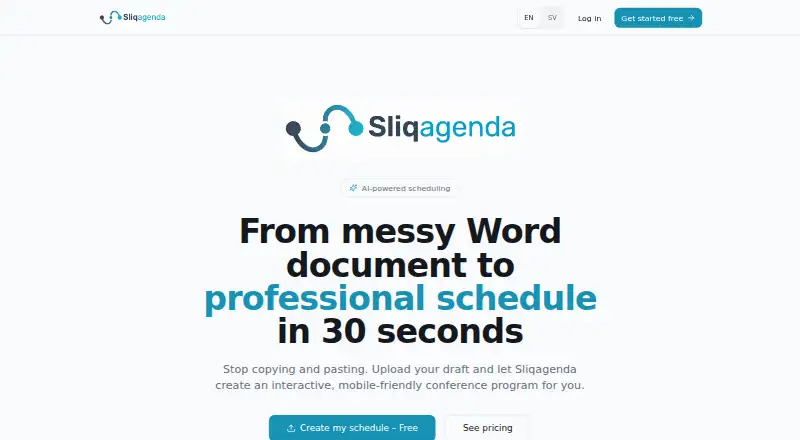
What Sliqagenda is
Sliqagenda turns conference program drafts into interactive schedules for organizers and attendees. Organizers can paste program text or upload Word, Excel, or PDF files; the AI interprets times, rooms, and speakers. The resulting schedule has Grid, Agenda, and My Schedule views, with a conflict detector in My Schedule. Room scheduling is supported.
Attendees can open a mobile-friendly agenda page and save favorites locally without an attendee login. For event venues, Screen Mode displays the program on a large screen with a real-time clock, countdown, and “Now Playing” banner. Organizers can share Magic edit links with colleagues so they can update the schedule without creating accounts. The Free plan includes unlimited sessions, AI program import, the schedule views, attendee page, and edit links; it displays a “Created with Sliqagenda” badge. Professional costs €179, paid once, billed per event, and includes Screen Mode, custom branding, priority support, and no watermark. Enterprise pricing is available by contacting Sliqagenda for organizations running 10 or more events per year. The company describes the service as suitable for local meetups and major international congresses.
Who it suits
Sliqagenda suits conference and meetup organizers who need to turn draft programs into attendee schedules and coordinate edits with colleagues. Its mobile agenda, locally saved favorites, and venue Screen Mode also serve attendees and event teams on site.
What it does well
- AI imports program details from pasted text or Word, Excel, and PDF files.
- Three schedule views include a conflict detector in My Schedule.
- Attendees can save favorites locally without logging in.
- Magic edit links let colleagues update schedules without accounts.
- Professional includes venue Screen Mode and custom branding.
What to know first
- Professional costs €179 per event.
- The Free plan displays a “Created with Sliqagenda” badge.
- Enterprise pricing requires contacting Sliqagenda.
Limits
The Free plan displays a “Created with Sliqagenda” badge. Professional costs €179 per event and includes Screen Mode, custom branding, priority support, and no watermark.
Plans
| Plan | Billed and limits | Price |
|---|---|---|
| Professional | per event · Everything in Free · No watermark · Screen Mode · Custom branding (logo and colors) · Priority support | €179, paid once |
| Enterprise | For organizations running 10+ events per year; contact for pricing | On request |
| Free | per event · Unlimited sessions · Agenda, Grid, and My Schedule views · AI program import · Mobile-friendly attendee page · Magic edit links · “Created with Sliqagenda” badge | On request |
As sliqagenda.com lists them, read 4 Oct 2026. The maker's own page has the final word.
Getting started
- Visit the Sliqagenda website.
- Start with the Free plan or choose Professional at €179 per event.
- Paste the program text or upload a Word, Excel, or PDF file for AI import.
- Use Grid, Agenda, or My Schedule to review the program.
- Share Magic edit links with colleagues and the mobile-friendly agenda page with attendees.
Verdict
Choose Sliqagenda if you need an interactive event schedule that can be imported from a draft program and shared with attendees. Professional is the fit for events needing Screen Mode or custom branding; organizations running 10 or more events per year can contact the company about Enterprise pricing.
Questions
Is Sliqagenda free?
Yes. The Free plan includes unlimited sessions, AI program import, the schedule views, a mobile-friendly attendee page, and Magic edit links.
How much does Professional cost?
Professional costs €179, paid once, billed per event. It includes Screen Mode, custom branding, priority support, and no watermark.
What files can it import?
Organizers can paste text or upload Word, Excel, or PDF files. The AI interprets times, rooms, and speakers.
Do attendees need an account?
No attendee login is required to use the mobile-friendly agenda page. Favorites are saved locally.
Can colleagues edit the schedule without signing up?
Yes. Magic edit links let colleagues edit the schedule without creating an account.
How can organizations get Enterprise pricing?
Sliqagenda invites organizations running 10 or more events per year to contact it for Enterprise pricing. The contact address is [email protected].
Facts from Sliqagenda's own pages
- AI import
- Users can paste text or upload Word, Excel, or PDF files, and the AI interprets times, rooms, and speakers. · sliqagenda.com, 4 Oct 2026
- Attendee access
- Attendees can use a mobile-friendly agenda page, and favorites are saved locally without requiring an attendee login. · sliqagenda.com, 4 Oct 2026
- Collaborative editing
- Magic edit links let colleagues edit the schedule without creating an account. · sliqagenda.com, 4 Oct 2026
- Contact
- The About page provides [email protected] as a contact address. · sliqagenda.com, 4 Oct 2026
- Enterprise pricing
- The site invites organizations running 10 or more events per year to contact it for Enterprise pricing. · sliqagenda.com, 4 Oct 2026
- Example scale
- The site says Sliqagenda is suitable for local meetups and large congresses, citing Onkologidagarna 2026 with three days and five parallel rooms. · sliqagenda.com, 4 Oct 2026
- Intended users
- The About page describes the product as suitable for local meetups and major international congresses. · sliqagenda.com, 4 Oct 2026
- Origin
- The About page says Sliqagenda was created out of frustration with static PDF schedules and messy spreadsheets. · sliqagenda.com, 4 Oct 2026
- Purpose
- Sliqagenda turns draft conference programs into interactive, mobile-friendly schedules. · sliqagenda.com, 4 Oct 2026
- Schedule views
- The schedule offers Grid, Agenda, and My Schedule views, with a built-in conflict detector in My Schedule. · sliqagenda.com, 4 Oct 2026
- Support
- The Professional plan includes priority support. · sliqagenda.com, 4 Oct 2026
- Venue screens
- Screen Mode displays the program on a large venue screen with a real-time clock, countdown, and “Now Playing” banner. · sliqagenda.com, 4 Oct 2026
Where Sliqagenda stands on Freedom251
- Event Scheduling Software#22 of 34