Freedom251 › File Renaming Software
Simple Renamer
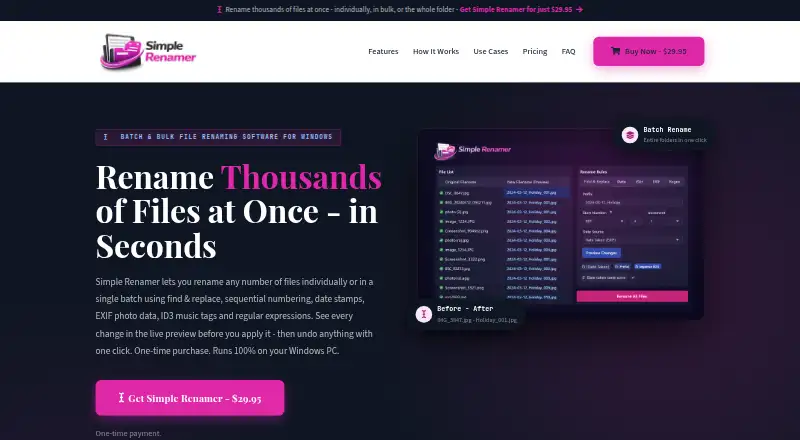
What Simple Renamer is
Simple Renamer is a Windows utility for batch-renaming files with rules that can be stacked and arranged in sequence. Its options include find and replace, sequential numbering, case changes, cleanup, regular expressions, file dates, photo EXIF data, and MP3 ID3 tags. A live preview shows original and proposed filenames before changes are applied. Each batch is saved in undo history and can be reversed even after the program closes. Users can save rule combinations as reusable presets. Batches can include sub-folders, and renamed files can remain in place or be saved as copies in another folder. The FAQ says a batch can contain up to 20,000 files. Simple Renamer runs on Windows 10 and Windows 11. The Standard license covers one PC, includes all rename rules and free updates, and has no subscription. It costs 29.95 USD as a one-time payment. After purchase, the maker provides a download page and emails a download link and license key. Stripe secures card payments at checkout.
Who it suits
Simple Renamer suits photographers, music and video library managers, and office or IT workflows that need repeatable batch renaming. It is designed for Windows 10 and 11 users handling large folders or metadata-based names.
What it does well
- Rules can be stacked into presets
- Live preview before renaming
- Undo works after closing
- Batches support up to 20,000 files
- One-time license includes free updates
What to know first
- Windows 10 and 11 only
- No free plan
- License covers one PC
Plans
| Plan | Billed and limits | Price |
|---|---|---|
| Standard license · Windows | One-time payment · 1 PC · All rename rules included · Whole folders and sub-folders · Free updates | $29.95, paid once |
As simplerenamer.com lists them, read 7 Oct 2026. The maker's own page has the final word.
Verdict
Simple Renamer focuses on controlled, repeatable batch renaming with previews, presets, metadata rules, and undo history. Its one-time Windows license may suit users who do not want a subscription.
Facts from Simple Renamer's own pages
- Audience
- The maker describes it for photographers, music and video libraries, and office and IT workflows. · simplerenamer.com, 7 Oct 2026
- Batch size
- The FAQ says a batch can include 20,000 files. · simplerenamer.com, 7 Oct 2026
- Delivery
- After payment, the download page is available and the maker emails a download link and license key. · simplerenamer.com, 7 Oct 2026
- Folders
- The software can include sub-folders in a batch and can rename files in place or save renamed copies to another folder. · simplerenamer.com, 7 Oct 2026
- Payment security
- The checkout page says card payments are secured by Stripe. · simplerenamer.com, 7 Oct 2026
- Presets
- Users can stack rules in order and save a rule set as a reusable preset. · simplerenamer.com, 7 Oct 2026
- Preview
- A live preview shows old and new filenames side by side before any changes are made. · simplerenamer.com, 7 Oct 2026
- Purpose
- Simple Renamer batch-renames files using stacked rules such as find and replace, numbering, dates, photo EXIF data, MP3 tags and regular expressions. · simplerenamer.com, 7 Oct 2026
- Rename rules
- Rules include find and replace, sequential numbering, case changes, cleanup, regular expressions, photo EXIF data, MP3 ID3 tags and file dates. · simplerenamer.com, 7 Oct 2026
- Supported Windows
- Simple Renamer runs on Windows 10 and Windows 11. · simplerenamer.com, 7 Oct 2026
- Undo
- Each batch is saved in undo history and can be reversed even after closing the program. · simplerenamer.com, 7 Oct 2026
- Updates
- The license includes free updates and has no subscription. · simplerenamer.com, 7 Oct 2026
Where Simple Renamer stands on Freedom251
- File Renaming Software#31 of 31