Freedom251 › Screenshot Annotation Software
Shotback
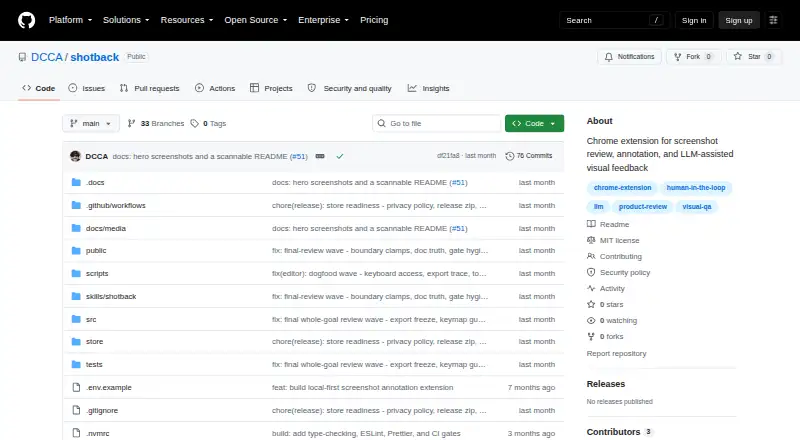
What Shotback is
Shotback is a free Chrome extension for capturing and annotating screenshots so coding agents can act on visual feedback with page context. It captures visible areas, full pages, or a full page after a three-second countdown. Annotation tools include boxes, arrows, text, highlights, freehand marks, redaction, cropping, numbered pins, and comments. Annotations may include the selected element’s CSS selector, visible text, and React component chain. For Claude Code, it exports a PNG and JSON sidecar and copies a prompt referring to both files. Other handoffs can prepare an image and prompt for a cloud LLM, copy an image to the clipboard, or create a browser-profile-local share link. The project says it makes no network requests itself and keeps captures, annotations, and feedback in the browser profile until export. Shares are retained up to 50 at a time for 30 days by default. The project uses the MIT license.
Who it suits
It suits developers and coding-agent workflows that need annotated screenshots with element-level context. It is also useful for local visual feedback and handoffs to Claude Code or cloud LLMs.
What it does well
- Captures visible areas and full pages
- Annotations can include selectors and React component chains
- Claude Code handoff exports PNG and JSON
- No network requests made by the project
- Released under the MIT license
What to know first
- Chrome Web Store listing is not published
- Must build from source and load unpacked
- Local share links are not public URLs
- Redaction pixelation may allow short strings to be recovered
Verdict
Shotback focuses on local screenshot annotation and structured handoff for coding agents. Its privacy and sharing limits are clear, but installation currently requires an unpacked Chrome extension.
Facts from Shotback's own pages
- Agent handoff
- It can export an annotated PNG and JSON sidecar with page and annotation details for Claude Code. · github.com, 12 Oct 2026
- Annotations
- Its annotation tools include boxes, arrows, text, highlights, freehand pen, redaction, and crop. · github.com, 12 Oct 2026
- Availability
- The Chrome Web Store listing is not yet published; the README describes building from source and loading the unpacked extension in Chrome. · github.com, 5 Oct 2026
- Capture
- It captures a visible area or a full page, including an option to wait three seconds before capturing. · github.com, 12 Oct 2026
- Capture modes
- It supports full-page captures, visible-area captures, and full-page captures after a three-second countdown. · github.com, 5 Oct 2026
- Data retention
- The privacy policy says Shotback keeps up to 50 shares for up to 30 days by default, then prunes the oldest shares. · github.com, 12 Oct 2026
- Diagnostics limit
- Failed-request diagnostics are partial because only same-origin failures and cross-origin failures that opt in via CORS are readable, and the browser retains roughly the last 250 resource entries. · github.com, 5 Oct 2026
- Distribution
- The README says the Chrome Web Store listing is not yet published and instructs users to build from source and load the extension unpacked. · github.com, 12 Oct 2026
- Element context
- Annotations can include the underlying element’s CSS selector, visible text, and React component chain. · github.com, 5 Oct 2026
- Free plan
- Yes · github.com, 24 Sept 2026
- License
- The repository identifies the project as MIT licensed. · github.com, 12 Oct 2026
- Local shares
- Share links work only in the browser profile that created them and are not public URLs. · github.com, 5 Oct 2026
- Maker profile
- GitHub identifies DCCA as Daniel Andrade and describes Shotback as a human-in-the-loop visual QA workflow for screenshot annotation and LLM-ready product feedback. · github.com, 5 Oct 2026
- Other handoffs
- It can prepare an image and prompt for a cloud LLM, copy an image to the clipboard, or create a browser-profile-local share link. · github.com, 12 Oct 2026
- Page context
- Annotations can include the underlying page element’s CSS selector, visible text, and React component names. · github.com, 12 Oct 2026
- Permissions
- The listed permissions include activeTab, tabs, scripting, storage, downloads, and all-URLs host access for capture and annotation. · github.com, 5 Oct 2026
- Privacy
- The maker says Shotback makes no network requests of its own and stores captures in the local browser profile unless the user exports them. · github.com, 12 Oct 2026
- Purpose
- Shotback is a Chrome extension for screenshot review, annotation, and LLM-assisted visual feedback. · github.com, 12 Oct 2026
- Redaction limit
- Redaction pixelates hidden regions, and the maker cautions that short strings may sometimes be recovered from the pixelation. · github.com, 12 Oct 2026
- Security limits
- The security policy says Shotback has no authenticated multi-user model or default encrypted cloud storage mode. · github.com, 12 Oct 2026
Where Shotback stands on Freedom251
- Screenshot Annotation Software#67 of 76