Freedom251 › Automotive Repair Software
ShopKey Shop Management
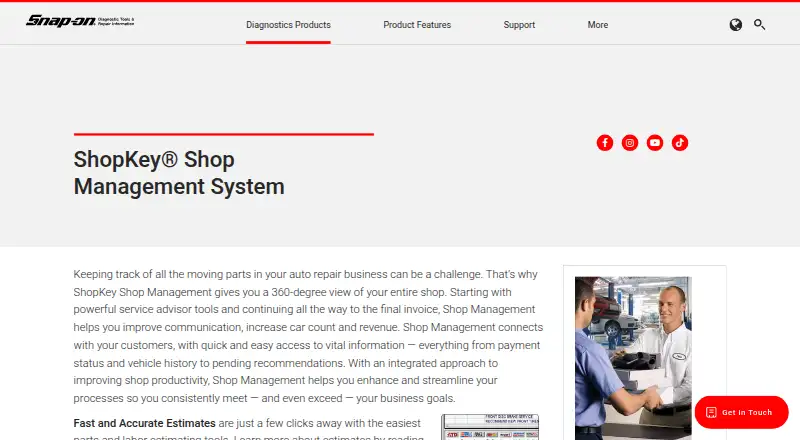
What ShopKey Shop Management is
ShopKey Shop Management gives auto repair businesses a view of work from service advising through the final invoice. It includes parts and labor estimating tools, work order management, digital inspections, estimate approvals, technician time tracking, and vehicle history. Its interactive work-in-progress screen lets staff search vehicles and customers, verify payments, check gross margins, review vehicle history, and see bay activity. More than 180 integrated reports and electronic parts catalogs support shop operations, including sourcing specialty parts and tires. Integration with ShopKey Pro provides OEM repair information and SureTrack Real Fixes. Optional QuickBooks integration transfers accounting and customer information, while XCharge processes card payments from the software. Optional Mobile ManagerPro supports starting inspections, estimates, and repair orders on a preconfigured tablet. Snap-on says the product backs up shop data nightly and provides data recovery and protection features, along with automatic software updates. It is available for Android, iOS, web, and Windows. Pricing is on request.
Who it suits
It suits auto repair businesses that need to manage estimates, work orders, inspections, and shop activity. Shops using QuickBooks, card processing, or tablet-based workflows may also find its optional integrations relevant.
What it does well
- Parts and labor estimating tools are included.
- More than 180 integrated reports.
- Electronic catalogs cover specialty parts and tires.
- ShopKey Pro integration supplies OEM repair information.
- Nightly backups and automatic updates are listed.
What to know first
- Pricing is available only on request.
- QuickBooks, XCharge, and Mobile ManagerPro are optional.
Plans
| Plan | Billed and limits | Price |
|---|---|---|
| ShopKey Shop Management System | Contact a Snap-on representative for information | On request |
As snapon.com lists them, read 4 Oct 2026. The maker's own page has the final word.
Getting started
- Visit the ShopKey Shop Management System website.
- Contact a Snap-on representative for pricing information.
- Choose a supported platform: Android, iOS, web, or Windows.
- Ask about optional QuickBooks Integrator, XCharge, or Mobile ManagerPro if needed.
- Contact ShopKey technical support by email or phone for support.
Overview
ShopKey Shop Management is software for auto repair businesses that connects estimating and service advising with active work and invoicing. It suits shops that want to coordinate jobs, parts, and vehicle information in one workflow. Its operational scope is a strength; the trade-off is that pricing is custom and some capabilities require optional integrations.
Key features
Parts and labor estimating, work order management, digital inspections, estimate approvals, technician time tracking, and vehicle history address core stages of repair work. The interactive work-in-progress screen combines customer and vehicle searches with payment checks, gross margins, vehicle history, and current bay activity. That makes it useful for staff tracking jobs across the shop, rather than managing each repair in isolation.
More than 180 integrated reports give managers a broad set of ways to review operations. Selected reports can be accessed in a browser through the ShopKey Pro home screen, but this is not full browser access to the system.
Electronic parts catalogs support sourcing and ordering, including specialty parts and tires. ShopKey Pro integration adds OEM repair information and SureTrack Real Fixes. Shops that need this repair guidance may find the connection valuable; it is a separate integration to consider in planning the setup.
Mobile ManagerPro is an optional tablet workflow for starting inspections, estimates, and repair orders at a vehicle or elsewhere. Optional QuickBooks Integrator transfers shop accounting and customer information to QuickBooks, while optional XCharge processes credit and debit card payments from the management software. These extensions can connect more of a shop’s work, but they should be weighed against the core system’s custom-priced package.
Snap-on says the software backs up shop data nightly to professionally managed backup servers and includes data recovery and protection features. Automatic updates deliver fixes, patches, enhancements, and vehicle information. ShopKey technical support is available by email at [email protected] or by phone at 800-944-3877.
Pricing
The ShopKey Shop Management System has custom pricing; contact a Snap-on representative for a quote. No published seat or usage limits are stated. Shops should clarify which optional integrations and features fit their needs when discussing the price, particularly if they plan to use mobile workflows, QuickBooks transfer, payment processing, or ShopKey Pro information.
Platforms
ShopKey Shop Management is available on Android, iOS, web, and Windows. Mobile ManagerPro supports work on a preconfigured tablet, while browser access is limited to selected reports through the ShopKey Pro home screen.
Who it's for
This is a strong candidate for auto repair businesses that need estimating, work orders, inspections, approvals, technician time tracking, vehicle history, and reporting in a connected shop workflow. Its breadth may be more than a shop needs if it only wants a narrower tool, and buyers who need firm upfront pricing should compare options before committing.
Pros and cons
- Pro: The work-in-progress screen brings bay activity, margins, payment status, and vehicle history together, helping staff monitor active repairs.
- Pro: More than 180 reports and electronic parts catalogs support operational review and parts sourcing, including specialty parts and tires.
- Pro: Nightly backups and automatic updates support data protection and ongoing maintenance.
- Con: Custom pricing makes it harder to compare cost without contacting Snap-on.
- Con: Mobile ManagerPro, QuickBooks Integrator, and XCharge are optional, so shops seeking those workflows should confirm the full setup and price.
- Con: Browser access covers selected reports rather than the entire shop-management workflow.
Alternatives
Compare automotive repair software if you want to survey the category before choosing a shop system.
- ARI is worth considering if you want a free plan or trial; its listed ARI Pro monthly plan is $39.99 a month and includes invoicing, inspections, inventory, accounting, appointments, reminders, and time tracking.
- CCC ONE Repair Workflow is another paid option available on Android, iOS, web, and Windows.
- AutoServe1 may suit shops looking for a published Pro plan at $399 a month, which includes expanded workflow features, unlimited text messaging, mobile estimate approval, and text-to-pay payments.
- Mitchell 1 Manager SE is a paid option for independent repair shops working on autos and light-duty trucks, with a web and Windows plan.
- Mitchell RepairCenter is another paid option, available on Android, iOS, and Windows.
- GEM-CAR may fit buyers who want a free trial and published monthly plans, including I Standard at $149 a month with 100 GB storage and two included users.
- Protractor offers a paid CRM and online service scheduler plan at $249 a month, with customer communication, reminders, follow-ups, retention offers, and online scheduling.
- Bay-Master is another paid option available on the web.
Verdict
Choose ShopKey Shop Management if your repair business wants a connected workflow that spans estimating, active work, parts sourcing, and reporting. Its broad operational view is the main reason to choose it; custom pricing and optional add-ons are the main reasons to compare alternatives first, especially if you need a predictable total cost or only a narrower set of tools.
Verdict
ShopKey combines estimating and work management with reporting, parts sourcing, and optional integrations. Ask Snap-on for pricing and confirm which optional features fit your shop.
Questions
How much does ShopKey Shop Management cost?
Pricing is available on request from a Snap-on representative.
Which platforms are listed?
The listed platforms are Android, iOS, web, and Windows.
What does ShopKey Pro integration provide?
It provides OEM repair information and SureTrack Real Fixes.
Does it integrate with QuickBooks?
An optional QuickBooks Integrator transfers shop accounting and customer information to QuickBooks.
Can it process card payments?
The optional XCharge feature processes credit and debit card payments from the management software.
Who makes ShopKey Shop Management?
Snap-on describes it as shop management software for auto repair businesses. The listed headquarters are in Kenosha, Wisconsin, United States.
Facts from ShopKey Shop Management's own pages
- Accounting integration
- The optional QuickBooks Integrator transfers shop accounting and customer information to QuickBooks. · snapon.com, 4 Oct 2026
- Browser access
- Selected shop reports are accessible through an internet browser via the ShopKey Pro home screen. · snapon.com, 4 Oct 2026
- Data protection
- Snap-on says the product includes data recovery and protection features and automatically backs up shop data nightly to its professionally managed backup servers. · snapon.com, 4 Oct 2026
- Estimates
- The system includes parts and labor estimating tools. · snapon.com, 4 Oct 2026
- Founded
- 1920 · snapon.com, 28 Sept 2026
- Headquarters
- Kenosha, Wisconsin, United States · snapon.com, 28 Sept 2026
- Intended users
- Snap-on describes the system as shop management software for auto repair businesses. · snapon.com, 4 Oct 2026
- Mobile workflow
- The optional Mobile ManagerPro lets users start inspections, estimates, and repair orders on a preconfigured tablet at the vehicle or elsewhere. · snapon.com, 4 Oct 2026
- Parts catalogs
- Electronic parts catalogs support parts sourcing and ordering, including specialty parts and tires. · snapon.com, 4 Oct 2026
- Payment processing
- The optional XCharge feature processes credit and debit card payments from the management software. · snapon.com, 4 Oct 2026
- Purpose
- ShopKey Shop Management gives auto repair businesses a view of shop operations from service advising through the final invoice. · snapon.com, 4 Oct 2026
- Reports
- The product includes more than 180 integrated reports. · snapon.com, 4 Oct 2026
- ShopKey Pro
- Integration with ShopKey Pro provides OEM repair information and SureTrack Real Fixes. · snapon.com, 4 Oct 2026
- Support
- The brochure lists ShopKey technical support by email at [email protected] or by phone at 800-944-3877. · snapon.com, 4 Oct 2026
- Updates
- The product provides automatic software updates with fixes, patches, enhancements, and vehicle information. · snapon.com, 4 Oct 2026
- Work in progress
- Its interactive work-in-progress screen lets users search vehicles and customers, verify payments, check gross margins, review vehicle history, and see current bay activity. · snapon.com, 4 Oct 2026
Where ShopKey Shop Management stands on Freedom251
- Automotive Repair Software#25 of 33